Google Contact creates duplicate contact
Status: Open · Asked by Soleiman Bolour on · 0 views
I am sending data from Lead Connector to Pabbly and from Pabbly to Google Contacts.
Right now when I update a field in Lead Connector the automation is supposed to kick in and that works, but when it comes to Pabbly and the data wants to get sent to Google Contacts it creates a duplicate contact. I have created a router but the router keeps creating a new contact even though it is a field within that contact that is being updated.
https://www.loom.com/share/e35003f4c68d48cf9b1e196070c64145
Hey @soleimanb,
Apologies for the delayed response.
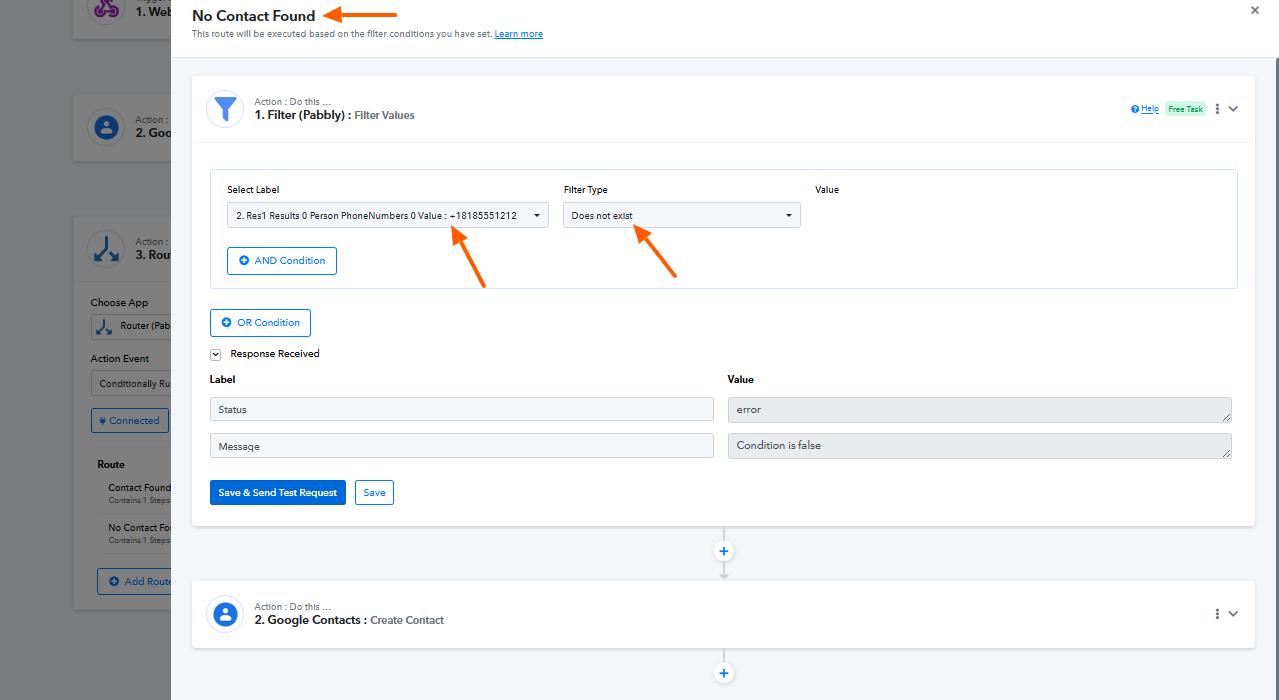
It appears that the filter condition used in the "No Contact Found" route was not correct. The key you were using in the condition does not appear when the contact already exists, which caused the route condition to fail.
We have made a quick fix in your workflow by updating the filter condition so that it checks the response correctly.
We recommend monitoring the workflow for the next few executions and letting us know if everything works as expected. If you face any further issues, please feel free to update us.
Thanks
Just ran the test again and got an error again. Pabbly hasn't been the time-saver I hoped for recently. I seem to be spending quite a bit of effort just keeping automations running with errors.
It is still creating a duplicate contact.
These are the error codes I keep getting when I do the test run. Please tell me how to fix it.
Hey @soleimanb,
Apologies for the inconvenience caused.
We have escalated this issue to our team for further review. Kindly allow us some time, and we will get back to you with an update as soon as possible.
Hey @soleimanb,
Our team has implemented a small update in the Update Customer action for Google Contacts, and it should now work as expected.
Please try updating a contact again or re-execute the failed task history. Let us know if it works correctly on your end.
Thank you. I appreciate the quick fix. Sorry for not responding sooner.
No worries. Glad we were able to help.
Thanks & Regards,
Arshil Ahmad
Customer Support Associate
? Pabbly.com
?Rate your support
Once again having issues with this. Here is the task history id
IjU3NjUwNTY0MDYzZjA0MzY1MjZjNTUzNzUxMzI1MTYxNTQzMjBmMzki_pc
Hi @soleimanb,
We’ve checked your workflow and found that the biography field contains commas, which caused it to be split into multiple parts. As a result, it was treated as multiple biographies, leading to the error since Google Contacts accepts only one biography per contact.
To resolve this, we’ve added a Text Formatter step in both routes to replace commas with a Single Low-9 Quotation Mark (‚). The formatted output has been mapped to the biography field in the Google Contacts action.
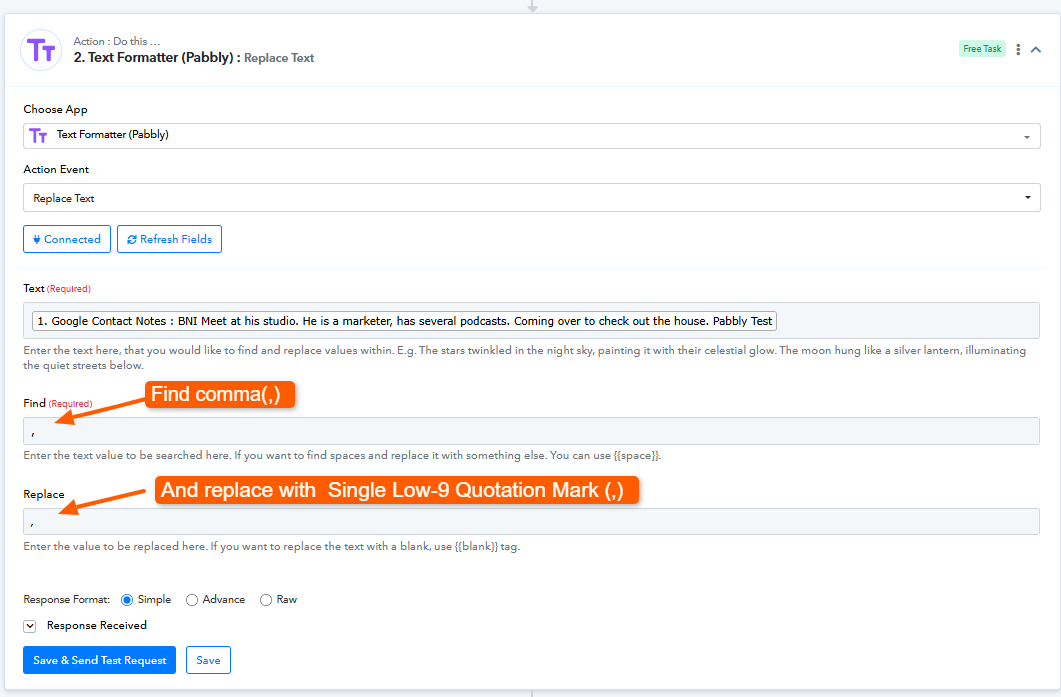
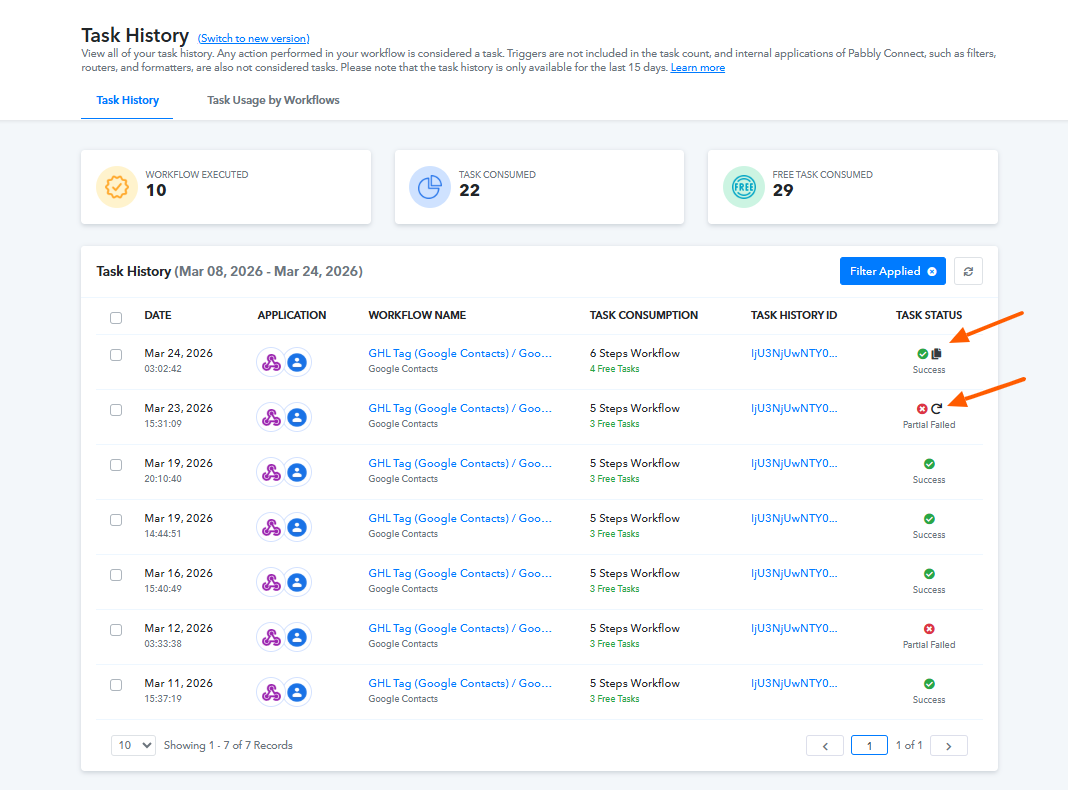
We also re-executed the previously failed task, and it completed successfully after applying this fix.
Please check at your end and let us know if everything works as expected.
Well this is starting to be a joke now.
IjU3NjUwNTY0MDYzZjA0Mzc1MjZiNTUzZDUxM2I1MTY0NTQzNjBmMzYi_pc
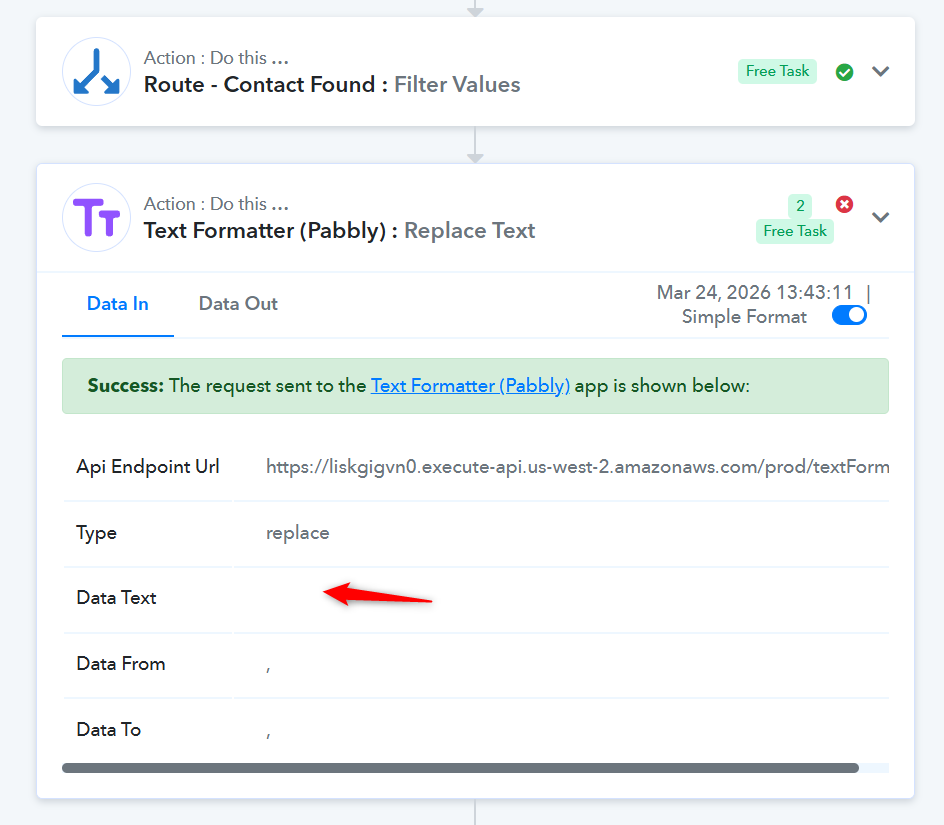
The data received from your source application via the webhook did not include the “Google Contact Notes” field. As a result, nothing was mapped to the Text Formatter action step, which caused the error.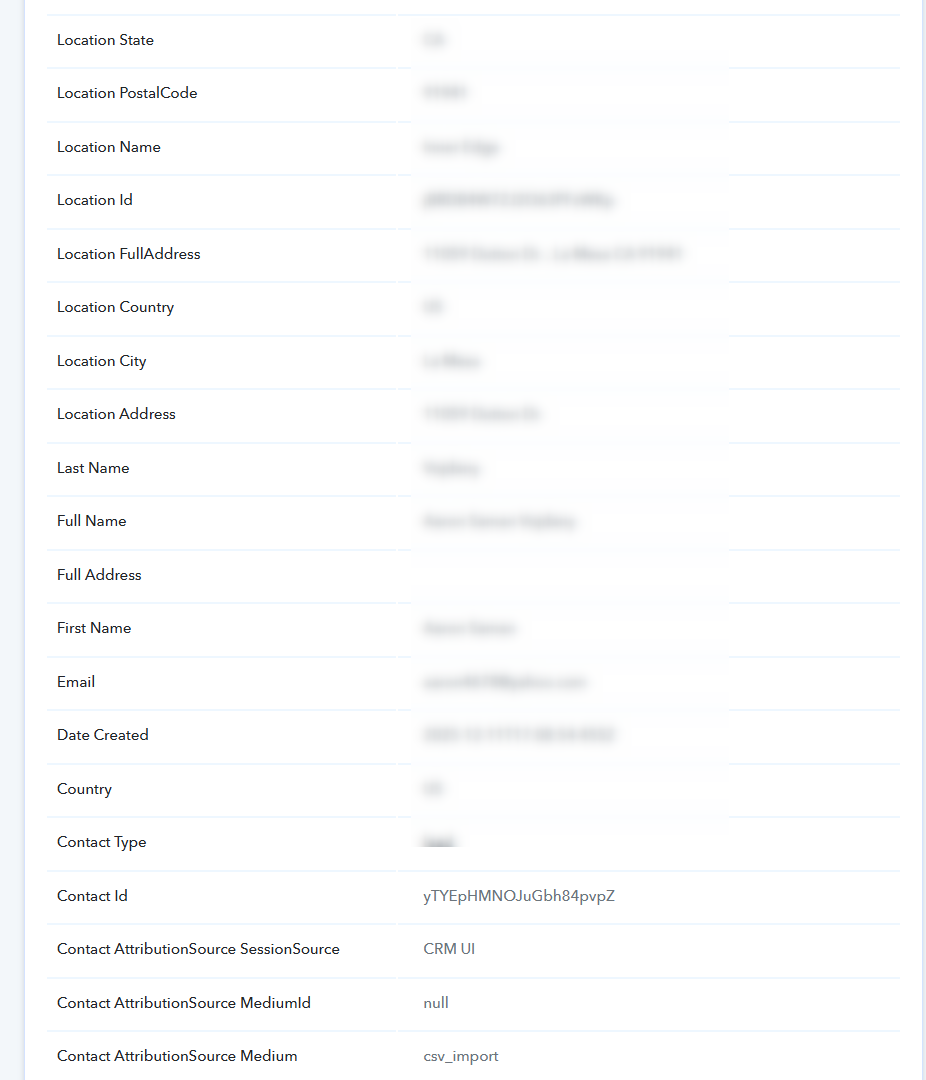
Thanks & Regards,
Arshil Ahmad
Customer Support Associate
? Pabbly.com
?Rate your support
What if I want that field to be blank?
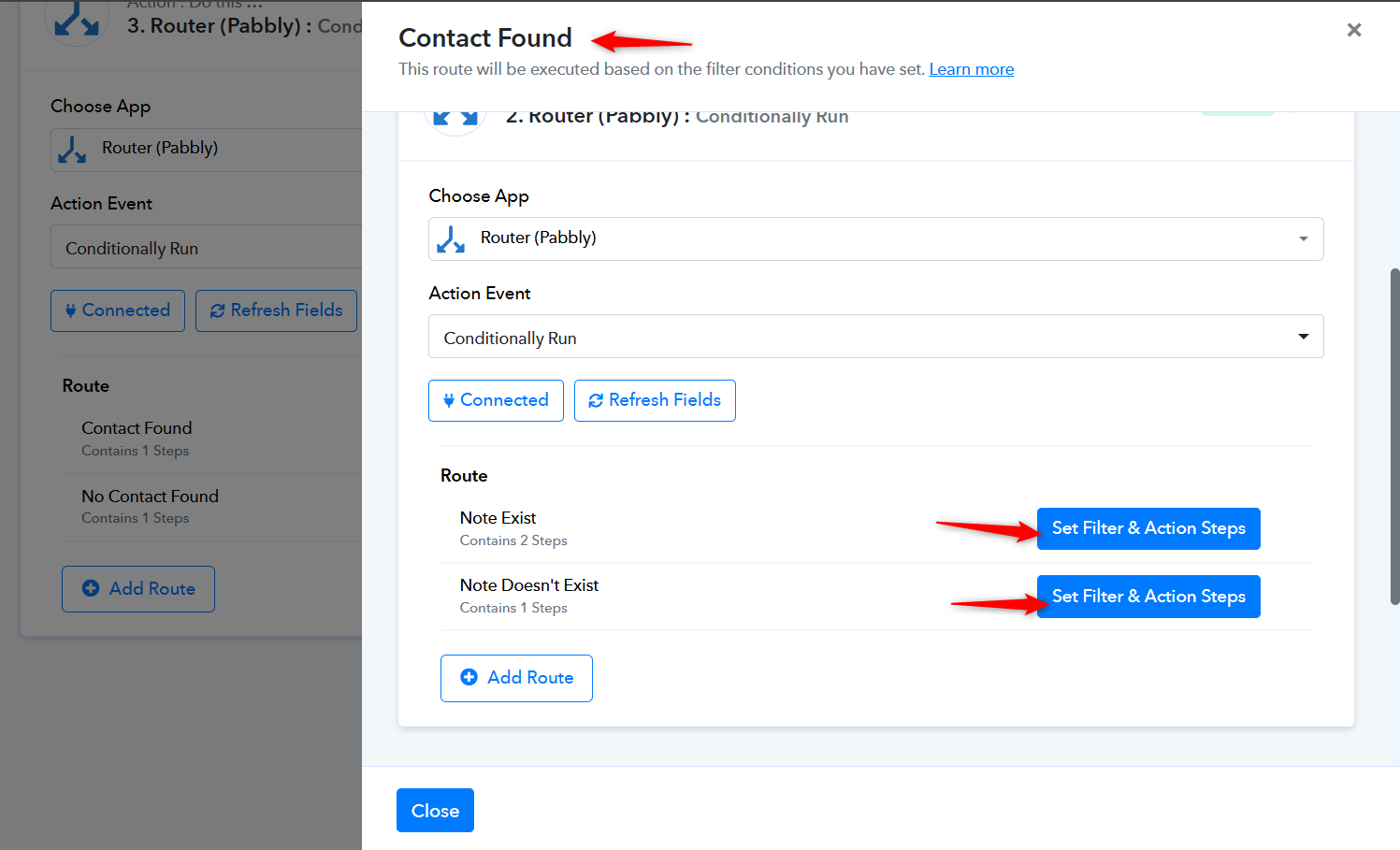
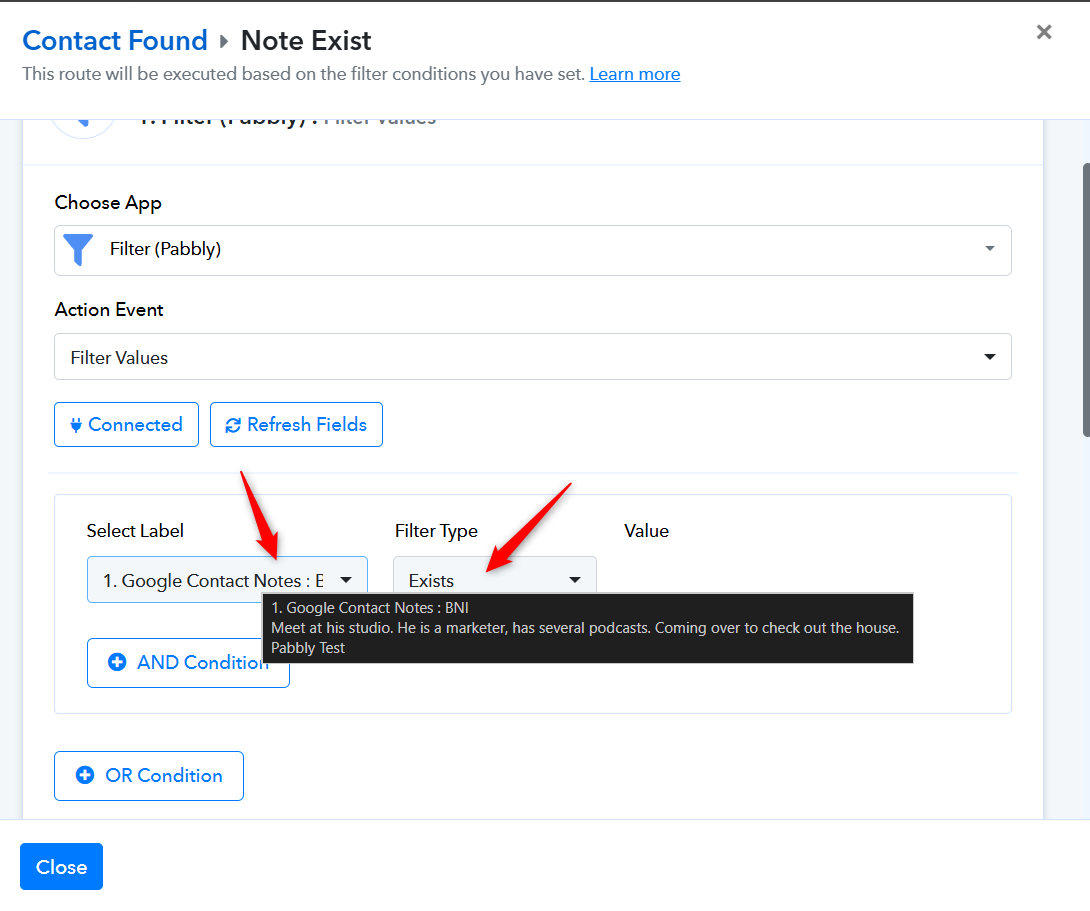
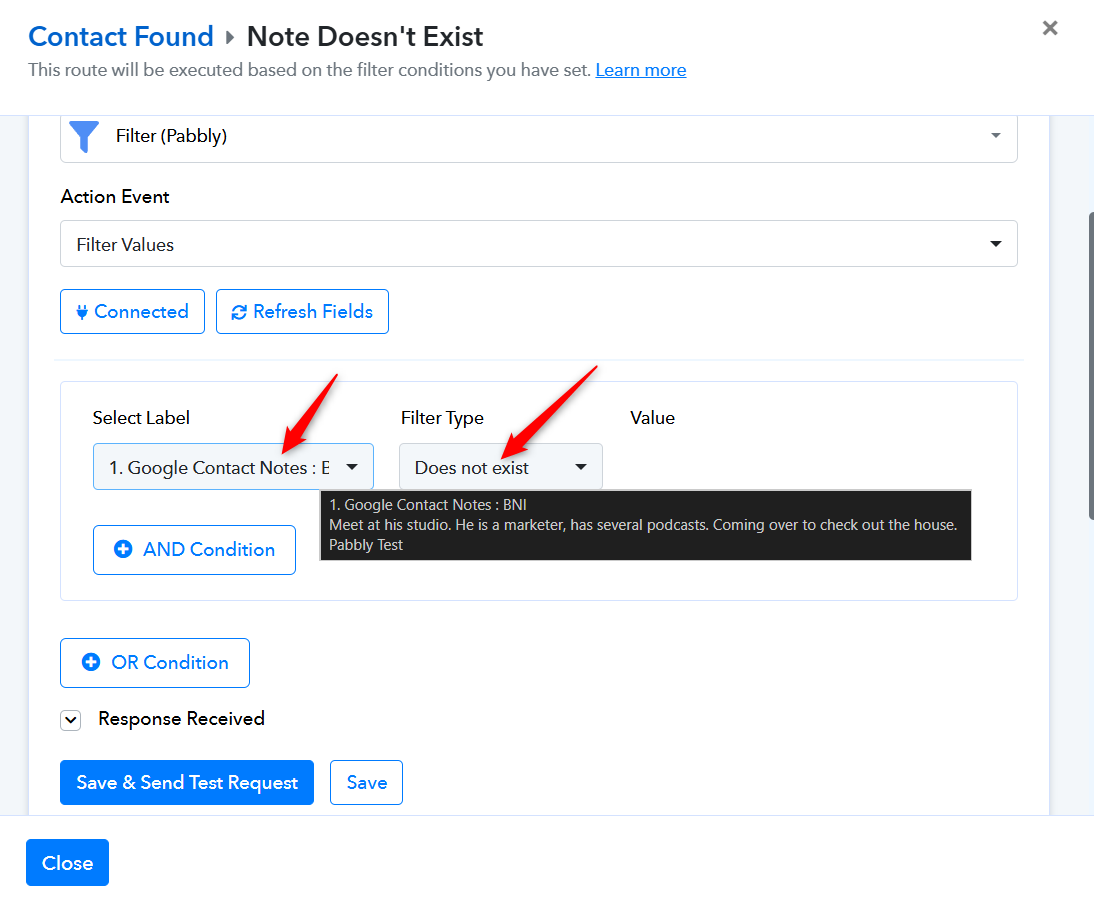
In that case, you would need to add two nested routers to your workflow to handle both scenarios—when the “Google Contact Notes” field is present in the trigger step and when it is not.
I have cloned your original workflow and set up the nested routes to demonstrate how it works. You can apply the same changes to both routes in your original workflow.
https://connect.pabbly.com/workflow/mapping/IjU3NjcwNTZmMDYzMzA0MzI1MjZlNTUzNDUxMzIi_pc
Thanks & Regards,
Arshil Ahmad
Customer Support Associate
? Pabbly.com
?Rate your support