Google doc from template error - Must specify at least one request
Status: Open · Asked by Pabblynaut on · 0 views
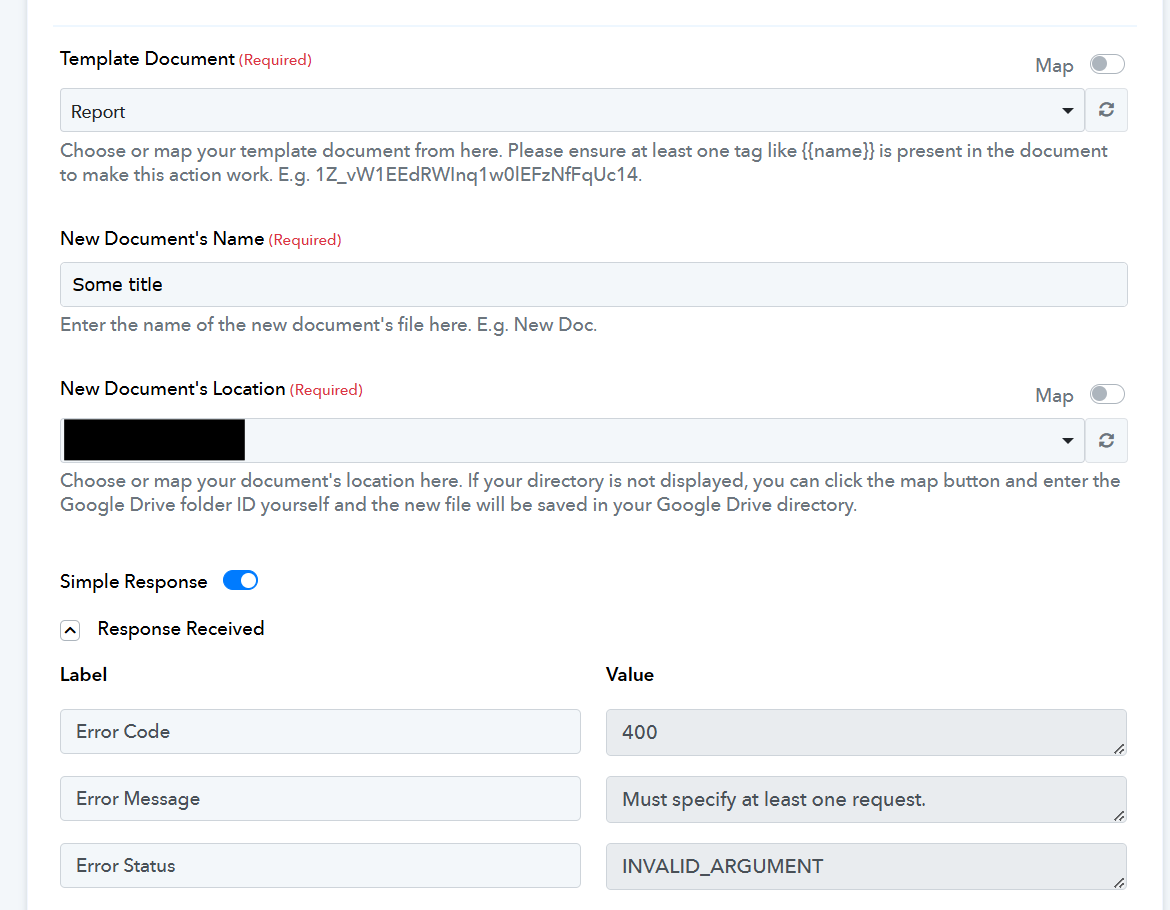
I have a google doc with some tags like {{title}}. I try to use the "Create document from template" action.
I get an error message saying "Must specify at least one request." But the new document is still created, so it kinda works. What causes this error, and how can I fix it?
Hi @Pabblynaut,
Could you please share the Workflow URL where you have this concern?
Hi @Pabblynaut,Could you please share the Workflow URL where you have this concern?
The 'Create Document from Template' action step is used to replace the tags in a template with data of your choice and generate a new document where the tags are replaced with that data.
For example, this is a template that contains a tag.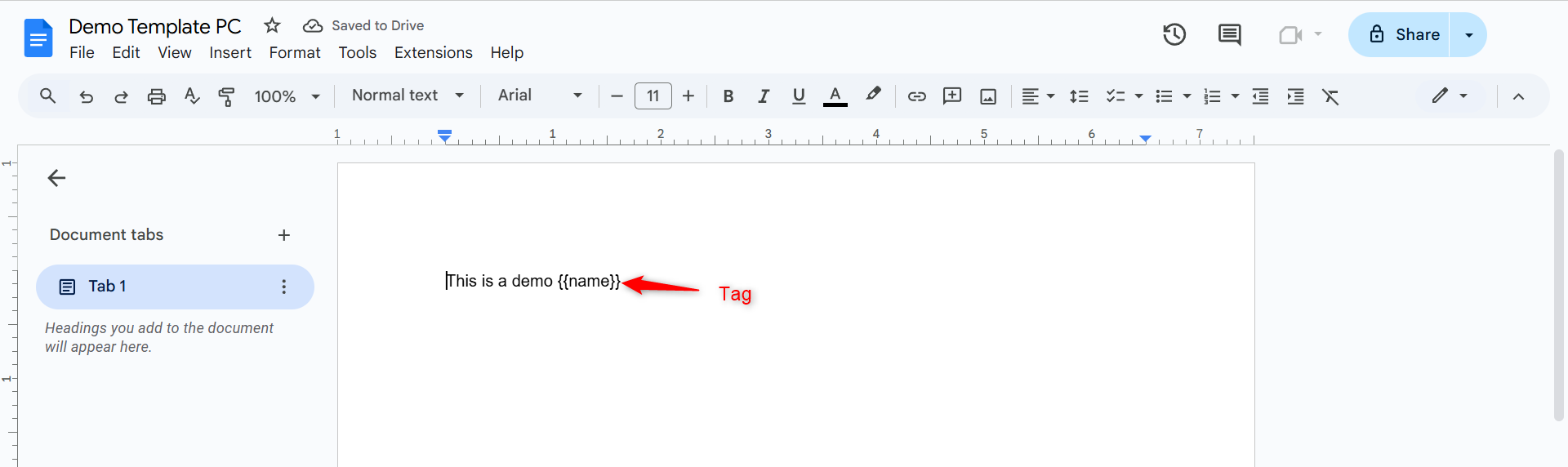
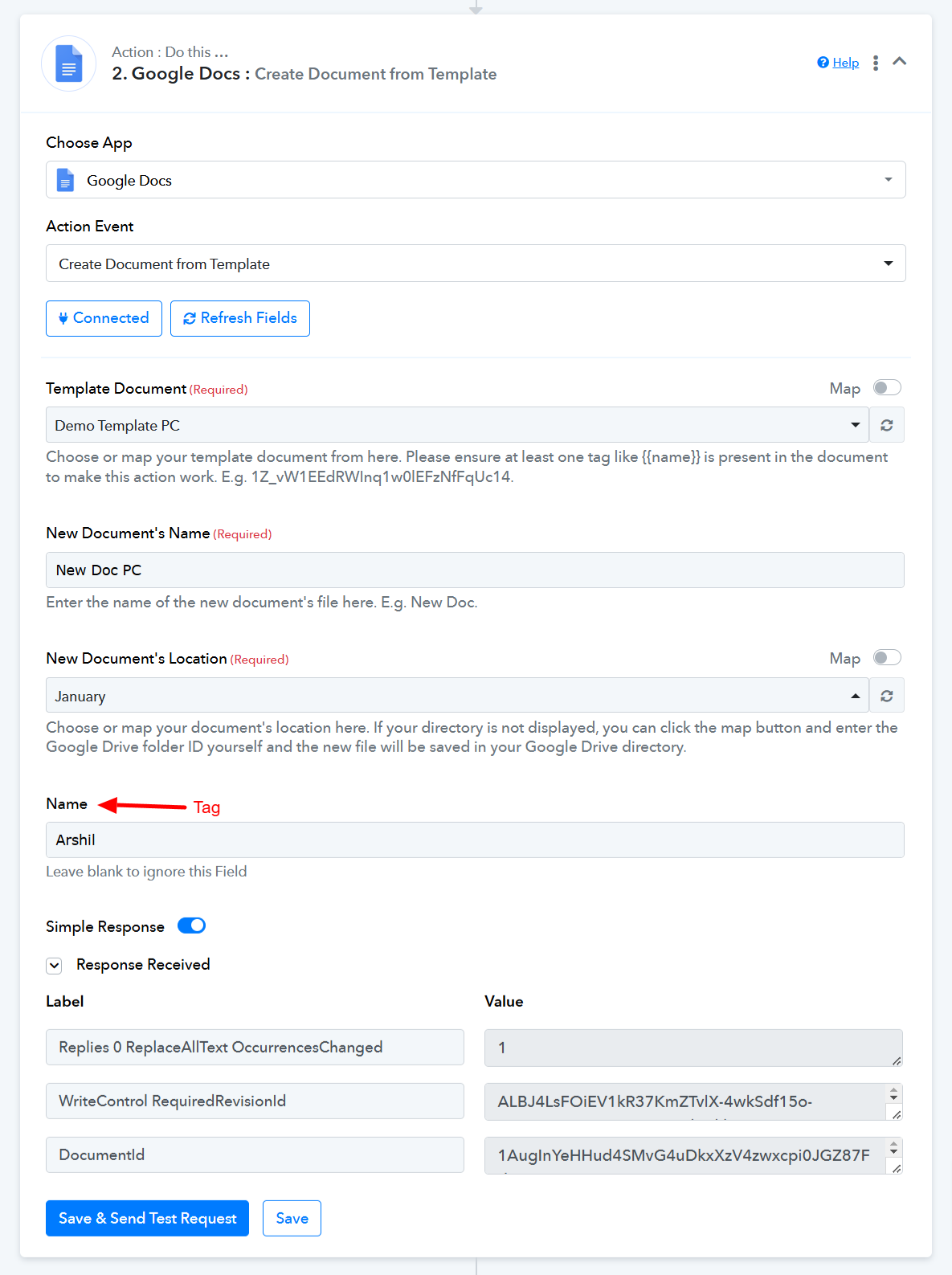
You can use the 'Create Document from Template' action step to replace the tags in a template with specific data and create a new document.
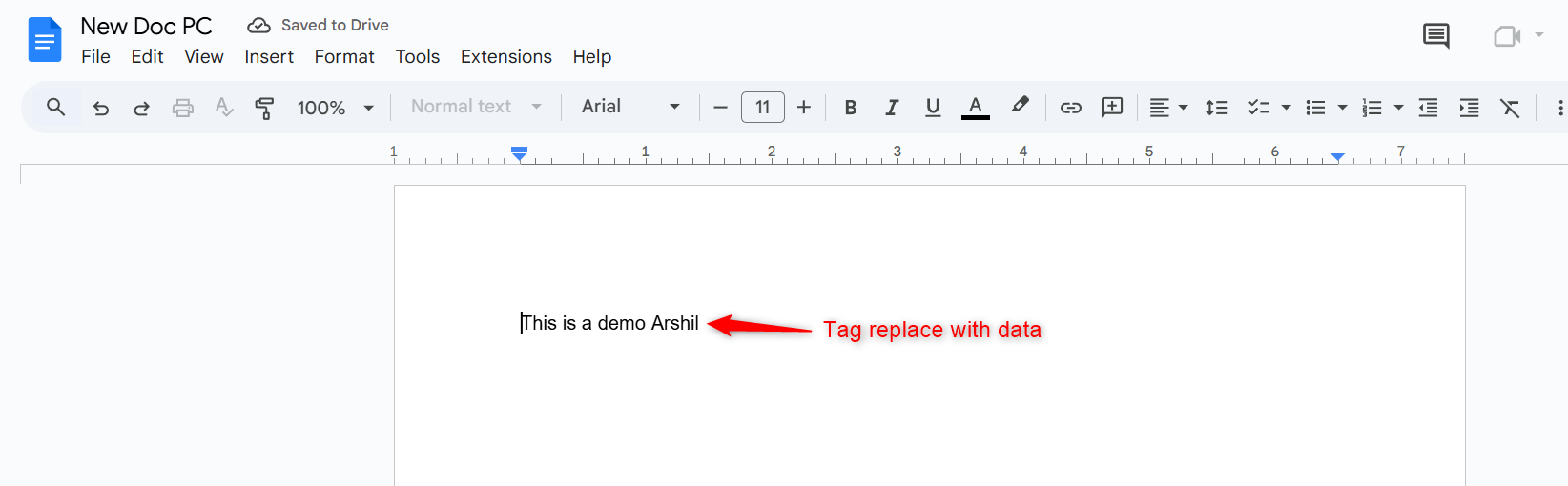
Here is how the new document will look: the {{Tag}} is replaced with the specified data.
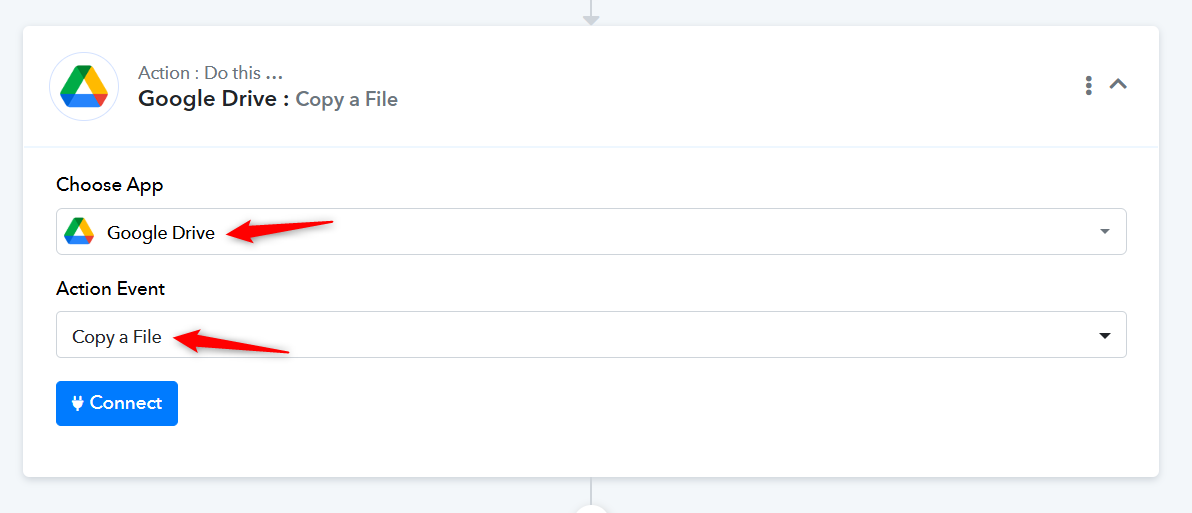
It looks like the template you are using to create a document doesn't contain any tags, which is why you are encountering this issue. We assume you just want to create a copy of the template without changing the data. To achieve this, we suggest using the 'Google Drive: Copy a File' action step. This will allow you to create a copy (new document) of your template without replacing any data.
The 'Create Document from Template' action step is used to replace the tags in a template with data of your choice and generate a new document where the tags are replaced with that data.For example, this is a template that contains a tag.
You can use the 'Create Document from Template' action step to replace the tags in a template with specific data and create a new document.
Here is how the new document will look: the {{Tag}} is replaced with the specified data.
It looks like the template you are using to create a document doesn't contain any tags, which is why you are encountering this issue. We assume you just want to create a copy of the template without changing the data. To achieve this, we suggest using the 'Google Drive: Copy a File' action step. This will allow you to create a copy (new document) of your template without replacing any data.
Thank you very much for the detailed reply. I got it to work like in your example. Quick follow up question:
How can I format the text so it will have formatting when it lands in the google doc? Like in your example, what would I do if I want "Arshil" to be in bold and cursive when it shows in the google doc?
Hello @Pabblynaut,
At the moment, it doesn’t seem possible to add formatted text in Google Docs.
Hello @Pabblynaut,At the moment, it doesn’t seem possible to add formatted text in Google Docs.
This would be a very useful feature. I voted up this: https://pabbly.featureos.app/p/openai-to-google-docs-text-format
Hello @Pabblynaut,At the moment, it doesn’t seem possible to add formatted text in Google Docs.
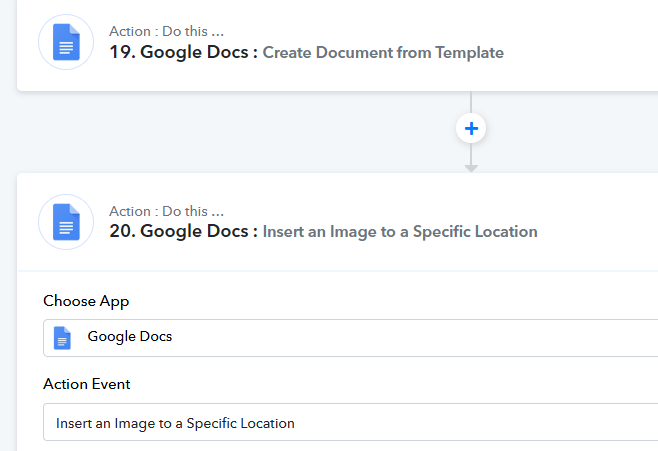
When I have used the "Create doc from template" action, a new doc is added to my google drive. Where can I see the id of this new file? I want to use the "Insert an image to a Specific Location" action to add a new image inside the new file, and not to the template.
Hello @Pabblynaut,
In the action Google Docs: Create Document from Template, the Document ID is being returned under the response key named DocumentID. Please refer to the attached image for more details.
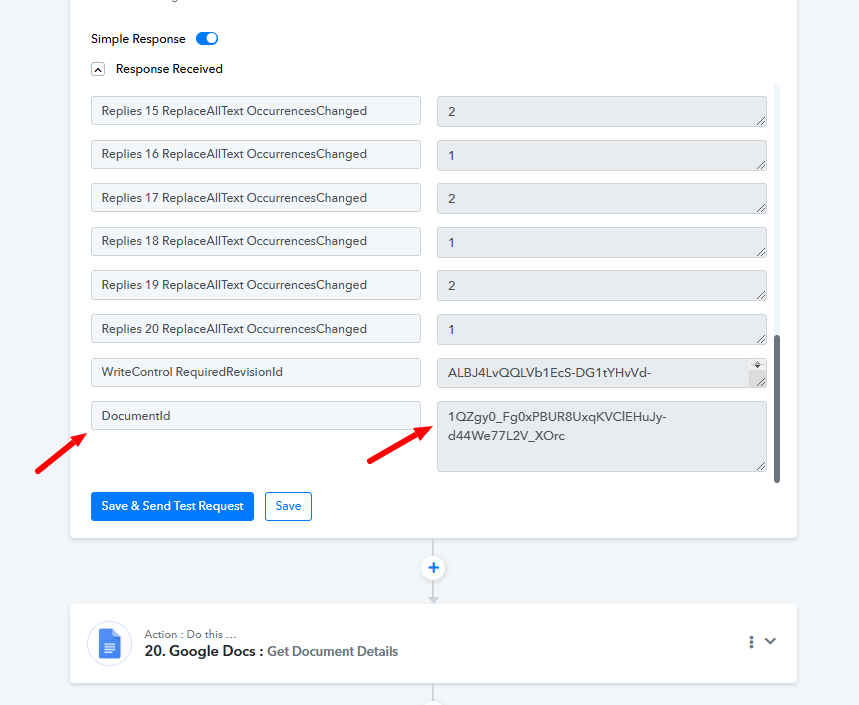
Hello @Pabblynaut,In the action Google Docs: Create Document from Template, the Document ID is being returned under the response key named DocumentID. Please refer to the attached image for more details.
Hi, thanks, now I am stuck on the next step. Please see the private ticket for the flow details.
Hello @Pabblynaut,
Thanks for the update! We have replied to your query in the private discussion thread. Please refer to the following thread link for further discussion on this issue - https://forum.pabbly.com/threads/google-docs-insert-an-image-to-a-specific-location.26675/