google docs to openai
Status: Closed · Asked by Applejack86 on · 0 views
Hopefully someone can help me with this, because I am missing something. I wanted to create a process that triggers when a Google Doc is added to a folder. The document is a transcript of a meeting. I then want OpenAI to take the transcript, summarize it, and list tasks and owners. It is then emailed. My issue is that the OpenAI action does not take the document's content. It will email a response, but it is all made up. Can anyone give advice? Thank you in advance
Hey @Applejack86
Please refer to the following video tutorial once on how you can process the data from Google Docs to OpenAI then try again.
Hey @Applejack86Please refer to the following video tutorial once on how you can process the data from Google Docs to OpenAI then try again.
@Supreme Thank you for the reply. Can you please clarify, how to map the Google Docs? When I select the map data, there are several options. I cannot figure out how to map the data so OpenAI reads the content in the document.
Hey @Applejack86
Please find the below video for mapping the data in the Google Doc.
Thank you for the response but it doesn't address my issue. I will try to restate my senerio and question.
I have a scribe tool for Google Meetings that once the meeting is complete it sends a transcript of the meeting to my Google Dive.
The trigger - when a new document is added to that folder.
Action 1 - OpenAi is prompted to use the document and provide meeting notes.
Action 2 - The response from Action 1 is emailed.
The Problem - in Action 1, OpenAi does not use the document to provide meeting notes. It instead provides sample (made-up) meeting notes.
It appears that OpenAi is not opening/reading/using the content in the document. I cannot figure out how to get OpenAi to read the content in the doc.
In the training videos when mapping a specific cell or response is seen in the drop down and used. Example, along with other meta information a name, email fields can be found in the drop down. Straight forward if I am looking to use a specific field.
I tried to map it using the document ID for example, but it did not return ANY information from the document when I tested. I tried several different options from the mapping drop down but none seem to work when I test.
What am I missing here? Is there a step required before OpenAi can read the document? Can it not read the document? Is there an easier integration?
Hey @Applejack86
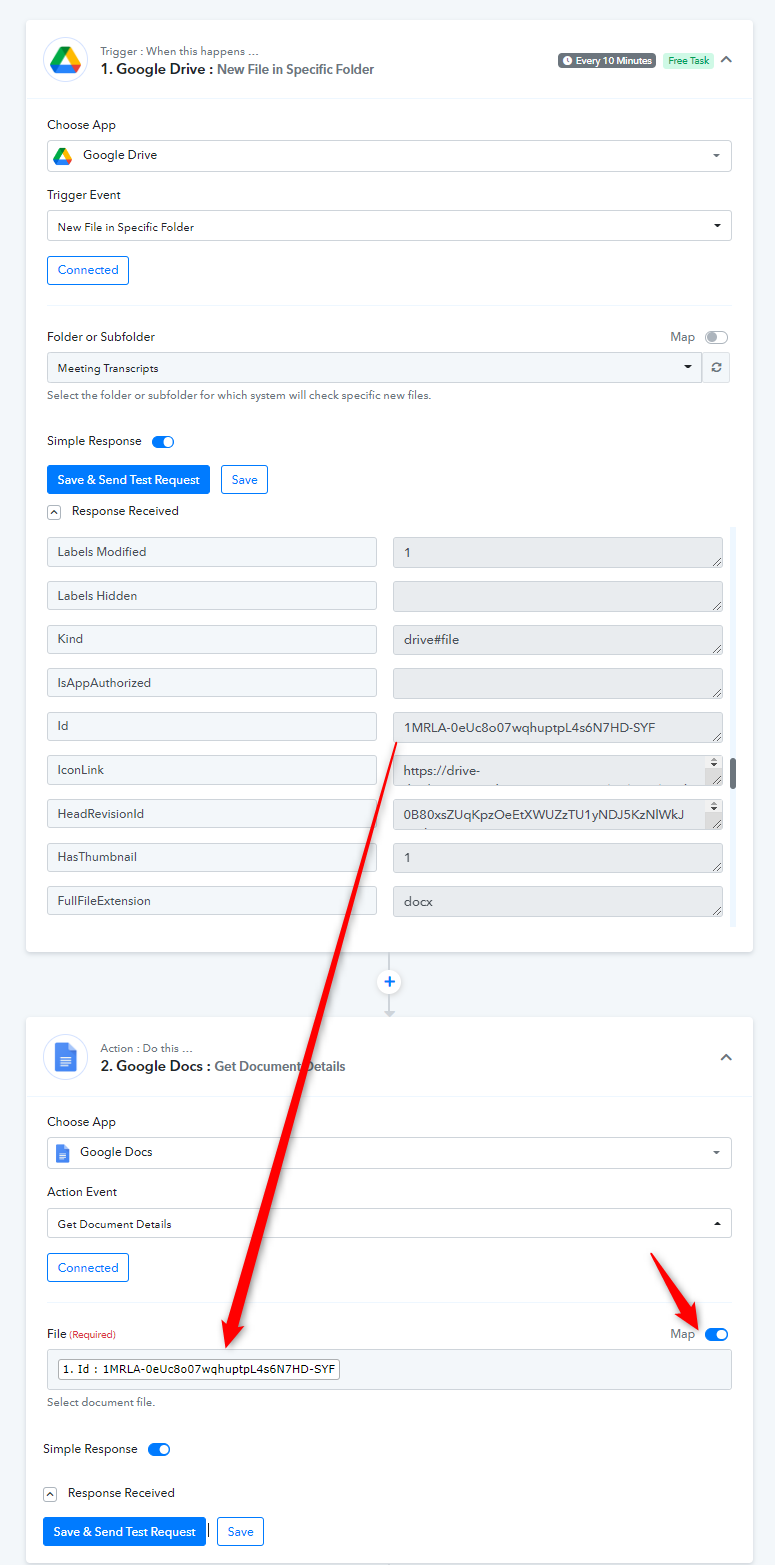
Regarding your concern, the " Google Docs: Get Document Details" action step might be required after the trigger event to extract the data from the Doc which you can pass in the Open AI action step.
So, kindly recapture the webhook response once with the desired doc and then try again.
Hello, I tried the solution, but it did not work. I received the following error when testing.
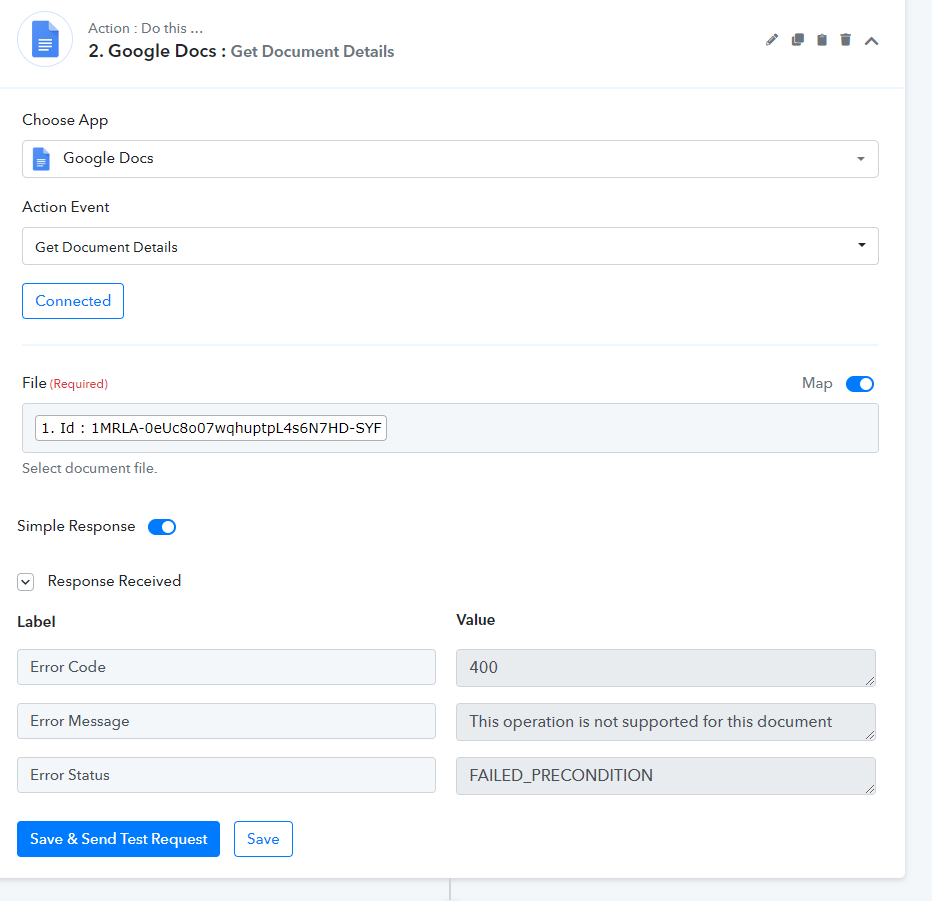
Please add a new file in the folder once and then try again.
Thank you, that did work to fix the error, but the overall issue is still there.
When I get to the OpenAI: Generate Content Action, I cannot map the content. I tried mapping it to the "Google Docs: Get Document Details" step, but I don't know what option to use. When I test the request, OpenAI makes up meeting details, it does not use the information in the Doc.
Is there a better way for this to be resolved? There is a lot of back and forth and I have to wait 24 hours to get an update.
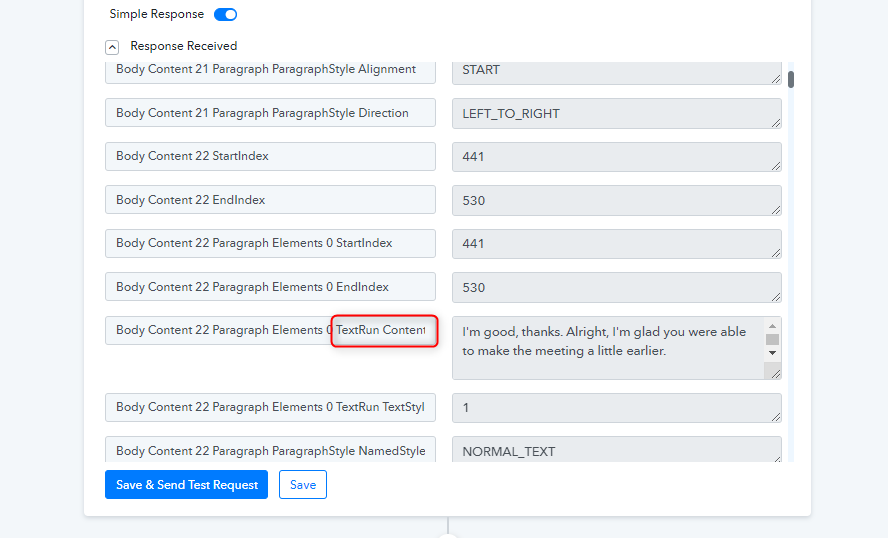
You can now use all the TextRun Content type fields from the response to pass the data in the Open AI action step.
hi,
My students submit homework to my Google drive, different docs have different numbers of paragraphs. Then I will process their homework using OpenAI.
However, Google docs return text content for each paragraph. Is there any tip and trick that can combine them into one?
Hey @omp
For your concern, we highly recommend hiring an automation expert who can design such email content for your workflow and manage everything for you - https://forum.pabbly.com/threads/pabbly-connect-experts-and-consultants.22/
And can even find automation experts in our Facebook group as well - https://www.facebook.com/groups/formget.deals/
You can now use all the TextRun Content type fields from the response to pass the data in the Open AI action step.
Is there a possibility to combine all TextRun from a single Google Docs document?
Hey @Marcos Assis
Can you please elaborate on your concern in brief, so that we can look into it and help your accordingly?
In my automation I will use several different Google Docs files, and each of them has a specific number of paragraphs...
Is there any command to select all paragraphs at the same time?
In my automation I will use several different Google Docs files, and each of them has a specific number of paragraphs...Is there any command to select all paragraphs at the same time?
I'm sorry, you can't select all paragraphs at once in Google Docs using a single command. The API and built-in commands don't support selecting multiple non-contiguous elements like paragraphs simultaneously.