Google Drive Share Access
Status: Open · Asked by Jeremy Friedland on · 0 views
can you add multiple email to "Add member to shared drive" for our team to get access on the new google drive created?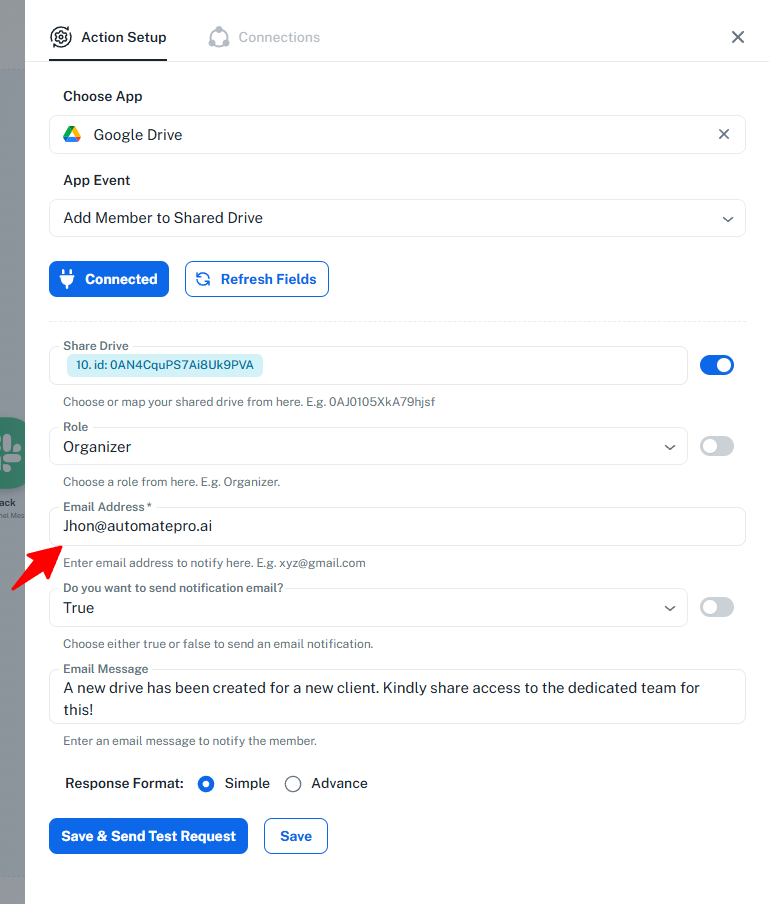
Hi @AutomatePro,
Thank you for reaching out.
Currently, the “Add Member to Shared Drive” action supports adding only one user at a time, due to limitations from the Google Drive API.
That said, you can proceed with the following approaches:
1. Add Multiple Users via Iteration (Available)
- If you have a list of email addresses, you can use an Iterator in your workflow
- Pass each email one by one to the “Add Member to Shared Drive” action
- This will ensure all users are added sequentially to the Shared Drive
2. Add a Google Group (Feature Request – Currently Unavailable)
- You can create a Google Group containing multiple users and add the group to the Shared Drive
- However, this option is not directly available in Pabbly Connect at the moment
- If this approach works for you, we can escalate this request to our integration team to introduce the required action
Please let us know how you would like to proceed, and we’ll assist you accordingly.