Google Drive Video Link Not Working on Facebook Reels – How to Fix It?
Status: Closed · Asked by lehieu76 on · 0 views
I am using a Google Drive video link to post on Facebook Reels, but it is not working.
If I replace the Google Drive link with a direct link, it works.
So, what format should I use to modify the Google Drive link so that it functions like a direct link?
Thank you, and I look forward to your response!
+++++++++++++
This is my workflow: https://connect.pabbly.com/workflow/mapping/IjU3NjYwNTY5MDYzNzA0M2M1MjZlNTUzNTUxMzQi_pc
Working Direct Link:
https://videos.pexels.com/video-files/17169505/17169505-hd_1080_1920_30fps.mp4
Google Drive Link:
https://drive.google.com/uc?export=download&id=1Y1Y3PsjfwO8NAortzN3oVKu1ixYu4yA9
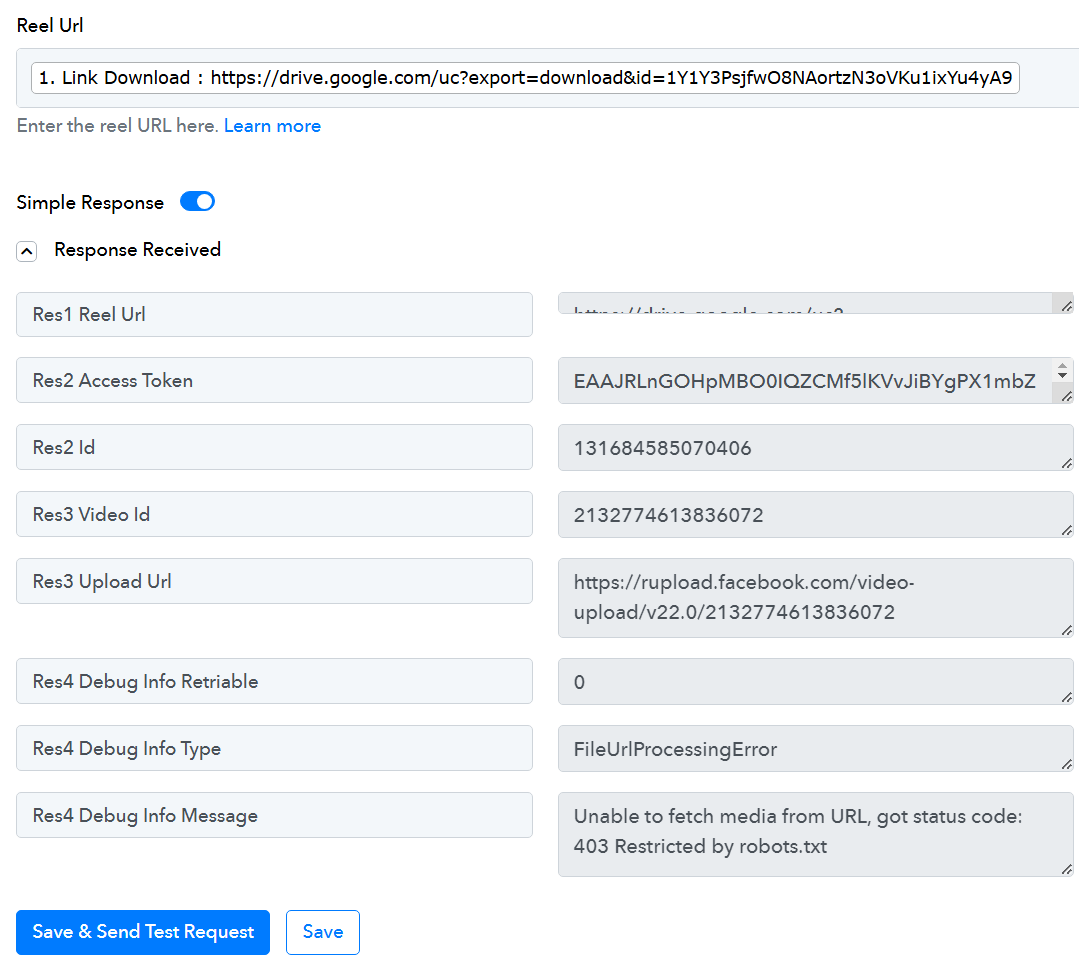
I am using a Google Drive video link to post on Facebook Reels, but it is not working.If I replace the Google Drive link with a direct link, it works.
So, what format should I use to modify the Google Drive link so that it functions like a direct link?
Thank you, and I look forward to your response!
+++++++++++++
This is my workflow: https://connect.pabbly.com/workflow/mapping/IjU3NjYwNTY5MDYzNzA0M2M1MjZlNTUzNTUxMzQi_pcWorking Direct Link:
https://videos.pexels.com/video-files/17169505/17169505-hd_1080_1920_30fps.mp4Google Drive Link:
https://drive.google.com/uc?export=download&id=1Y1Y3PsjfwO8NAortzN3oVKu1ixYu4yA9
Hello @lehieu76 ,
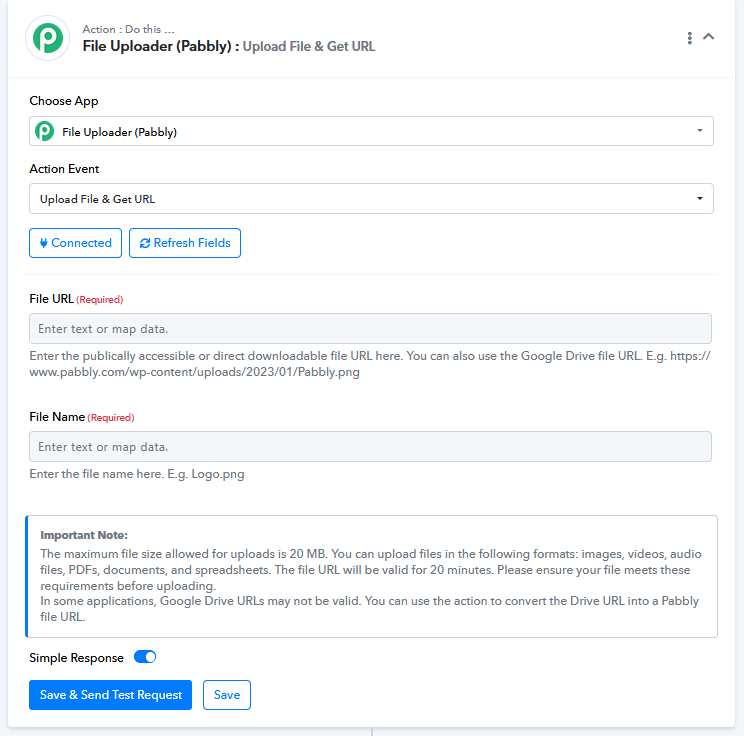
Try to pass url in File Uploader (Pabbly) to upload files and generate a public URL. Please refer to the attached image for more details.
FYI I'm not from pabbly connect team, I'm an automation freelancer who helps other pabbly users.
Try to pass url in File Uploader (Pabbly) to upload files and generate a public URL. Please refer to the attached image for more details.
I followed your suggestion to pass the URL through File Uploader (Pabbly) to generate a public link, and it worked perfectly!
While I’m grateful for the workaround, I do feel a bit disappointed that it wasn’t possible to achieve this directly without using an additional tool. However, I’m glad to have a working solution now.