Google Sheet Iteration not working
Status: Open · Asked by Gerhard Visser Jnr on · 0 views
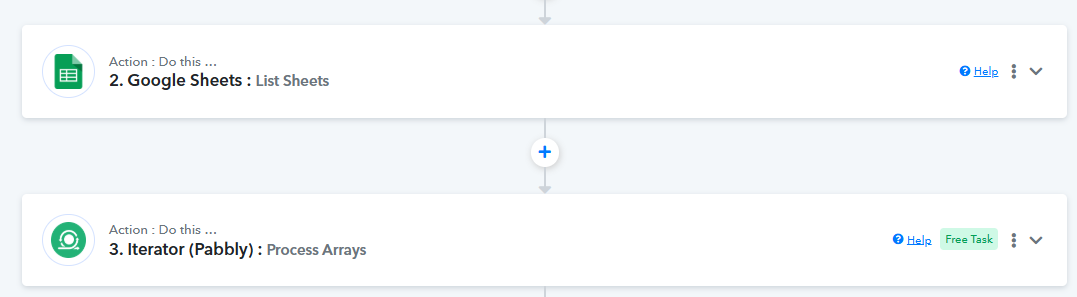
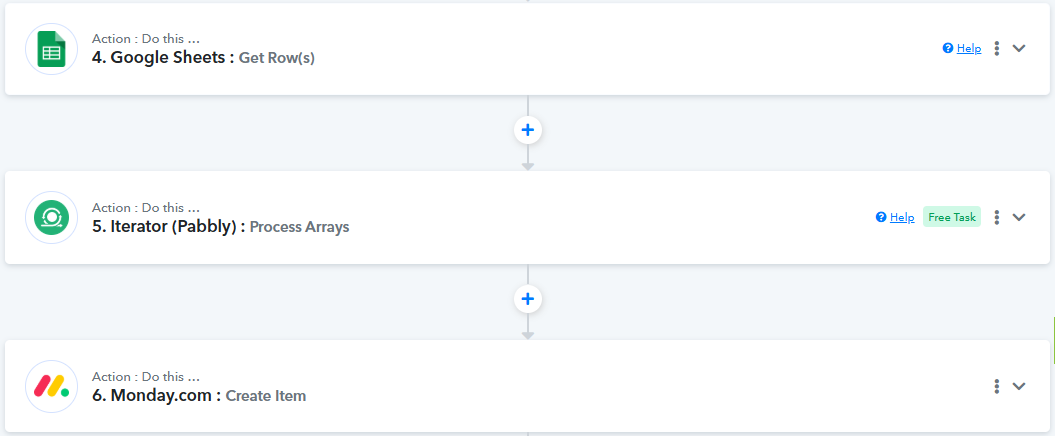
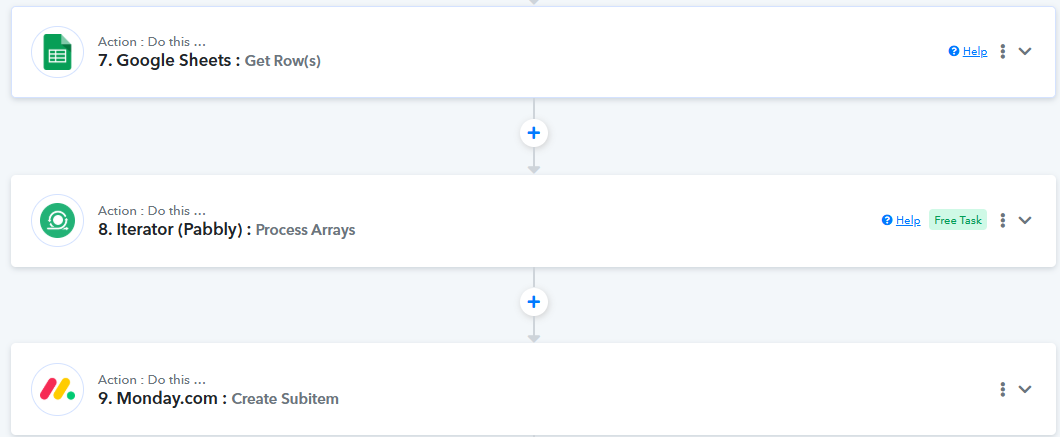
Hi - we have an iteration extracting the number of sheets in a google sheet, we do this because each google sheet contains a number of sheets, each sheet with a number of rows in column A (which will be used to create items in monday.com) and then extract the rows in column B to create subitems. So, the problem is that the workflow only creates the first row found in column A, with it's subitems in column B. But it does not go to the remaining sheets.
Hi @GerhardV,
Task History ID - IjU3NjUwNTZlMDYzZjA0MzE1MjY5NTUzNDUxM2E1MTZhNTQzODBmMzIi_pc
Based on your latest Task History ID, we can see that the sheets are being updated during the automation, and the items and subitems are being added to Monday.com.
https://drive.google.com/file/d/1CNCrBvrXnM3uwuoy791lYlpUBvkNPt6k/view?usp=sharing
Hi @ArshilAhmad
We can't get this to work... https://connect.pabbly.com/workflow/mapping/IjU3NjYwNTY4MDYzNzA0MzM1MjY0NTUzNzUxMzYi_pc
Hello,
It appears that you've made some corrections to the workflow—some steps seem to have been deleted. Since this morning, it looks like everything has been functioning correctly.
If you continue to face any issues, please feel free to share a screen recording to help us better understand the problem, and we’ll be happy to assist further.
@Resham - here is a video recording
https://www.loom.com/share/e466946272d14978886132988823b14a?sid=370c22a8-56b9-43b8-b6cc-f45a8faec803
Thanks for the clarification — we've identified the issue. It seems to be caused by a nested iterator within the router.
Could you please try removing the router and executing the same steps outside of it? That should help isolate and resolve the issue.
Let us know how it goes!
Hi - so we cloned the workflow and removed the router.
Here is the workflow > https://connect.pabbly.com/workflow/mapping/IjU3NjYwNTY4MDYzNTA0MzI1MjY4NTUzNzUxMzYi_pc
And the history > https://connect.pabbly.com/task/history?filter_status=applied&filter_by_workflow_id=IjU3NjYwNTY4MDYzNTA0MzI1MjY4NTUzNzUxMzYi_pc
Hello @GerhardV,
Thanks for sharing the details. Please allow us some time to review it.
@Preeti Paryani - any feedback for us?
Hello @GerhardV,
We have escalated this concern to our technical team for review. Please allow us some time and we will get back to you with the updates as we have some.
Hello @GerhardV,
Upon reviewing your workflow, we noticed that in all of the actions, the rows are being retrieved from the same spreadsheet ID; however, the spreadsheet ID has been mapped from a single step across all actions.
We recommend either directly selecting the spreadsheet from the dropdown menu (as it appears to be the same spreadsheet named "Leadership") or entering the spreadsheet ID as a static (raw) value instead of mapping it dynamically.
Once you've made this adjustment, please test the workflow and let us know if it helps resolve the issue.
Hello @Preeti Paryani
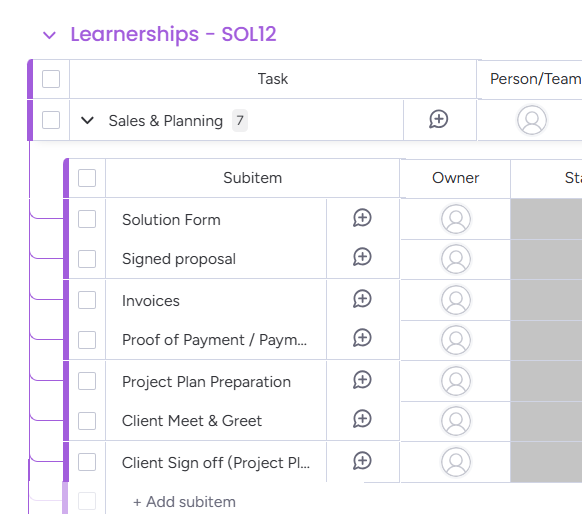
I made the changes, and still only get the workflow to run for the first sheet. What we should have seen is multiple main items with subitems, but we only see one main item with its subitems. So the flow works fine, but only for the first sheet.
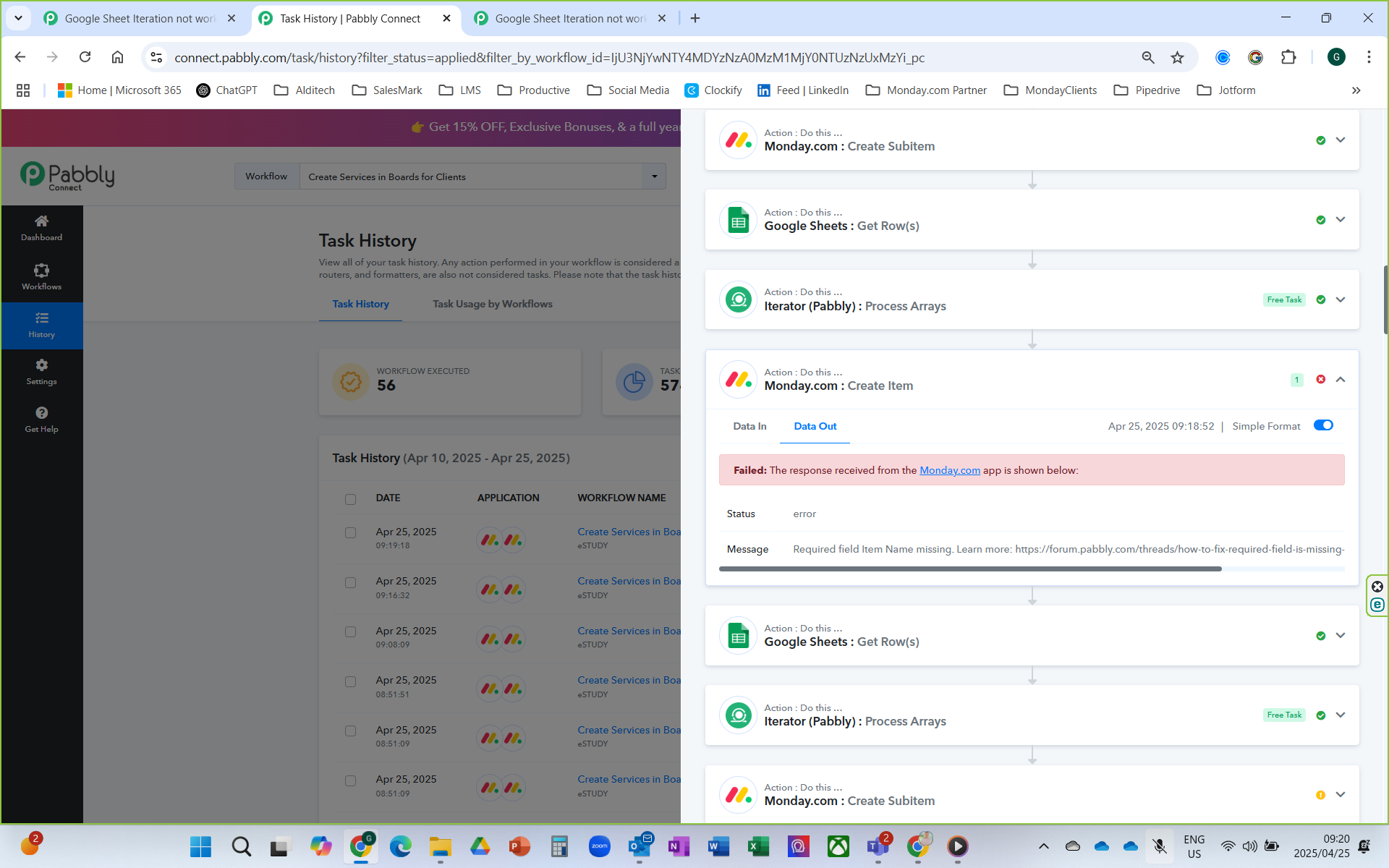
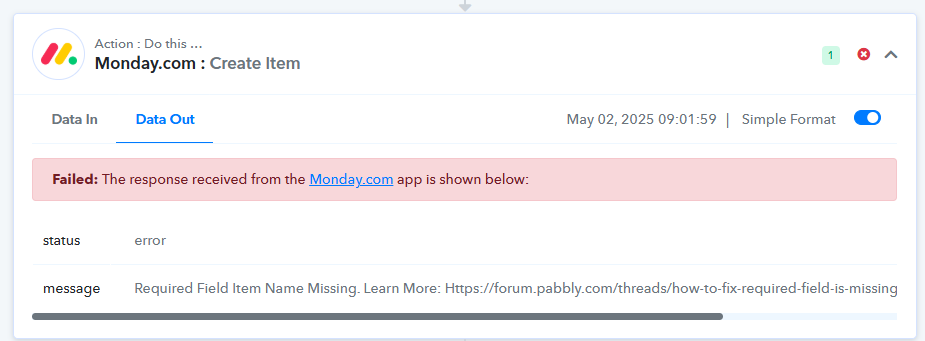
I also notice the workflow failed with this error:
Hello @GerhardV,
Could you please share the workflow URL along with the Task History ID where you are encountering this issue? This will allow us to better assist you.
URL > https://connect.pabbly.com/workflow/mapping/IjU3NjYwNTY4MDYzNTA0MzI1MjY4NTUzNzUxMzYi_pc
Task History ID - IjU3NjUwNTY5MDYzNzA0MzY1MjZmNTUzNDUxMzU1MTYyNTQzMzBmMzAi_pc
So the task history ID says successful, but it is not true! If you look at the workflow, you will see create item in monday.com, but the history does not even have any items created, yet is says successful.
Hello @GerhardV,
It appears that some changes in the workflow might not have been saved properly, which could have caused this malfunction. We recommend setting up a new workflow to resolve the issue.
If the problem still persists after setting up the new workflow, we’ll be happy to assist you further over a Google Meet. Kindly try creating the new workflow and let us know how it goes.
Hi @Preeti Paryani
Here is the new workflow URL (still getting the same issue) https://connect.pabbly.com/workflow/mapping/IjU3NjYwNTY4MDYzNDA0M2M1MjY1NTUzMTUxMzAi_pc
Here is the task history > Task History ID - IjU3NjUwNTY5MDYzNzA0MzY1MjY5NTUzNjUxMzE1MTY3NTQzNTBmMzki_pc
Hello @GerhardV,
Upon discussing your use case with our team, we would like to inform you that using a nested iterator (an iterator placed after another iterator) may cause the workflow to malfunction.
However, after reviewing the recently shared workflow, we noticed that you had made changes to a previous workflow, which would not impact the process as expected. We kindly request that you set up a new workflow from scratch by clicking the "Create New Workflow" button and monitor its functioning carefully.
Please let us know if you face any difficulties further. We are here to assist you.
Hello @GerhardV,
Could you please disable the Auto Re-Execution settings for your workflow so we can better investigate the issue.
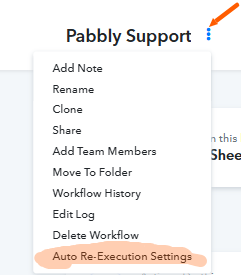
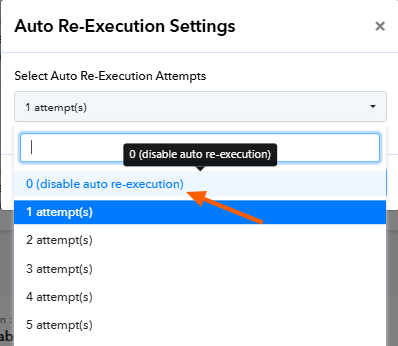
Hello @GerhardV,
Our team has made some updates on our end, and we kindly request that you test the issue again by creating a new workflow from scratch.
While reviewing your existing workflow, we observed that all actions are retrieving rows from the same spreadsheet. However, the Spreadsheet ID has been dynamically mapped from a single step across all actions.
To ensure smoother execution, we recommend the following:
- Either select the spreadsheet directly from the dropdown (since it appears to be consistently the same spreadsheet named "Leadership")
OR - Enter the Spreadsheet ID as a static (raw) value instead of mapping it dynamically.
Please give it a try and let us know if you encounter any further issues—we're here to help!