google sheet next row
Status: Open · Asked by serwar habib on · 0 views
if i have 10 rows and daily i want the workflow to get data from 1st row, next day 2nd row and so on. and when all 10 rows data is fetched after 10 days then i want it to start from top again and repeat the process how can i setup this workflow.
Hello @serwar24554,
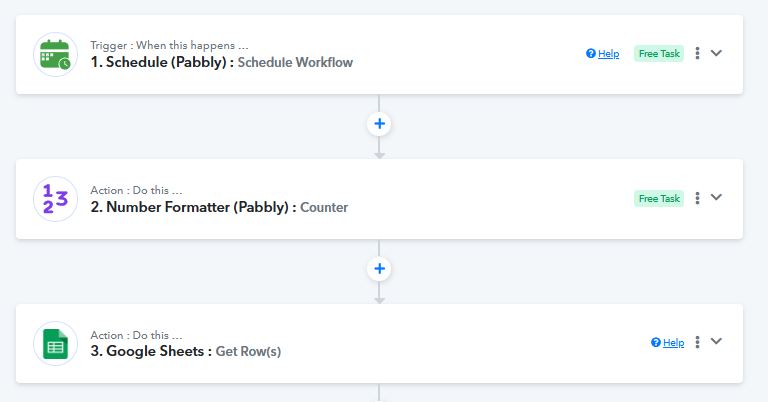
You can achieve this use case by setting up the workflow in the following order:
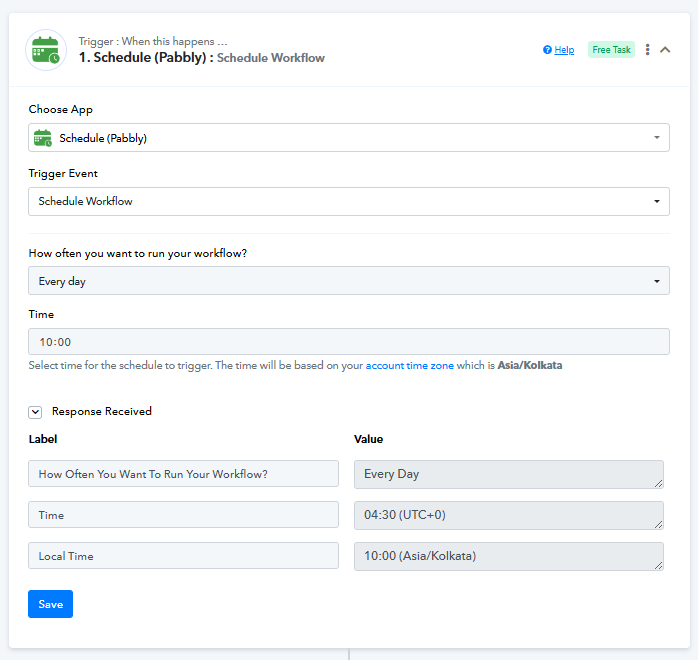
- Schedule (Pabbly) – Schedule Workflow
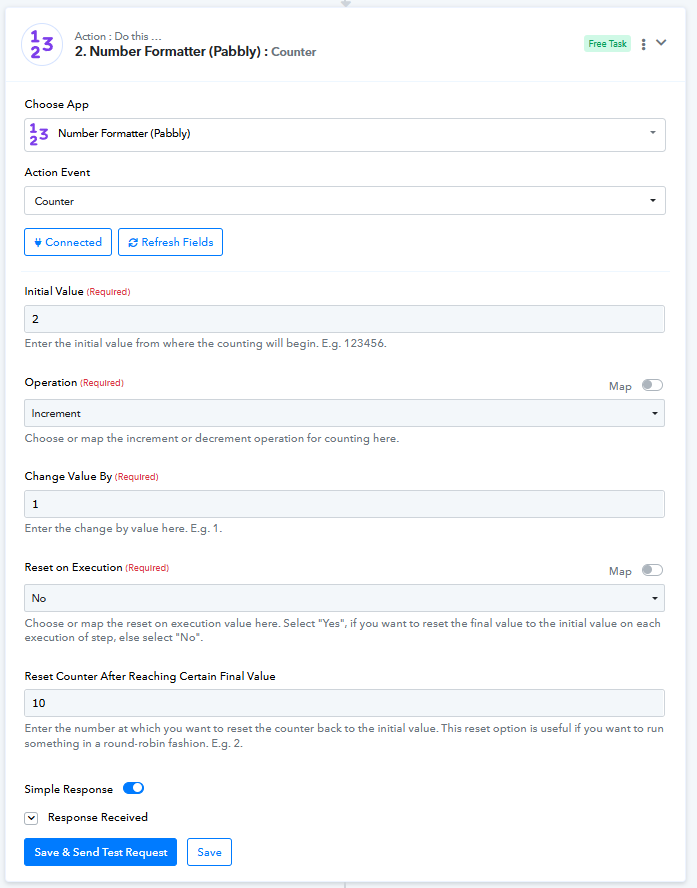
Configure it to run daily at your preferred time. - Number Formatter (Pabbly) – Counter
- Set the initial value as 1
- Operation: Increment
- Change value by: 1
- Reset on execution: No
- Reset counter after reaching final value: 10
- This will ensure the counter increments daily and resets back to 1 after reaching the 10th row.
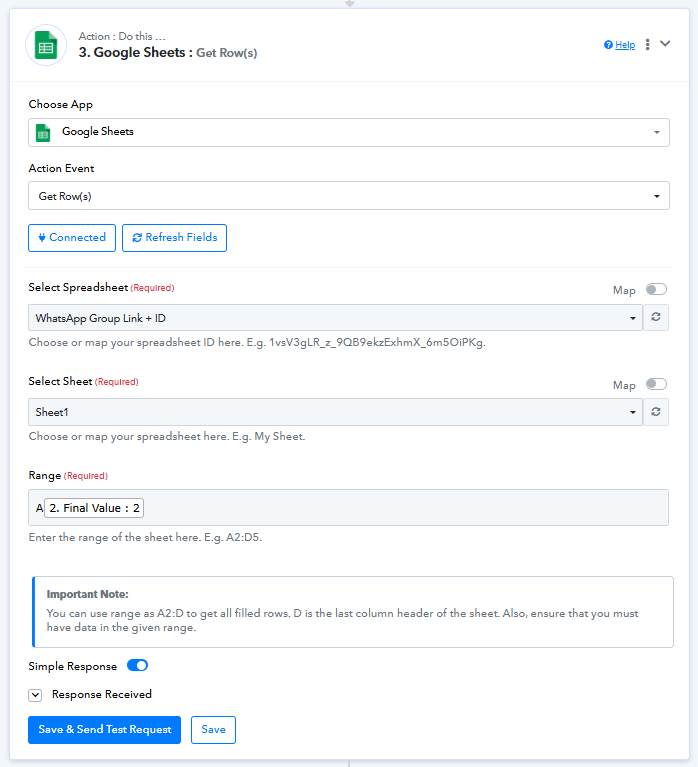
- Google Sheets – Get Row(s)
Use the counter’s Final Value to dynamically define the row range (for example: A{{Final Value}}:Z{{Final Value}}).
With this setup, the workflow will fetch data from row 1 on day 1, row 2 on day 2, and so on. After fetching data from row 10, it will automatically start again from row 1 and repeat the process.
Please try this setup and let us know if you need any further assistance.