Google Sheet Webhook extension not workig
Status: Open · Asked by hottley on · 0 views
Hi Team,
I installed the Pabbly Webhook extension in Google Sheet and started the initial setup. On this page after pasting the Webhook URL and Trigger Column, the pop up window is not responding. Please check in the screenshot below: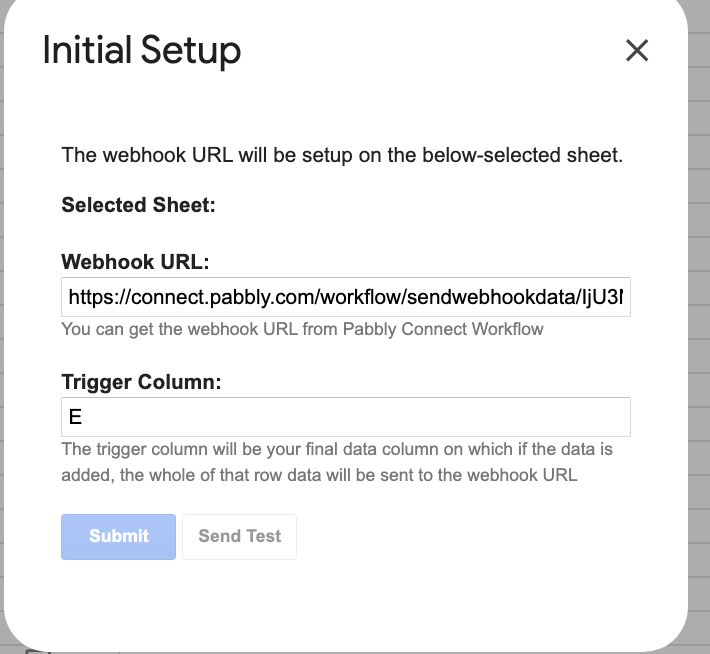
Both Submit & Send Test button are non pressable and nothing happening.
Please suggest the way out.
Hi @hottley,
Please log in to your Google Sheets and Pabbly Connect accounts in an incognito tab, and then set up Google Sheets as your trigger step.
Same issue is showing even in incognito.
https://www.loom.com/share/58ac5b983d7f414abbbb1c179482ed93?sid=95da3800-6df6-4083-b71e-5b046fd2aa79
Google Sheets spreadsheet trigger step requires a header in the first row of the spreadsheet, with data starting from row 2. It works only with simple formatting and will not work with the type of formatting present in your spreadsheet.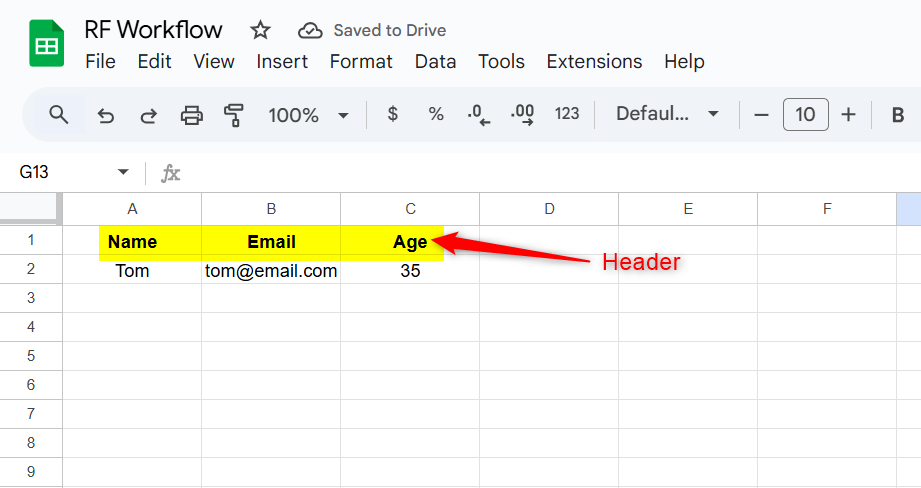
I tried in a new and simple formatting sheet. Still same issue. Please check screen recording.
Please look into it and provide the solution.
Hello @hottley ,
Thank you for sharing the details.
It seems there may be an issue with the current installation of the Pabbly Connect Webhook extension in your Google Sheet.
Please try the following steps:
- Uninstall the Pabbly Connect Webhook extension from your Google Sheets.
- Reinstall the extension from the Google Workspace Marketplace.
- Open your sheet again and try setting up the webhook by pasting the Webhook URL and Trigger Column.
- Click Submit and then Send Test to confirm it’s working.
If the issue still persists after reinstalling, please try using the setup in an incognito window or a different browser to rule out any cache or extension conflicts.