Google Sheets Action: Get Row(s) Error
Status: Open · Asked by JP Roux on · 0 views
I do not understand why I am getting an error when mapping a Google Sheet to a previous Google Sheet action step. Please see loom video - https://www.loom.com/share/da4fbad35f104d4490635581a05d4917
Hello,
Greetings!
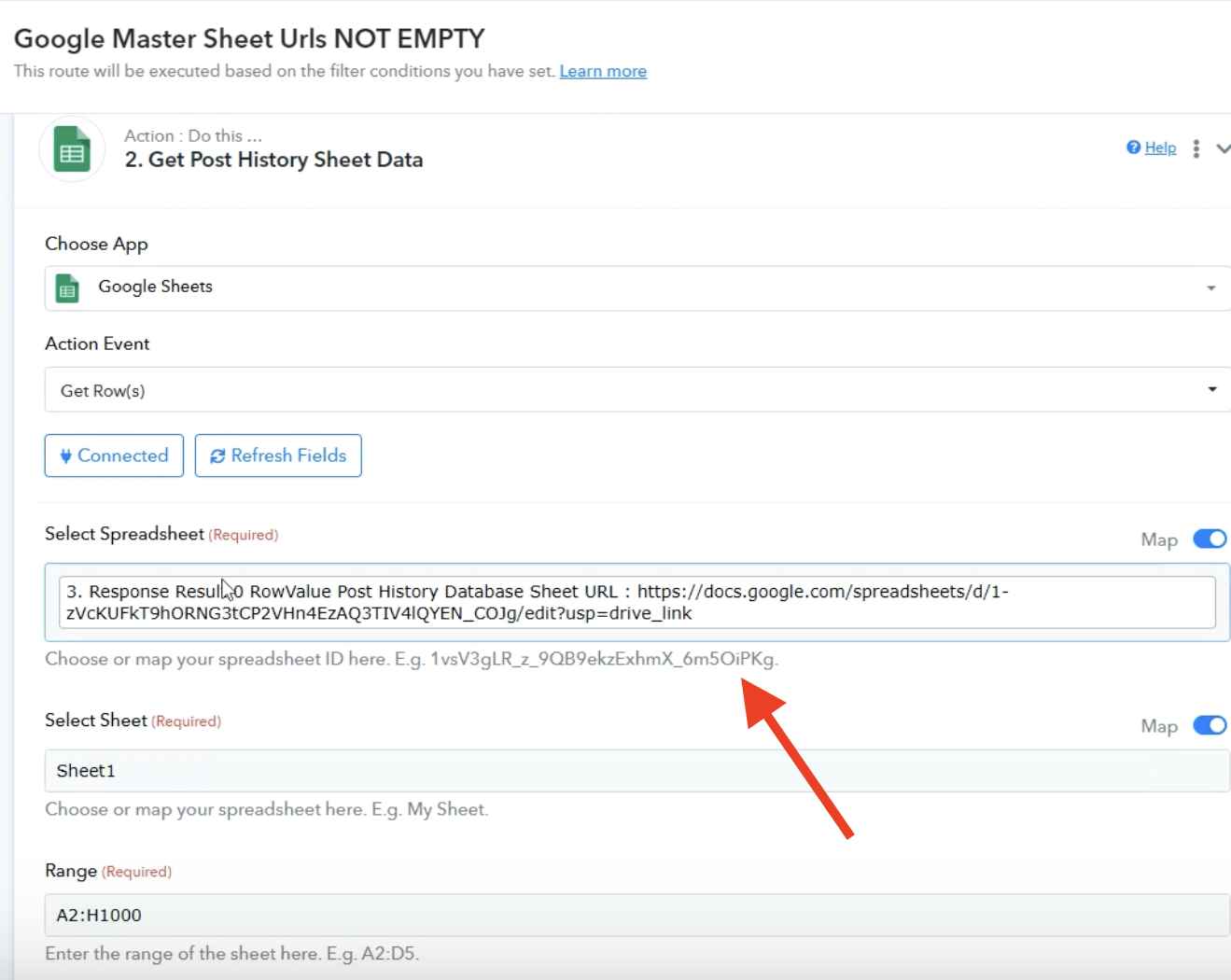
Please enter the spreadsheet id only, it will not accept the entire URL.
You can use text formatter> text parser to get the spreadsheet id.
Hello,Greetings!
Please enter the spreadsheet id only, it will not accept the entire URL.
You can use text formatter> text parser to get the spreadsheet id.
Thanks Resham, but now I have another problem with the 'Select Sheet' option. Please see video - https://www.loom.com/share/30a01c4da21847eba872bb7abbbe6b7e
When mapping is enabled, you need to pass the ID (0) associated with the sheet instead of its name. You cannot directly pass the sheet name when mapping is enabled. If you want to send data to the same sheet, disable mapping and simply select 'Sheet1' from the dropdown.
https://drive.google.com/file/d/1l3Ymx8iUySB2YDhzwWC2TbvpfT40MkCG/view?usp=sharing
When mapping is enabled, you need to pass the ID (0) associated with the sheet instead of its name. You cannot directly pass the sheet name when mapping is enabled. If you want to send data to the same sheet, disable mapping and simply select 'Sheet1' from the dropdown.
https://drive.google.com/file/d/1l3Ymx8iUySB2YDhzwWC2TbvpfT40MkCG/view?usp=sharing
Thanks, but this didn't answer my question. I don't want to add anything manually. This should all happen dynamically hence I need to map the sheet code. The sheet itself, then needs to be 0 which is fine. But as I highlighted in the video, the 0 identifier is not being saved it seems. How do I make sure it gets saved?
Hello @jpr,
Thank you for highlighting this.
We’ll discuss the issue with our team and keep you updated. For now, please note that "Sheet1" has an ID of zero, which you can confirm by enabling the Map option. Although the zero disappears after refreshing, the workflow will work fine if you select "Sheet1" from the dropdown.
Thank you for your patience.
https://www.awesomescreenshot.com/video/39591848?key=4587d597a43c9d662562c2f5113b6996