Google Sheets : Create a Spreadsheet
Status: Open · Asked by Wolfgang Phoenix on · 0 views
Hello, I am trying to find out information o the Google sheet headers, I can create a new spreadsheet with the info required but there are no headers. I see the notation is for the row fields is Enter the row values here. E.g. {"userEnteredValue": { "stringValue": "yourText1" }}, {"userEnteredValue": { "stringValue": "yourText2" }}
Please see if there is more information on creating headers and the variable types in the speadsheet
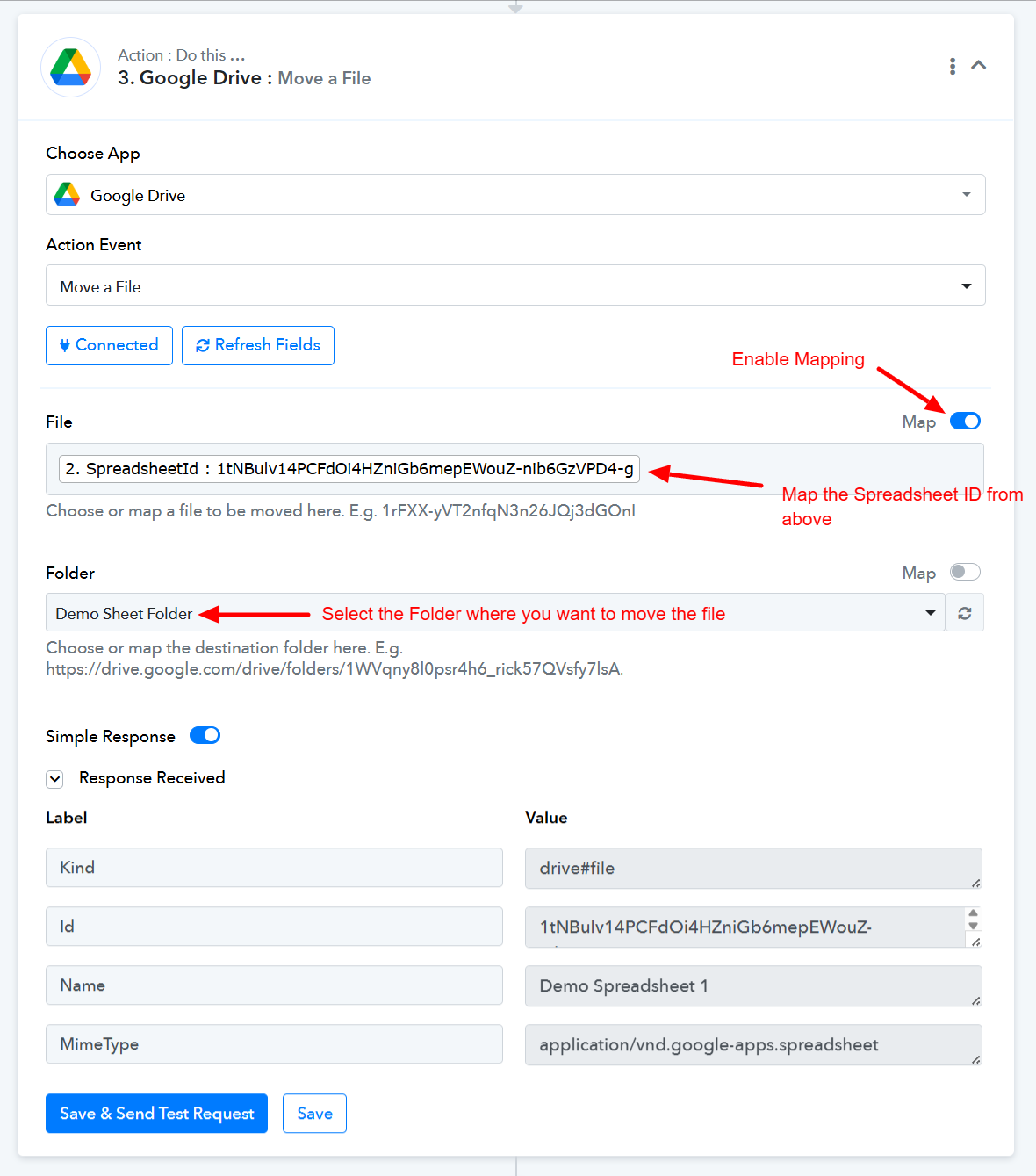
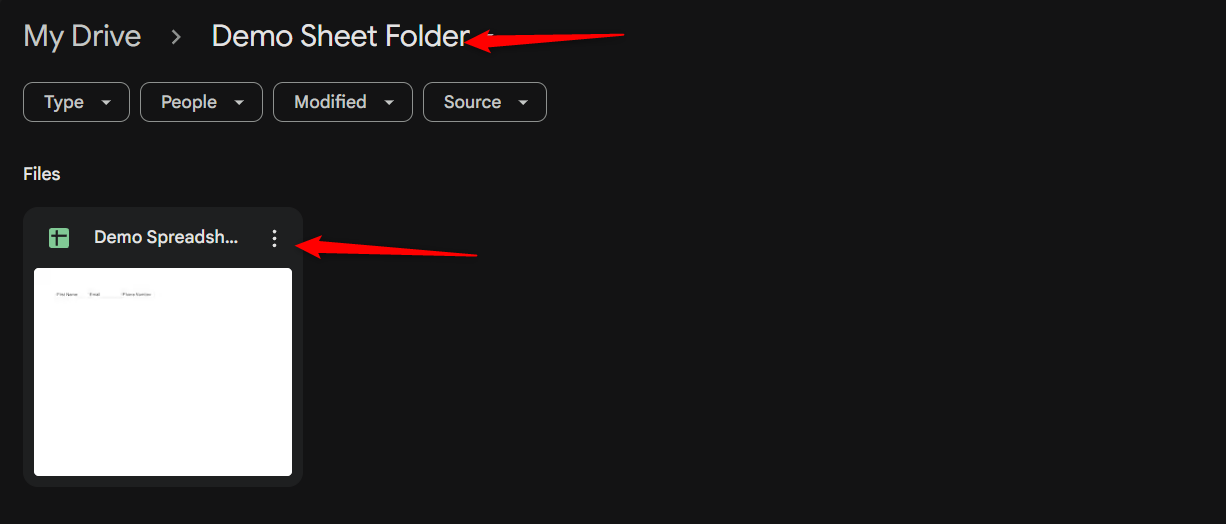
I also want to create the speadsheet in a folder on Google Drive not the root folder.
You can try using the 'Create a Spreadsheet' action step to create a new spreadsheet with headers in this manner.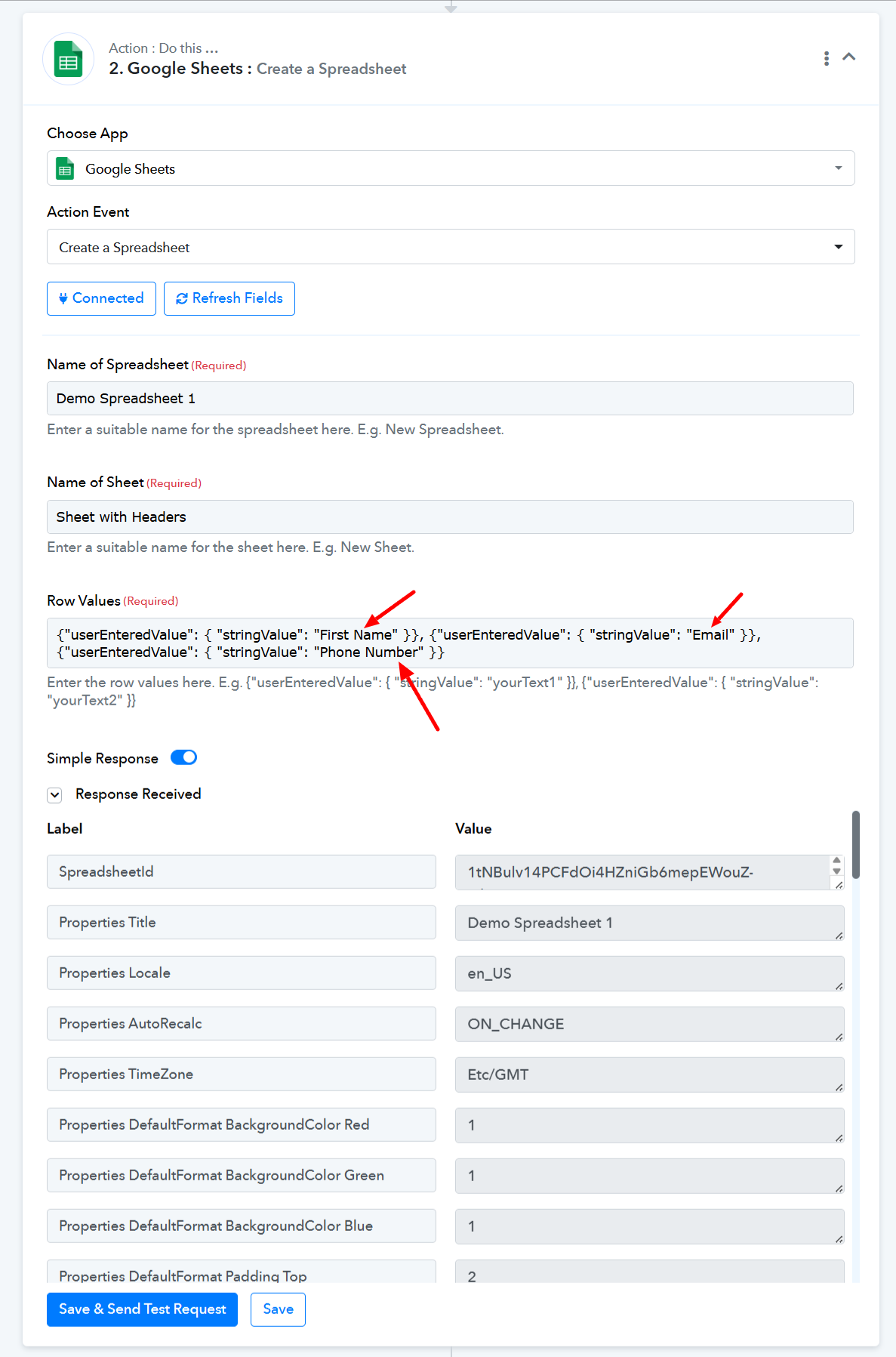
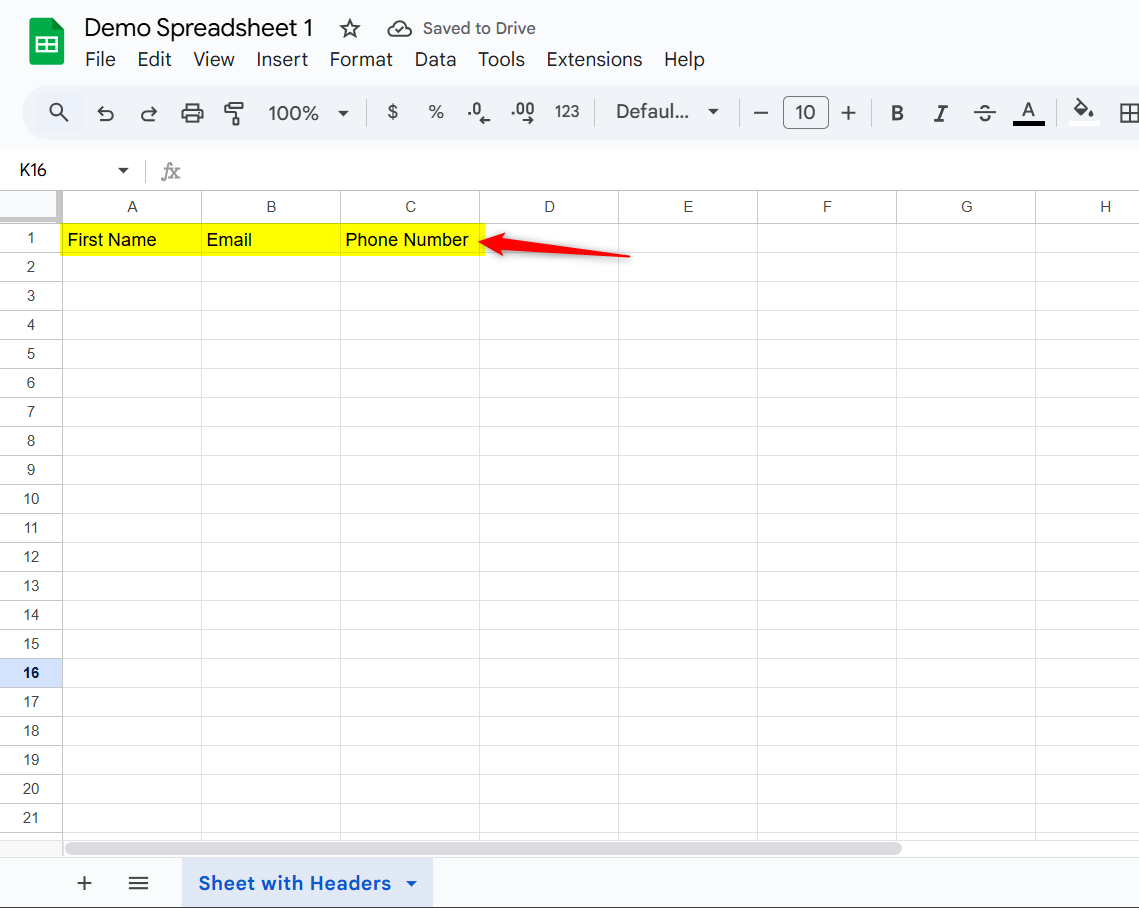
You can then use the 'Move a File' action step to move the spreadsheet to your desired folder.