Google Sheets mapping issue – one survey field always blank
Status: Open · Asked by socialadsmentorSAM on · 0 views
Hi Pabbly Support,
We are facing an issue with one specific question from a GoHighLevel (GHL) survey form.
The question is:
“When someone in your city asks, ‘Who’s the dentist to go to?’ How often is your name mentioned?”
In GoHighLevel, the survey clearly shows the answer for this question. The data exists in the contact record and survey response.
However, in Pabbly:
- The field appears when mapping
- But when we send the data to Google Sheets, this field is always blank
- Other survey fields are syncing correctly
We have already:
- Re-captured data
- Re-mapped the field
- Tested multiple task histories
But the issue persists.
So the data exists in GHL, but it is not being passed correctly from Pabbly to Google Sheets for this specific question.
Could you please help us check why this field is not syncing?
Also can you CC: [email][email hidden][/email] | [email][email hidden][/email]
Thank you.
Hi @socialadsmentorSAM,
Please replace the double quotes in your GHL form with single quotes.
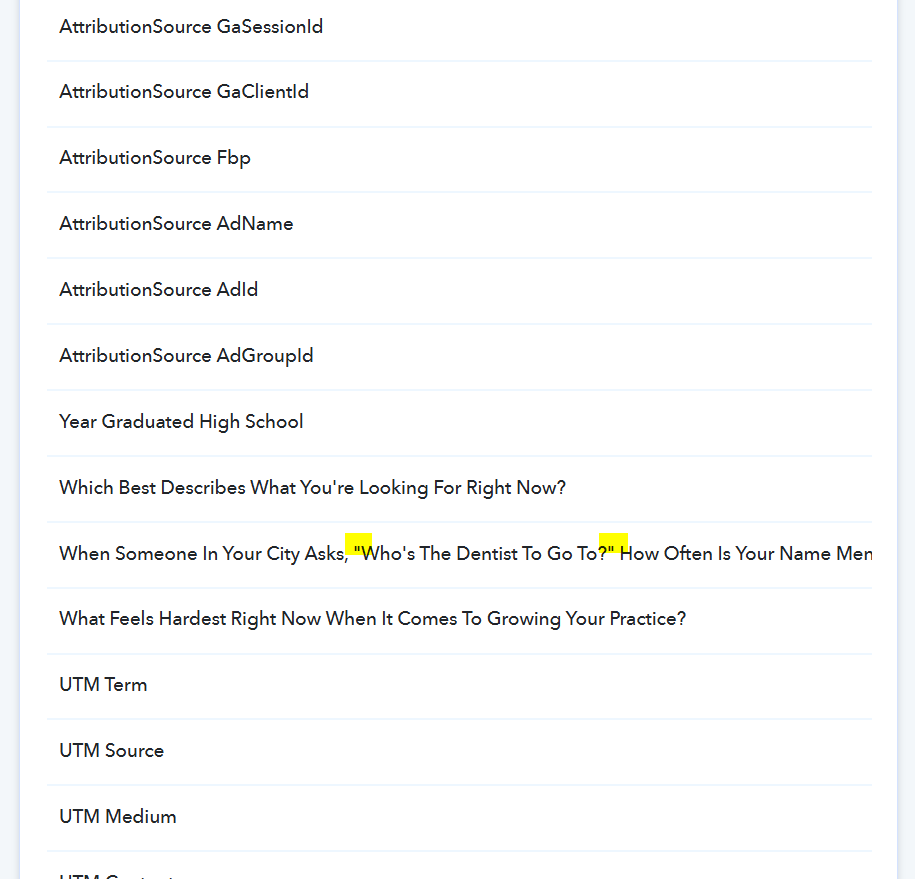
Then click on Re-Capture Webhook Response, capture a new form submission, remap the data in the Google Sheets action step, and check if that fixes your issue.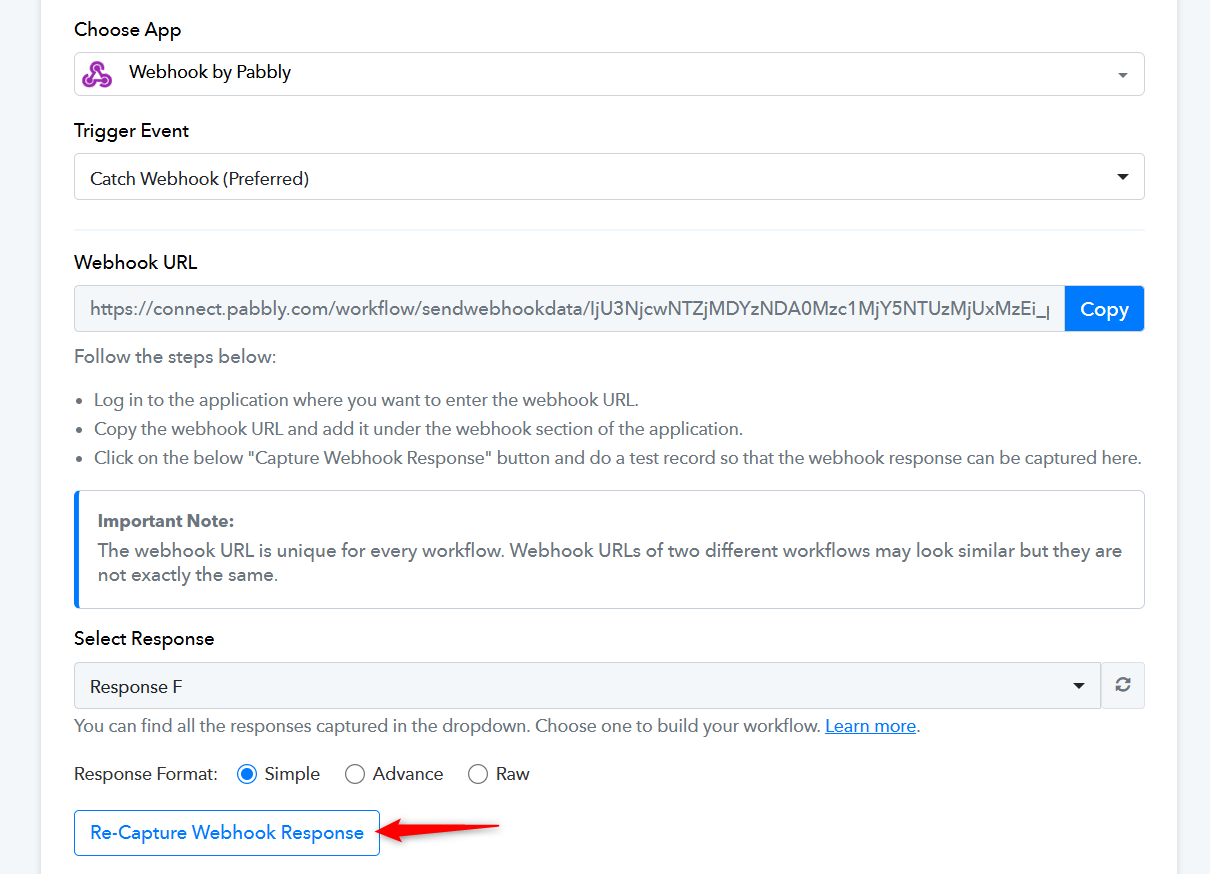
Thanks & Regards,
Arshil Ahmad
Customer Support Associate
? Pabbly.com
?Rate your support
Thank you!
We're glad we were able to help.
Thanks & Regards,
Arshil Ahmad
Customer Support Associate
? Pabbly.com
?Rate your support