Google Sheets Template Automation from Webhook Data
Status: Open · Asked by Marissa Cano on · 0 views
Hi! I have a workflow where I receive data from a webhook (coming from my CRM/Geest), and then I use “Create Document from Template” in Google Docs. It works perfectly because it takes my template, replaces the variables with the webhook data, and automatically creates a new Google Doc.
Now I’m trying to achieve the exact same behavior but using Google Sheets instead of Google Docs.
Basically:
- I already have a Google Sheets template designed.
- I want Pabbly to use that template.
- Replace/update certain cells with the webhook data.
- And automatically create a new spreadsheet (or sheet) already populated with that information.
I’m not trying to just create an empty sheet or add rows — I specifically want template-based spreadsheet generation similar to how Google Docs template creation works.
What would be the best way to achieve this in Pabbly Connect?
Hi @Marissa Cano,
You can use the "Google Sheets: Copy a Spreadsheet" action step to create a copy of your template spreadsheet. This will act as your new sheet, similar to a document in Google Docs. 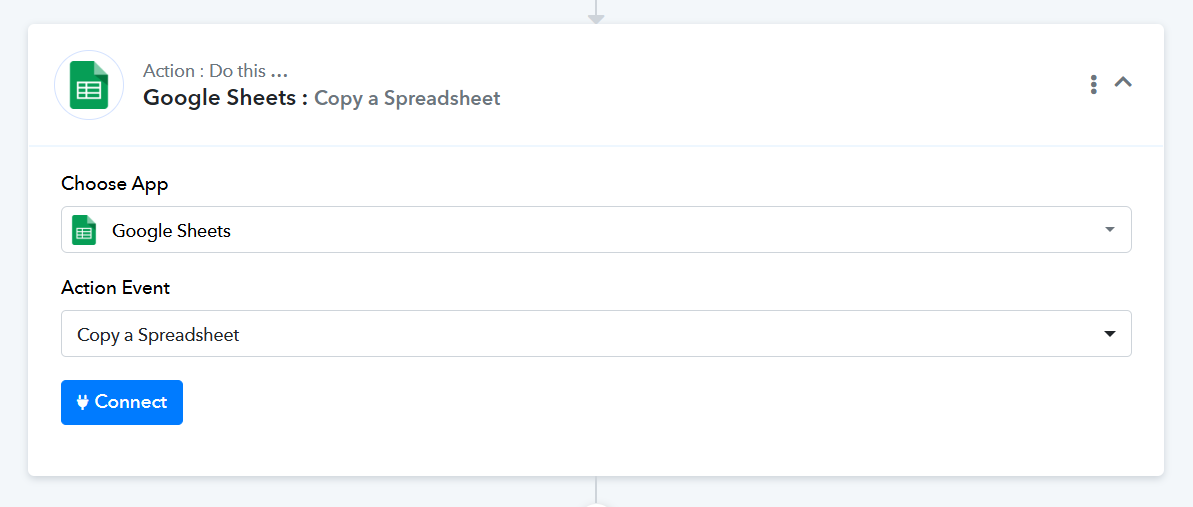
Then, use the "Update Row Values" or "Update Cell Values" action step to update the data in that sheet.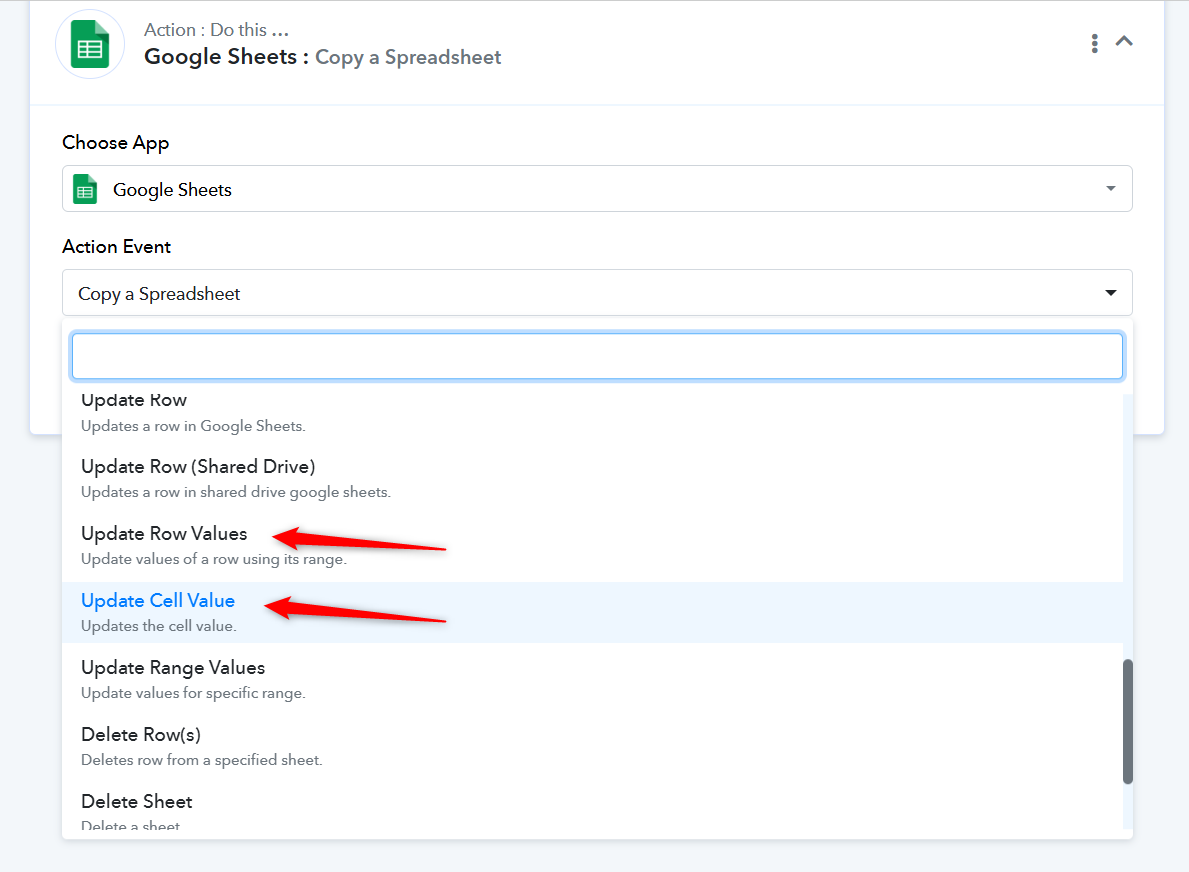
Thanks & Regards,
Arshil Ahmad
Customer Support Associate
? Pabbly.com