Google Sheets to Google Contacts automation
Status: Open · Asked by Tara Patel on · 0 views
I am trying to trigger a very basic automation. When someone fills out an inquiry form on my website, that data is captured in a Google Sheet, and I want a welcome message to be sent via WhatsApp, which I have initiated with Aisensy. The problem is that when that data is entered automatically, automation is not being triggered, but when I fill in the data manually, it triggers. Can someone tell me how to solve this issue?
Show less
Hi @Tara Patel,
When entering the data into your Google Sheets, make sure to add the data to your trigger column as well in order to trigger the workflow.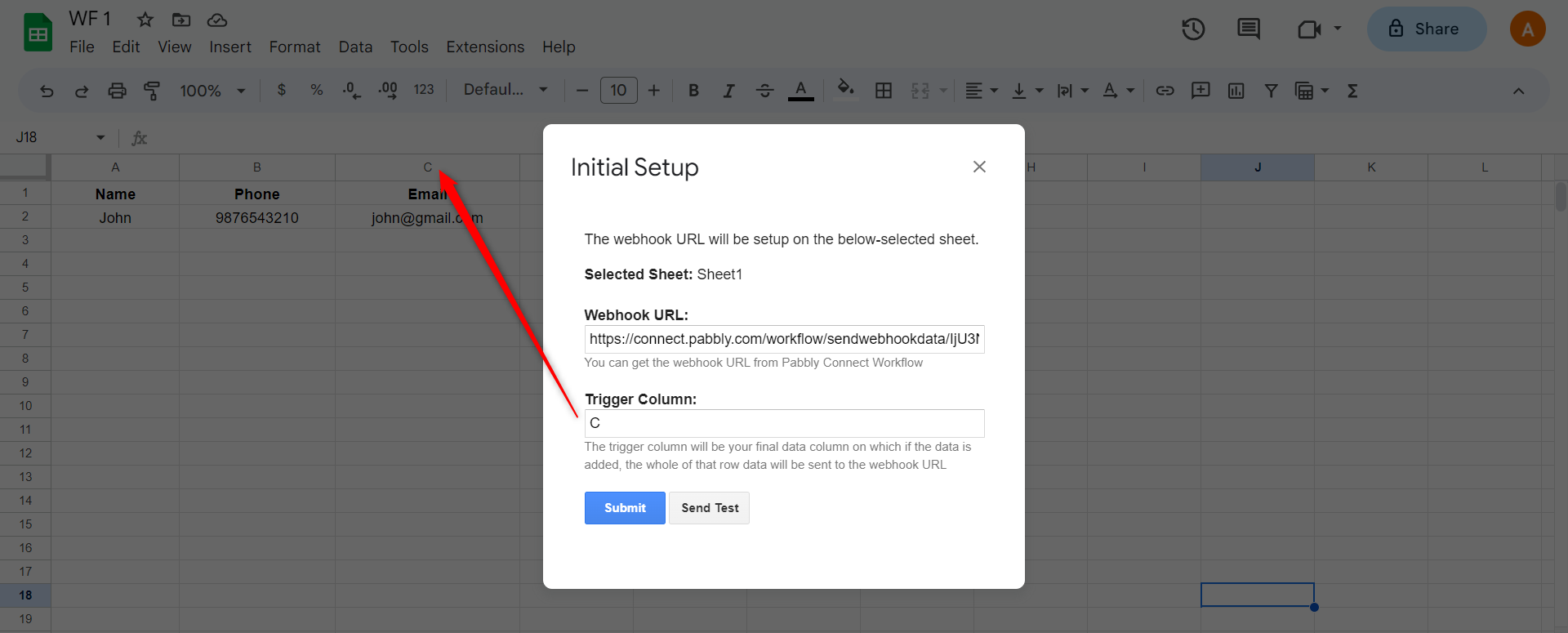
To make automation work, you need to enable 'Send On Event' if you're manually entering data into your Google Sheets. If the data added to your Google Sheets comes from another API or third-party application, you also need to enable 'Auto Send on Schedule'.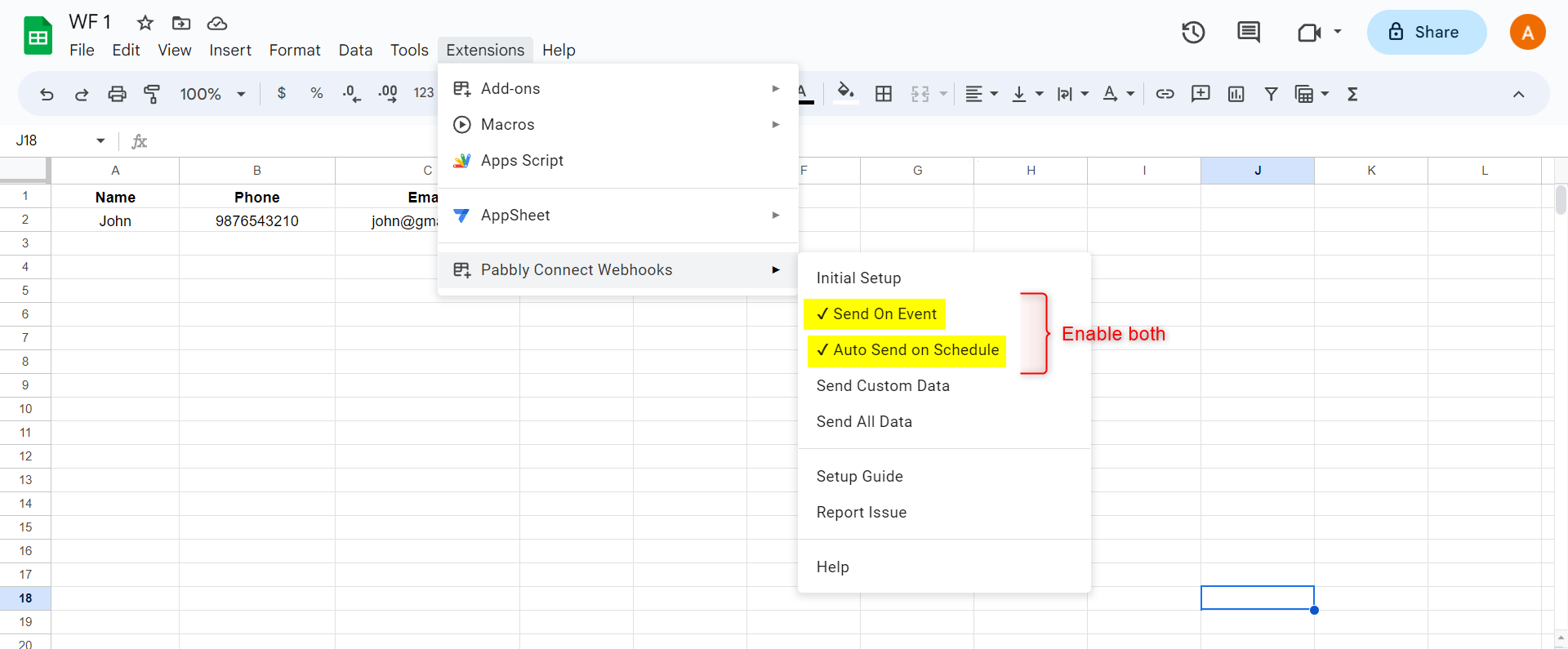
Note: If your data is being added from an external source/API, your workflow will take up to 1 hour to get triggered.