Google Sheets to High Level - Add Tag to Contact
Status: Closed · Asked by SmartMarketing on · 0 views
I am trying to add a tag to an existing contact record in High Level so it triggers a workflow.
Here's a screen capture video to show what is / isn't happening.
https://videos.getsmartmarketingsystems.com/conversations/a7386af0-b56a-5d60-8413-a45c35a37ba2
Thanks in advance for your help.
Nat
Hi @SmartMarketing,
Please login to your GHL and Pabbly Connect account in an Incognito Tab, establish a new connection with your GHL account (where you have this contact) and see if that fixes your issue. 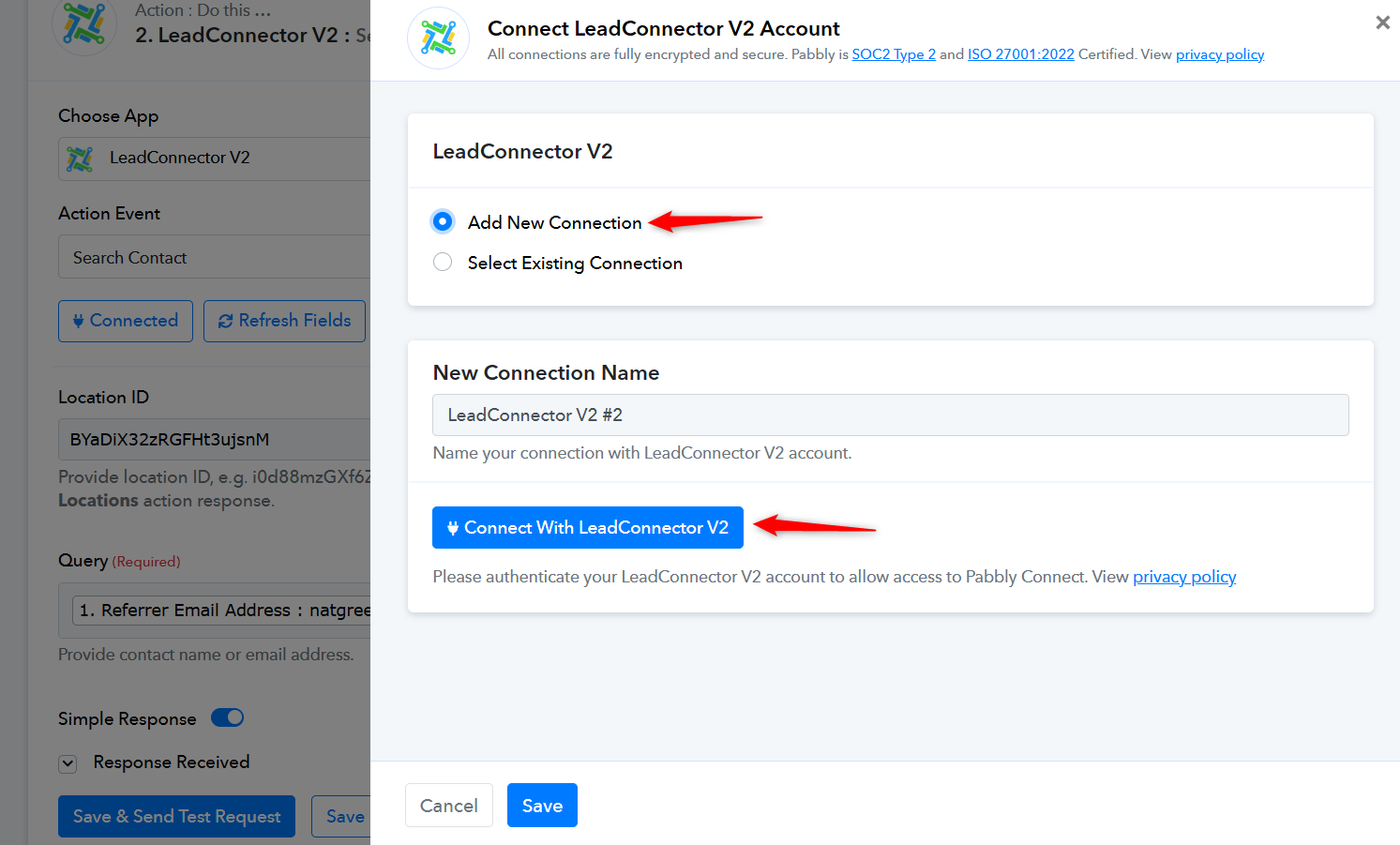
Make sure to select the correct sub-account while creating the new connection, as shown in this video.
I added a new GHL connection after logging in to both GHL and Pabbly in an incognito window and unfortunately the same issue as it shows the same message and did not create a tag for that contact.
https://videos.getsmartmarketingsystems.com/conversations/4fbaf5c6-531e-5ba7-9003-0ca3113bc89b
Any other suggestions?
When creating a new connection, did you use your agency owner account or a sub-account? Could you please make a short screen recording of the process for creating a new connection?
I logged into my agency account then accesses the sub-account as I always do.
Here's a new video that shows me logging into the agency account, selecting my sub-account then reconnecting the GHL connection and going through the process again with a test contact.
https://videos.getsmartmarketingsystems.com/conversations/0a4d1671-e875-5a2f-9f01-a1f24ad408c7
I logged into my agency account then accesses the sub-account as I always do.
Here's a new video that shows me logging into the agency account, selecting my sub-account then reconnecting the GHL connection and going through the process again with a test contact.https://videos.getsmartmarketingsystems.com/conversations/0a4d1671-e875-5a2f-9f01-a1f24ad408c7
You need to select the sub-account where you want to send the data, not agency account from dropdown
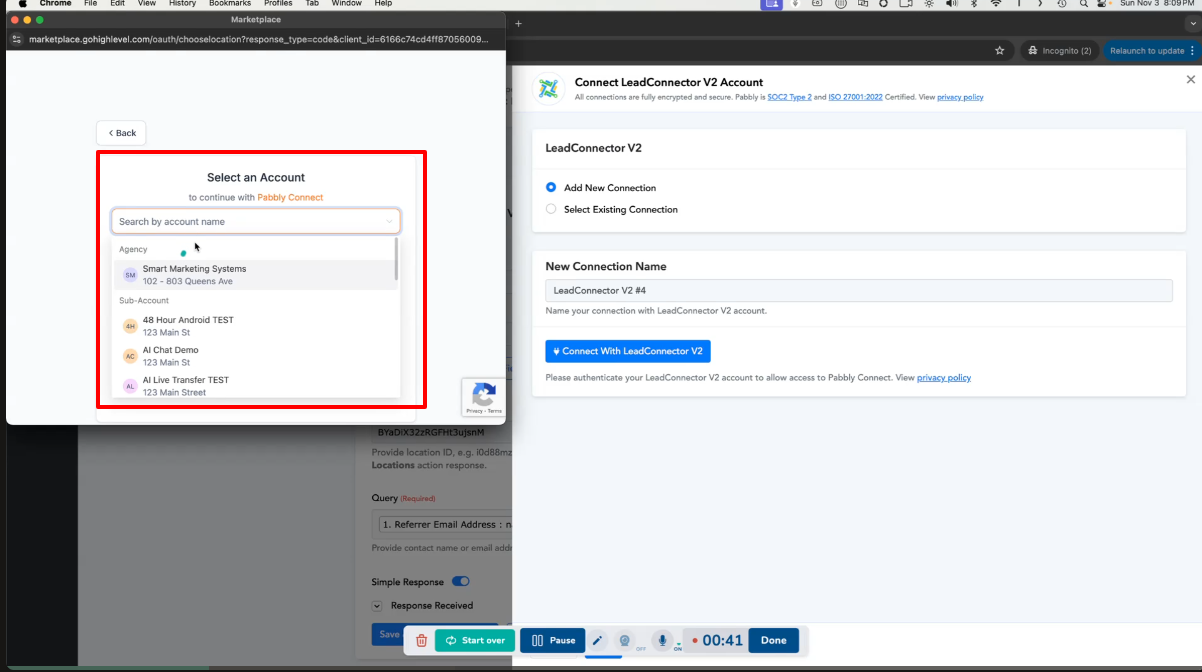
You need to select the sub-account where you want to send the data, not agency account from dropdown
thanks, Silly me.
ISSUE SOLVED. THANKS TO EVRONE WHO HELPED OUT :)