Google Sheets - WebHook Trigger
Status: Open · Asked by Jorge on · 0 views
I am creating a quote generator with Google Sheets, the column that acts as a trigger is the investment of the service and it is generated as the previous columns get filled. I am using a formula to calculate the cost of the service; the problem is that the webhook that should be triggered when the total investment is calculated is not firing. I read a thread mentioning that the trigger column cannot be a formula; what do you recommend to ensure that the information sent by the client is triggered?
Hello @Jorge,
Currently, Pabbly Connect does not support triggers on Google Sheets columns that contain formulas. The trigger only works on direct user input.
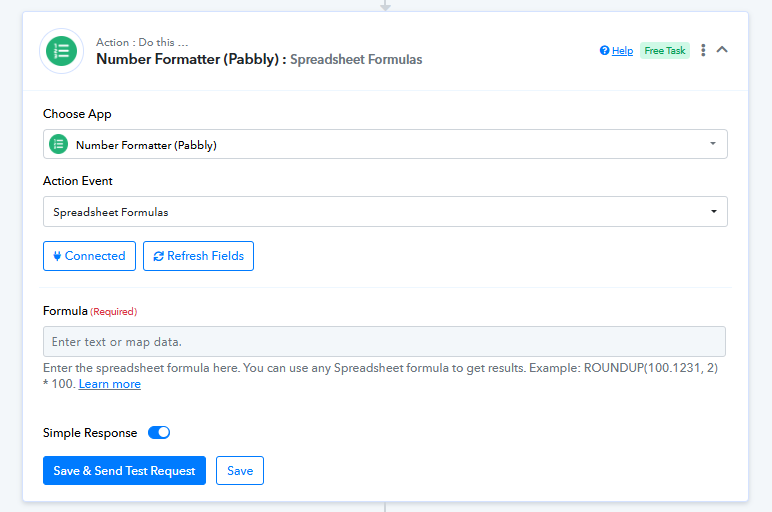
As a workaround, you can capture the raw input from the client and perform the calculation within the workflow itself using the Number Formatter or Spreadsheet Formula steps. This ensures the webhook triggers correctly while still calculating the total investment automatically.
Hello, I have a sheet with some rows of information. How can I get Pabbly to extract data only from the last row? I tried using the Get Row function and then using an iterator, but it pulls all the rows; I only want the last row. Is that possible?
Hello @Jorge,
Could you please elaborate on the exact use case you are trying to achieve? This will help us better understand your scenario and assist you more effectively.
I am trying to find another way to handle this, and I am sending all the info from the column before the formula in the sheet, and then with a get row I pull the info and use an iterator. The only issue is that when I send the quote, Pabbly send me all the quotes from the other rows too. Is it possible to only send the quote from the last row added?
I am creating a quote generator. The issue is that since the last column is a formula, I cannot use it as a trigger, so I use the column before the formula as the trigger. Then, I want to pull the entire row with the cost of the service generated by the formula. I tried using Get Row and then an iterator, but it pulls all the information from all the rows, and instead of sending me just the quote from the last row, it sends me all the quotes from all the rows in the sheet. Is there a way to pull only the last row?
Hello @Jorge,
Kindly try capturing the row using the Get Rows action by mapping the required Row Index. Please refer to the attached image for more details.
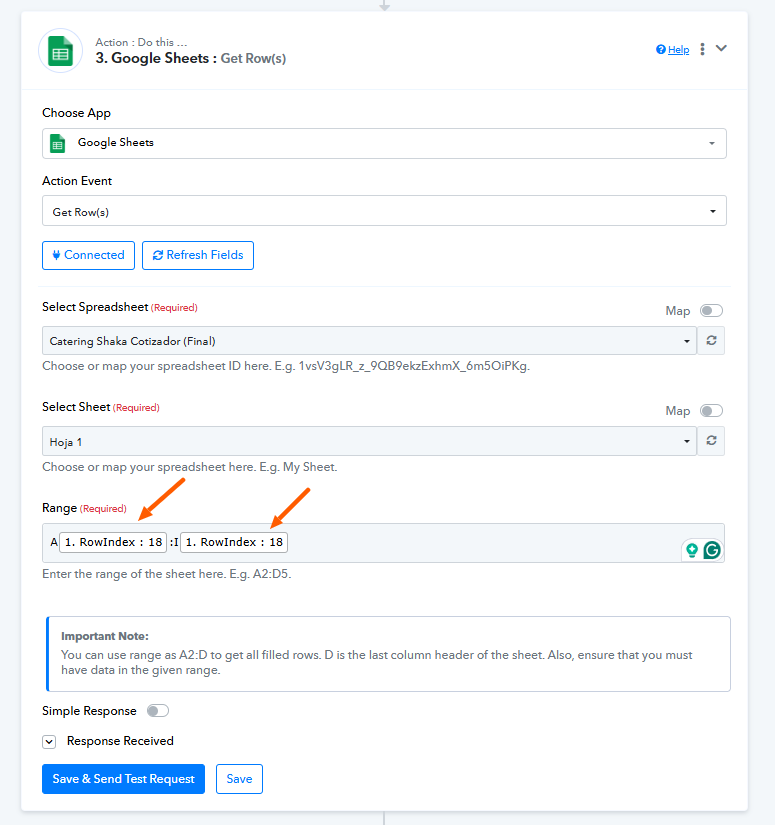
While there isn’t a direct action to fetch the last row at the moment, this method should help you achieve your use case. Give it a try and let us know how it goes.
PS: We have merged both of your threads to maintain the concern under a single thread to avoid confusion.