Gp High level bookings showing slot not available when is available
Status: Open · Asked by Stephen Mercer on · 0 views
I am sending appointments from Google sheets to GHl through pabbly, it keeps saying the slot is not available but absolutely is. Does anyone know why this could be an issue?
Hello @VitalWeb
Can you please share the screenshot of your GoHighLevel calendar's available slot page
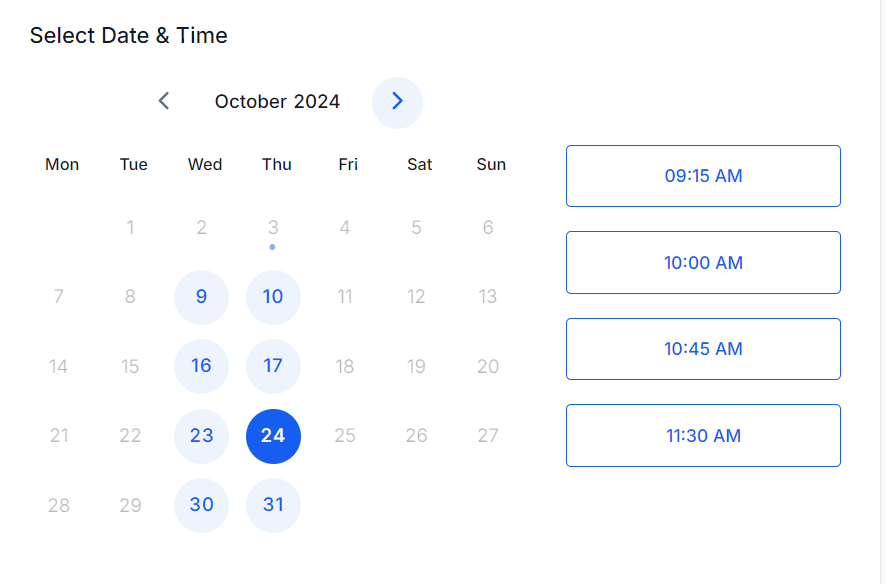
I made sure its available thrugh the API, you can also use the following link t see the live availabilty
https://api.leadconnectorhq.com/widget/booking/IGBUkHALTf9OY3cevPK9
Hello @VitalWeb
Please allow us some time to check the details. We will reach out to you soon with an update.
Hello @VitalWeb
We have made a few changes to your workflow and it's now working fine. We have made a test appointment for 24-10-2024 at 09:15.
1. We have made some changes in step 4 named "Date/Time Formatter (Pabbly): Format Date Only" to get the start date timestamp to be mapped further.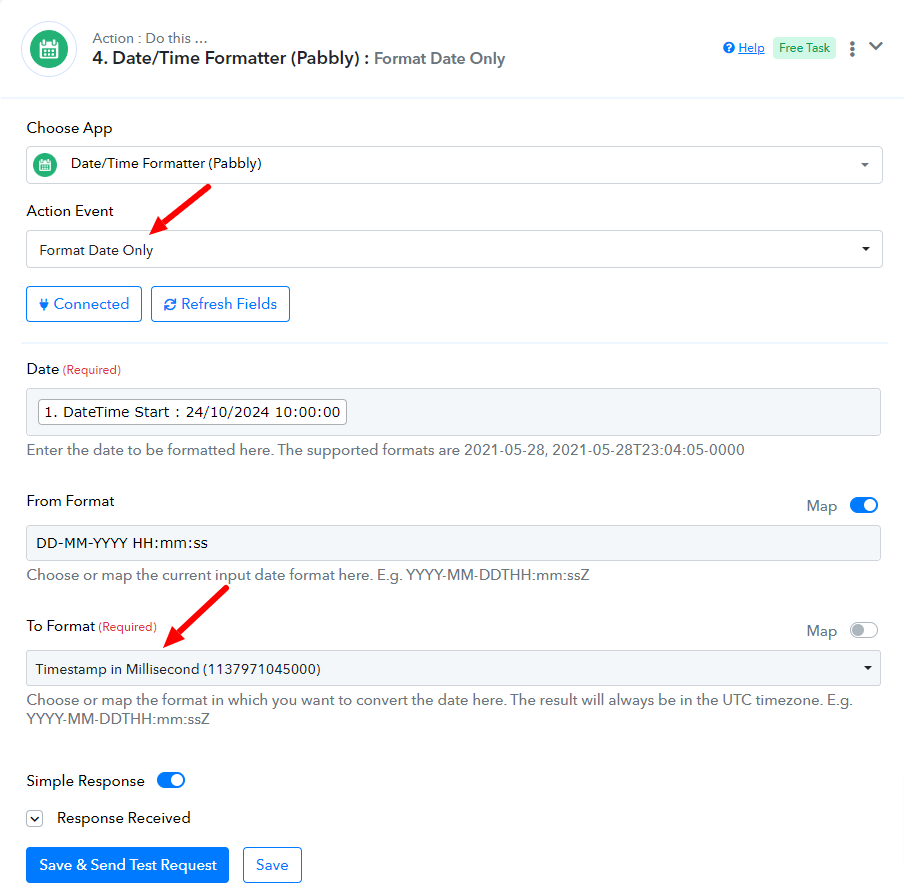
2. We have added an action step named "LeadConnector V2: Get Calendar Free Slots" before the "LeadConnector V2: Create Appointment" step to get the free slots.
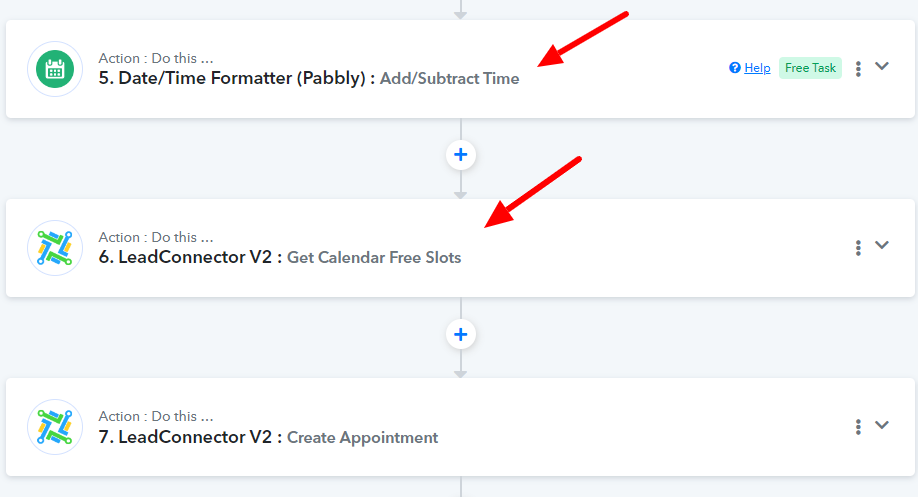
3. We have mapped the first available slot to the "LeadConnector V2: Create Appointment" step and the appointment successfully got created.
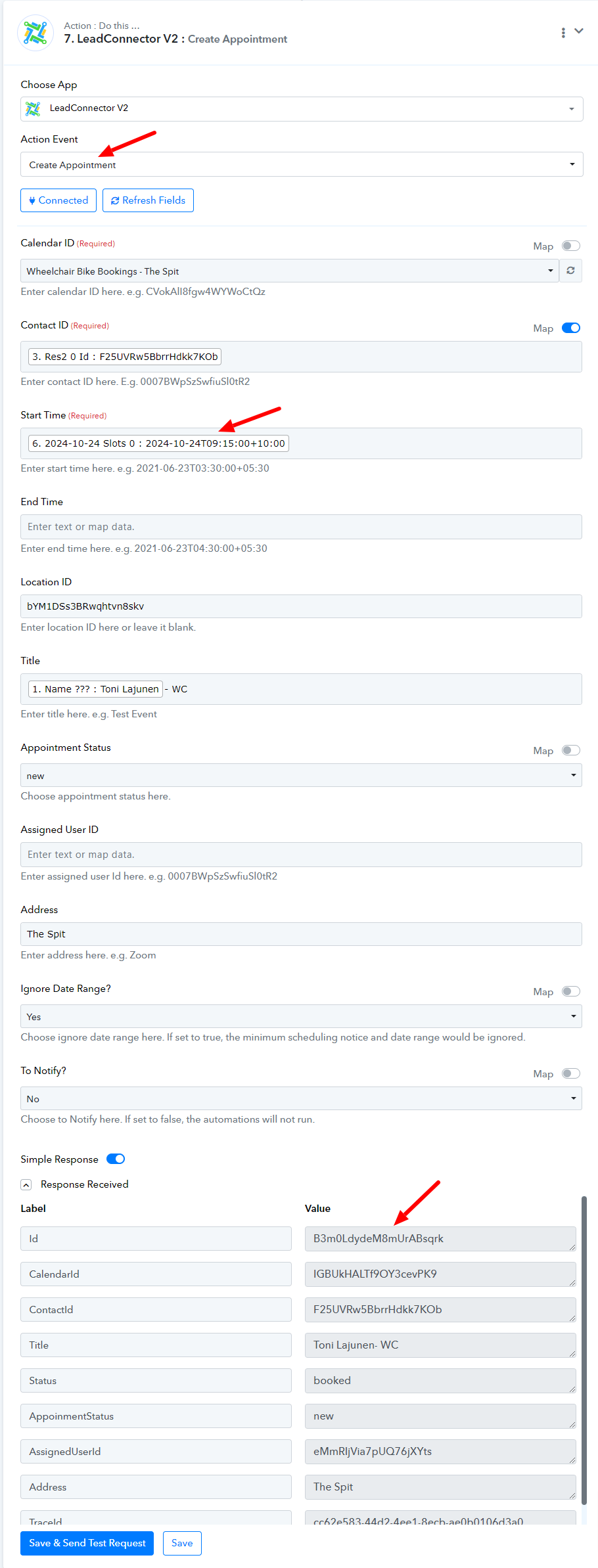
Also, we have check that the available slot not shows the slot added in the appointment created.
Previously available slots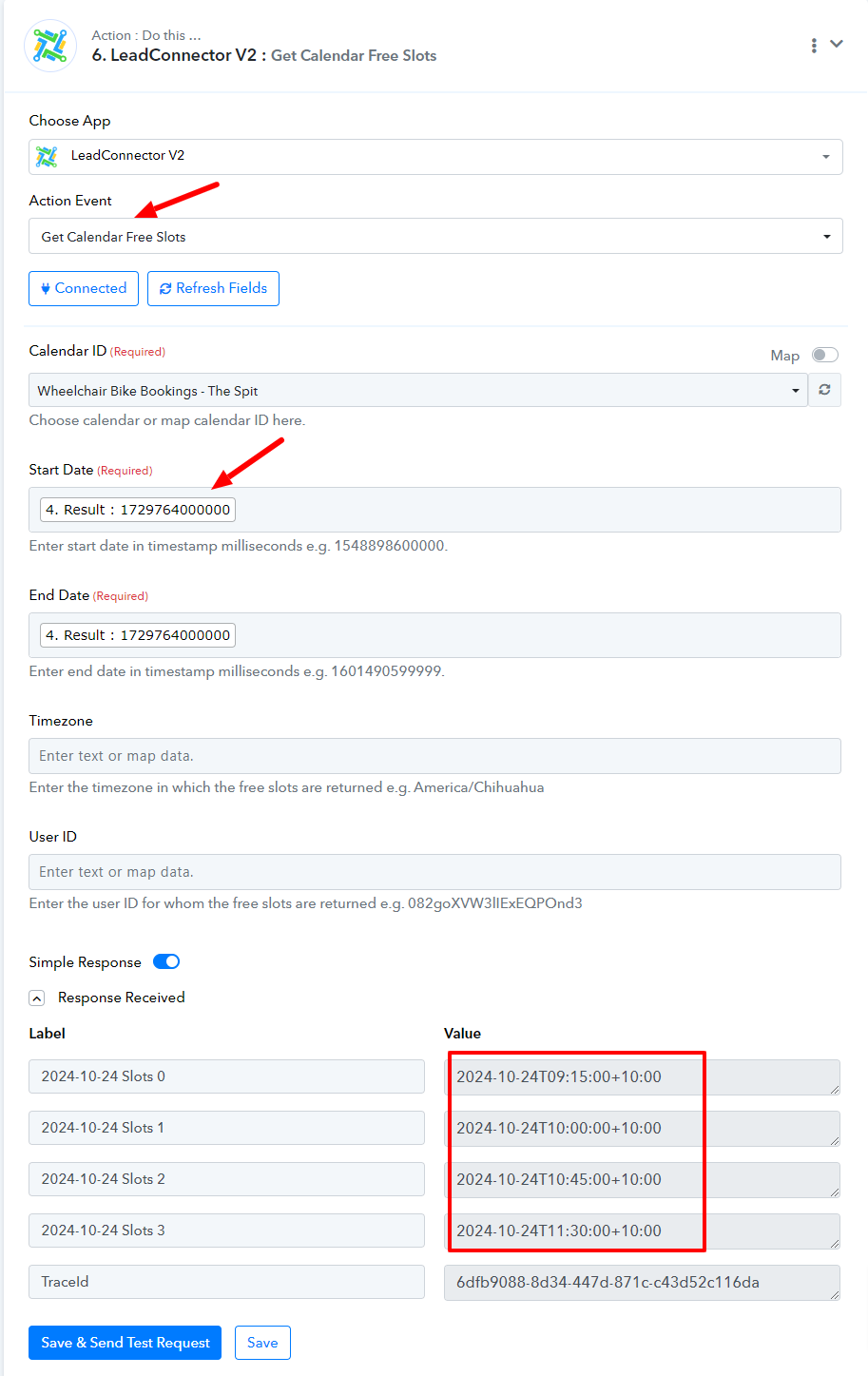
Remaining Slots
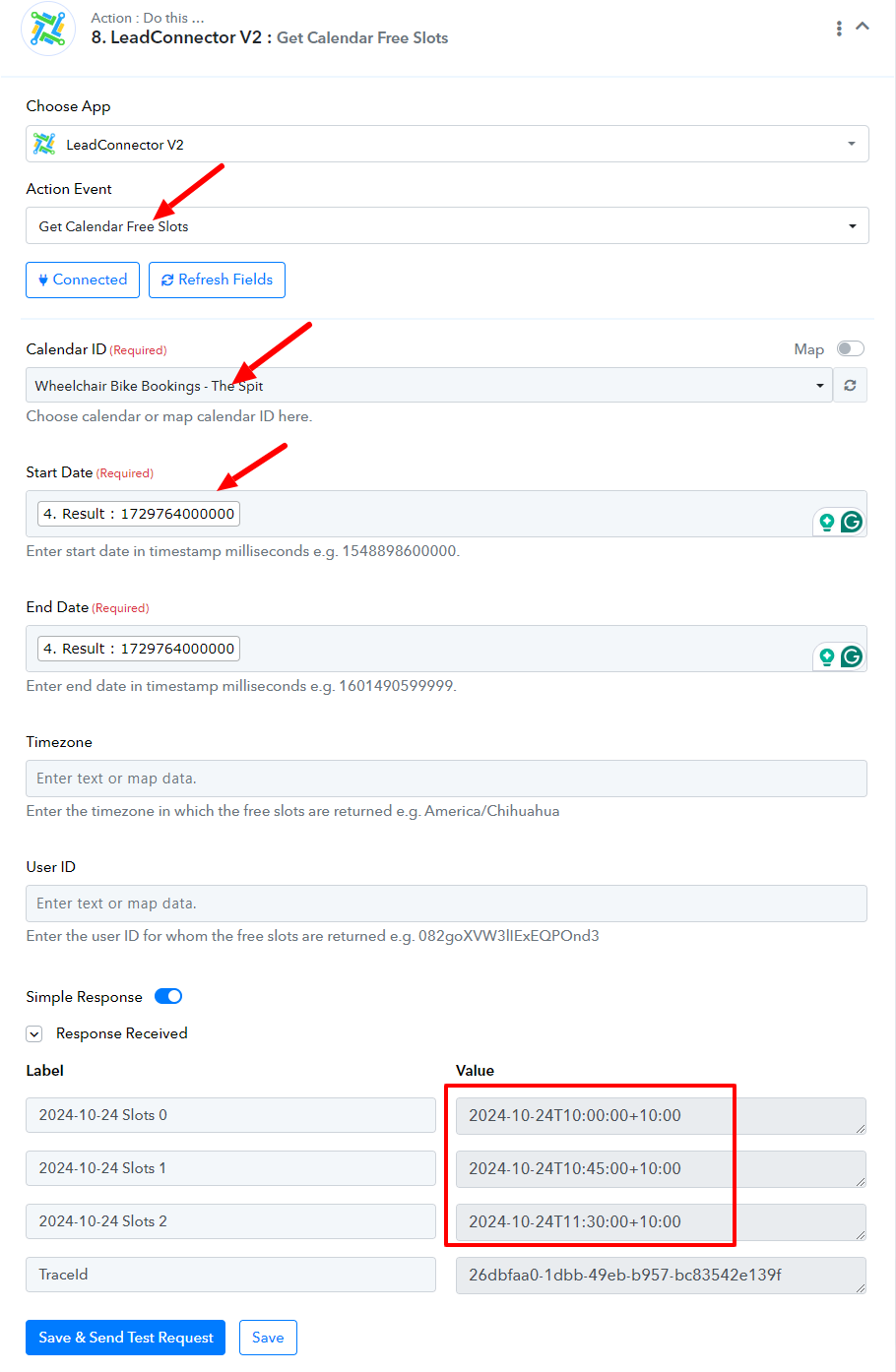
We hope your issue is now resolved, further if required you can make changes to your workflow.
Hi, the webhook will no longer save in the google sheets initial setup.
I just tested another one for Kate on 10/10/2024 11:30:00, saying not available again, yet it says it is available in the current slots.
here you can see 11:30 is availble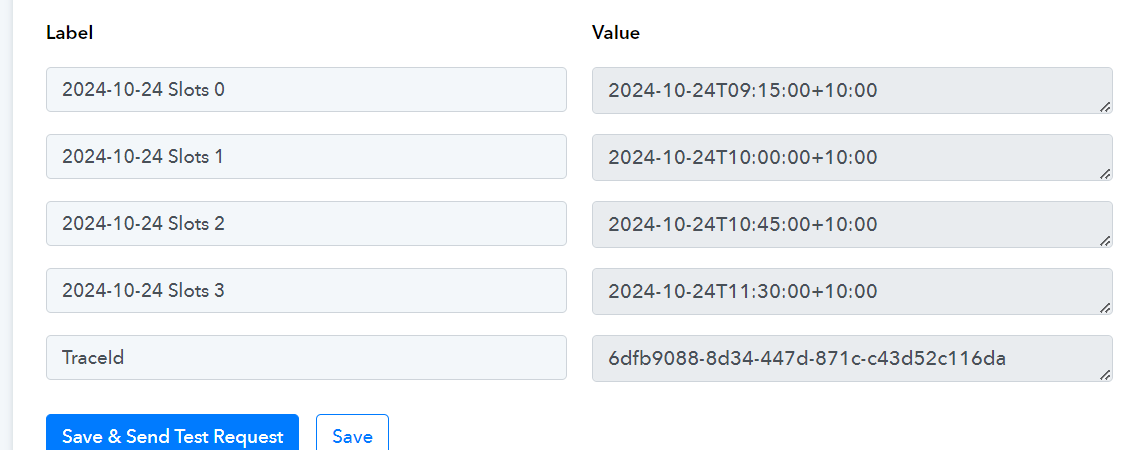
Also its now turned 10:45 into 9:45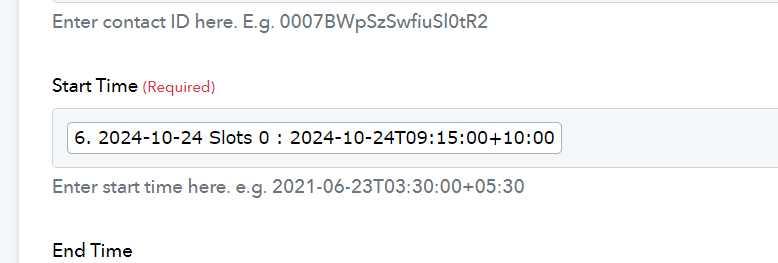
Hello @VitalWeb
Please note that you can only provide the first available slot in the appointment. Kindly make a real test entry and check whether the first available slot has been allotted.
We need to select the specific date and time because these are appointments that are lready booked. If it can only be the first appointment available then Pabbly cannot do the job.
Hello @VitalWeb
Kindly allow me some time to check the possibilities, I will get back to you soon.
Hello @VitalWeb
We have made some changes to your workflow, can you please make a test entry and let us know if it works for you
Hi, I am trying to test it but it wont save the webhook in the initial setup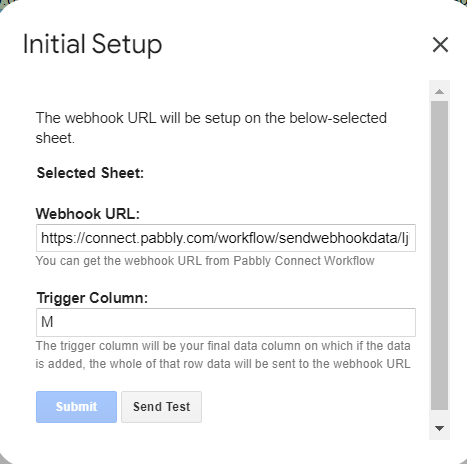
Hi Preeti
The filter part of your workflow has an error, what should be selected under Select Label?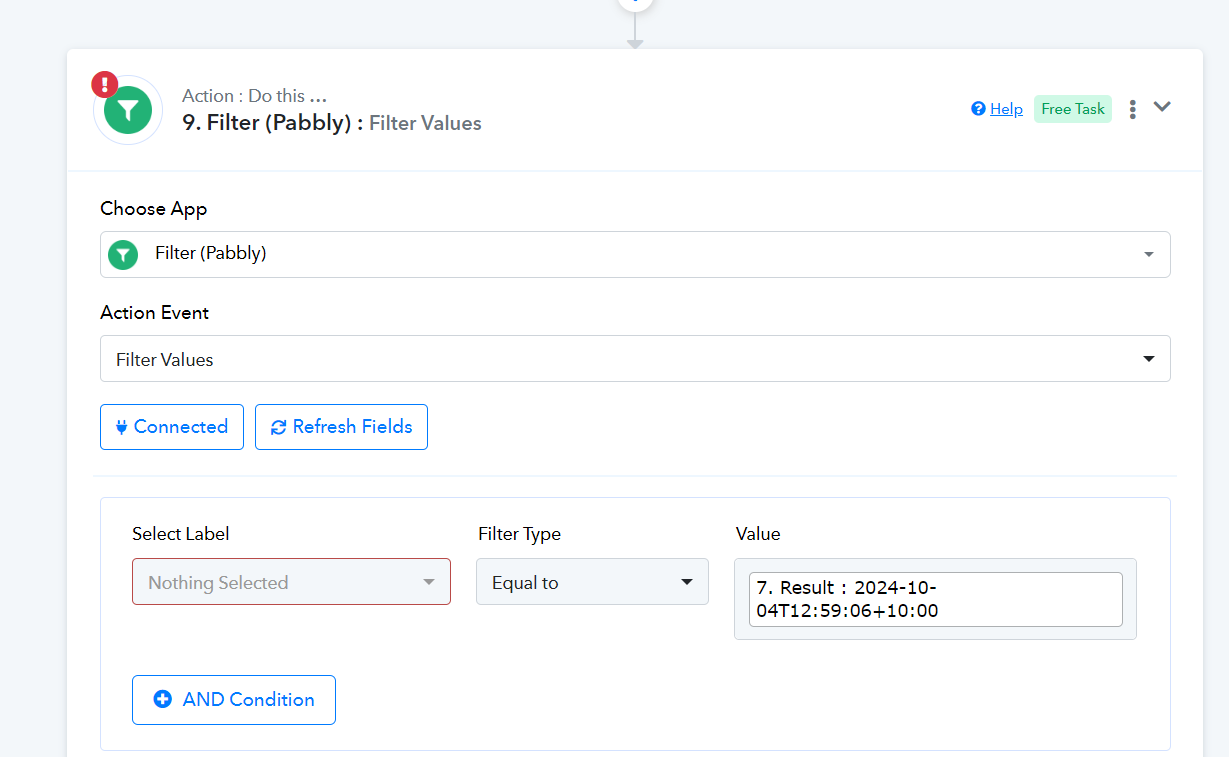
Hello @VitalWeb
I have mapped the data in the filter step.
Can you please add a new row to your Google sheet for testing purposes, later you can remove it. You don't have to send the data via the initial setup.
Please let us know as you add the row so we can also monitor the workflow behavior.