Help collating Notes from Google Sheets
Status: Closed · Asked by Rick Anderson on · 0 views
Hey Guys ... can you help me with this? https://www.loom.com/share/d5c2d782bbae460683f5a00d11caf216
Thanks so much!
Hi @eriksande,
You do receive both the notes associated with the Lookup Value.
https://drive.google.com/file/d/1PXb7fBIV1ap-p3j4DQMzX1LAMWBgZFJf/view?usp=sharing
P.S.: If you want to process each note associated with the Lookup Value individually, you can disable 'Simple Response' and add an Iterator to your workflow.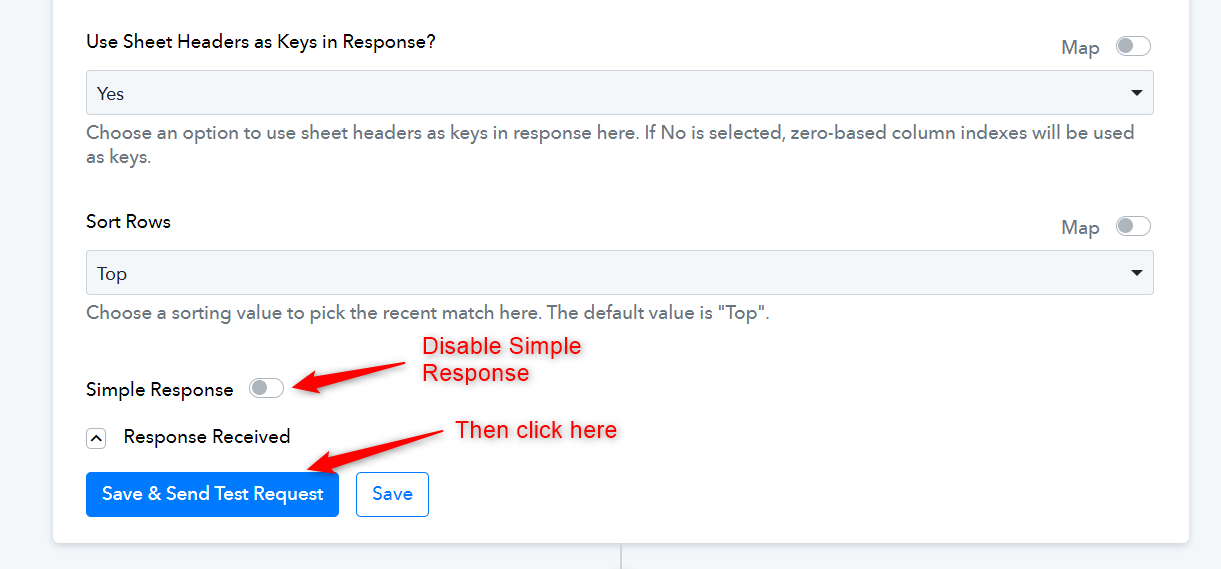
OK ... I'm following you, thank you ...
I'm not QUITE there yet. Follow up question: https://www.loom.com/share/5a2f4f4e55984b7da70f108dc773f651
Thank you so much!
FYI: Workflow ID: IjU3NjUwNTY0MDYzMTA0MzM1MjZjNTUzMjUxMzMi_pc
@ArshilAhmad
Thanks so much ... disabling Simple Response and using the Iterator worked! I was able to subsequently send the result to HL and add to the associated contacts Notes ;)
Quick question ... during testing I ran into intermittent "Internal Error" errors at the Google Sheets step.
Is there anything I can do to prevent that? Also ... what is a reasonable rate to drop contacts into this workflow?
Thanks!
Quick question ... during testing I ran into intermittent "Internal Error" errors at the Google Sheets step.Is there anything I can do to prevent that? Also ... what is a reasonable rate to drop contacts into this workflow?
During such occurrences, it's important to note that Google Sheets might face difficulties in processing your request, leading to the appearance of the "Internal server error" message. This indicates a temporary issue where Google Sheets might not be able to handle or fulfill your request due to a problem within their systems or infrastructure.
To avoid such instances you can simply re-execute the failed task with the Re-Execute option that will rerun the workflow and process action step.
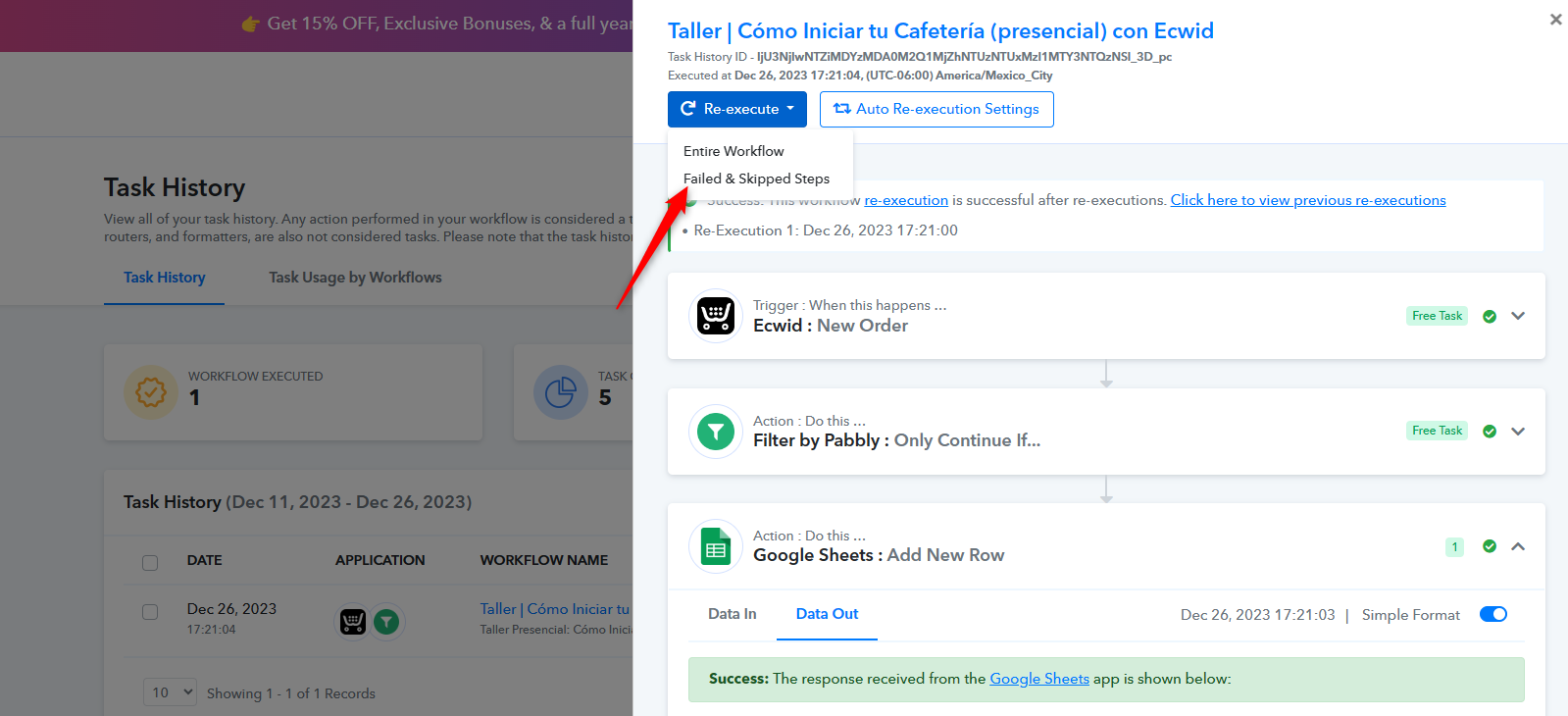
During such occurrences, it's important to note that Google Sheets might face difficulties in processing your request, leading to the appearance of the "Internal server error" message. This indicates a temporary issue where Google Sheets might not be able to handle or fulfill your request due to a problem within their systems or infrastructure.To avoid such instances you can simply re-execute the failed task with the Re-Execute option that will rerun the workflow and process action step.
Thanks ...
The potential issue is that if/when I run a couple thousand contacts through this workflow, I don't want to have to come in a manually re-execute hundreds ... any thoughts? Thx
You can apply a filter in your Task History to filter out 'Internal Error', then select all those tasks and 'Re-Execute' them.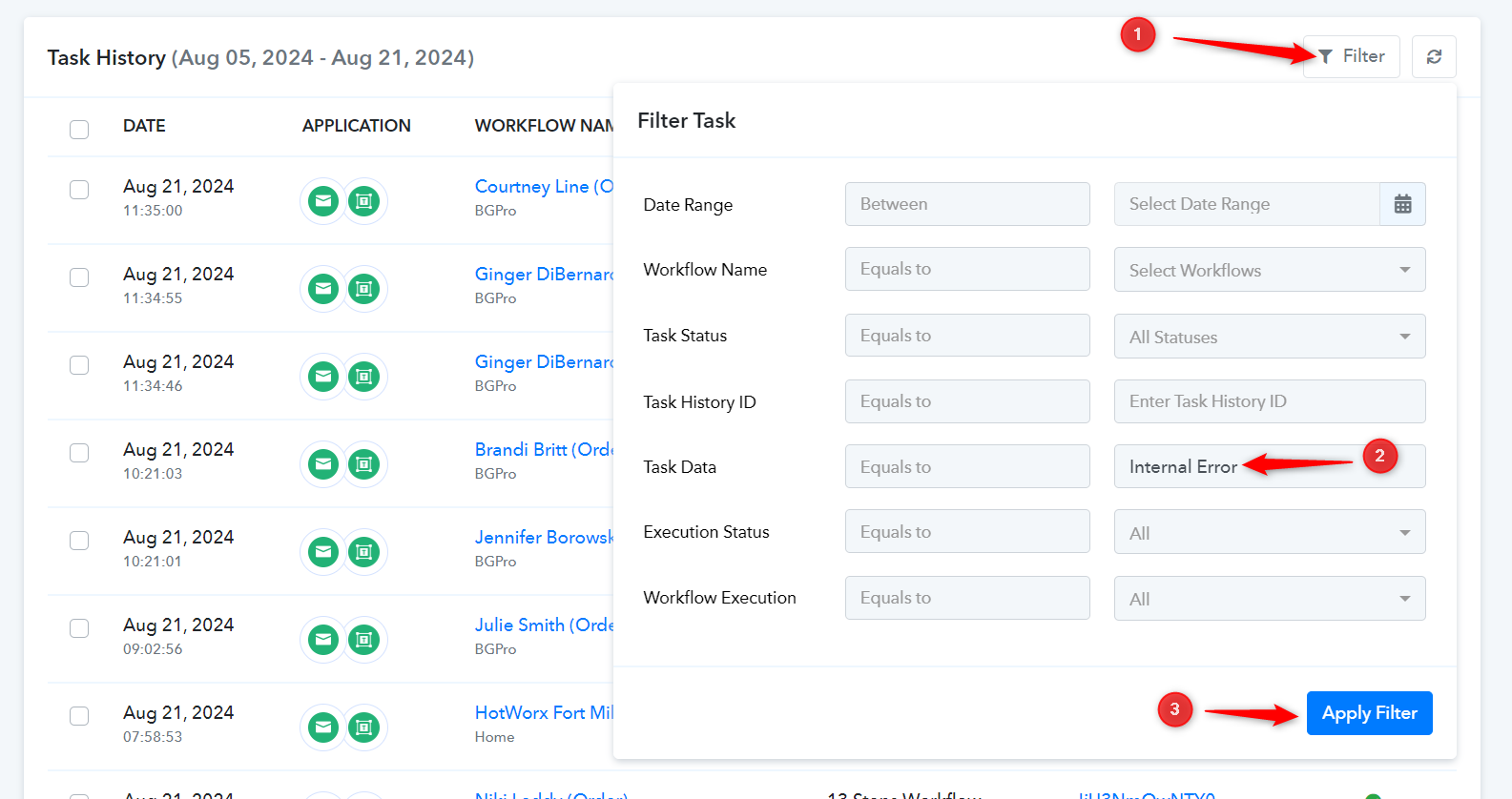
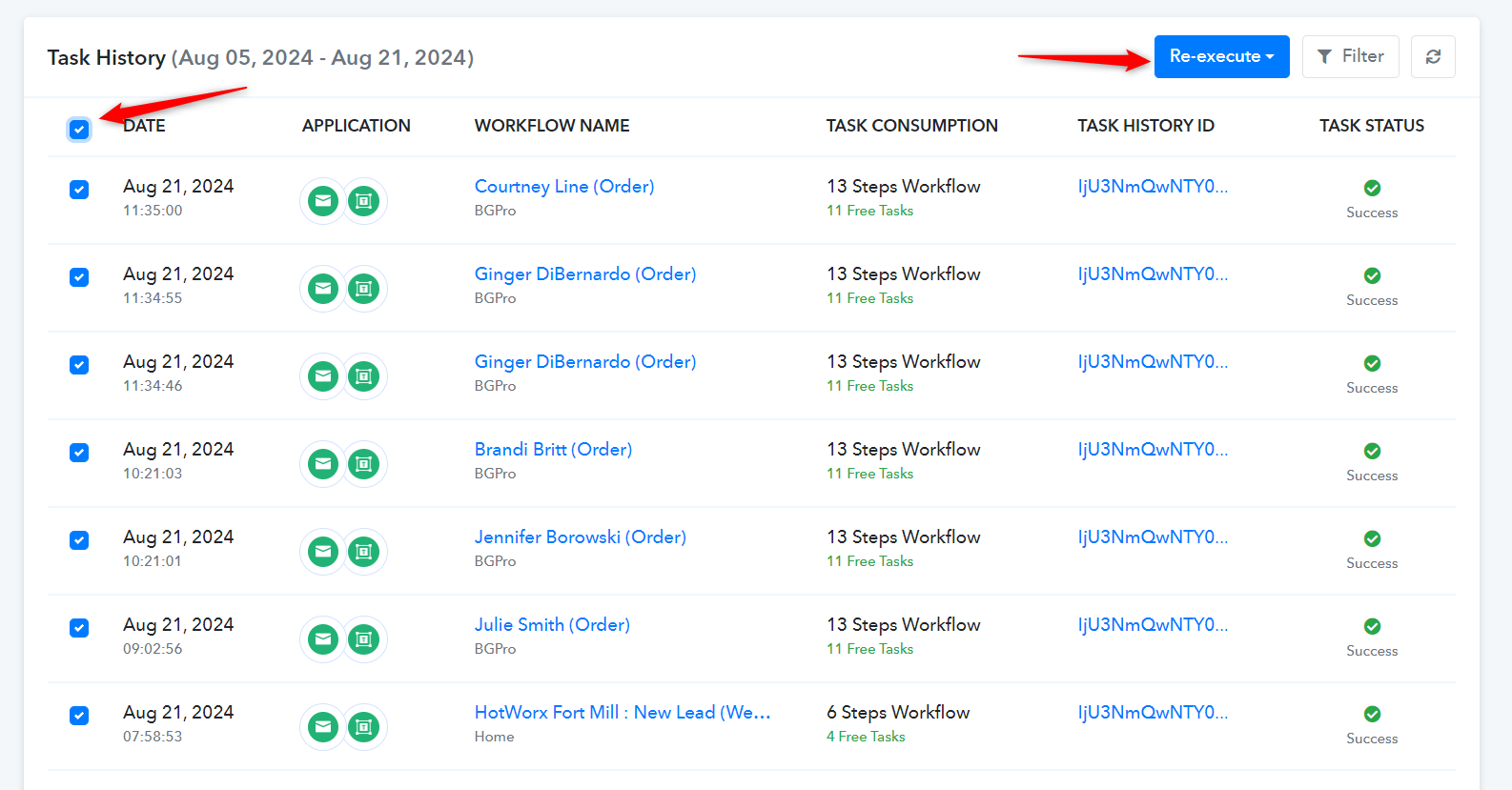
Got it ... thank you!