[Help] Error 400 ("Not Logged") with Custom API - Fails only with live Meta Leads and open-ended questions
Status: Closed · Asked by Andres Muñetón on · 0 views
Hello Pabbly Community,
I'm currently setting up a workflow for B2B lead generation, connecting my Meta Lead Ads to my platform (Brilliant) via Pabbly Connect using an API call.
The Problem: When I run a manual test inside Pabbly, the API call works perfectly and returns a success status. However, whenever a real lead is captured from Meta Ads, the API call fails with a 400 Bad Request error.
The response body from the server is: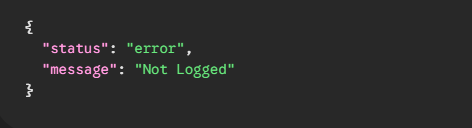
Key Observations:
Tied to an Open-Ended Question: I've narrowed down the failure. It happens specifically because of the data coming from the only open-ended question in my Meta Lead form.
Empty Variables on Live Leads: When the error happens, key mapped fields like
lead_email,empresa_name, andlead_cargoare suddenly sent as empty strings ("") in the payload, which doesn't happen during manual testing.Special Characters: The field capturing the open-ended answer (
lead_notes/lead_message) contains Unicode characters and line breaks (e.g.,\nEst\u00e1 inetresado en: \nEspec\u00edficamente:).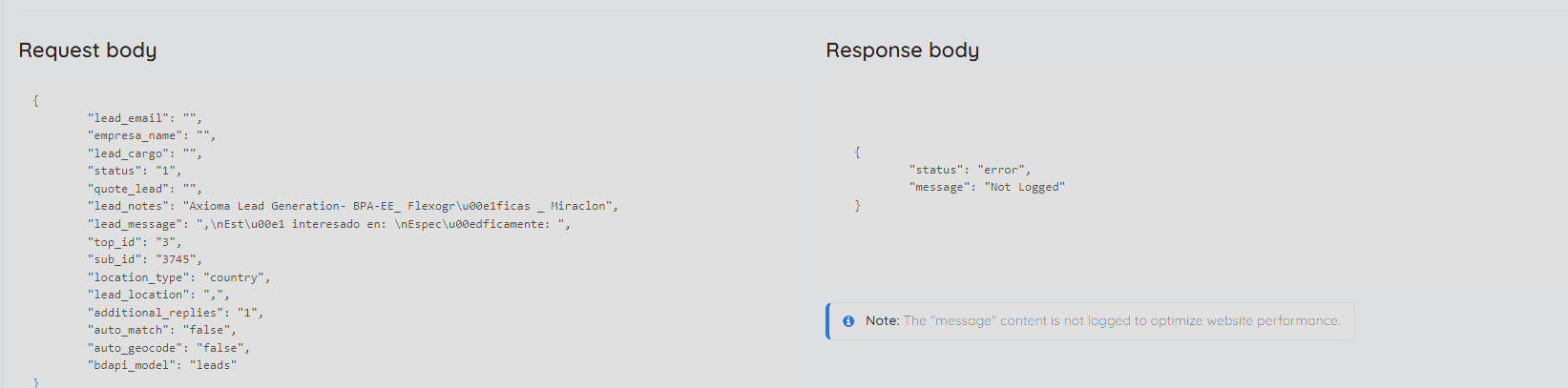
Troubleshooting Steps I've Already Taken:
API Key / Auth Adjustments: I have already reset and adjusted the API key. Since the manual test works perfectly, I suspect the "Not Logged" error might be a misleading server response triggered by a malformed payload, rather than a persistent authentication issue.
Recreated Meta Forms: Thinking the issue might be a bug on Meta's side with that specific open-ended field, I have completely recreated and changed the Meta lead form 3 different times. The exact same error persists.
Field Mapping: I double-checked that all variables are mapped correctly in the Pabbly API action.
Has anyone encountered a situation where an open-ended question from Meta Ads (perhaps due to line breaks or user input formatting) breaks the JSON payload, causing variables to drop and triggering a 400 error in a custom API?
Any guidance on how to parse or clean this data before sending it to the API would be greatly appreciated!
Hello there,
Thank you for reaching out and for the detailed description of the issue with your Pabbly Connect automation.
Could you please share the Workflow URL so that we can look into it and provide information accordingly?
Please be aware that to assist you effectively, we may need to access your Pabbly Connect account. If you're comfortable with this, please grant us permission by stating in your next email: "You have my permission to log into my Pabbly Connect account, and edit workflow {If required}. Here is the registered email address associated with it."
Once we have these details, our team will review your setup and respond with the exact steps to resolve the issue.
Thanks & Regards,
Adeel Akhtar
🌐 Pabbly.com
Hello there,
Thank you for reaching out and for the detailed description of the issue with your Pabbly Connect automation.
Could you please share the Workflow URL so that we can look into it and provide information accordingly?
Please be aware that to assist you effectively, we may need to access your Pabbly Connect account. If you're comfortable with this, please grant us permission by stating in your next email: "You have my permission to log into my Pabbly Connect account, and edit workflow {If required}. Here is the registered email address associated with it."
Once we have these details, our team will review your setup and respond with the exact steps to resolve the issue.
Thanks & Regards,
Adeel Akhtar
🌐 Pabbly.com
Hello there,
Thank you for the reply and for granting us permission to access your Pabbly Connect account and edit the workflow. But as we accessed your Pabbly account with the email address [email protected], there are no workflows in the account.
Kindly let us know the email address of the Pabbly account that you are referring to, and do share the workflow URL copied from the browser address bar for which you have raised the concern.
Thanks & Regards,
Adeel Akhtar
🌐 Pabbly.com
Hi Support Team,
Thank you for your response. I would like to provide some additional details to help you investigate this issue.
The problem is occurring specifically in the workflows shared with me by my boss, Marcelino Arango ([email hidden]).
To access these specific workflows from my account, I use the following path: Settings -> Team Members -> Folders shared with me -> Marcelino Arango
Please note the following important details:
I currently manage 8 different web portals through Pabbly, but this issue is only happening with the active workflows for the website "El Empaque.com".
The workflows for the other 7 portals are working perfectly fine.
You can easily identify the affected workflows for El Empaque as they include the initials "EE" in their names.
For your convenience, here is a direct link to one of the active workflows for El Empaque that is presenting this exact error:
Hello there,
Thank you for sharing the workflow URL and the account email address.
We checked the workflow mapping and the task history of the workflow, 2 tasks have been executed for this workflow, and both of them have been executed successfully with a complete payload to the Brilliant Directories: Create Lead action. Please check at your end.
Thanks & Regards,
Adeel Akhtar
🌐 Pabbly.com