help me to remove the '+' sign in woocomerce phone field
Status: Open · Asked by printcase on · 0 views
I am writing to request assistance with a phone number formatting issue in our WooCommerce store.
Issue Description:
Currently, when customers enter their phone number with a country code (e.g., +919944****35) in the checkout phone field, the plus sign (+) is being stored and passed through the system. However, for our third-party integrations (such as WhatsApp template messaging), we require phone numbers without the + sign.
But why does the integration between Pabbly Connect and Pabbly Chatflow require phone numbers without the + before the country code?
Impact:
This issue affects our automated WhatsApp messaging system, which expects phone numbers without the + prefix.
Request:
Could you please implement a solution to automatically remove the + sign from phone numbers entered in both the billing and shipping phone fields?
I have already explored some code-based solutions, but it's not working. I would prefer an official implementation or guidance from your team to ensure compatibility and maintain best practices.
Hi @printcase,
You can add a Text Formatter step to your workflow to remove the + sign from the phone number and then pass that number to the Pabbly Chatflow action step.
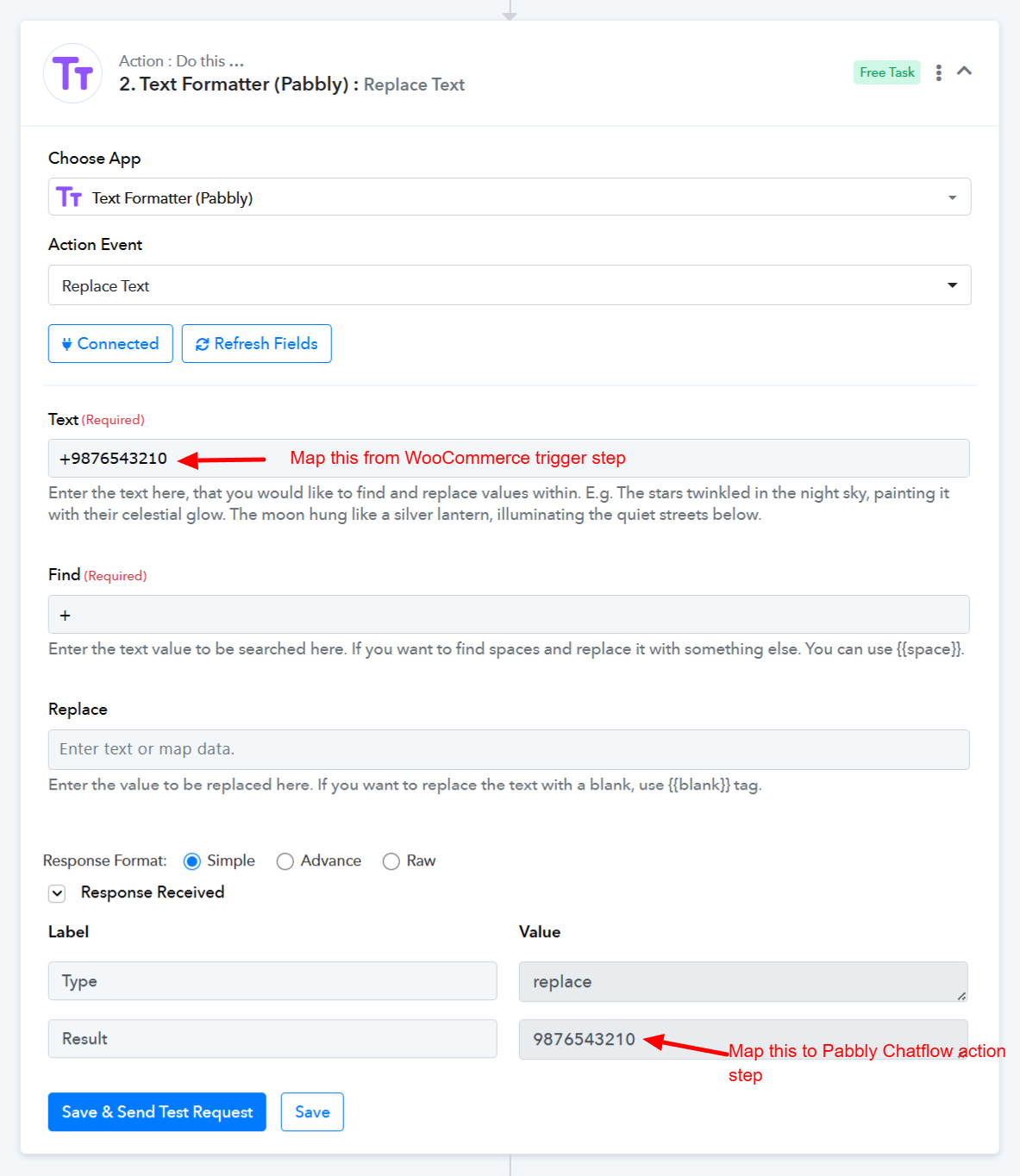
youtube.com/watch?v=oFvzL6iaDAI:131
Thanks & Regards,
Arshil Ahmad
Customer Support Associate
? Pabbly.com
?Rate your support
I am getting an error. I did the same as you mentioned above. Don't know what I did wrong. Could you please help me?
I am getting an error. I did the same as you mentioned above. Don't know what I did wrong. Could you please help me?
Could you please share the Workflow URL where you have this concern?
Thanks & Regards,
Arshil Ahmad
Customer Support Associate
? Pabbly.com
?Rate your support
Hi @printcase,
Thank you for sharing the details.
Upon reviewing the workflow history, we noticed that earlier, the response from the WooCommerce: New Cart Abandonment trigger was returning the phone number with the label “Phone”. However, the label has now changed to “Phone Number”.
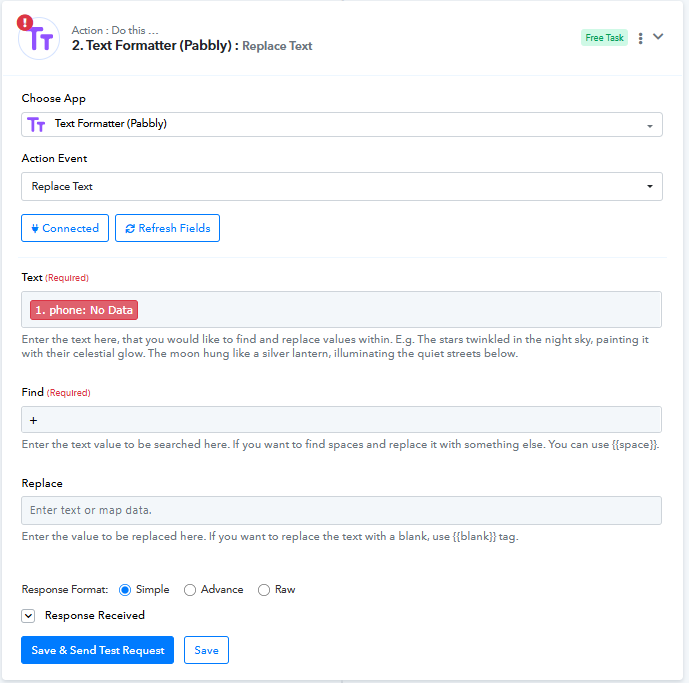
Because of this change, the mapping in the Text Formatter (Pabbly) → Replace Text step was still using the old field (Phone), which caused the step to fail.
We have now re-mapped the correct Phone Number field in the Text Formatter step.
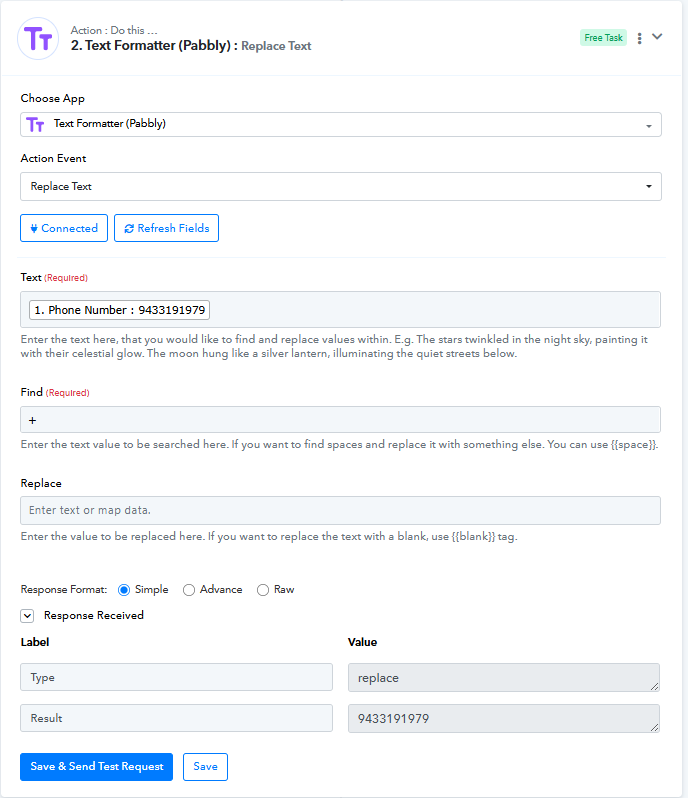
Could you please test the workflow again and let us know if the issue persists?
We’ll be happy to assist further if needed.