Help Needed: Different Auto Comments for Facebook Posts & Click Tracking in Pabbly Connect
Status: Open · Asked by Arun Gayswal on · 0 views
Hi Team,
I am using Pabbly Connect to auto comment on my Facebook posts (images and reels).
Now I want to do something more:
1. I want different comments for different post types (image, reel/video, text post).
2. I also want to use different links in each comment so I can check which one is getting more clicks.
Can you please tell me:
* How can I detect post type (image, video, text) in Pabbly?
* Can I use filters or router to send different comments?
* Is there any way to track which comment link is getting more clicks?
Please guide me in simple steps.
Thanks!
I am using these right Now :
https://connect.pabbly.com/workflow/share/D0cAMgNUUDNTGQRuBmNQdw0ZAgZVDAdjXURTQVNcUytSHFUuURBfNV8TACJVEgJjB04GbA5SBDhbTwYCBFIFdlFLCAoAA1YsB0oHfFQNXG8PUQAoA2I#
Hi @sonuku,
Thanks for your query.
- Detect Post Type:
In the trigger response, you are receiving a field called “Item” (as shown in your screenshot). This tells you the post type (e.g., photo, video, etc.). - Different Comments via Router:
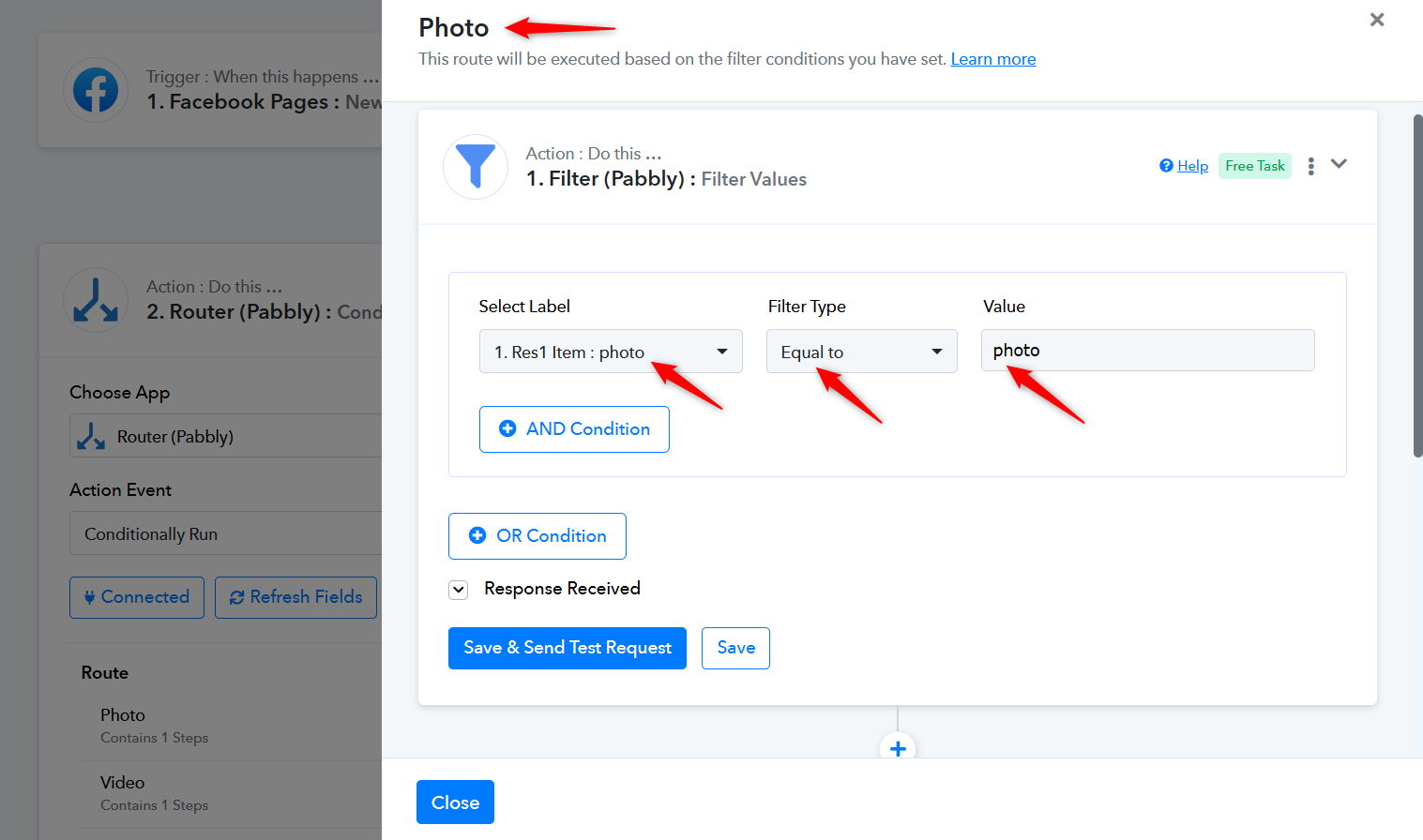
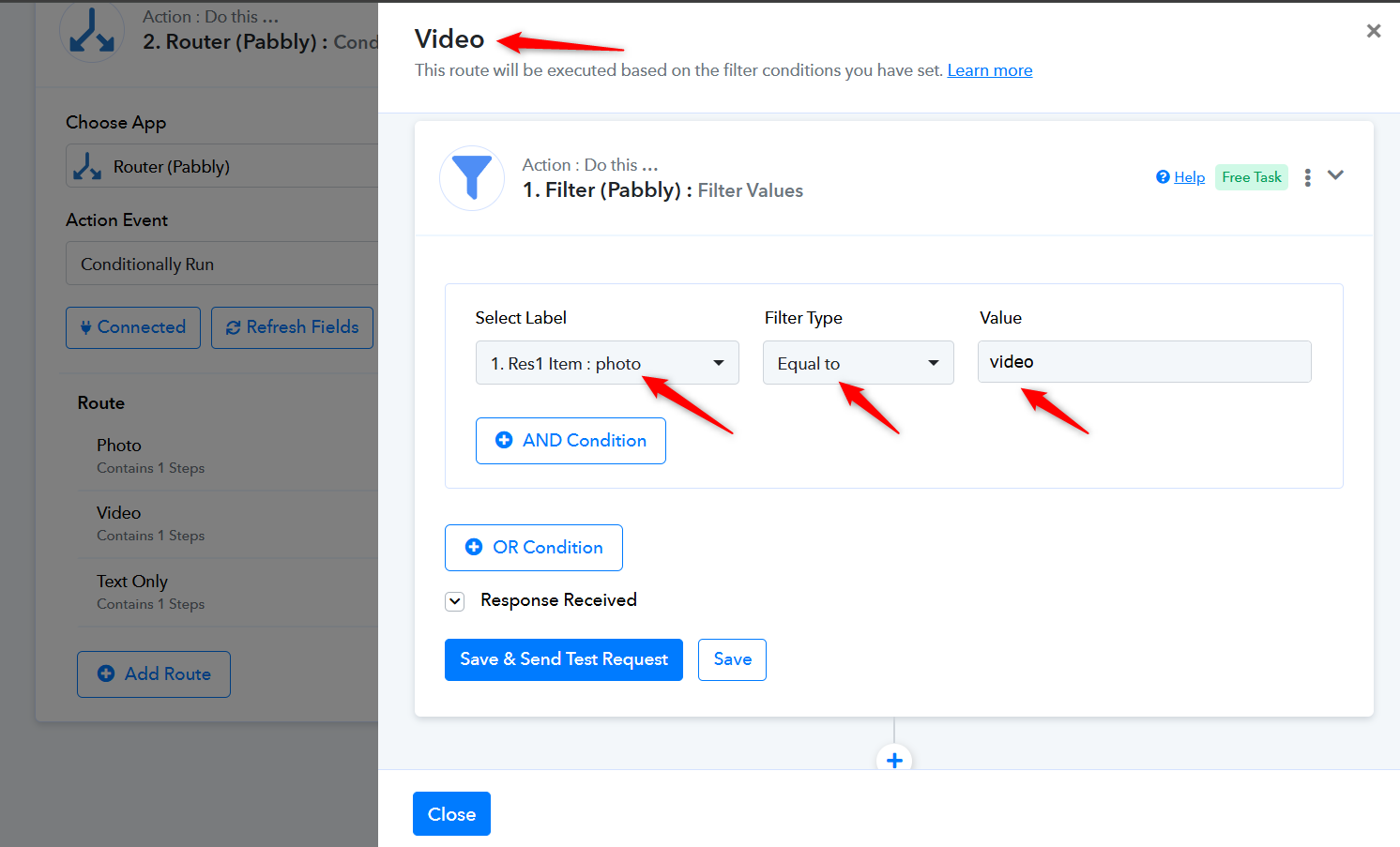
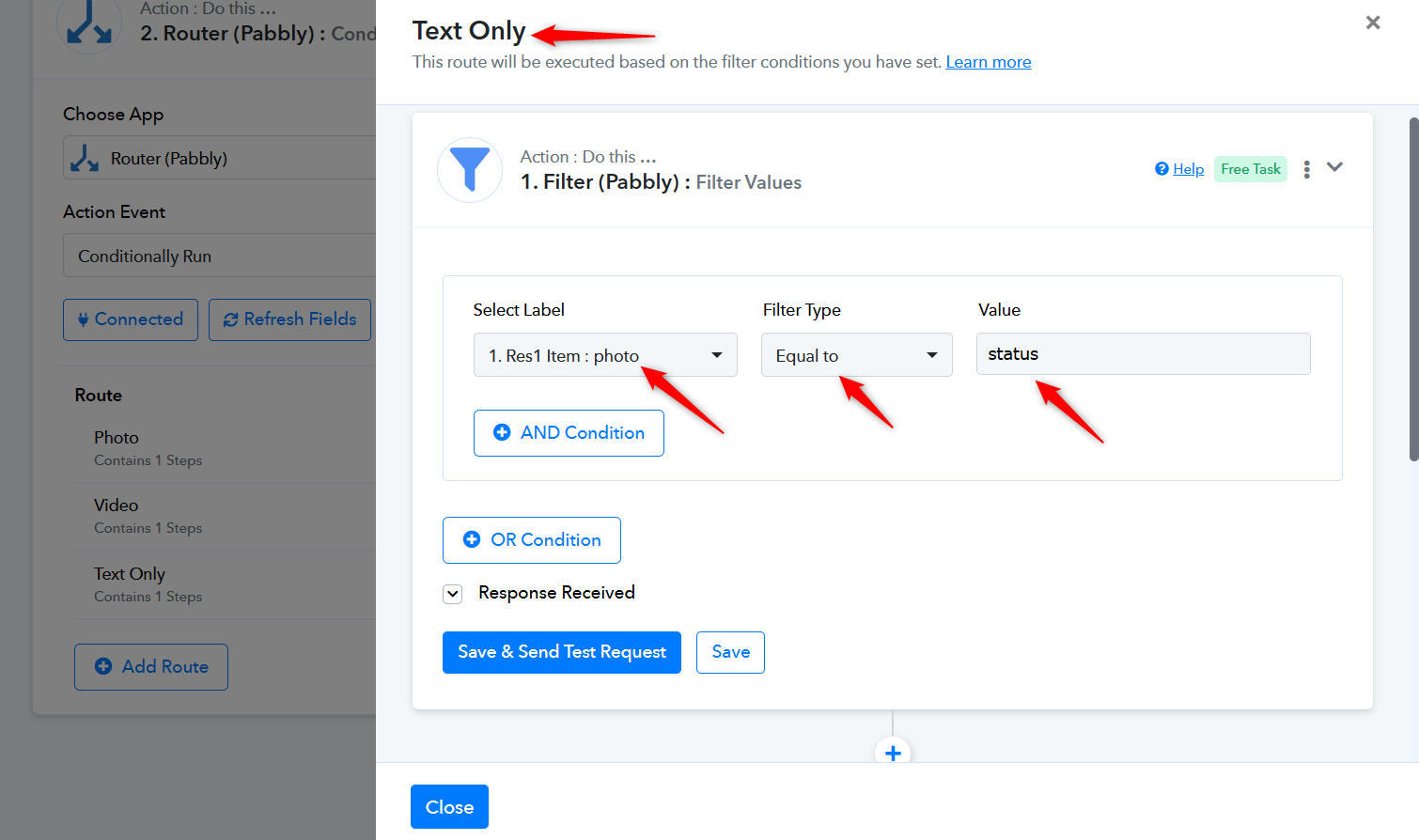
Yes, you can use Router/Filter based on the Item field and create separate paths for image, video/reel, and text posts. Then add different comment actions in each route. - Tracking Link Clicks:
Currently, there is no direct way to track clicks from comments within Pabbly. However, you can use unique links (e.g., different UTM links or shortened links via a tracking tool) to monitor clicks externally.
Hope this helps. Let us know if you need further assistance.
could you change one workflow for me .?
Hi @sonuku,
Thank you for your message.
Since this appears to be a live workflow, and we are not aware of the exact changes or logic you would like to implement, we recommend making the required modifications on your end.
You can use the Router/Filter approach as suggested earlier to customize the workflow based on your requirements.
If you face any issues while setting it up, feel free to reach out—we’ll be happy to guide you step by step.
I do not understand , how to apply filter in router .?
We cloned your workflow so the live workflow isn’t affected, and then added three routes with filters related to photo, video, and text (status) in the cloned workflow for your reference. You can similarly add a router to your workflow with three routes.
https://connect.pabbly.com/workflow/mapping/IjU3NjcwNTZmMDYzMzA0MzU1MjZlNTUzNTUxMzIi_pc
Thanks & Regards,
Arshil Ahmad
Customer Support Associate
? Pabbly.com
?Rate your support
Hi @sonuku,Thanks for your query.
- Detect Post Type:
In the trigger response, you are receiving a field called “Item” (as shown in your screenshot). This tells you the post type (e.g., photo, video, etc.).- Different Comments via Router:
Yes, you can use Router/Filter based on the Item field and create separate paths for image, video/reel, and text posts. Then add different comment actions in each route.- Tracking Link Clicks:
Currently, there is no direct way to track clicks from comments within Pabbly. However, you can use unique links (e.g., different UTM links or shortened links via a tracking tool) to monitor clicks externally.
Hope this helps. Let us know if you need further assistance.
i developed a tool, that automatically ads utm codes in your urls that you post in your facebook page comments. so you can track link clicks from comments. the tool is called engagyo.com
Go in engagyo and setup url tracking. and thats all you need to do. Engagyo also provides you api access so you send the scheduled post on engagyo and engagyo will add utm codes in url and publish on facebook.