Help with filter step
Status: Open · Asked by Carlos Melo on · 0 views
Hello,
I'm having some difficulty with the filter step, because it's not filtering the way I configured it.
I have a workflow that should prevent events from moving forward if one of the 'or' type conditionals is met, but that's not what's happening. Here is the workflow:
https://connect.pabbly.com/workflow/share/WhIFNwJVBmUDSQRuAFNQdwwYUVUJUAJjBB0DEQYJUChUGQNoVBVcNgBMBSdSFQRlAksJYwFdAT1cSAYCCF5VJlJIVHgAAwd9AE0JOgJLADNaBAUtAmM#
The filter is step number 9.
But it is letting the events go ahead even if one of the 'or' conditionals has a data point, i.e. if a certain number exists in one of the 7 previous spreadsheets
If you check the history you will see that step 7 has the number that should stop the flow from going ahead, but it still continues.
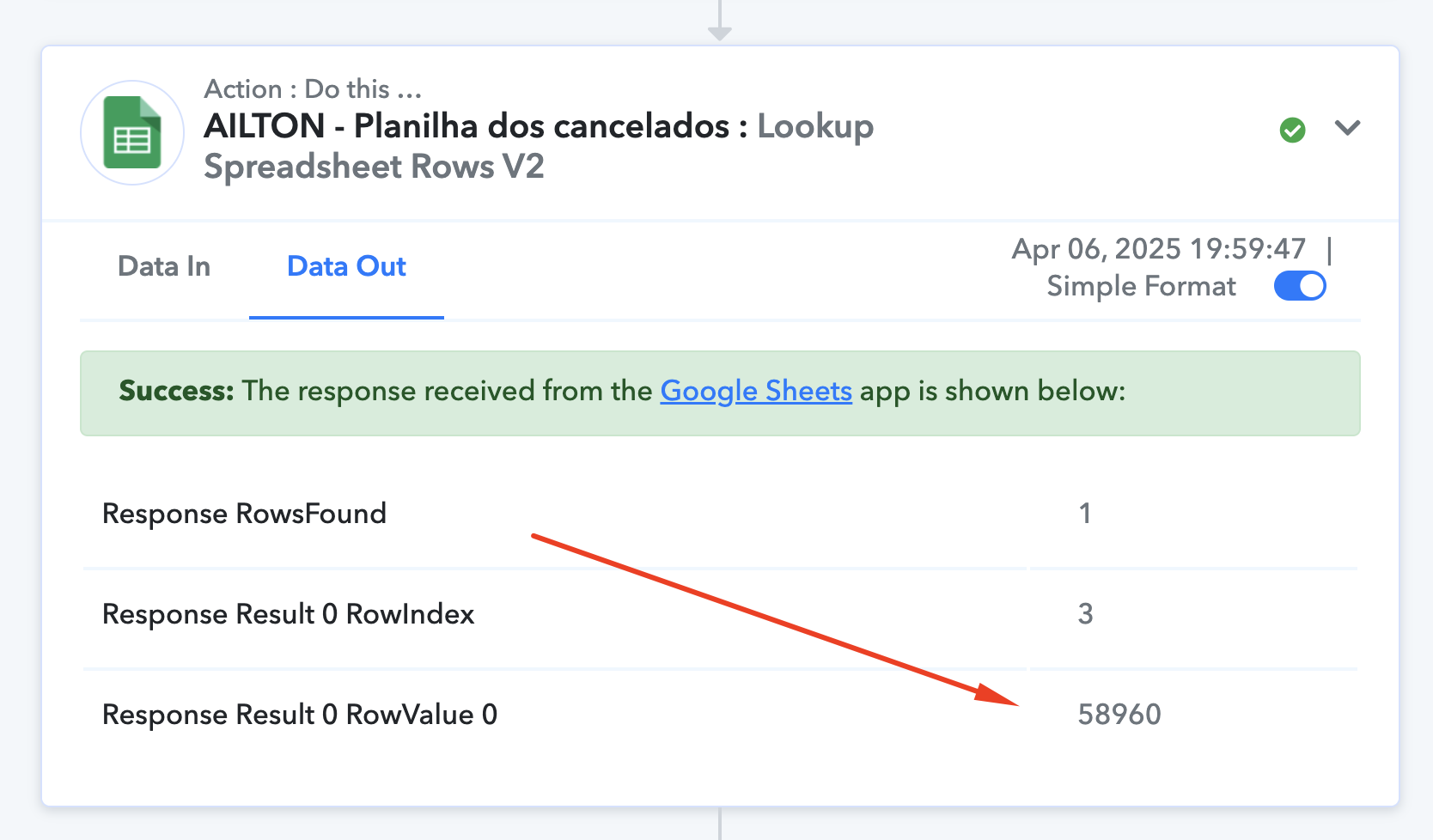
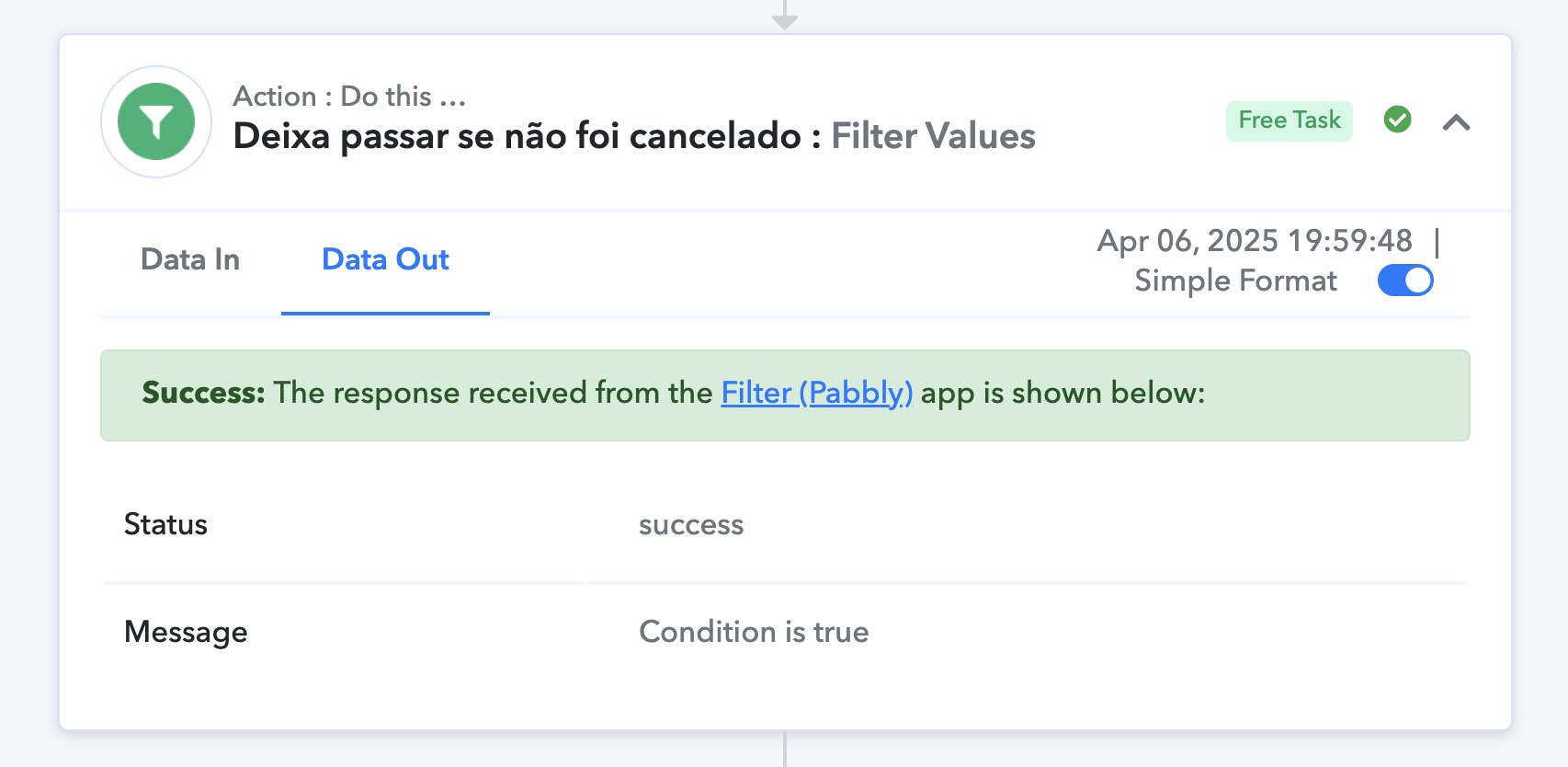
I am using the "Does not exist" filter type. Should I be using another type, like "is empty"?
Hi @Carlos Melo,
You have set up the filter in Step 9 in such a way that if any of the lookup tables from Steps 2 to 8 do not return any data, the workflow will still continue.
Based on your Task History, we can see that Step 2 of the workflow didn’t return any data, so the workflow continued.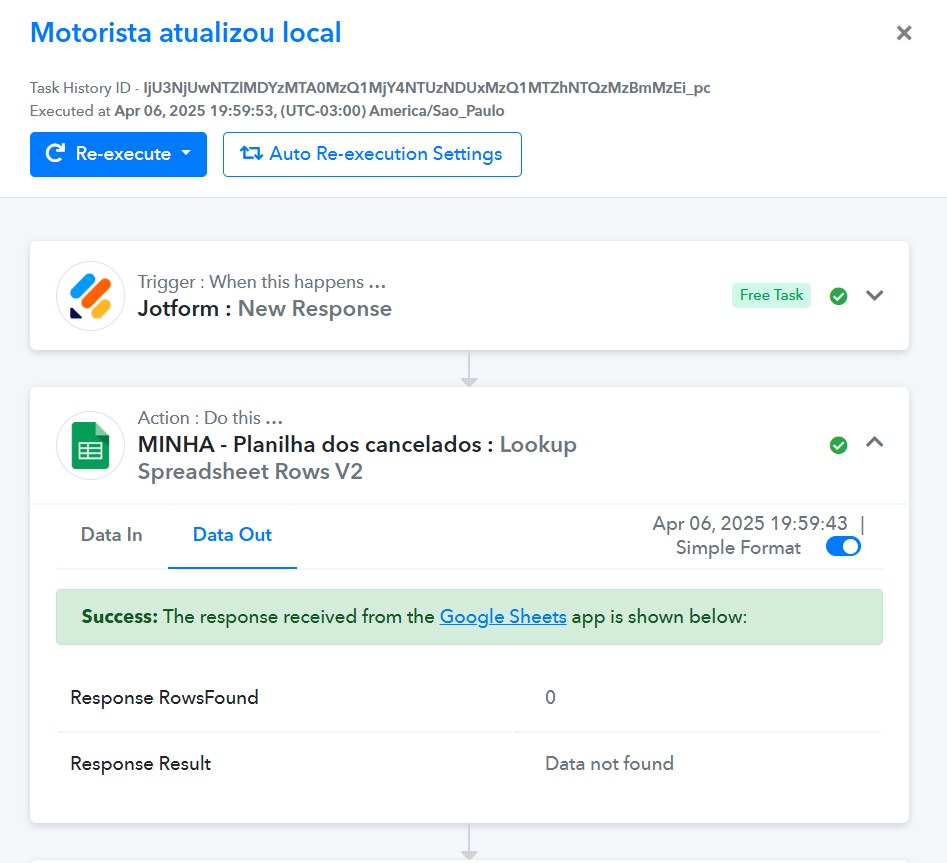
Thank you @ArshilAhmad.
Ok, so now I've set all the conditions as "Exists" and the filter is still letting the flow go ahead.
There is data on the step number 2.
Please check the Task History ID: IjU3NjUwNTZlMDYzMTA0MzQ1MjY1NTUzMDUxMzQ1MTY2NTQzMzBmMzAi_pc
Just to be clear, I don't want the flow going ahead if one of those Spreadsheet has any data.
What do you suggest I do?
I also have used ‘Filter Type’ as “Is empty” and the filter let flow going ahead if there is data in any of those spreadsheet.
Hello,
Can anyone answer me here, please ?
How can I set the filter step so that it can work as I need ?
Hello @Carlos Melo,
Apologies for the delayed response.
If you'd like the workflow to proceed only when the searched data does not exist in any of the sheets, we recommend using the AND condition operator in your filter instead of OR.
You should set the filter to check for a "doesn't exist" condition. This ensures that if the key Response Result 0 RowValue 0 exists in any step's response, the workflow will not proceed further.