Help with HTTP Get File as the first trigger
Status: Open · Asked by wimotti era on · 0 views
Dear Pabbly support
Every day X am/pm
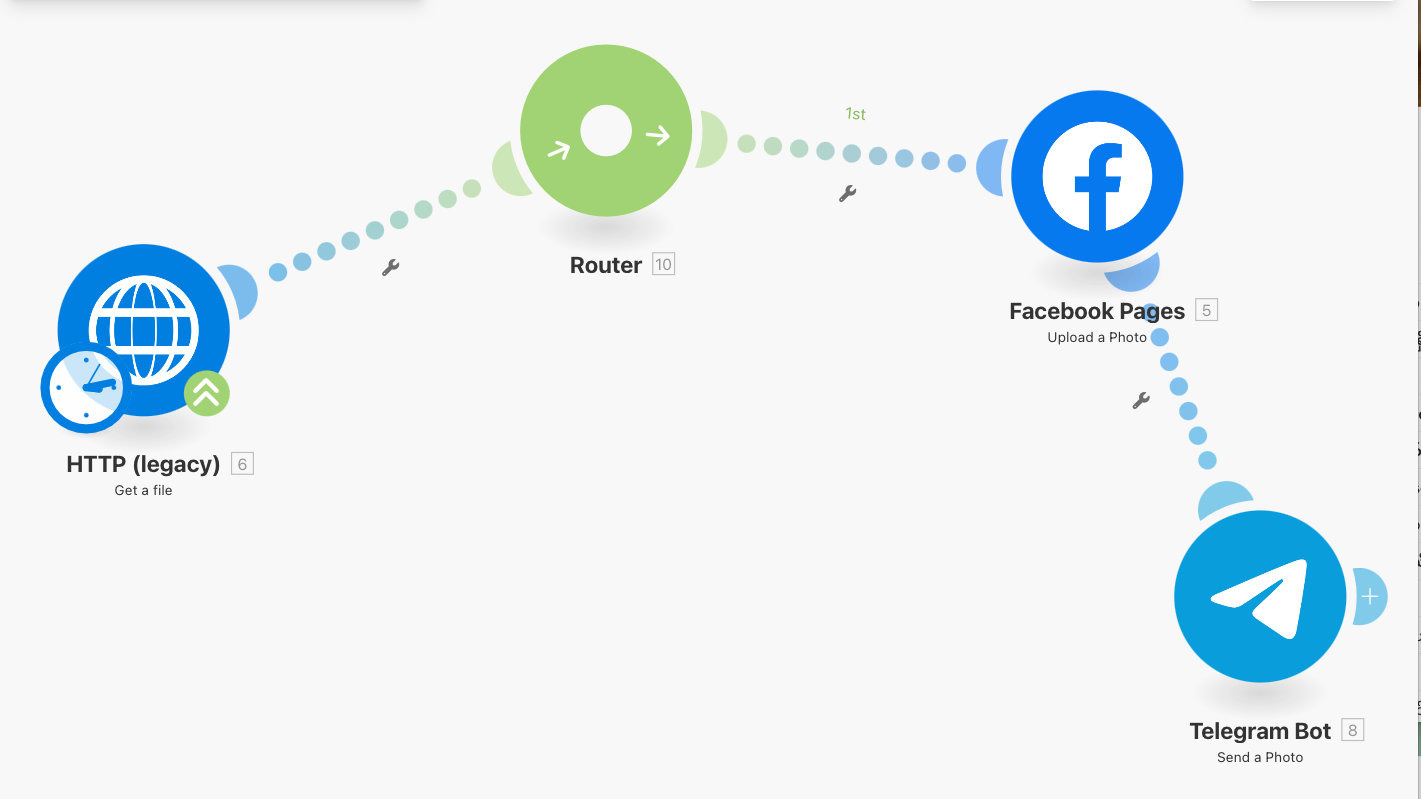
1st. Download a file from URL which will randomly return an image
2nd. Post it to the Facebook.
3rd. Post it to the Telegram
In Make.com, I had HTTP module. However, this feature seems to be missing in Pabbly.
Facebook Group experts advised to use API which is not available in the first Trigger.
Is my use case not supported in Pabbly?
Hello @Pabbly Newbie ,
Thank you for explaining your use case in detail.
Yes, your use case is supported in Pabbly Connect, and you can achieve it using the steps below:
How to set up the workflow in Pabbly
- Trigger the workflow on a schedule
Use Scheduler by Pabbly as the trigger to run the workflow daily at your preferred time (AM/PM). - Fetch the image from the URL
Use API by Pabbly to make a GET request to the image URL.
This will allow you to retrieve the file (image) returned by the URL, similar to the HTTP module in Make.com. - Post the image to Facebook
Use the Facebook → Post Image on Page (or relevant Facebook image posting action) and map the image file received from the API step. - Post the image to Telegram
Add the Telegram → Send Photo action and map the same image file to post it to your Telegram channel or group.
If you need help configuring any of these steps or mapping the image correctly, feel free to share your workflow and we’ll be happy to guide you further.
Dear Pabbly Team and fellow future users of Pabbly
I managed to achieve the same outcome with below workflow:
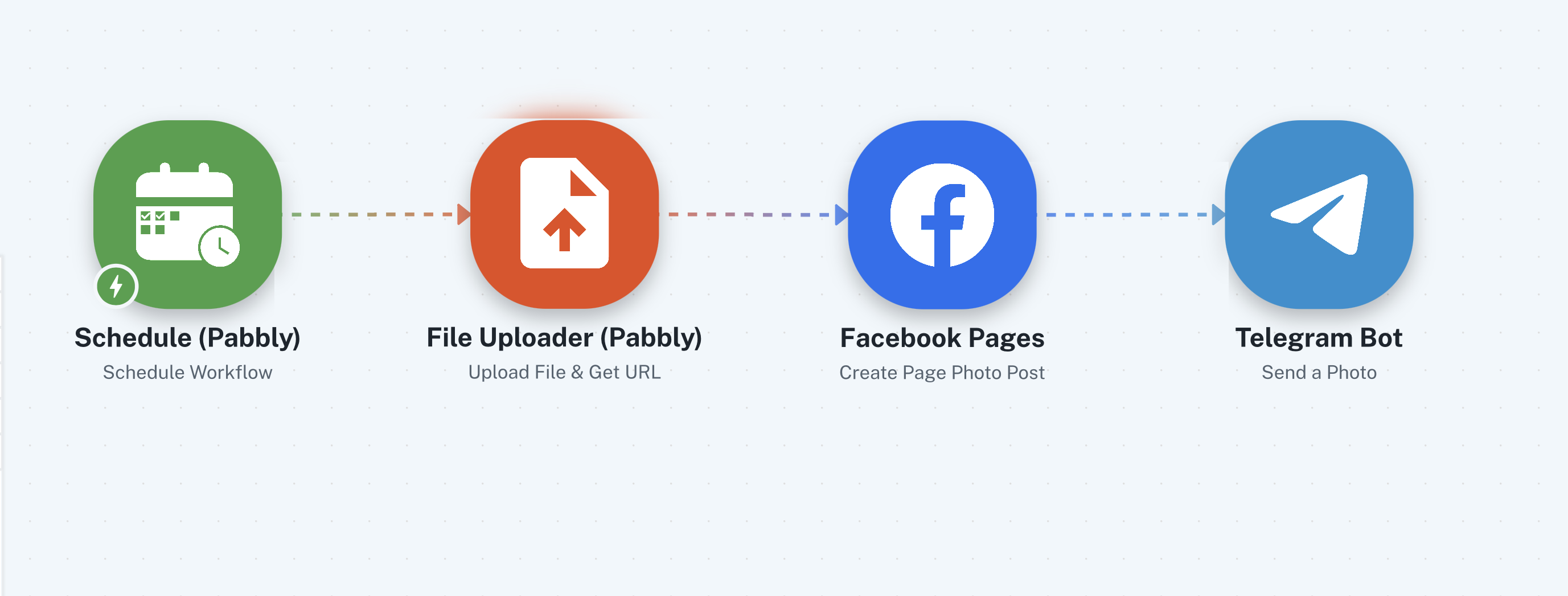
The reason why I cannot use API is that API get Image byte which Facebook pages cannot accept Image byte. Facebook pages only accepts file link URL.
Thank you for the update. We are glad you were able to achieve the use case.
Thanks & Regards,
Arshil Ahmad
Customer Support Associate
? Pabbly.com
?Rate your support