Help with Pabbly Automation - Keap & Calendly
Status: Open · Asked by golfupgrades on · 0 views
How do I find the contact ID when trying to create a note in KEAP to show a lesson has been booked for a contact? 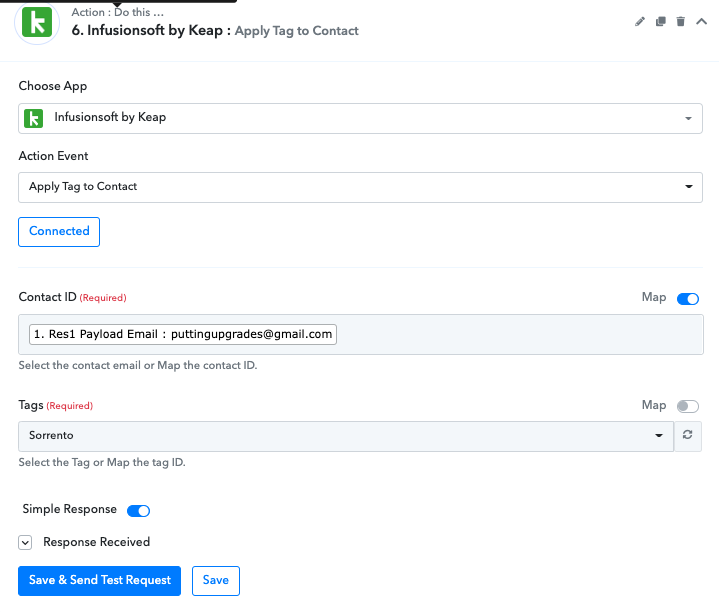
Hey @golfupgrades
You need to map the Contact Id in the Contact Id field instead of the Email address.
Kindly try with the correct Contact Id and let us know if that works for you.
Hi @Supreme,
I also have the same issue and I don't know how to get Keap's Contact ID from Calendly. Could you please help? Thanks.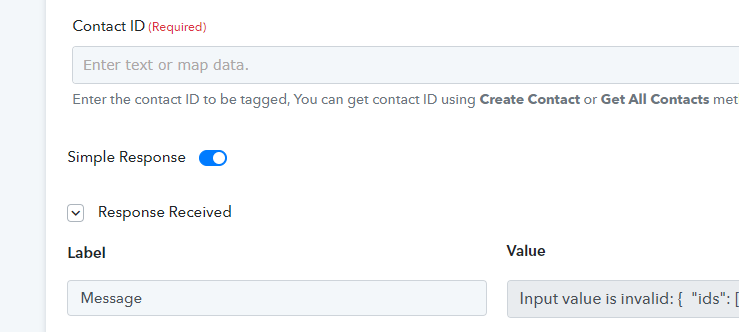
I also have the same issue and I don't know how to get Keap's Contact ID from Calendly. Could you please help? Thanks.
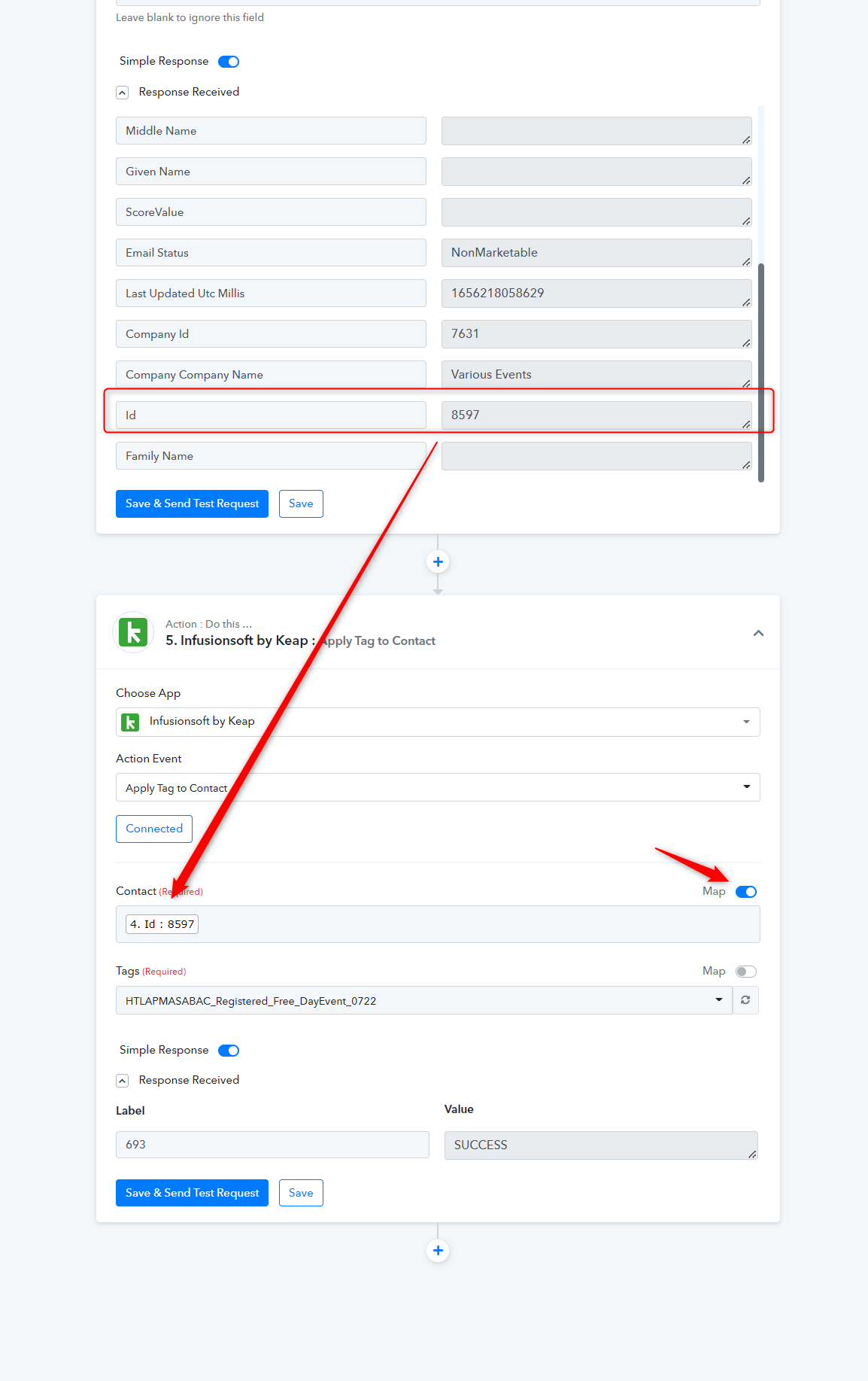
You can map the contact Id in the Contact field from the "Infusionsoft by Keap : Create/Update Contact" API response or can use the" Infusionsoft by Keap : Retrieve a Contact via Email" action step.
Hi there,
I noticed that this isn't possible in the new builder: if I add keap to select the email contact from the previous step (calendly) and then add keap again to apply the tag to this contact, I have no way to select the contact ID from the previous keap step.
It works fine in the old builder, however.
I attach screenshot
Hi there,I noticed that this isn't possible in the new builder: if I add keap to select the email contact from the previous step (calendly) and then add keap again to apply the tag to this contact, I have no way to select the contact ID from the previous keap step.
It works fine in the old builder, however.
I attach screenshot
Could you please share the Workflow URL where you have this concern?
Hello @QF-dev-Team,
Please refer to the attached video. It demonstrates how you can enable the Map button and map the ID from a previous step in your workflow.
Since your current workflow doesn't have any ID captured, I’ve not used an example to show the process and but it will help you understand how the mapping can be done.
https://www.awesomescreenshot.com/video/42007353?key=51be9caefee517cda1906bb138d4faa7
Thank you Preeti Paryani,
I tried mapping but it didn't find any information about the previous Keap module.
Now it works. Thank you very much.
Thanks for the update.