Help with webhook
Status: Open · Asked by bodie007 on · 0 views
Hello
I set up a webhook and tested it to add email to a list in Mailing Boss.
I tried it from the page where user will give email address and via webhook be added to email list.
This worked once and then not again, so I am not sure why it is not working.
Any help or tips appreciated
Thanks
Hi @bodie007,
Could you please share the Workflow URL where you have this concern?
Thanks & Regards,
Arshil Ahmad
Customer Support Associate
? Pabbly.com
?Rate your support
Hello, - thanks for your reply.
https://connect.pabbly.com/workflow/mapping/IjU3NjcwNTZjMDYzNjA0M2M1MjZkNTUzNjUxMzEi_pc
Please connect your source application with this webhook URL and see if you are able to receive data.
https://connect.pabbly.com/workflow/sendwebhookdata/IjU3NjcwNTZjMDYzNzA0Mzc1MjZlNTUzNjUxMzUi_pc
It's connected to this workflow:
https://connect.pabbly.com/workflow/mapping/IjU3NjcwNTZjMDYzNzA0Mzc1MjZlNTUzNjUxMzUi_pc
Thanks & Regards,
Arshil Ahmad
Customer Support Associate
? Pabbly.com
?Rate your support
Thanks - its says response B captured 3 minutes ago.
Is that working ok?
Do I need to add the mailing boss list again next?
Great, it seems to be working now. We have added the Builderall MailingBoss action step to this workflow on your behalf.
https://connect.pabbly.com/workflow/mapping/IjU3NjcwNTZjMDYzNzA0Mzc1MjZlNTUzNjUxMzUi_pc
Thanks & Regards,
Arshil Ahmad
Customer Support Associate
? Pabbly.com
?Rate your support
Hello,
thanks for the update.
I have received an error message as follows
Task History ID: IjU3NjUwNTY1MDYzMTA0MzY1MjZlNTUzNzUxMzc1MTYzNTQzMDBmMzEi_pc
Step Name: Builderall Mailingboss > Add Lead in List With Custom Fields
Connection Name: Builderall Mailingboss #1
Task Error Detail:
{
"status": "error",
"message": "Required field Email Address missing
I tried a submission and it is registering in the email list.
Thanks
Based on your Task History, we can see that the webhook was triggered without any data. This usually happens when someone opens the webhook URL directly in a browser, causing the webhook to be hit with empty data. 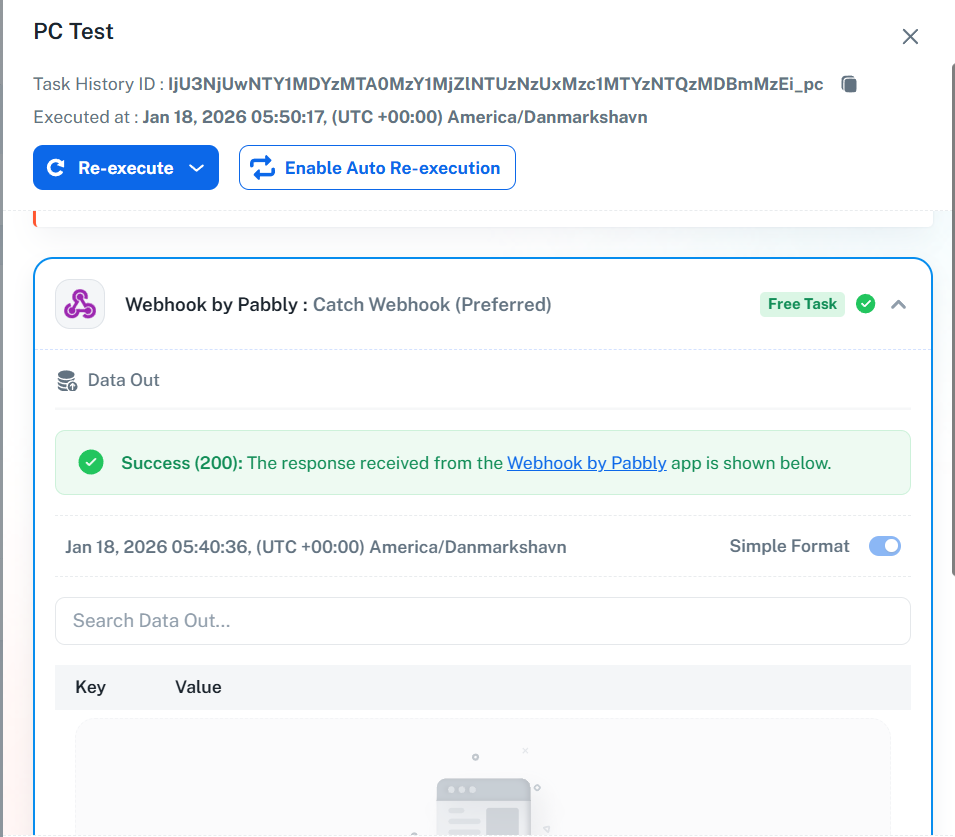
We have added a Filter as step 2 of your workflow. This ensures that the next step executes only when an email is present in the data received from the webhook. This will prevent the error you encountered due to a blank webhook response.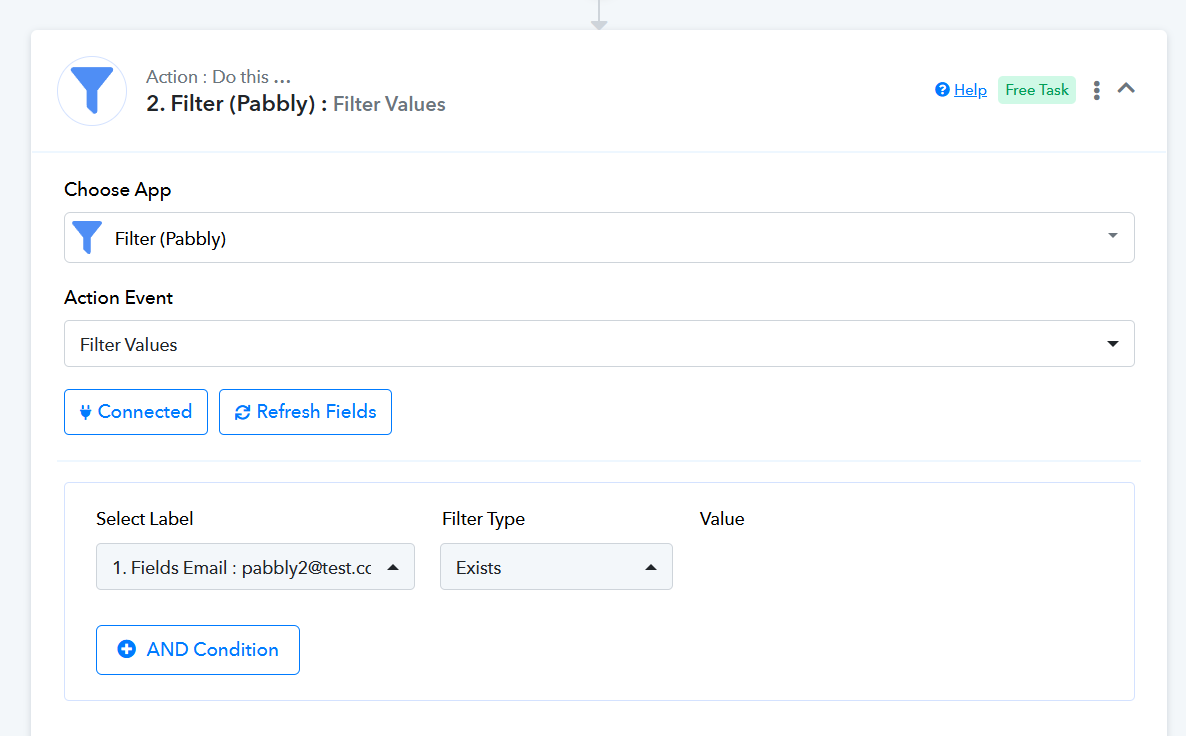
Thanks & Regards,
Arshil Ahmad
Customer Support Associate
? Pabbly.com
?Rate your support