How can I Convert Amazon Order Csv file(In Google Drive) to Zoho book Format Csv File
Status: Open · Asked by CARKEY INDIA on · 0 views
Dear Pabbly ,
I get Sales report from amazon in Csv format & I add that file in Google drive then Read from Pabbly & that Data I want create a new csv file in Zoho book format
is it possible?
or
How can I Send the Amazon Order Data in to Zoho book .
I created a workflow but I got stucked at time formator in Amazon csv file Date like :31-10-2025 19:37
I don't know this workflow works or not?
please guide me
Hi @Sreejith,
We have changed the From Format in your Date/Time Formatter, which seems to have fixed your issue.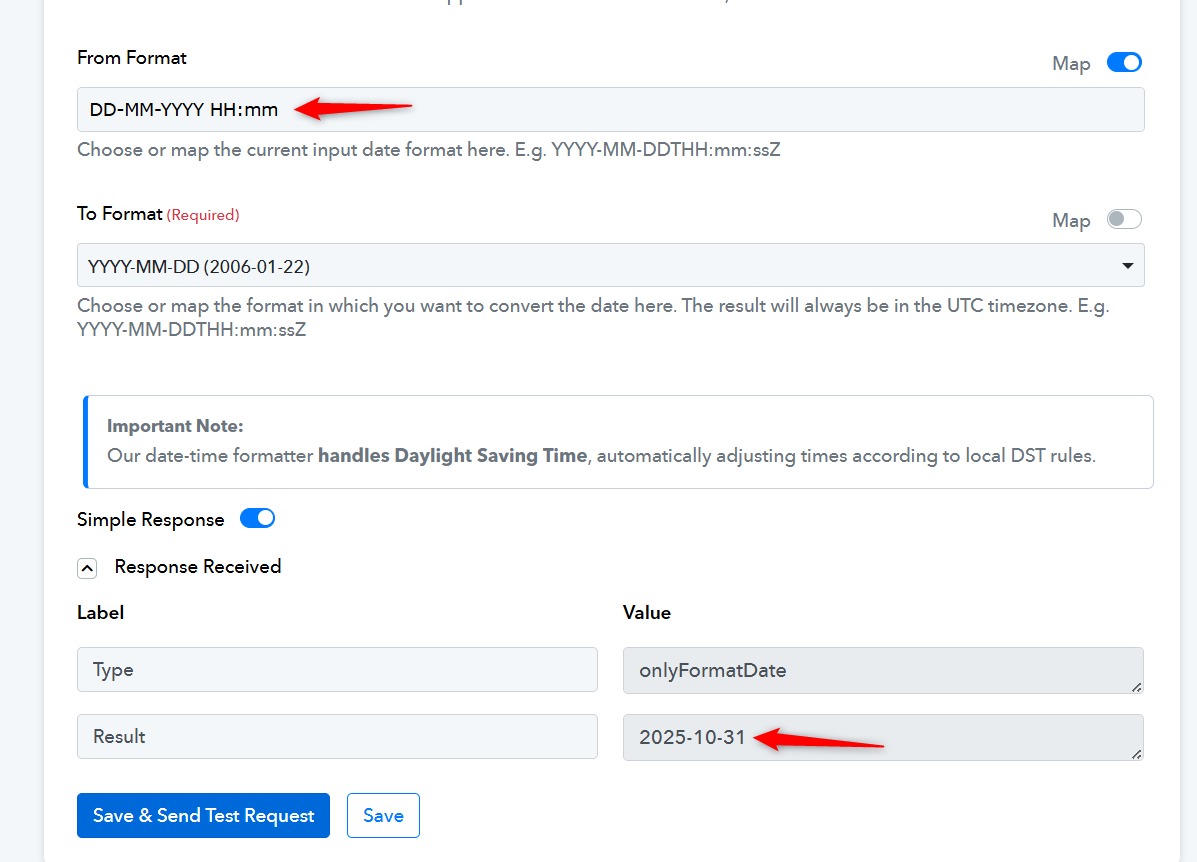
There is no endpoint in Zoho Books API documentation which allows you to directly upload CSV to Zoho Books.
https://www.zoho.com/books/api/v3/introduction/#organization-id
===========================================================================
https://connect.pabbly.com/workflow/mapping/IjU3NjYwNTY0MDYzMTA0M2Q1MjY5NTUzMzUxMzYi_pc
The way you have set up your current workflow, it looks like you will upload a new CSV file to your Google Drive each time a new order is created in your Amazon account (different spreadsheets for different orders). You then want to use 'Get Row(s)' action step to fetch the order details and create a new sales invoice in Zoho Books. If this is your use case, then you have set up the workflow correctly. Just make sure you map the Spreadsheet ID in the 'Get Row(s)' action step from your trigger step.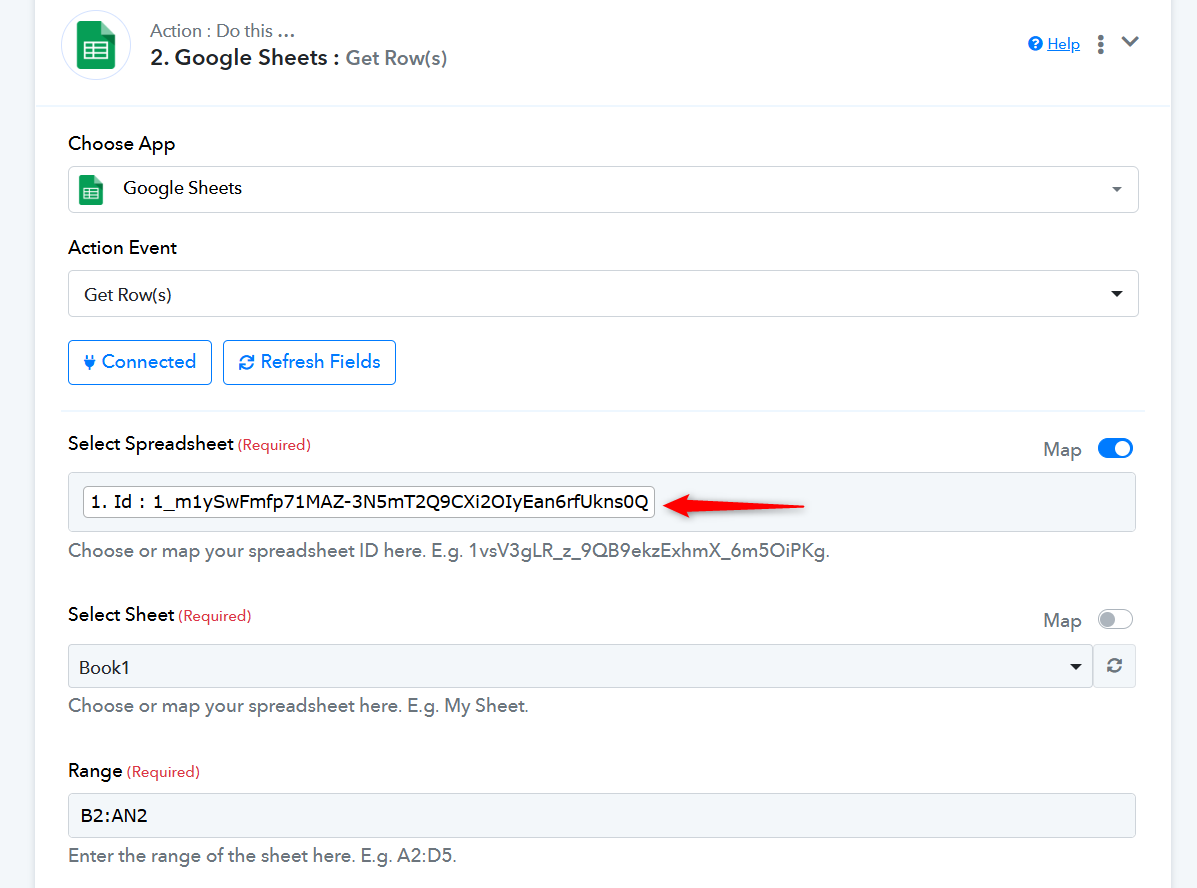
Thank you for your Response.
I will upload the order detail at the end of the Month in a single sheet, It's not possible upload each time.
My question is Will Pabbly excute each row & coloum and create multiple order to zoho book?
for example if i have 10 order in csv file
Hello @Sreejith,
Thank you for explaining your use case. With your current setup, the workflow will not iterate through each row of the Google Sheet to create multiple invoices in Zoho Books.
To achieve this, you will need to:
- Capture the response from the Google Sheets – Get Rows action in Advanced Format.
- Add an Iterator step after the Get Rows action.
- Inside the Iterator loop, use the Date/Time Formatter to format the date for each row.
- After that, use the Zoho Books – Create Sales Invoice action.
This structure will allow Pabbly to create one Zoho Books invoice per row in your CSV/Google Sheet.
Please make sure to test this workflow with a sample CSV before uploading your full monthly file.