How can I flatten metadata key value pairs from an array into a single Google Sheets row in Pabbly Connect?
Status: Open · Asked by ytdescriptionextractor on · 0 views
Thanks for the suggestion.
The metadata is coming as separate key value objects, and my goal is to flatten everything into a single Google Sheets row for each video.
I need to map fields like title, description, tags, transcript, thumbnail URL, and duration into fixed columns so the data can be compared later for analysis.
This workflow is mainly for YouTube content research and metadata tracking, so keeping everything structured in one row is important.
I will test the parser and formatter approach to see if it handles the array mapping cleanly.
I am working with data returned as separate key value objects and need to map fields like title, description, tags, transcript, thumbnail URL, and duration into fixed columns in one Google Sheets row.
Right now each value is getting processed as a separate item, which makes the sheet difficult to analyze later.
What is the best way to flatten this array before sending it to Google Sheets?
Would iterator and formatter be the right approach, or is there a cleaner way to handle this inside Pabbly Connect?
I am exploring ways to automate YouTube content research workflows.
The goal is to extract video descriptions, tags, transcripts, and metadata, then push that data into Google Sheets or a database for analysis.
Has anyone built this using Pabbly Connect?
I tested a workflow where YouTube metadata is extracted first and then processed for content research.
Curious if anyone has built something similar for SEO analysis or competitor research.
Workflow for YouTube Competitor Analysis?
Hi @ytdescriptionextractor,
Thanks for raising your concern and sharing the additional details. We have consolidated your queries within the same thread so that we can assist you more effectively without causing any confusion.
It seems like you are working on a workflow to achieve a custom YouTube metadata analysis use case. To better understand the data structure you are currently receiving and guide you on the best approach to flatten the array into a single Google Sheets row, kindly share the workflow URL with us.
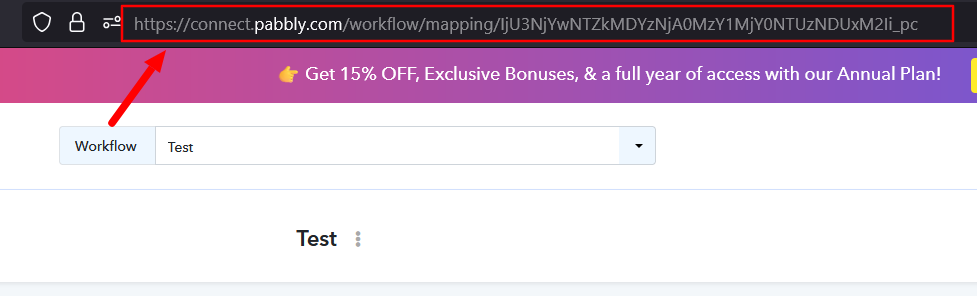
Once we review the workflow and the incoming data format, we will be able to suggest the most suitable approach for your use case.