How can I generate a CSV file from filtered Google Sheets rows and upload it to FTP?
Status: Open · Asked by Shaun Swartz on · 0 views
I am trying to create a workflow in Pabbly Connect where I take filtered rows from a Google Sheet, convert those rows into a CSV file, and then upload that CSV file to an FTP server.
The CSV file does not exist when the workflow starts. It needs to be generated dynamically from the Google Sheets data during the workflow.
My intended flow is:
1. Get/filter rows from Google Sheets
2. Convert the returned rows into CSV format
3. Upload the generated CSV to an FTP server
I am struggling with point 2 above in the flow. I need help with point 2 and 3.
Hello Shaun,
For point 2 and 3 of your workflow, you can use the following approach in Pabbly Connect:
- Use the “CSV Processor (Pabbly)” application to create the CSV file dynamically from your filtered Google Sheets rows.
- You can use actions like:
• “Create CSV File”
• “Append Rows to CSV” (if needed)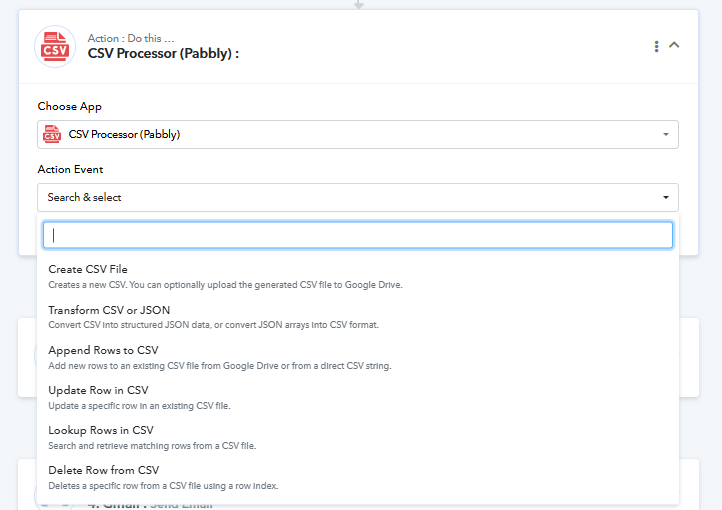
- Once the CSV file is generated, use the “SFTP (Pabbly)” application and the “Upload File” action to upload the generated CSV file to your FTP/SFTP server.
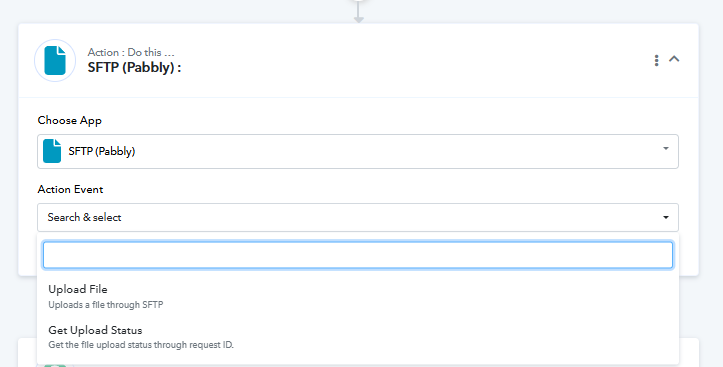
We have also attached screenshots for reference showing the relevant actions inside both applications.
Additionally, you can follow this tutorial for step-by-step guidance:
youtube.com/watch?v=aJr490jdTP0
Please try this setup once and let us know if you face any issues further.
Hi
I need additional detailed guidance for CSV Processor (Pabbly)
I watched this video before and it was not helpful.
Hello Shaun,
Sure, we can provide you with more detailed guidance on the same.
Could you please share the workflow URL where you are facing this issue? Once we have it, we will be able to better understand the exact setup and identify the specific issue you are encountering with the CSV Processor steps.
If required, we can also connect over a Google Meet call and help you set up the workflow properly.
You can book a meeting slot using the following link:
https://calendly.com/d/cxw4-q2r-cn7
We look forward to assisting you further.