How can I keep uploading my documents as PDF?
Status: Open · Asked by Alejandro Perez on · 0 views
Hello there,
Thanks for contacting us.
Could you please share the Workflow URL so that we can look into it and provide information accordingly?
Please be aware that to assist you effectively, we may need to access your Pabbly Connect account. If you're comfortable with this, please grant us permission by stating in your next email: "You have my permission to log into my Pabbly Connect account, and edit workflow {If required}. Here is the registered email address associated with it."
Thanks & Regards,
Adeel Akhtar
🌐 Pabbly.com
Hi Adeel,
The workflow URL is https://connect.pabbly.com/workflow/mapping/IjU3NjYwNTZhMDYzMTA0MzQ1MjZmNTUzNTUxMzEi_pc
You have my permission to log into my Pabbly Connect account, and edit workflow {If required}. Here is the registered email address associated with it: [email hidden]
Thanks
Hello there,
As we can check, you are still using the Upload a file (Legacy) action in your workflow. We recommend that you change the action event to the Upload a file action event.
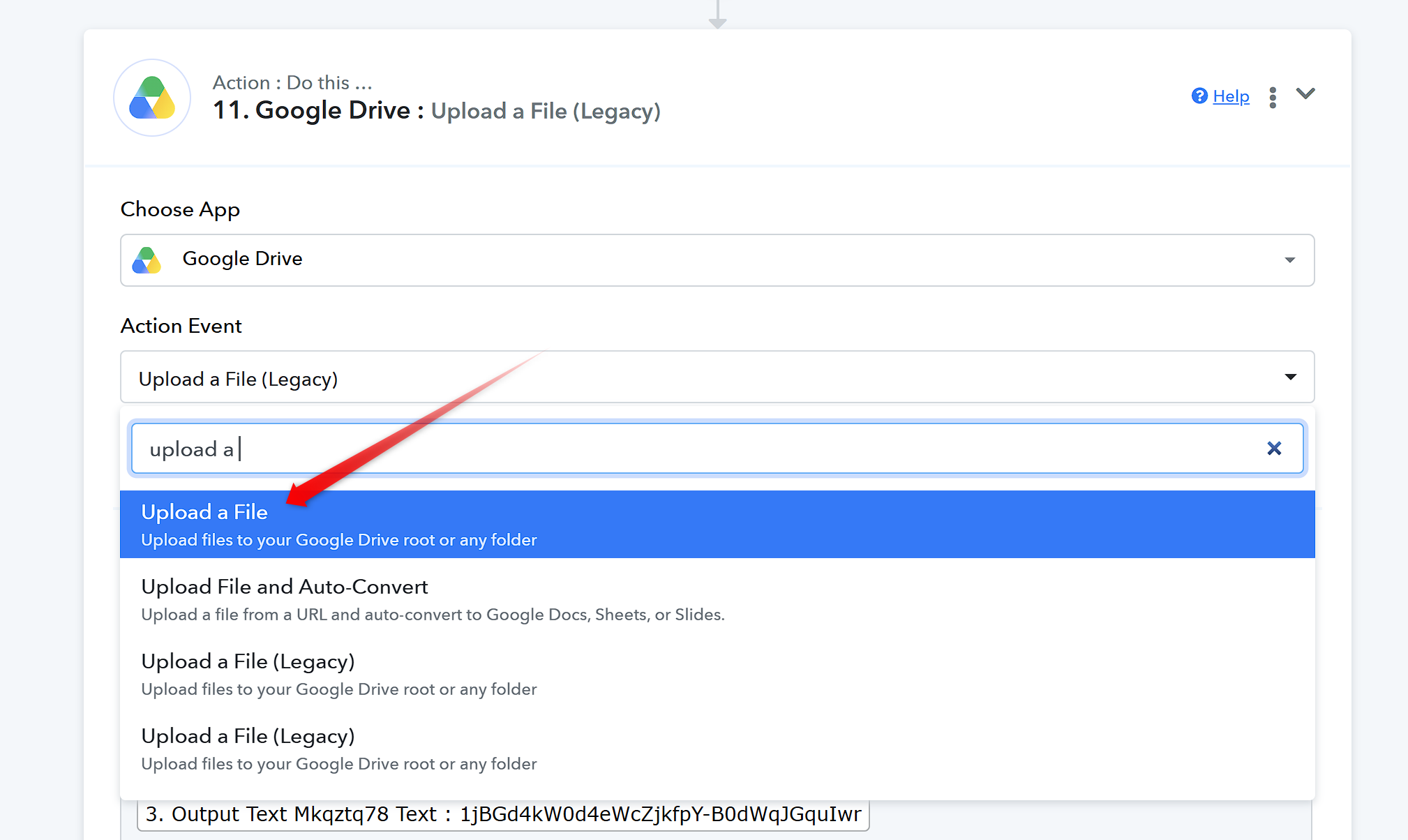
Thanks & Regards,
Adeel Akhtar
🌐 Pabbly.com
When I changed the event to the new Upload a File method, I got this error:
sourceUrl does not support byte-range downloads. The server must support Range requests (HTTP 206).
That is exactly why I don't want to change.
You can see the task history using ID IjU3NjYwNTZjMDYzMzA0M2M1MjY0NTUzNDUxMzU1MTY3NTQzMDBmMzAi_pc
Hello Alejandro,
The file URL that is showing in the mapping may not exist. Kindly hit the Save and Send Test Request button from the action before Upload a file action, where the file is getting generated. So that a new file can be generated and get uploaded.
Thanks & Regards,
Adeel Akhtar
🌐 Pabbly.com
My bad. I went ahead and added the step right before the legacy step is, so both steps are on the workflow now. Hope this can shed some light
Photo attached just in case.

Hello Alejandro,
We have fixed the issue by adding the File Upload module to the workflow.
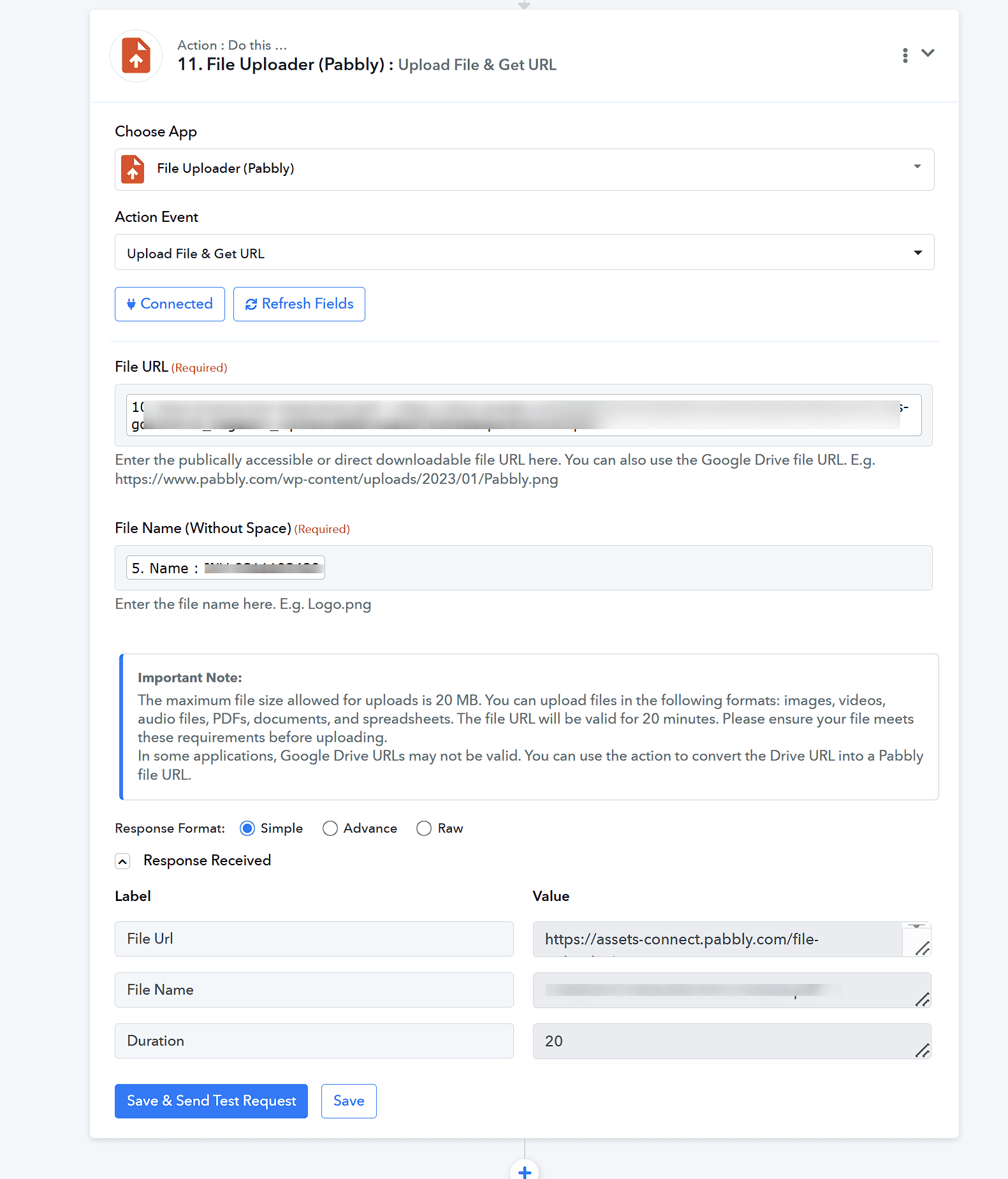 Now the file is getting uploaded successfully to the Google Drive.
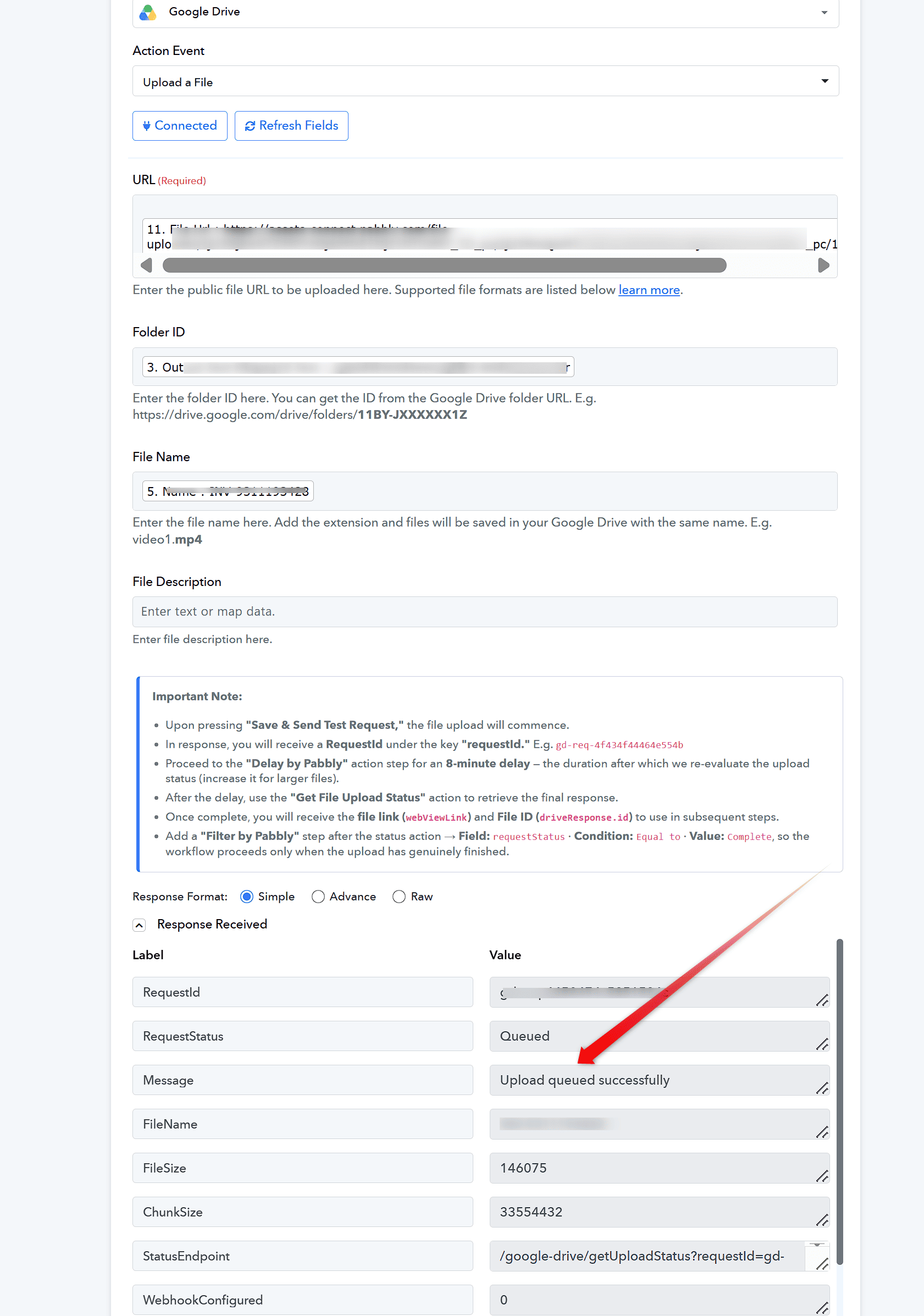 You can now remove the Google Drive: Upload a file (Legacy) action from the workflow and test the workflow.
Thanks & Regards,
Adeel Akhtar
🌐 Pabbly.com