How can I limit the number of tasks per day in a workflow?
Status: Open · Asked by Gerardo on · 0 views
I need to limit my workflows to only two tasks per day. How can I add a filter to limit this, or what is the best way to do it?
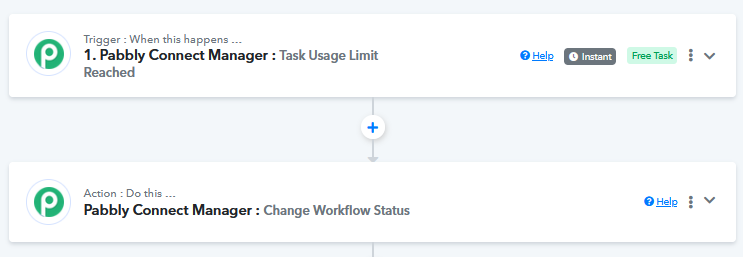
You can't add limit task limit at workflow level. You can turn on and off workflow using pabbly connect manager app in an other workflow though.
Hello @Gerardo,
You can achieve this use case using Pabbly Connect Manager by setting up a workflow as shown in the attached screenshot.
To learn how to use Pabbly Connect Manager, please refer to the attached tutorial for a step-by-step guide.
I'm using RSS (Pabbly) trigger, and I want it to take the latest item from the rss feed every 24 hours and then publish it on a Facebook fanpage. It should only take the latest one, not all the accumulated items in 24 hours. Is this possible?
This is the link to my workflow:
https://connect.pabbly.com/workflow/mapping/IjU3NjYwNTY5MDYzMzA0MzI1MjY5NTUzZDUxMzYi_pc
Thanks in advance.
It's not possible to trigger the workflow only for the latest feed. Your workflow will trigger for all the feeds published during the 24-hour span.
Any way or hack that allows me to do it?
Hello @Gerardo,
While the RSS (Pabbly) Trigger doesn’t natively fetch only the latest item every 24 hours, you can achieve this using a workaround:
Workaround steps:
- Use "Schedule by Pabbly" – Set it to trigger every 24 hours.
- Fetch RSS Feed Items – Use the RSS trigger to retrieve the latest feed items.
- Check the Order of Items – The latest item might be at the beginning or end of the array. Check the order first:
- If the latest item is already the first one, proceed.
- If it's at the end, use "Array Reverse" to bring it to the top.
- Use "Iterator by Pabbly" – This will break the list into individual items.
- Use "Counter by Pabbly" – Set it to process only the first (0 or 1) item to ensure only one post is published.
- Post to Facebook Fanpage – Use the Facebook Pages: Create Post action to publish the latest item.
This ensures that only one new item is posted daily instead of all accumulated items. Let me know if you need further clarification!
Thank you very much for your response.
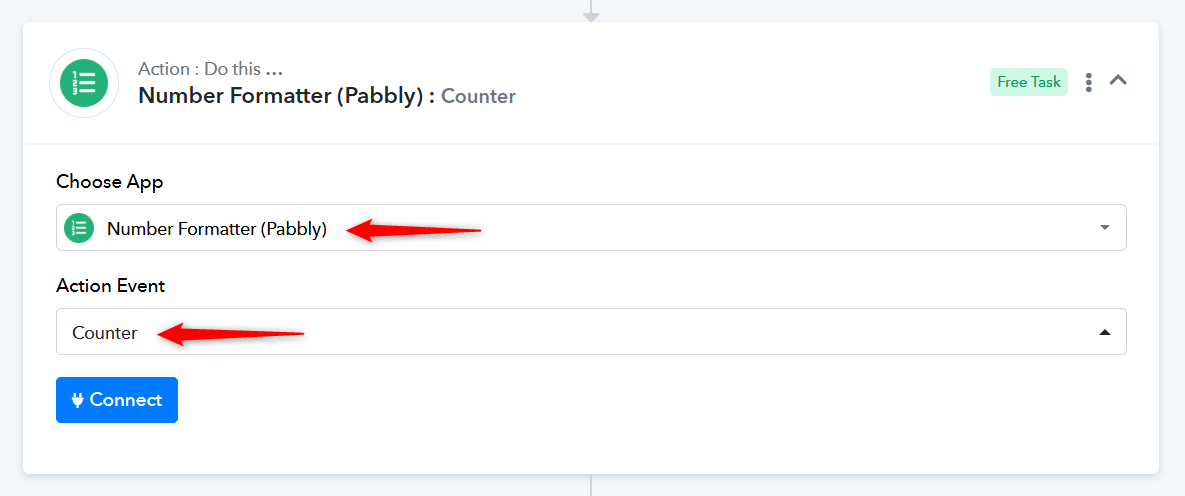
It sounds like a good solution, but I can't find the Counter by Pabbly app. Could it be under a different name?
You will find the 'Counter' action event within the 'Number Formatter' action application.