How can I take a list of image URLs from a Wordpress form to attachments for a post ACF?
Status: Closed · Asked by Simon Maddox on · 0 views
I can see there is an Iterator action, but can't see how to end the iteration loop and move on to the next stage (creating the post). I have already Split the csv URLs field into a json array, but need a bit of help on how to:
- - Save the uploaded image IDs into a temporary array &
- - End the Iterator loop to be able to move on to the next stage
Can anyone help me please??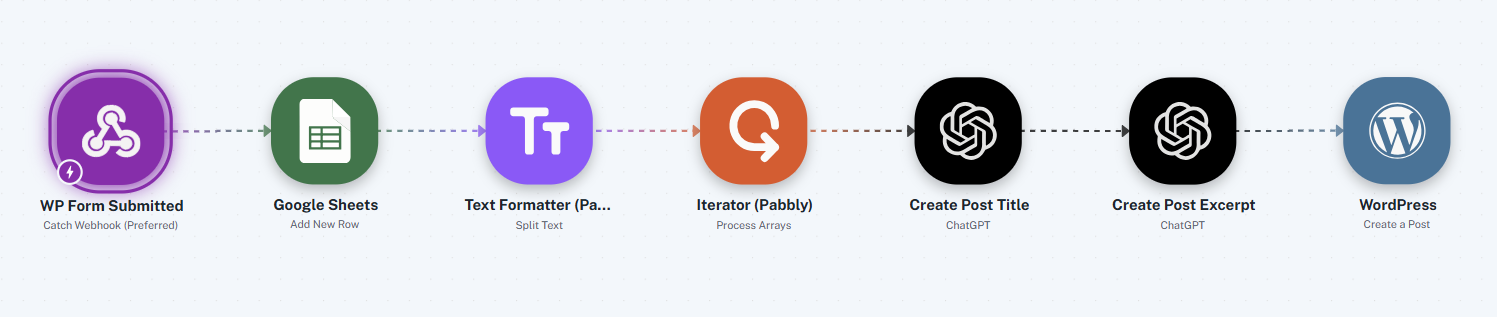
When I said save image IDs, I meant the ID that WordPress returns when you upload a file.
Also, how can I get the iteration # of the Iterator action so that I can name the images (e.g. {customer_name} Image {iteration_number})??
also, I see the file upload for WP is in beta, but not allowing a jpg upload?

Hello Simon,
Thanks for contacting us.
Could you please share the Workflow URL so that we can look into it and provide information accordingly?
Please be aware that to assist you effectively, we may need to access your Pabbly Connect account. If you're comfortable with this, please grant us permission by stating in your next email: "You have my permission to log into my Pabbly Connect account, and edit workflow {If required}. Here is the registered email address associated with it."
Thanks & Regards,
Adeel Akhtar
🌐 Pabbly.com
Pabbly Support:
Hello Simon,Thanks for contacting us.Could you please share the Workflow URL so that we can look into it and provide information accordingly?Please be aware that to assist you effectively, we may need to access your Pabbly Connect account. If you're comfortable with this, please grant us permission
I did share it in the original post in this thread, and I'm happy for you to access it
Hello Simon,
Unfortunately, there is no workflow URL in any of the threads messages. Could you please share the Workflow URL so that we can look into it and provide information accordingly?
Please be aware that to assist you effectively, we may need to access your Pabbly Connect account. If you're comfortable with this, please grant us permission by stating in your next email: "You have my permission to log into my Pabbly Connect account, and edit workflow {If required}. Here is the registered email address associated with it."
Thanks & Regards,
Adeel Akhtar
🌐 Pabbly.com
https://connect.pabbly.com/v2/app/workflow/mapping/IjU3NjYwNTZhMDYzZTA0MzI1MjZlNTUzMDUxMzQi_pc
Simon Maddox

Website design, secure hosting, IT support and telephony.
t: 01737 887 657 | mob: 07785 504 340 | w: maddox.co.uk | e: [email hidden]
Hello Simon,
Unfortunately, there is no workflow URL in any of the threads messages. Could you please share the Workflow URL so that we can look into it and provide information accordingly?
Please be aware that to assist you effectively, we may need to access your Pabbly Connect account. If you're comfortable with this, please grant us permission by stating in your next email: "You have my permission to log into my Pabbly Connect account, and edit workflow {If required}. Here is the registered email address associated with it."
Thanks & Regards,
Adeel Akhtar
🌐 Pabbly.com
Hello Simon,
Thank you for sharing the workflow URL.
In this workflow, the Iterator module cannot be used as it will create posts in WordPress separately. You have to bring the images separately in trigger response so that they can be mapped separately while creating the post.
Thanks & Regards,
Adeel Akhtar
🌐 Pabbly.com
Simon Maddox
Website design, secure hosting, IT support and telephony.
t: 01737 887 657 | mob: 07785 504 340 | w: maddox.co.uk | e: [email hidden]
Hello Simon,
Thank you for sharing the workflow URL.
In this workflow, the Iterator module cannot be used as it will create posts in WordPress separately. You have to bring the images separately in trigger response so that they can be mapped separately while creating the post.
Thanks & Regards,
Adeel Akhtar
🌐 Pabbly.com
Hello Simon,
You need to get the images in separate labels, and the Iterator cannot be used in this workflow to achieve your use case to create a post on WordPress.
Thanks & Regards,
Adeel Akhtar
🌐 Pabbly.com
Simon Maddox
Website design, secure hosting, IT support and telephony.
t: 01737 887 657 | mob: 07785 504 340 | w: maddox.co.uk | e: [email hidden]
Hello Simon,
You need to get the images in separate labels, and the Iterator cannot be used in this workflow to achieve your use case to create a post on WordPress.
Thanks & Regards,
Adeel Akhtar
🌐 Pabbly.com
Hello Simon,
With different labels, we mean that the images should be separate in the Trigger response, like Image1, Image2, Image3, etc., and should not be in the form of an array for which you require an iterator to process them one-by-one. Further, as I checked, there is only 1 Image in the image field so I am not sure about your Iterator usage in the workflow. I recommend that you remove the Iterator and directly map the image from the trigger response to WordPress: Upload file action.
Thanks & Regards,
Adeel Akhtar
🌐 Pabbly.com
Hello Simon,
If you don't mind, can you share the sample data that you receive in the trigger step? or share the "Workflow Share URL" for me to test it on my side.
I do automation freelancing and have been using pabbly connect for over 5-yrs so I might be able to suggest you a workaround after having look at the data.
Simon Maddox
Website design, secure hosting, IT support and telephony.
t: 01737 887 657 | mob: 07785 504 340 | w: maddox.co.uk | e: [email hidden]
Hello Simon,
With different labels, we mean that the images should be separate in the Trigger response, like Image1, Image2, Image3, etc., and should not be in the form of an array for which you require an iterator to process them one-by-one. Further, as I checked, there is only 1 Image in the image field so I am not sure about your Iterator usage in the workflow. I recommend that you remove the Iterator and directly map the image from the trigger response to WordPress: Upload file action.
Thanks & Regards,
Adeel Akhtar
🌐 Pabbly.com
Hello Simon,
I understand that you are getting multiple images from a single field of image upload, and the multiple images are getting received in trigger response in the form of an array. An iterator can process all the images one by one, but will also process the following actions in a simultaneous manner. This will lead to the creation of multiple Posts on WordPress, one for each image. Also, the number of images will be dynamic in number every time, which will break the mapping in the Create a Post action.
Thanks & Regards,
Adeel Akhtar
🌐 Pabbly.com
Hello Simon,
Can you confirm if you want to add Media IDs in the Customer Image2 field (Custom field) as multiple images cannot be selected as the Featured image? If yes, then instead of Iterator module, using a Loop module and adding the generated IDs in the Google Sheet in Loop and then calling the Google Sheet range with IDs in the Main branch can make this workflow work.
Thanks & Regards,
Adeel Akhtar
🌐 Pabbly.com
Is it possible to use a loop and store the returned IDs in a local variable array in Pabbly before outputting them in a later stage?
Simon Maddox
Website design, secure hosting, IT support and telephony.
t: 01737 887 657 | mob: 07785 504 340 | w: maddox.co.uk | e: [email hidden]
Hello Simon,
Can you confirm if you want to add Media IDs in the Customer Image2 field (Custom field) as multiple images cannot be selected as the Featured image? If yes, then instead of Iterator module, using a Loop module and adding the generated IDs in the Google Sheet in Loop and then calling the Google Sheet range with IDs in the Main branch can make this workflow work.
Thanks & Regards,
Adeel Akhtar
🌐 Pabbly.com
Hello Simon,
We recommend you use the Loop Module instead of the Iterator, in the loop module you have to add Media IDs in the Google Sheet after the WordPress Upload media action. Then in the Main branch, you have to get the particular range in Advanced format, and then by using the Text formatter module, you can create a single string of Media IDs separated with commas, which you can map in the WordPress Create a Post Custom field.
Kindly try implementing the above solution so that we can check and suggest based on the issues you face with this approach.
Thanks & Regards,
Adeel Akhtar
🌐 Pabbly.com