how do i remove the pabbly logo on my checkout pages
Status: Closed · Asked by Trevorotts1 on · 0 views
how do i remove the pabbly logo
Hello Trevor,
You can replace the Pabbly logo with your organization's logo.
Go to Settings >> Profile Settings >> Advance settings >> Organization logo.
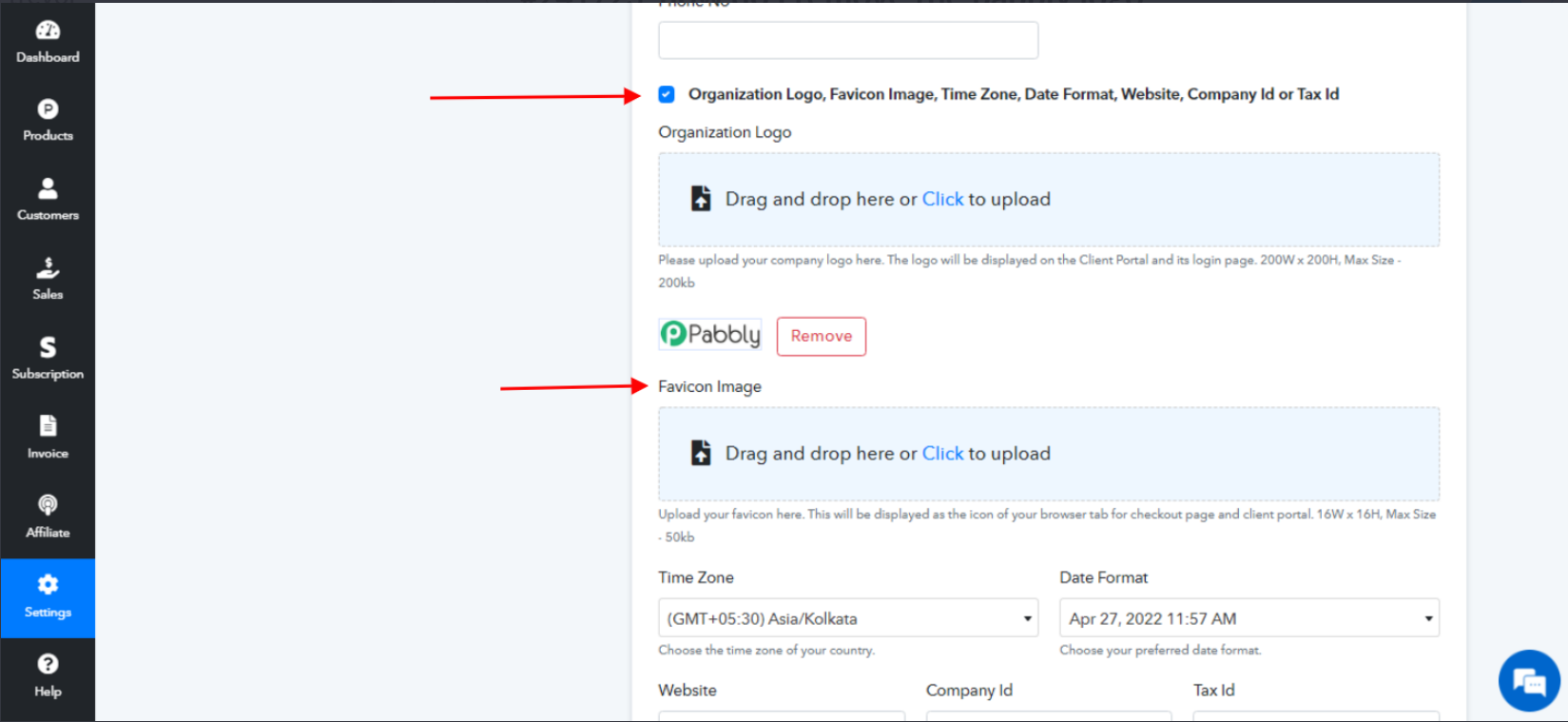
You can also change the Favicon Image. The organization logo will be displayed on the Client Portal and its login page. The Favicon image will be displayed as the icon of your browser tab for the checkout page and client portal.
Hope the above information helps you.
If you need further support then please reach out to us.
Regards,
vipin Mishra