How do I update Workiom Static list fields with Pabbly?
Status: Open · Asked by Anders Nielsen on · 0 views
Two questions:
1. I am trying to insert a static list field. using Pabbly Connect. I can't make it work no matter the payload.
I have tried:
{ "id":string, "label":string }
{ "id":"string", "label":"string" }
{ "id":string, "label":"string" }
My static list fields are simply not sent., but the rest is. I get No error.
From here:
https://help.workiom.com/article/workiom-api-guide
See the flow: https://connect.pabbly.com/workflow/mapping/IjU3NjYwNTZkMDYzNzA0MzA1MjZlNTUzNzUxMzAi_pc
On step 4 I send the payload to a Static List field. But it never gets added to the response.
To make it easier to debug I have taken out these steps in their own workflow.
2. What is the optimal way of getting the Static list item ID's and updating Static List fields in Workiom using Pabbly.
It seems that to update a single Static List field I basically have to have all these extra ID fields to update them.
1. Make a separate flow.
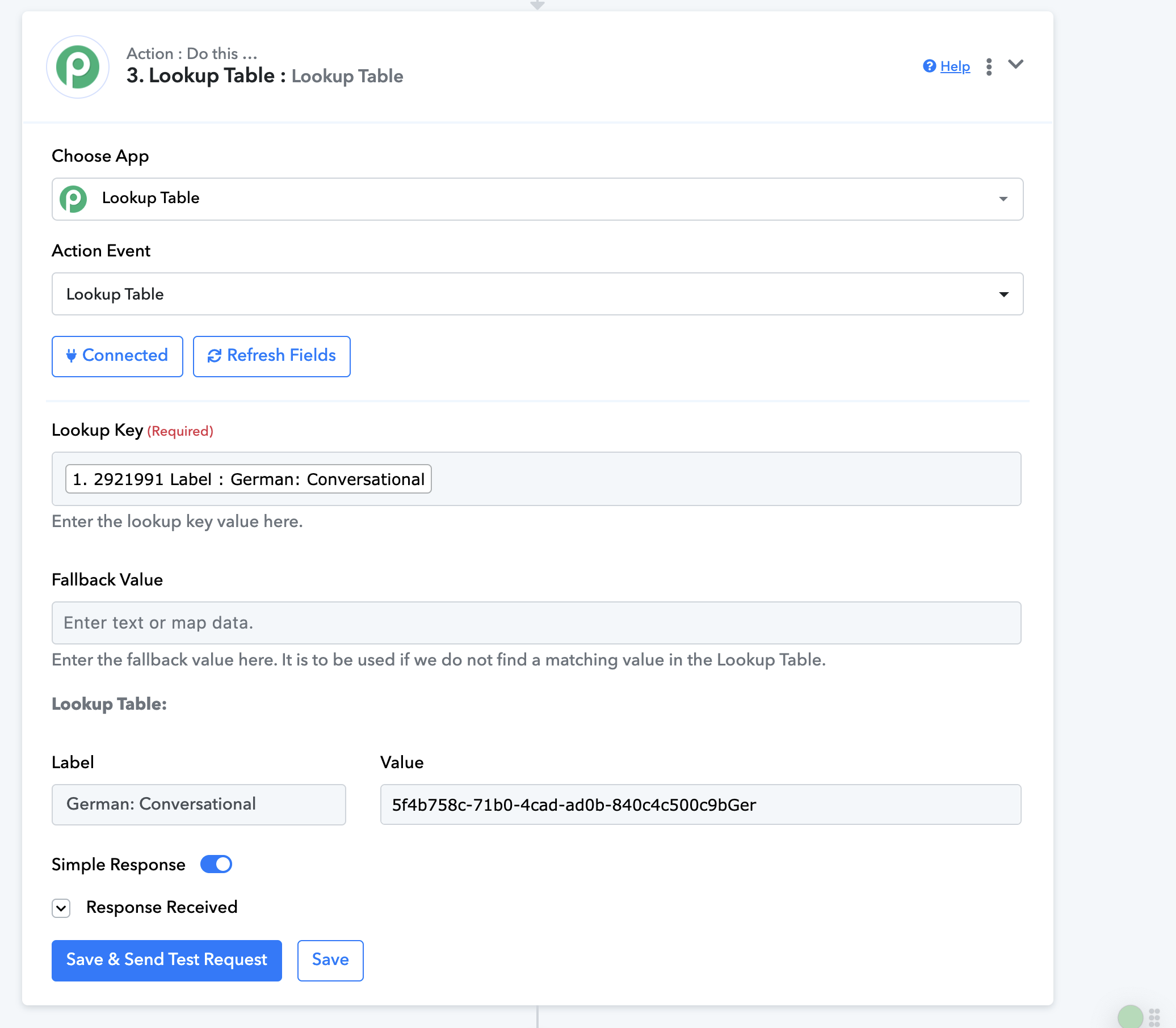
2. Get the id's for each static list field item in any static list I ever want to update.
3. Make a lookup table for every single static list with all their of their ID and then refer to that each time to pick the right ID
4. Then I have the data to update a static field and I then need to turn this into an array. (Eg.
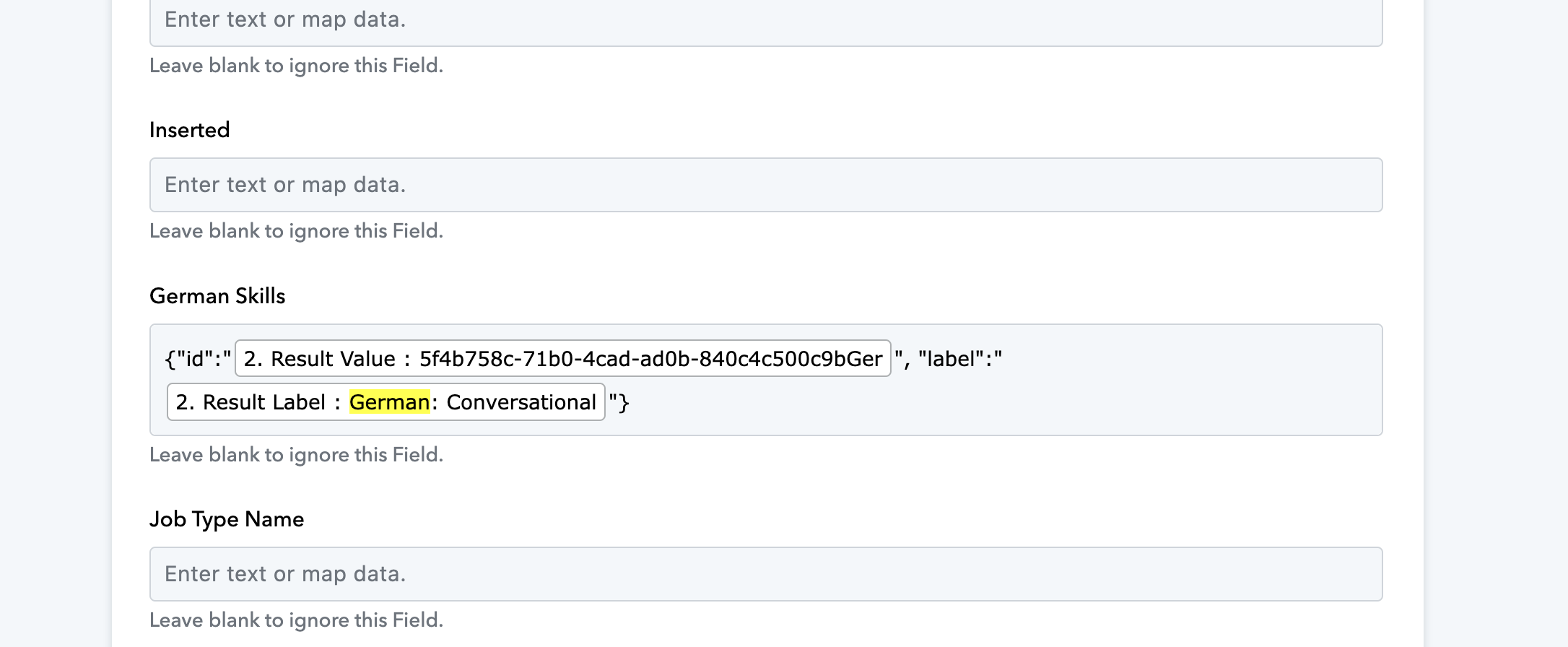
{ "id":string, "label":"German: Conversational" })
I would have hoped I could simply insert the name of the Static Field item and it would then add that static field item (Eg. "German: Conversational") adding it to an array. What am I missing. I don't know how to solve this.
Looking forward to hearing back from you!
Hi @apps,
Could you please make a short screen recording and provide more details about your exact use case, as well as show the issue you are encountering? This will help us gain a better understanding of your concern.
Hi,
See. the first screenshot please. I have a field called German Skills inside Workiom. It never updates from Pabbly no matter what I do.
Also see this video: https://share.zight.com/p9uoK7Nx
Hey @apps
We are checking on it. Please allow us some time as we are looking into it.
Hey @apps
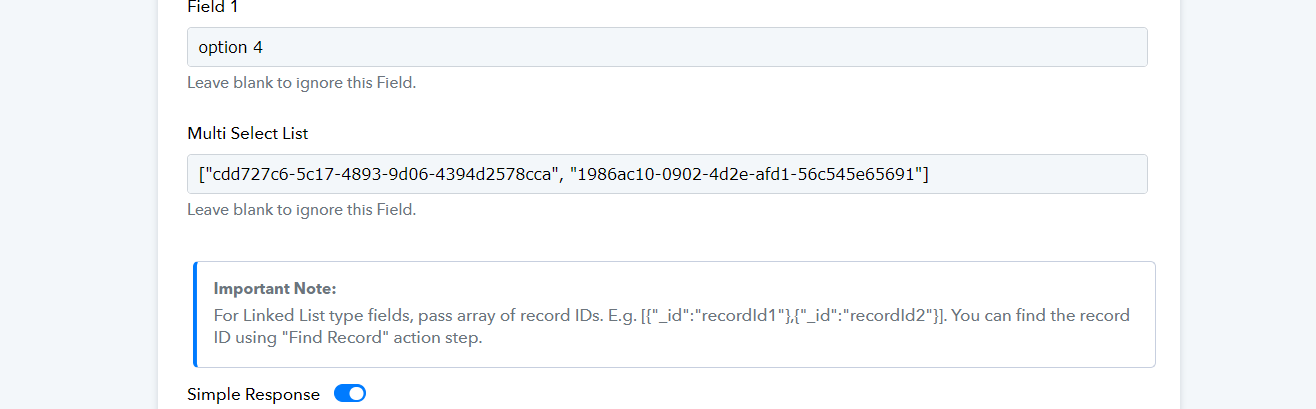
Regarding your concern in the Static type field, you need to pass the IDs of the option as mentioned below -
You can obtain the IDs by retrieving a record from your Workiom workspace.
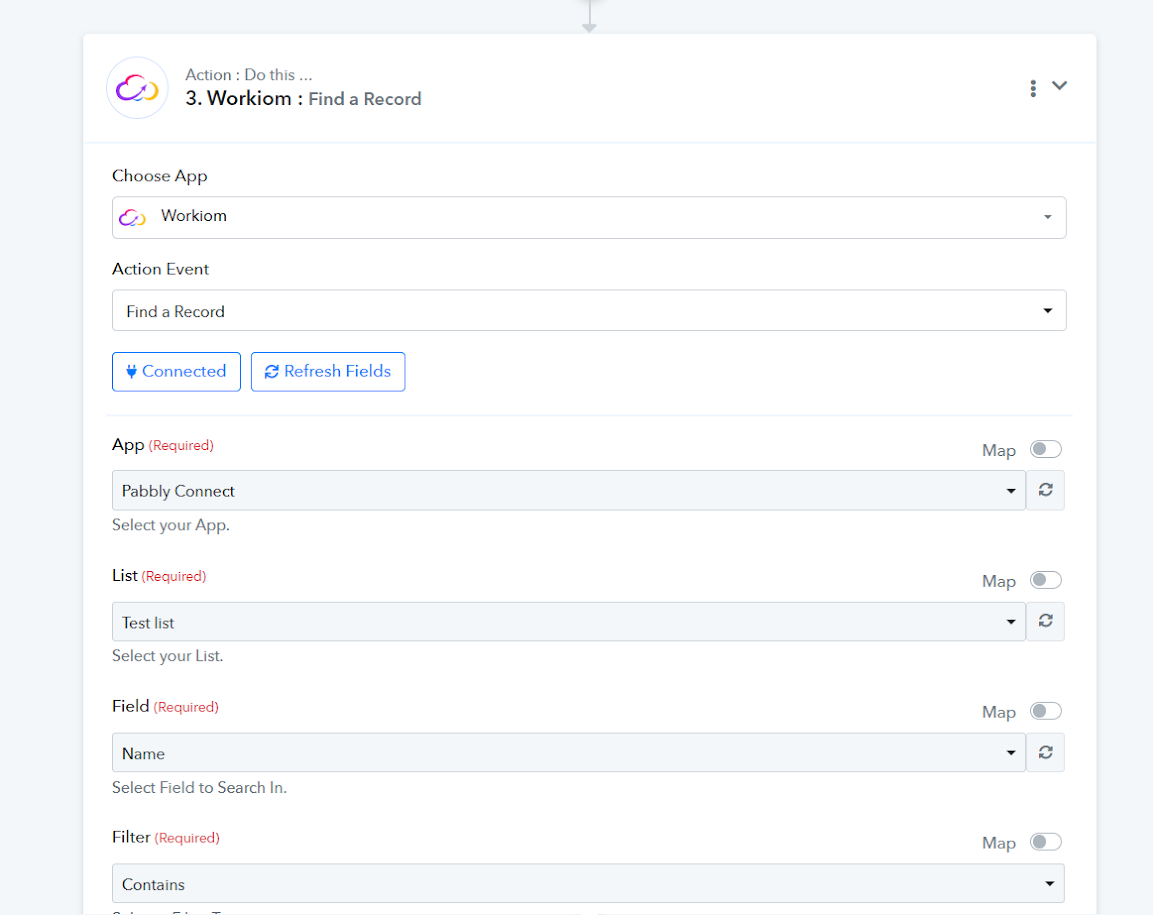
Ok, thank I got this to work. But the flow is very inefficient and I can't figure out a way to make this more simple.
Hello @apps
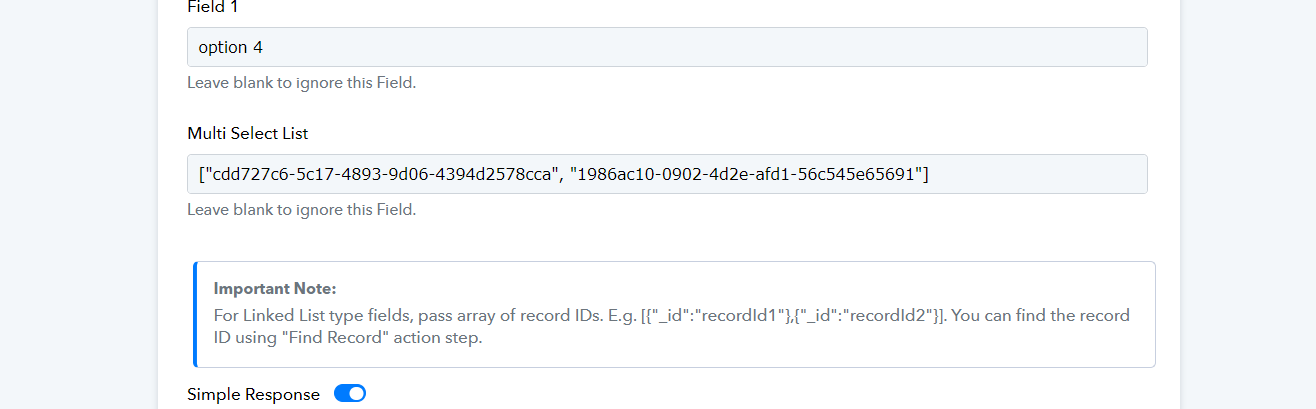
As of now, you will need to pass the data in the "Multi-Select List" field as mentioned in the screenshot attached below. The working API accepts the "Multi-Select List" as
[ "cdd727c6-5c17-4893-9d06-4394d2578cca", "1986ac10-0902-4d2e-afd1-56c545e65691" ]