How to add GST to individual products in the checkout page
Status: Closed · Asked by Vireesh on · 0 views
I have set up the tax details under settings, but still I am not getting an option to add the GST option in the checkout page.
Can I get a video or a document to follow to get this work done?
Hello Vireesh,
We have escalated your query to our concerned department, will update you with the resolution ASAP.
Regards,
Vipin Mishra
Hello Vireesh,
We would like to inform you that you have correctly added the Tax for India (GST) and it will be automatically added to amount you charge once you will select the India in Billing Address on the checkout page.
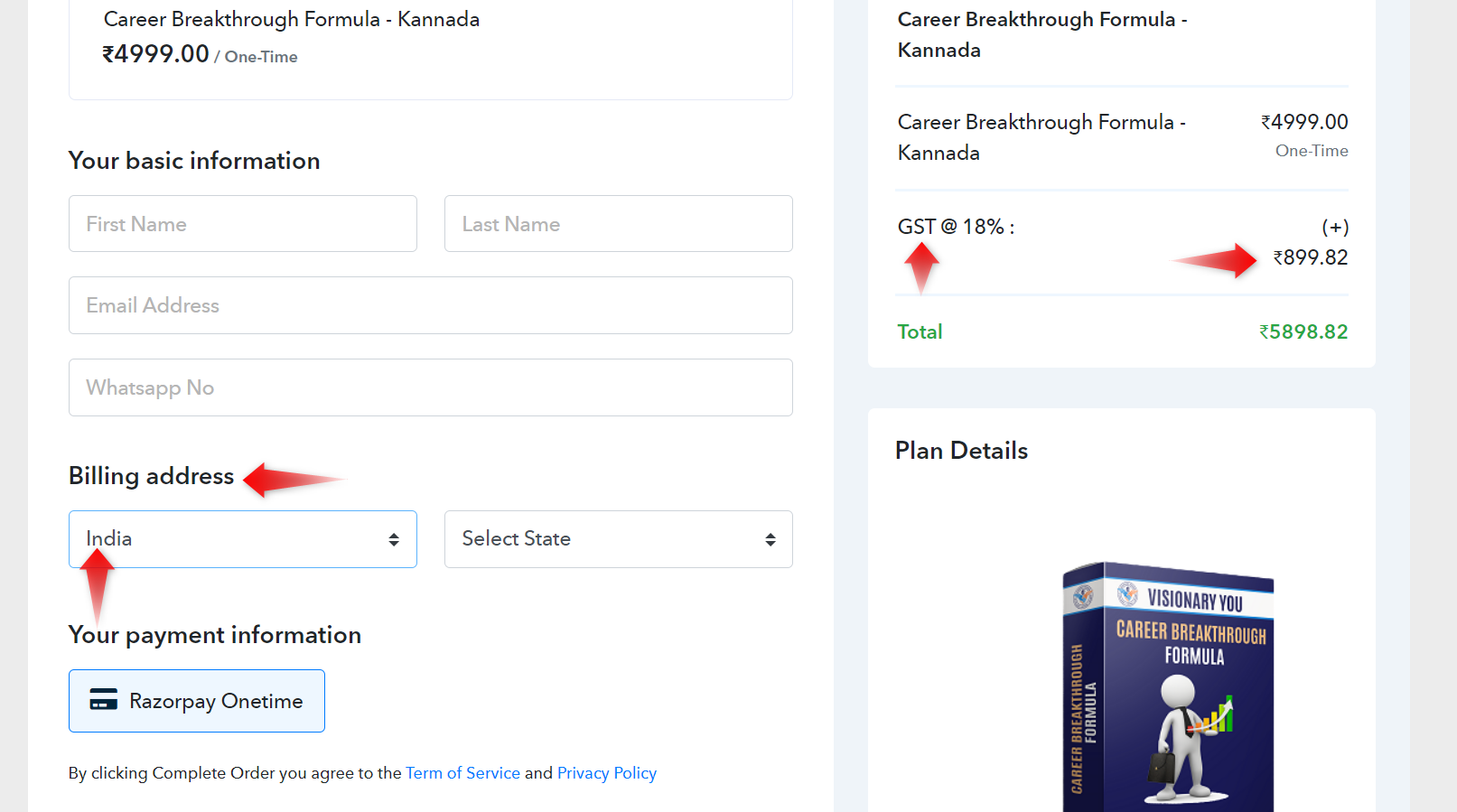
Hope the above information helps.
If you need further support please reach out to us.
Regards,
Vipin Mishra
Hi,
I got to know that adding GST was correct, but my concern is what if I want to apply GST only to certain products and exclude to few of the products I listed in pabbly subscription?
Hello Vireesh,
We would like to inform you that Tax will be applicable country wise or State wise but currently we do not provide the feature of deducting for particular Plans or Products. If we will bring this feature in near future then we will update you regarding this.
If you need further support please reach out to us.
Regards,
Vipin Mishra
Okay got it. Thank you