How to add Items to a new Woocommerce order?
Status: Open · Asked by quoramedia on · 0 views
How to do this? Kindly give detailed & prompt answer.
Trigger: New Woocommerce order
Action: Whenever a new Woocommerce order is received successfully,
1. add 2 more products to the same order
2. then change the order status to complete
Hey @quoramedia
For handling multiple line items in an order, utilize the Line Itemizer action step. This step will generate the line items individually, providing a separate count for each.
You can also refer to the following video lesson here -
youtube.com/watch?v=GqaiQO_ekUQ
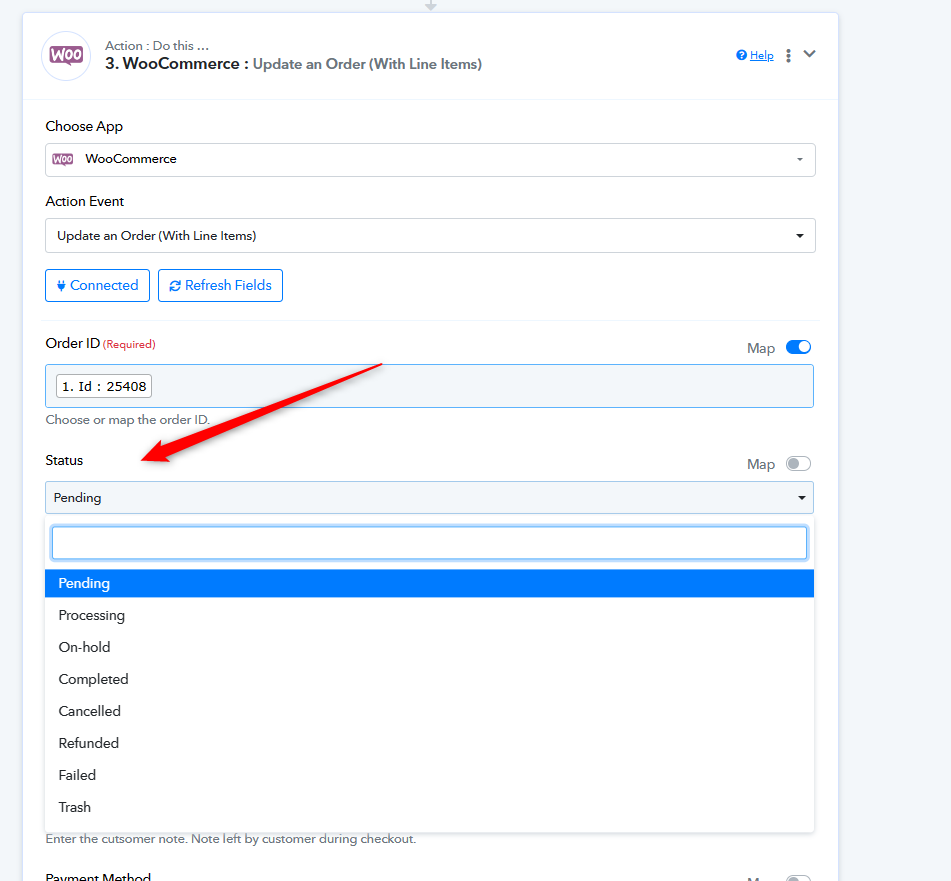
Further, you can select the order status statically here -
Sorry, Not understanding at all. This is not our query. Kindly read below completely.
Lets say we received a New Woocommerce order (Order ID #1111) for Product A worth Rs 100. (Note that now the order status for Order ID #1111 is "Processing" by default, as the order has already been placed by the customer)
Now we want to create a workflow in Pabbly such that whenever we receive a new woocommerce order for Product A, 3 things should happen:
1. automatically Product B & Product C also get added
2. Price of Product B & Product C is changed to "0"
3. Change order status from "processing" to "complete"
Please explain in DETAIL with step by step screenshots as we don't know all this workflow stuff. Please. ?
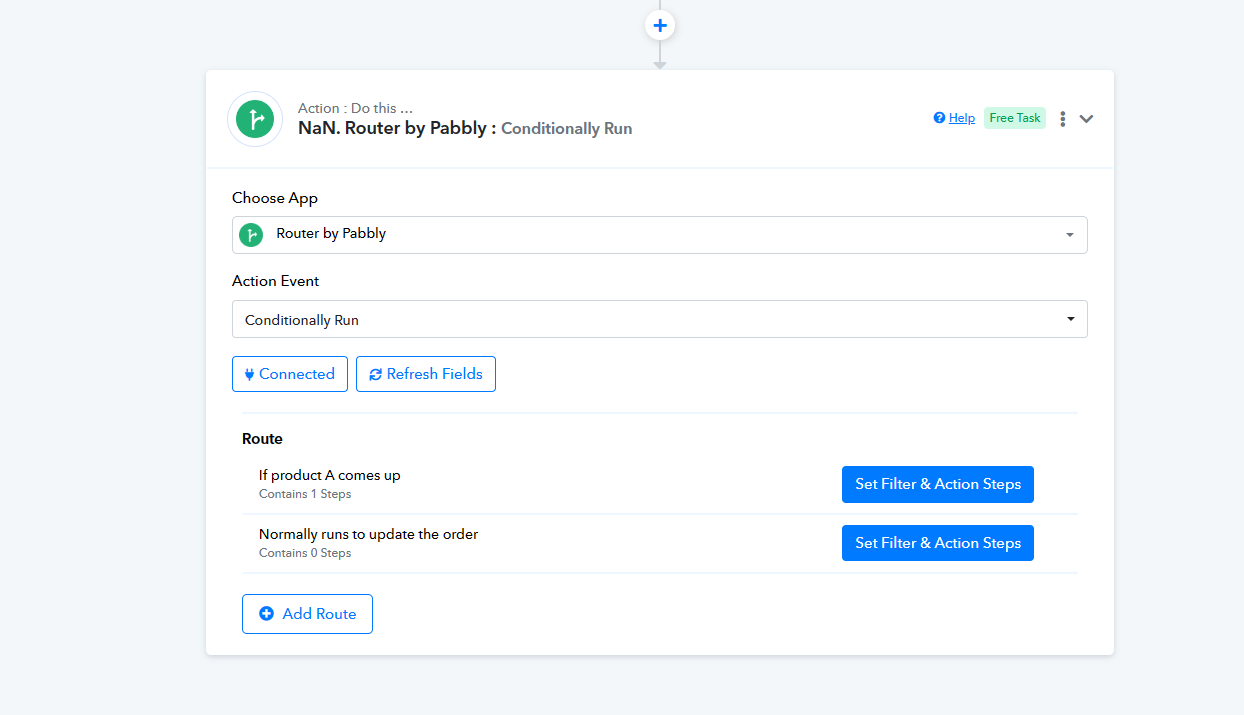
Kindly check your workflow, we have added the logic for the same with the help of Router, but still that will be required to use Line Itezmier.
Please review your router action step and check.
Okay. Understood till here, but how to use the product itemizer?
how will it help add Product B & Product C?
how will it help make price for Product B & C equal to "0"?
how will it help add Product B & Product C?
If you're receiving details for multiple products and one of those products is the one you want (let's call it Product A), you'll need to include all the products you received along with any additional products you want to pass along with them.
how will it help make price for Product B & C equal to "0"?
Kindly use the Line Itemize action step with all the line items on it, so that we can check for the workaround to covert Products B and C's price to zero.
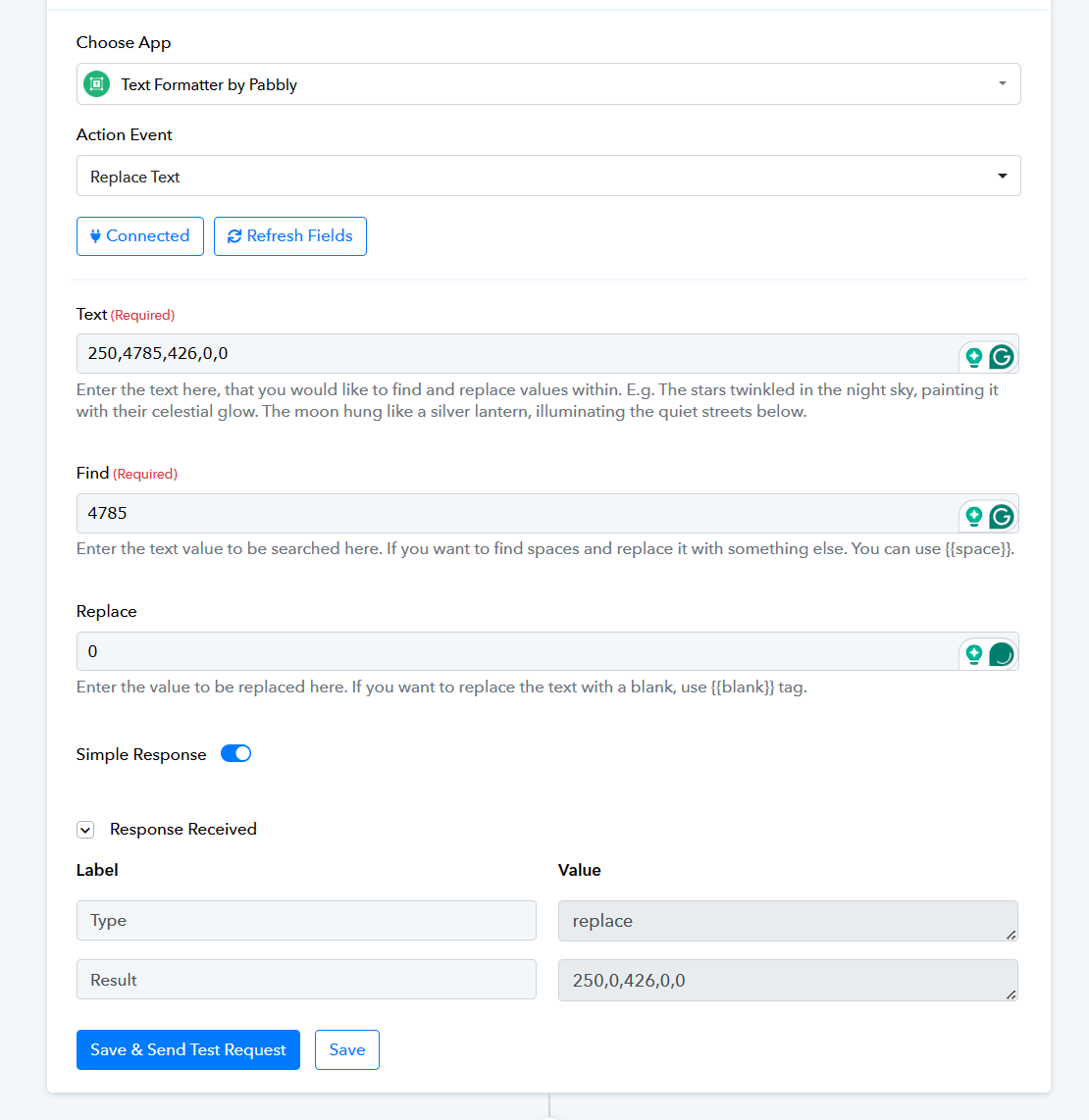
Or if the price of Products C and B is different or identical you can use the Replace text action step to replace their price value with 0.
Check this example -
Okay. Do I need to change the status from Processing to Pending to add the new line items.
If yes, how do I do that?
Do I need to change the status from Processing to Pending to add the new line items.
It's not mandatory, but you can update the order with any status you require.
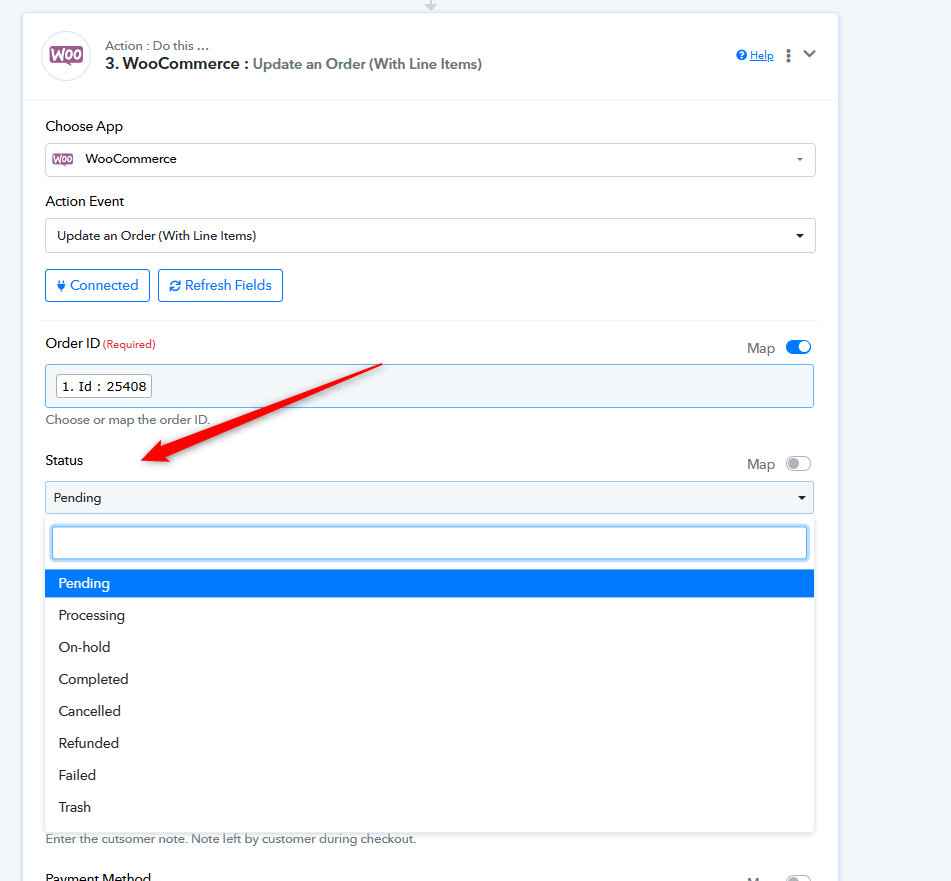
It's not mandatory, but you can update the order with any status you require.
I need to select or MAP the data to change the status ?
I need to select or MAP the data to change the status ?
Your concern is being addressed here:
https://forum.pabbly.com/threads/woocomerce-order-udpate-for-status-not-working.24957/