How to apply a coupon on an existing subscription?
Status: Closed · Asked by Ashwin Baraskar on · 0 views
How to apply a coupon on an existing subscription?
Hello Ashwin,
Greetings !!
To apply a coupon to an existing subscription, you can use the following two methods:
1. Manual Method:
To manually add a coupon to a subscription, please follow these steps:
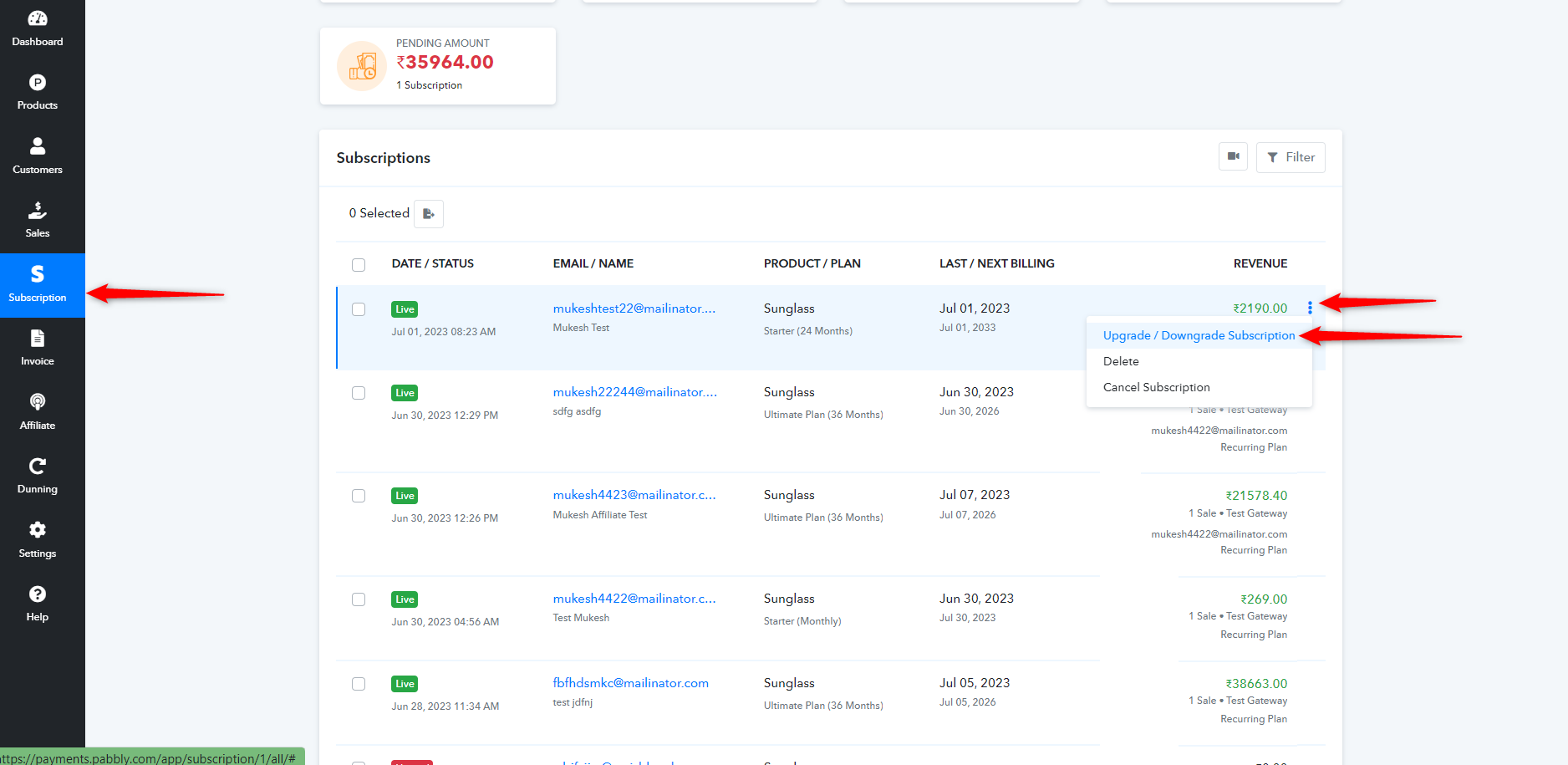
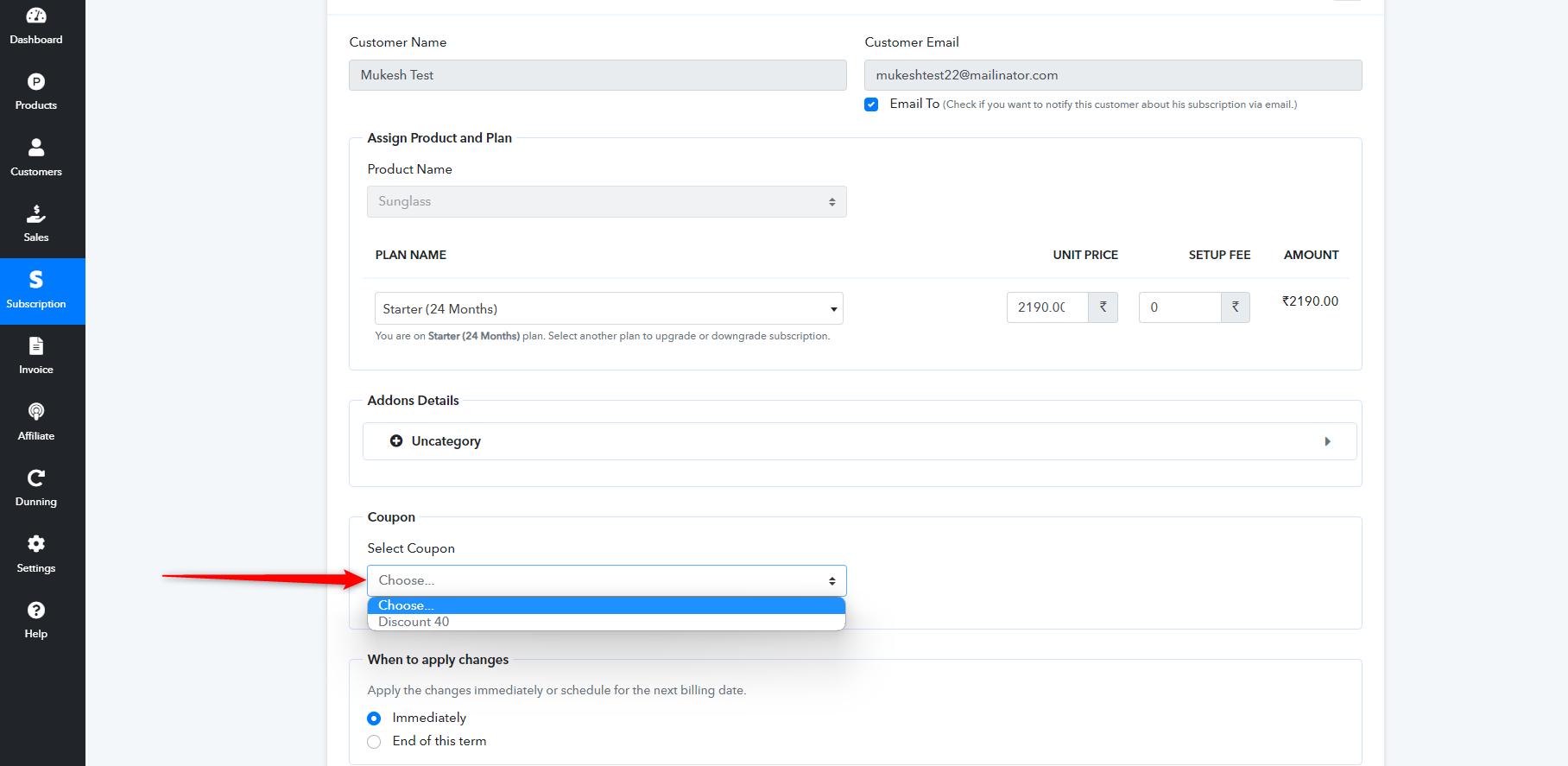
Go to the "Subscription" section. > Search for and hover over the subscription to which you want to apply the coupon. > From the three-dot options menu, select "Upgrade/Downgrade Subscription."> Within this "Upgrade/Downgrade Subscription" option, you will find the option to add coupons to the subscription.
For further details, please refer to the screenshot below.
2. API Method:
You can also use our API to add a coupon to an existing subscription by upgrading or downgrading the subscription via the API. To do this, please refer to our API documentation provided in the link below.
https://apidocs.pabbly.com/#f38eb77a-8284-4847-b8c0-debbda138399
Thanks & Regards,
Mukesh
Pabbly Team