How to apply one license to all plans?
Status: Open · Asked by Sven Bosau on · 0 views
In the license settings, the Associated Plans field hint says "Select a specific/All plans in which this license will apply to," but the dropdown only lets me pick a single plan. There is no option to select "All plans" or multiple plans at once.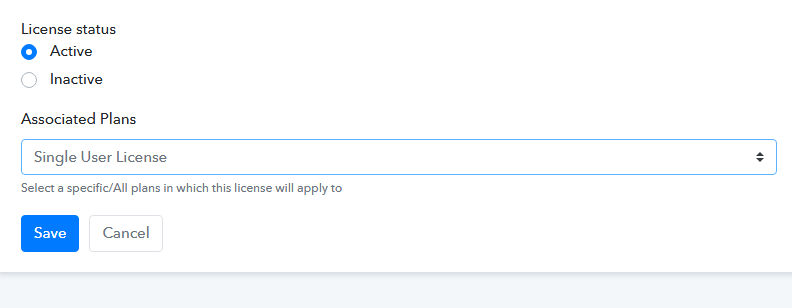
How can I apply one license across all plans of a product?
Thanks,
Sven
Hello Sven,
This currently seems to be an issue, as the dropdown is not allowing the selection of all plans at once.
However, just to clarify the intended behavior: the License setting is product-dependent. This means the dropdown will only list the plans associated with the specific product where the license was created. Any plans belonging to other products will not be eligible to use that license.
Ideally, you should be able to select all plans associated with that particular product, but since that option is currently not working as expected, we are escalating this issue to our team for further investigation.
We appreciate your patience meanwhile.
Any update yet?
Hey @sven-bo,
Thanks for the follow-up.
The issue has now been resolved. Could you please try adding the license to all plans again and let us know how it goes?
If you still face any issues, feel free to reach out.