How to assign someone in notion from pabbly connect?
Status: Open · Asked by HARSHALSATLOK on · 0 views
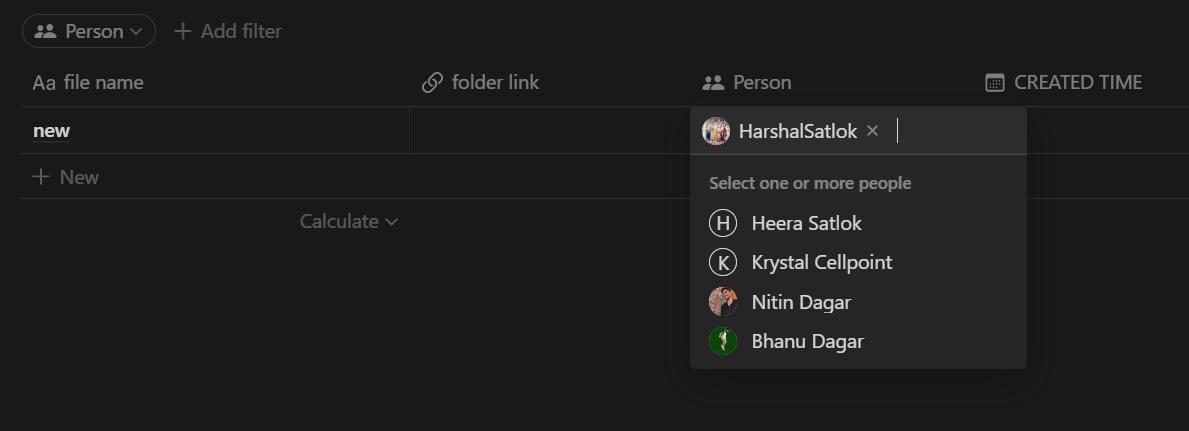
I tried adding the person manually in pabbly connect but it didn't work results given below 
I'm getting this error every time 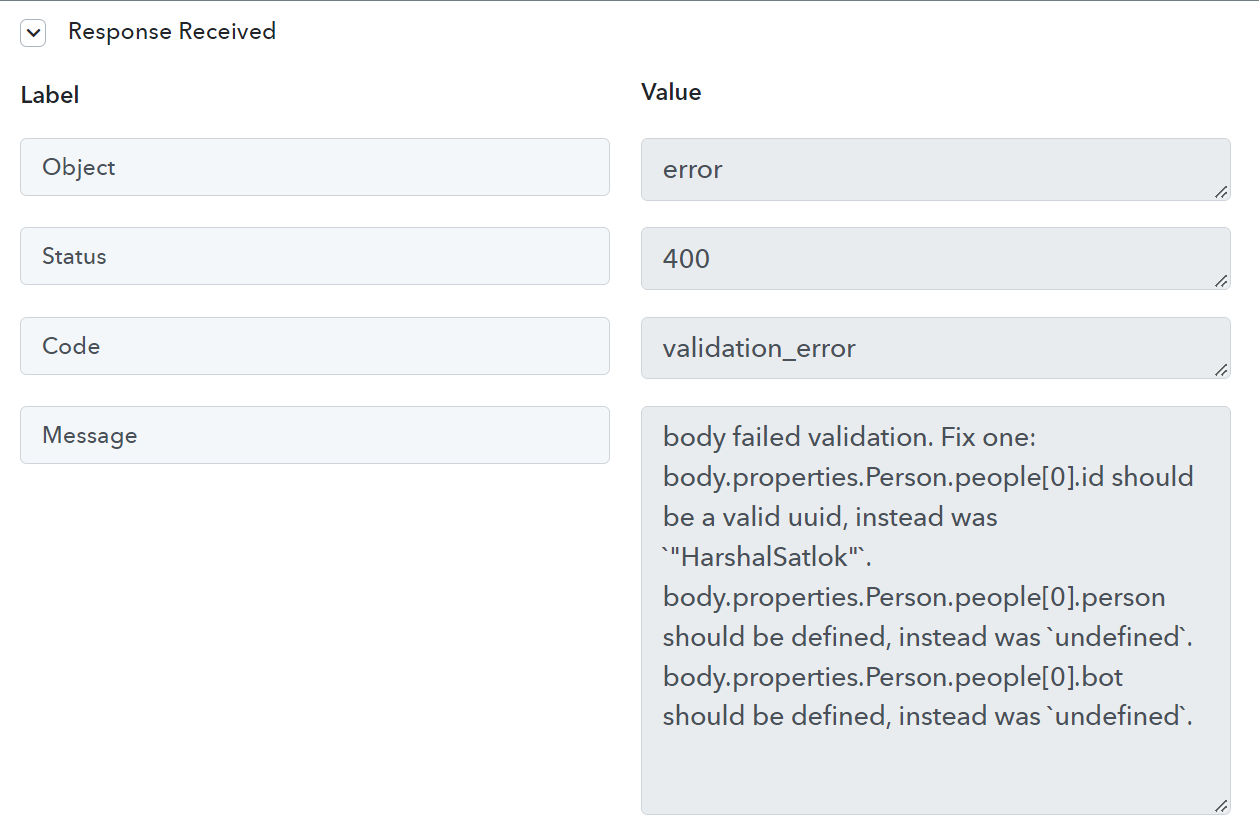
PLEASE LET ME KNOW HOW TO ASSIGN SOMEONE IN NOTION FROM PABBLY CONNECT
Hey @HARSHALSATLOK
You may refer to the following video tutorial once on how you can create the database in the workflow.
(Watch the second part of the video)
youtube.com/watch?v=CwlZcBE70h4
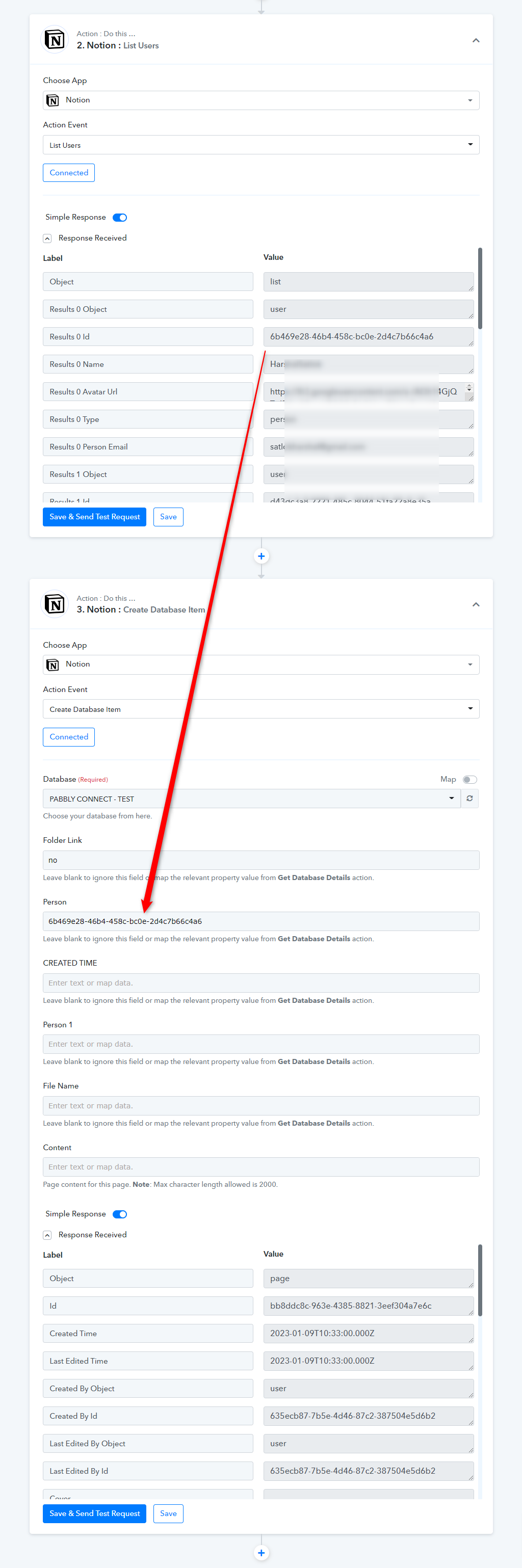
Further, in the Person field, you need to pass the id of that person with the help of the "List Users " action step.
Hi I've the same question. Ik this works for 1 assignee. But how to Add multiple assignees?
Hi I've the same question. Ik this works for 1 assignee. But how to Add multiple assignees?
Could you please share the Workflow URL where you have this concern?
THERE's no issue or concern. I just wanna know how to add 'multiple' assignee in a Notion Database. The youtube video you shared above ^ shows how to add '1 assignee'. But there's no documentation or video on Pabbly showing how to add multiple assignees. PLEASE TELL ME 'HOW TO ADD MULTIPLE ASSIGNEES' IN NOTION (Comma seperated Id names doesn't work)
Please allow us some time to look into this concern. We will get back to you with an update soon.
Hello @Tanya Saxena,
We are pleased to inform you that now you will be able to pass multiple assignees in the 'Create Database Item' action step.
Please try using it at your end and let us know how it goes.