How to convert \\n to new line in Insta Post
Status: Open · Asked by Alston on · 0 views
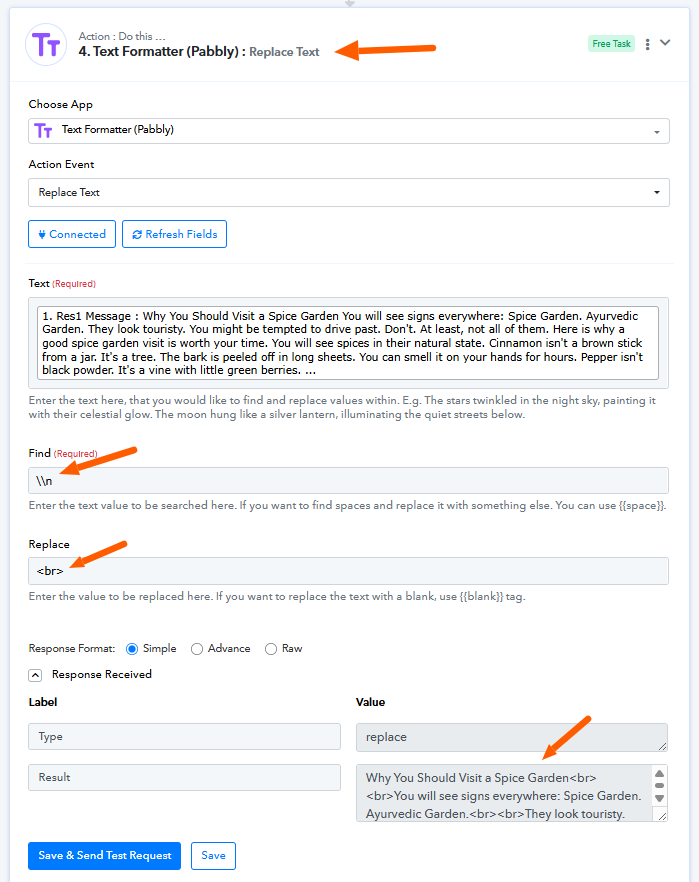
Hi, Can you let me how to automatically replace "\\n" into new line when posting to Insta.
I have tried using Text Formatter with Replace but still it's not working.
Hi @Alston,
Could you please share a screenshot showing the post made on Instagram for the Task History ID shared above?
Thanks & Regards,
Arshil Ahmad
Customer Support Associate
? Pabbly.com
?Rate your support
Hi @Alston,
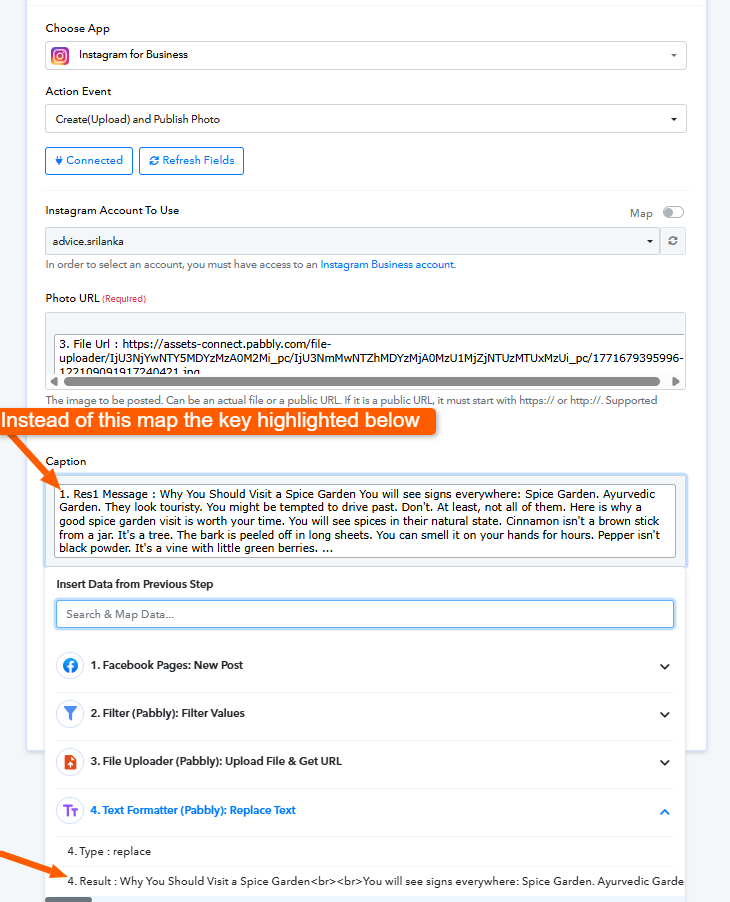
Upon reviewing your workflow, I can see that you have correctly added the Text Formatter (Pabbly) – Replace Text step. However, the issue is that its output is not mapped in the Instagram for Business – Create (Upload) and Publish Photo action.
Currently, the Caption field is still mapped from the original response instead of the formatted result.
Please do the following:
- Open the Instagram for Business – Create (Upload) and Publish Photo step.
- In the Caption field, remove the existing mapped value.
- Map the Result field from Step 4 – Text Formatter (Replace Text) instead.
- Save and test the workflow again.
This will ensure that the replaced line breaks (
) are correctly passed to Instagram and prevent formatting-related issues.
Let us know once tested.