How to extract the file url from Pabbly subscription Billing
Status: Closed · Asked by Digital Tamila on · 0 views
Hello,
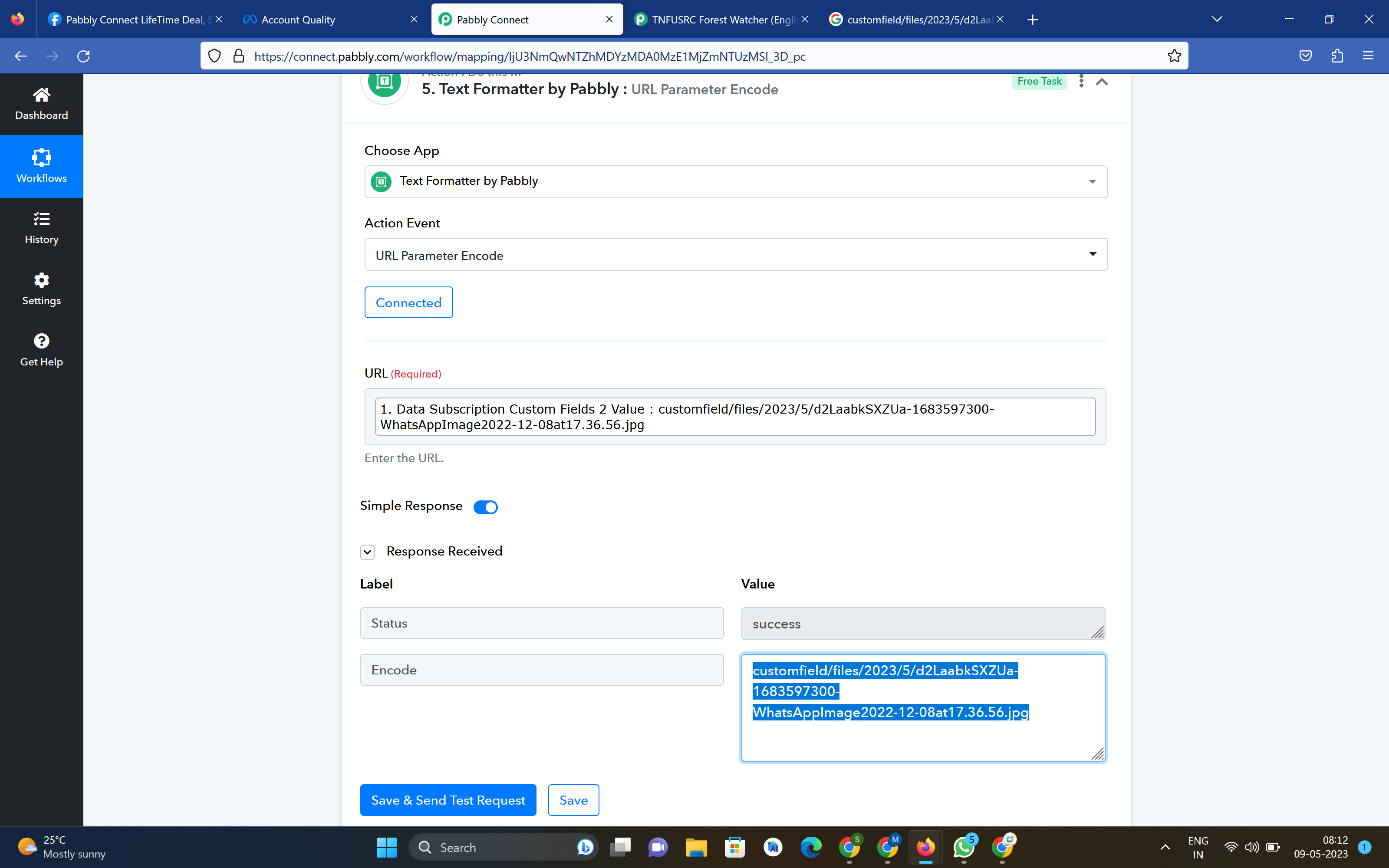
I added a File upload option in the checkout page but its showing in this format. How can I view the file ? How can I extract the URL & need to upload to Google drive.
Hello,
I added a File upload option in the checkout page but its showing in this format. How can I view the file ? How can I extract the URL & need to upload to Google drive.
Hello ,
Greetings !!
Thank you for contacting us.
Apologies. We would like to inform you that we do not create & provide public URLs for the records uploaded in Pabbly Subscription Billing hence the data is available in this format.
This is done due to security concerns. Making the URLs publicly accessible could potentially lead to unauthorized downloading of sensitive data, which is a major security risk. To ensure the privacy and protection of your records, we have implemented measures to restrict access to authorized users only.
If you have any further questions or concerns, please let us know.
Thanks & Regards,
Mukesh
Pabbly Team
Fine. But How can I download the user uploaded file. This is what i want.
Hello,
Greetings !!
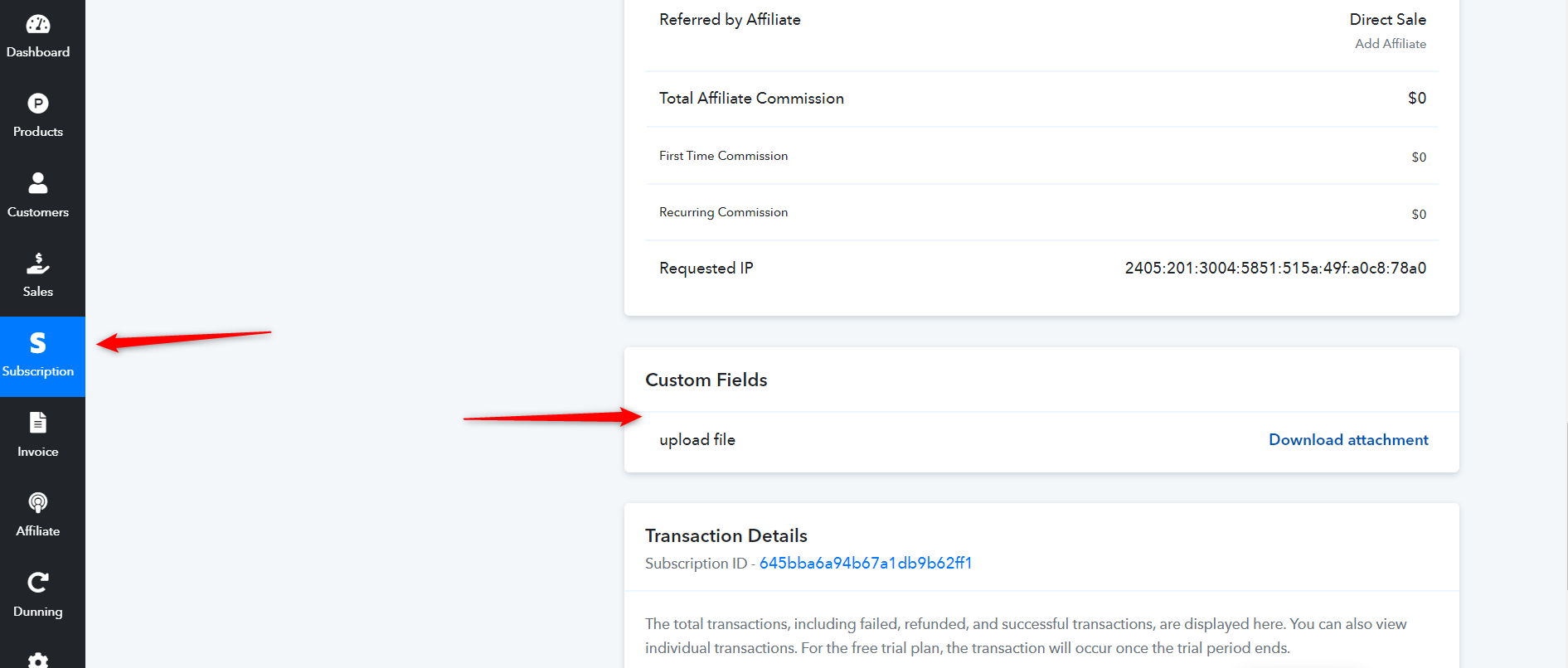
Whenever a customer uploads a file in the custom field on the checkout page, that file will be visible within the customer's subscription created in Pabbly Subscription Billing. Please follow the instructions below to download the uploaded file in the custom field:
1. Go to the "Subscription" option.
2. Search for the customer's subscription.
3. Under the customer subscription, you will find the custom field section.
4. From there, you can download the uploaded file.
For further clarification, please refer to the screenshot provided below: