how to fetch featured image from wordpress rss feed.
Status: Open · Asked by serwar habib on · 0 views
so many months back i created a workflow and i was provided a solution by pabbly team to use text formater/extract pattern function. and insert this code in patter text area.
https?:\/\/[^\s"']+?\.jpg
it worked that time but now it does not seem to be working. so mainly i want to know from rss feed urls how can i fetch the features image too.
Hello @serwar24554,
Thanks for reaching out. It seems that the image URL is already coming within a different key named Link, refer to the attached image for a better understanding.
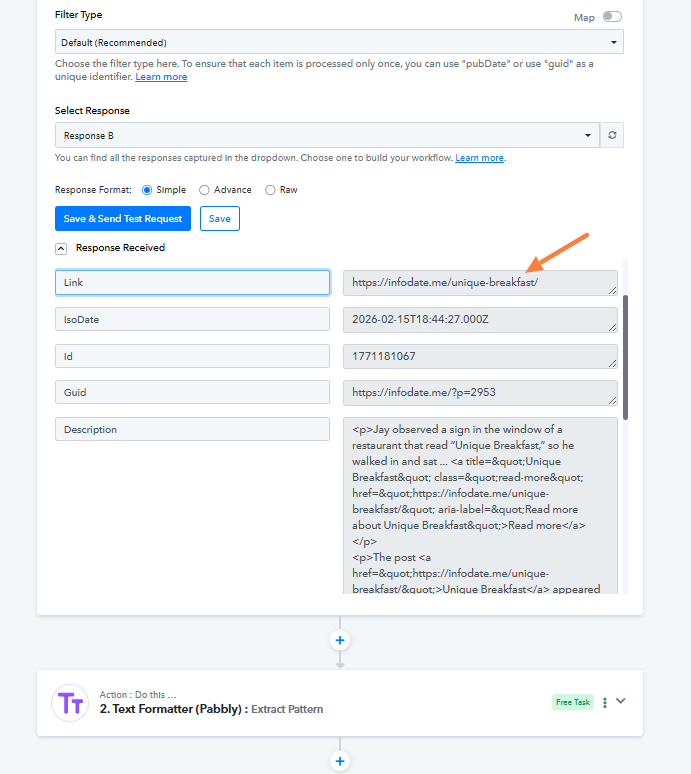
very immature response. everyone can see in a glimpse its not image url. its post url. you could not even differentiate. tell me alot about your skills
Apologies for the earlier oversight. The post you originally captured didn’t have any image in the content fetched via the RSS Feed. We’ve now captured a new post in the trigger step that includes a .png image and extracted it using the Text Formatter. Please check if this gives you the desired result.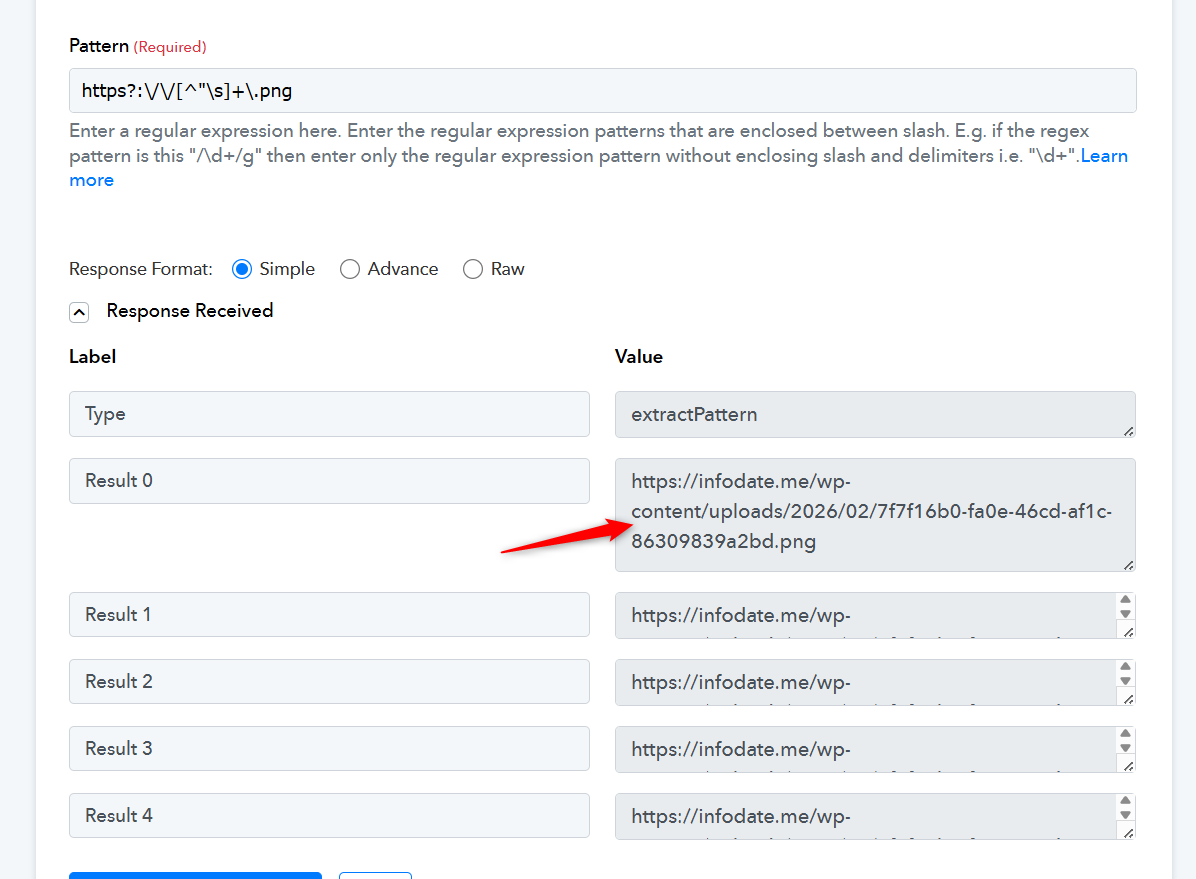
Thanks & Regards,
Arshil Ahmad
Customer Support Associate
? Pabbly.com
?Rate your support