How to fetch Shopify compare_at_price
Status: Open · Asked by sunstorm on · 0 views
Hi Team
I have figured out how to fetch Trigger the workflow when a new order is fulfilled in Shopify.
However, one of the parameters I need is 'compare_at_price' available for each of the product variants in Shopify. I am not finding a way to fetch the same - tried fetching the same through 'Get Product Variant by Product ID' as well as "Get Product by Product ID' but couldn't find it in either.
Hello @sunstorm,
You can try using either of the following actions: "Get Product Variant by Product ID" or "Find Product by ID". Our team has made some updates, and these actions should now provide the required details.
Please give them a try and let us know if they work for you.
Thanks, this should be helpful. Two more questions. Does Pabbly also have a way to
- Only fetch a particular variant (instead of all variants of a product)?
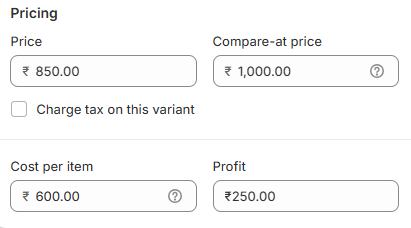
- Fetch Cost per item too as mentioned in the snap below?
We have added an Iterator and a Filter step to this workflow. The Iterator will process all the variants of the product one by one and pass them to the Filter step. The filter condition will ensure that the next steps of the workflow are executed only if the Price is 850 and the Compare-at price is 1000.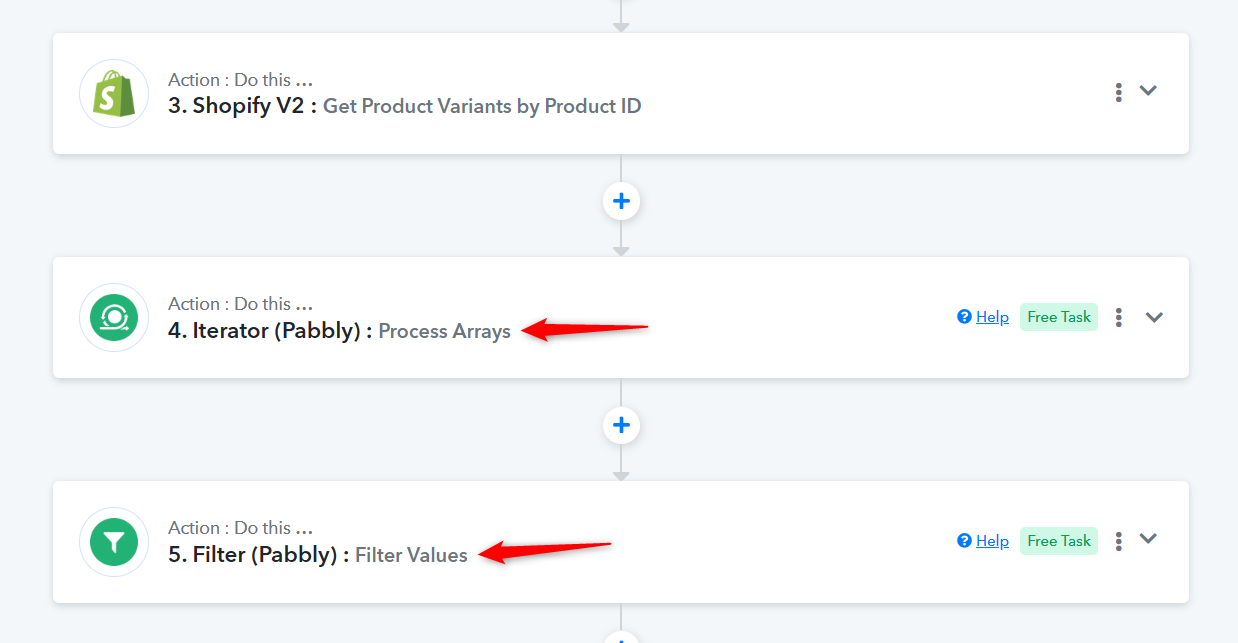
Unfortunately, we weren't able to fetch the 'Cost per item' from any of the action steps, so it doesn't appear to be possible to retrieve this data.