how to fix google docs "document is required" warning?
Status: Closed · Asked by slade84 on · 0 views
Hey guys,
I'm trying to replace some text in a google doc, but when I add the google doc ID from the previous step, I keep getting a warning saying "document is required". The document is in there though, so what is the issue?
Thanks
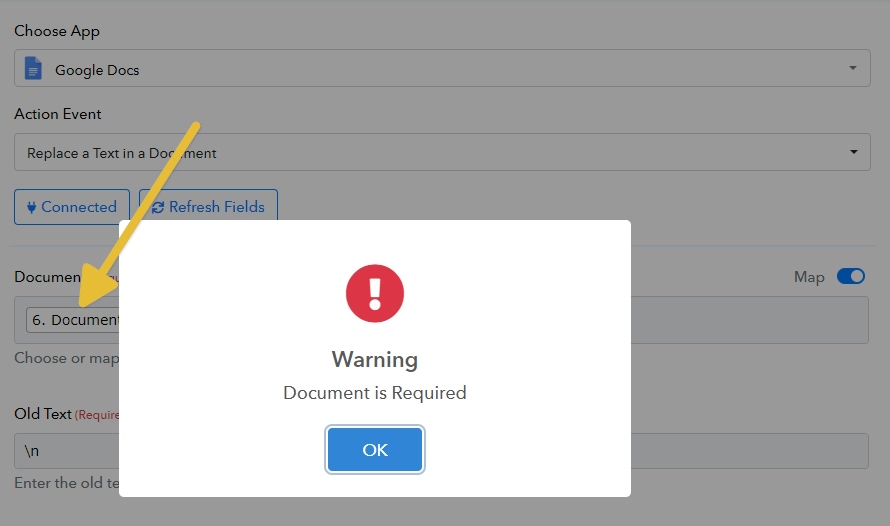
Hi @slade84,
Could you please share the Workflow URL where you have this concern?
Hi @slade84,Could you please share the Workflow URL where you have this concern?
https://connect.pabbly.com/workflow/mapping/IjU3NjYwNTZiMDYzNzA0Mzc1MjZmNTUzNzUxMzMi_pc
Hello @slade84,
Could you please try mapping the Document ID as shown in the attached image? If the issue still persists, kindly share a screen recording of the process or a screenshot of the specific Google Doc along with the browser URL (so we can confirm if the ID is correct), so we can assist you more effectively.
We’ve tried replicating the issue on our end, but the action worked as expected during our test.
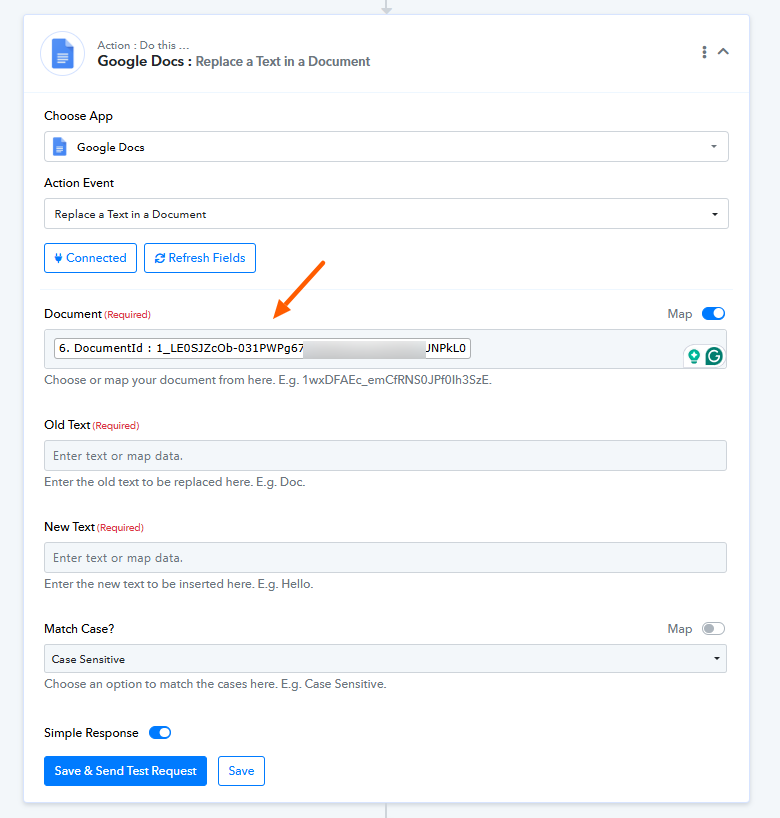
Hello @slade84,Could you please try mapping the Document ID as shown in the attached image? If the issue still persists, kindly share a screen recording of the process or a screenshot of the specific Google Doc along with the browser URL (so we can confirm if the ID is correct), so we can assist you more effectively.
We’ve tried replicating the issue on our end, but the action worked as expected during our test.
Great, thanks, seems to be working on my end now as well.
Two additional questions related to this workflow, if you can help me out, please.
1. Internal 500 errors - occasionally, when running any of the Google Docs steps, I'll get a 500 error. How do I prevent that? Do I need to add time delays between the steps?
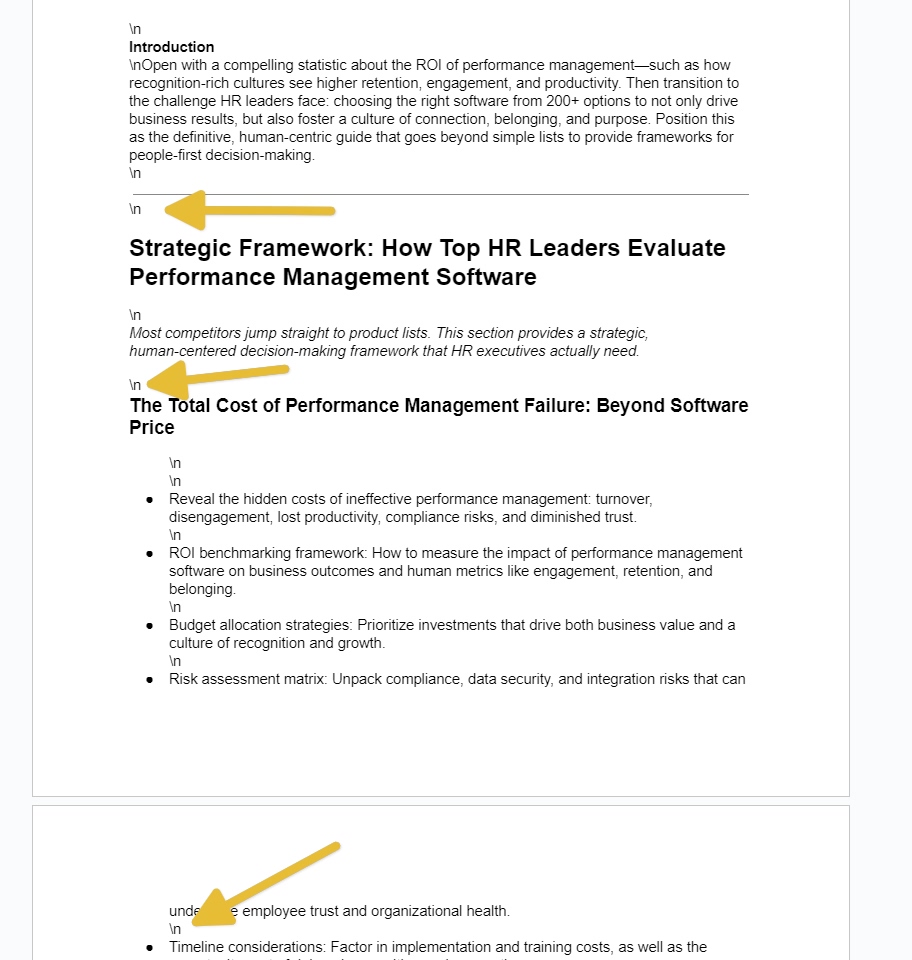
2. Removing \n - In Step 6, when I create the document from text, I get a bunch of "\n" throughout the document. How do I prevent that from happening? If I can't prevent it from happening, is there any way to fix it with an additional step after the fact?
Thanks!
Hello @slade84,
Glad to hear it's working on your end now!
Regarding your questions:
- Internal 500 Errors – These errors typically indicate a temporary issue on the server or API provider's end (in this case, likely Google Docs). While they are not always preventable, adding a short time delay (1-2 minutes) between the steps that call Google Docs might help reduce the chances of these errors, especially if multiple API calls are made in quick succession.
- Removing \n – The \n is a newline character often present in raw text data. To handle this, we suggest replacing \n with
(which denotes a line break in HTML) before sending the data to Google Docs. You can do this using a text formatter step. This should help preserve formatting without showing the raw \n characters.
Please give these adjustments a try and let us know how it goes. We’ll be happy to assist further if needed.
Hello @slade84,Glad to hear it's working on your end now!
Regarding your questions:
- Internal 500 Errors – These errors typically indicate a temporary issue on the server or API provider's end (in this case, likely Google Docs). While they are not always preventable, adding a short time delay (1-2 minutes) between the steps that call Google Docs might help reduce the chances of these errors, especially if multiple API calls are made in quick succession.
- Removing \n – The \n is a newline character often present in raw text data. To handle this, we suggest replacing \n with
(which denotes a line break in HTML) before sending the data to Google Docs. You can do this using a text formatter step. This should help preserve formatting without showing the raw \n characters.Please give these adjustments a try and let us know how it goes. We’ll be happy to assist further if needed.
1. Ok thanks, will do.
2. I'm not sending \n to Google Docs. I'm using your markdown to HTML converter and sending the output of that to Google Docs. Looking at the output, I'm not seeing any \n, so it's being created on its own somehow.
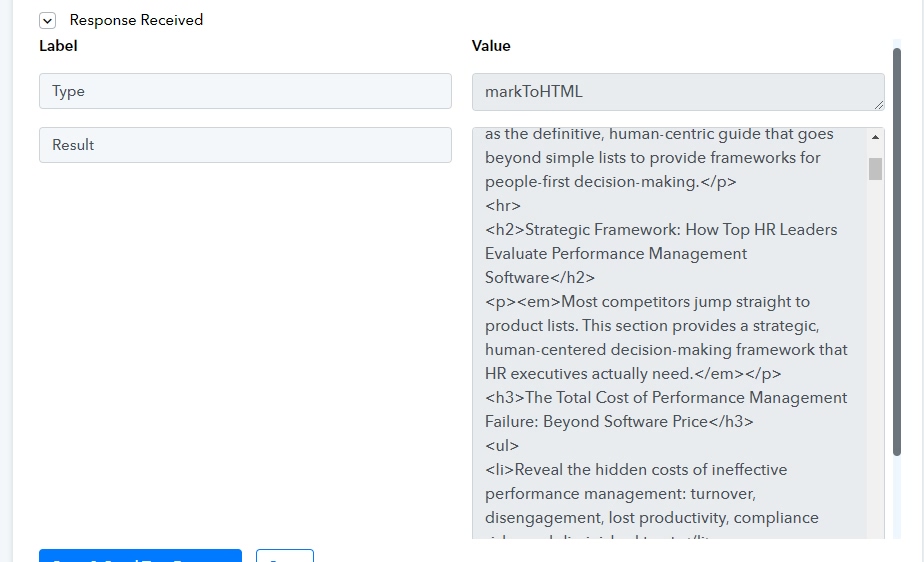
all set! Using your trim whitespace after markToHTML fixed the issue :).
Thanks!
Hello @slade84,
Thanks for adding the update! We are glad that your workflow is working fine now.