How to format or verify the phone number at once, when I am sending the wati template message once the hubspot lead is created.
Status: Open · Asked by shilpa@nitizsharma on · 0 views
Once the hubspot lead is created, the WATI message is going, but it is failing to send the message for the people due to phone number format issue. as we have many countries how to it manually at once
Hello @shilpa@nitizsharma
Can you please share the workflow URL so we can better look into the concern and assist you accordingly
Hello @shilpa@nitizsharma
You can use the Number Formatter: Format Phone Number action step to format the phone number as required.
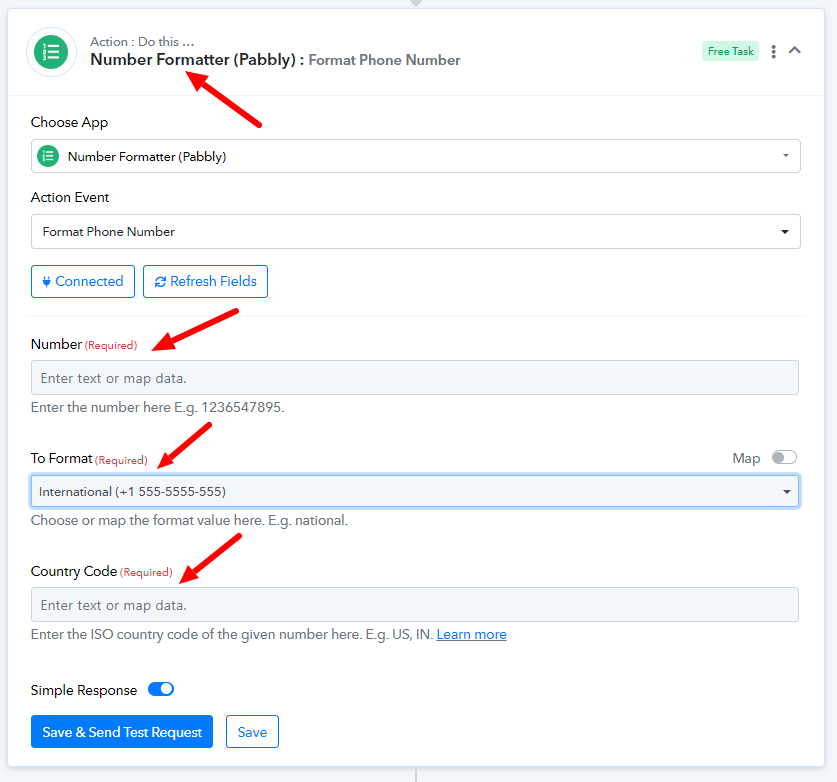
Please note that the workflow you are referring to is disabled.

What if it is there more than 10 countires, do i need to add 10 actions?
Hello @shipa@nitizsharma
Can you please let us know in which format the number has been received and what changes to the format are required to be made It will allow us to better assist you.