How to get a Campaign Name in Linkedin Lead Generation Campaign
Status: Closed · Asked by Aliva Patnaik on · 0 views
Hi
This is the workflow - https://connect.pabbly.com/workflow/mapping/IjU3NjYwNTY5MDYzNDA0MzM1MjZjNTUzMTUxMzQi_pc
Please help in getting the Campaign Name & Ad Name for the Lead Generation Campaign.
Hello @QuickSell,
Thanks for sharing the details.
Upon check the trigger response it seems you(the LinkedIn account with which you have set up the connection) do not have enough permission to get the campaign details, refer to the attached image for better understanding.
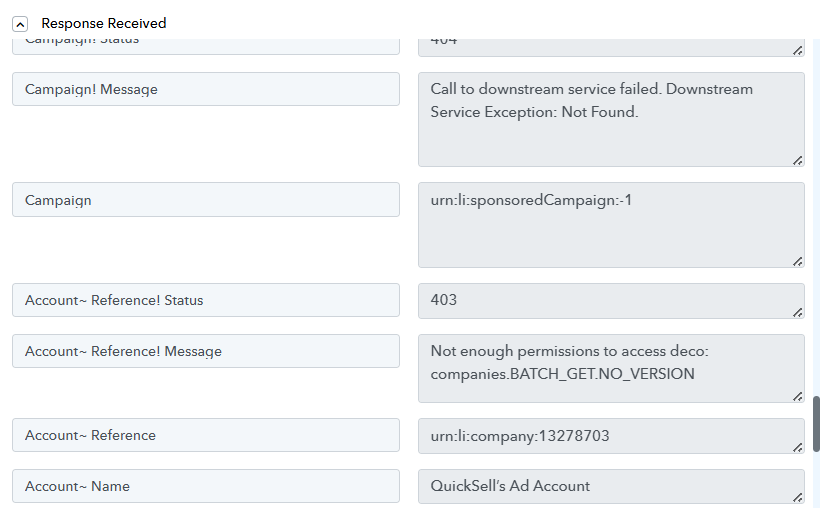
Hi Please let me know what sort access would be required ??
The Campaign Name is being captured in your trigger step.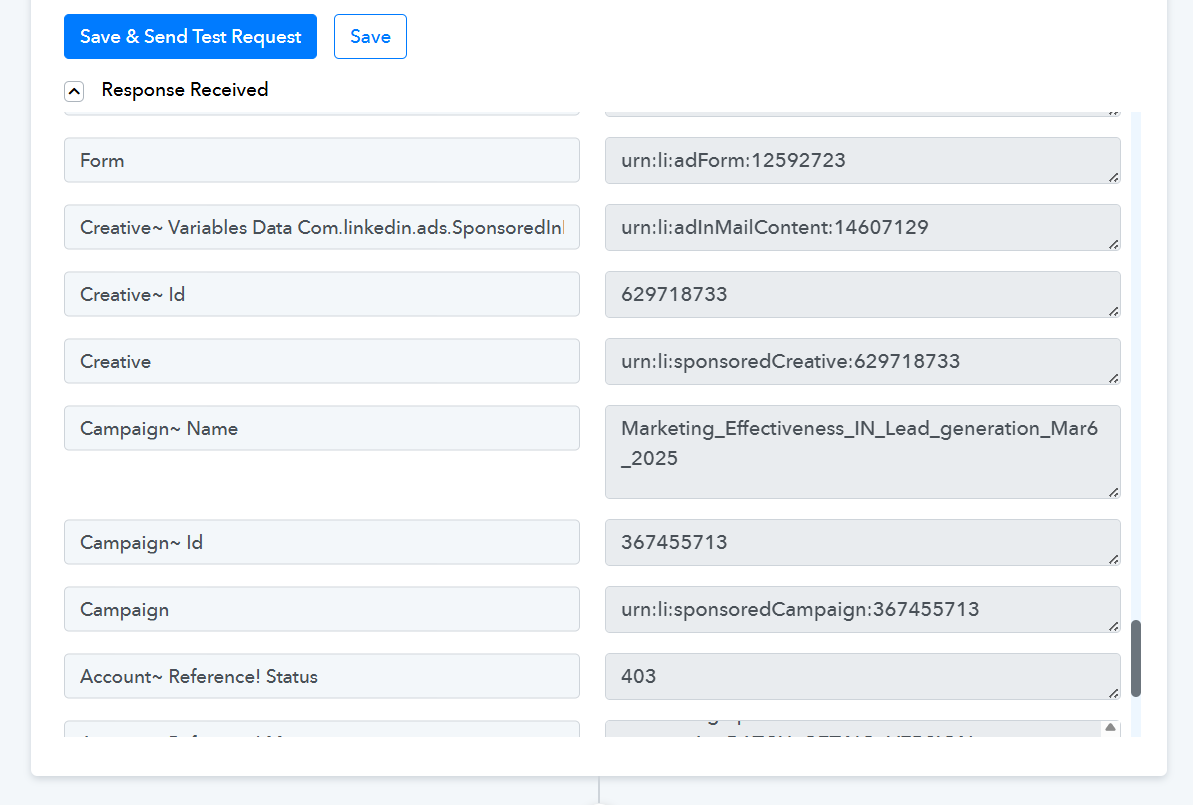
Hi,What about the Ad Name?
Hello @QuickSell,
We’d like to inform you that the trigger you’re currently using is a deprecated trigger for LinkedIn, and it does not return the ad name.
We recommend trying the newer LinkedIn application with the same trigger in a separate workflow to check if it returns the ad name as expected.
Hi Preeti, The campaign name is also not coming - https://connect.pabbly.com/workflow/mapping/IjU3NjYwNTZiMDYzZjA0MzQ1MjZhNTUzNDUxMzUi_pc
Please allow us some time to look into this concern. We will get back to you with an update soon.
@QuickSell
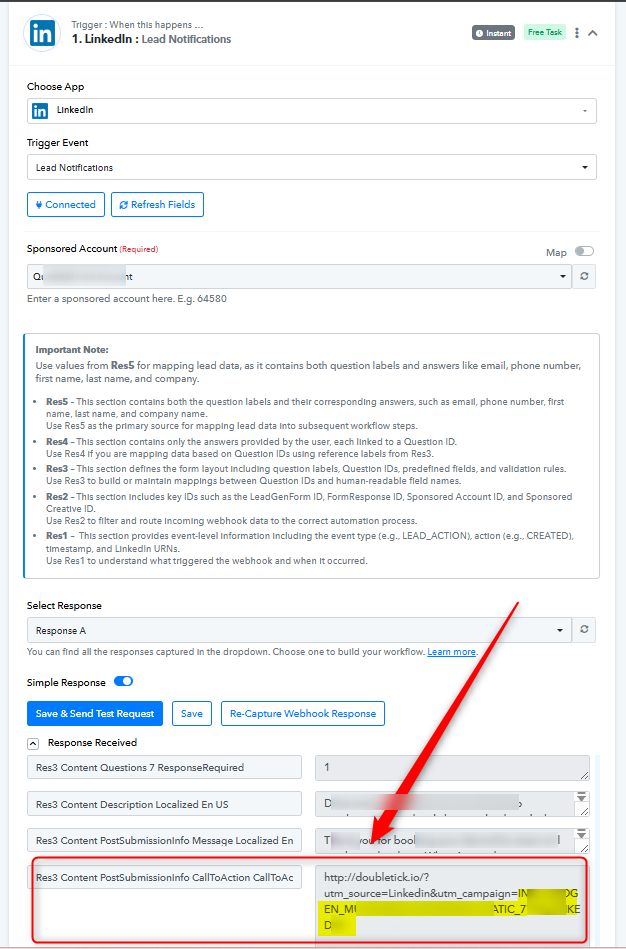
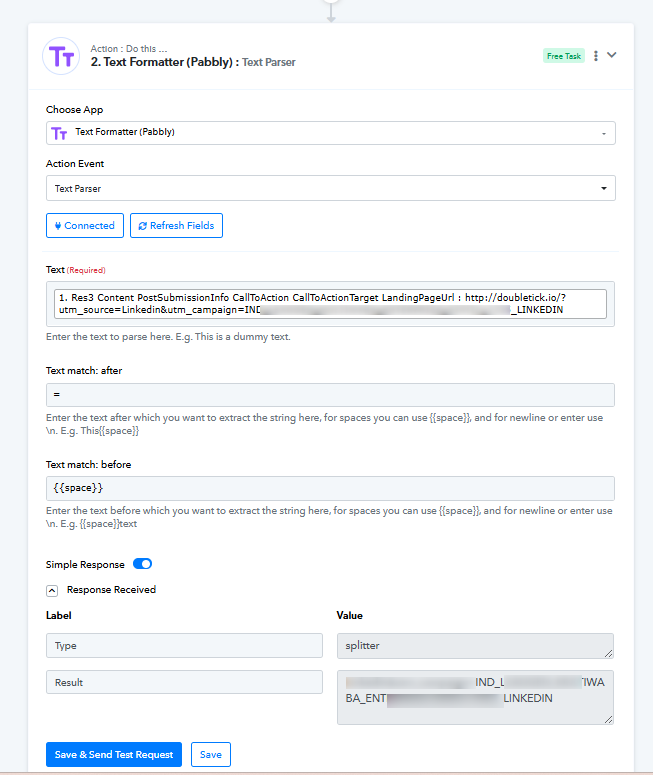
Please note that the Campaign Name is already available in the responses of the trigger application "LinkedIn: Lead Notifications" under the label "Res3 Content PostSubmissionInfo CallToAction CallToActionTarget LandingPageUrl" and you need to add the next action step as "Text Formatter (Pabbly): Text Parser" from where you can extract the Campaign Name.
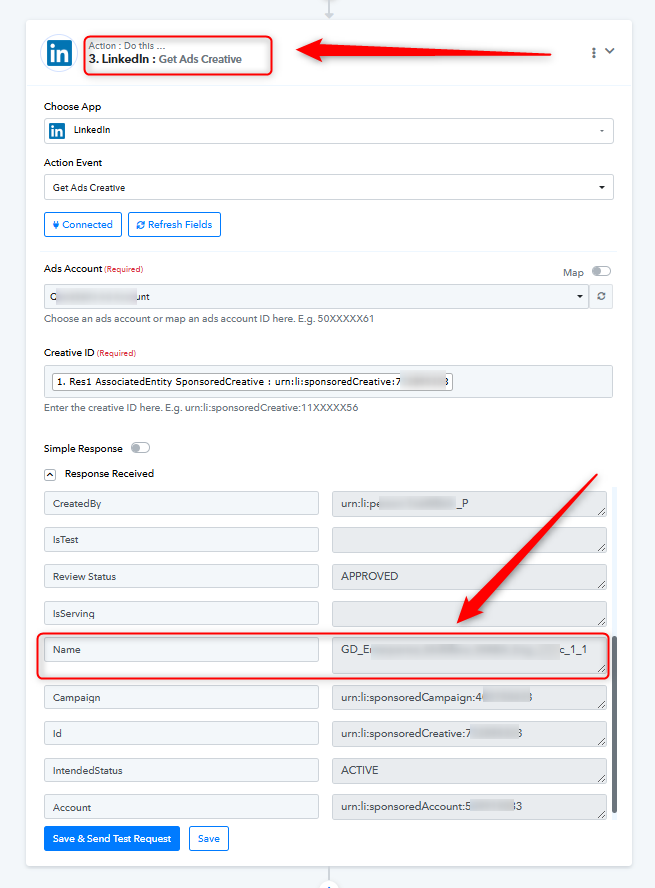
Also, by using the action step "LinkedIn: Get Ads Creative," you can get the Ad Name.
Please refer to the attached images:
Thank you so much!