How to get Ideogram to work with Pabbly
Status: Open · Asked by Pabblynaut on · 0 views
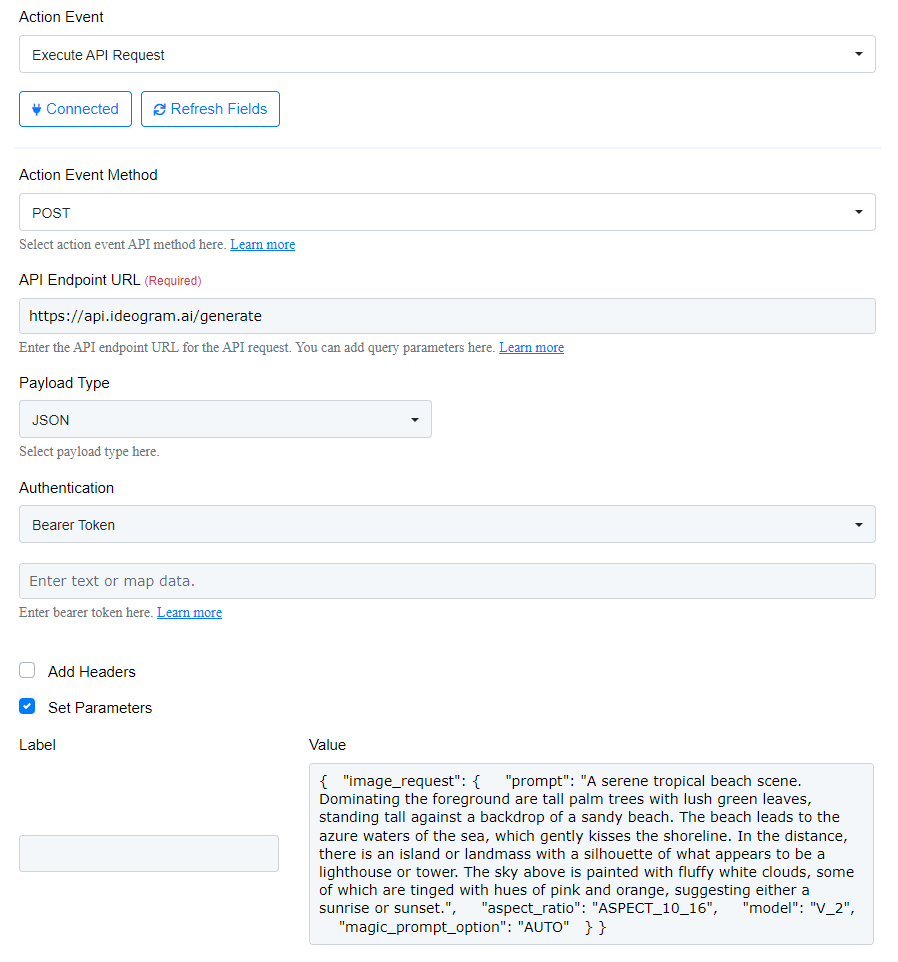
I am new to messing with the API module, so sorry for stupid questions.
I want to use Pabbly to generate images with Ideogram API reference
I can not figure out where to put API key, and what should be in the various fields below. Any help is appreciated!
Hello @Pabblynaut
Please insert the API token under the field indicated in the attached screenshot.
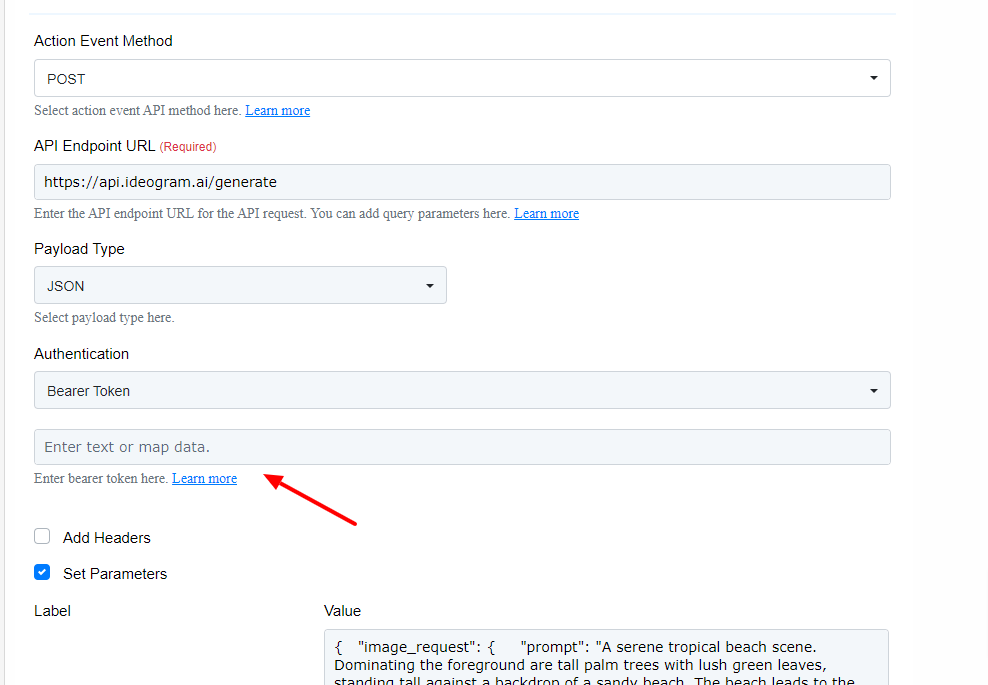
To better understand how to use the API by Pabbly action please refer to this tutorial -
youtube.com/watch v=nxjBg8bgryA
If you need any further assistance please let us know.
I set the bearer token to be the API key, but I get "No authorization token provided"
How do i enter this in the API module?
curl -X POST https://api.ideogram.ai/generate \
-H "Api-Key: " \
-H "Content-Type: application/json" \
-d '{
"image_request": {
"prompt": "A serene tropical beach scene. Dominating the foreground are tall palm trees with lush green leaves, standing tall against a backdrop of a sandy beach. The beach leads to the azure waters of the sea, which gently kisses the shoreline. In the distance, there is an island or landmass with a silhouette of what appears to be a lighthouse or tower. The sky above is painted with fluffy white clouds, some of which are tinged with hues of pink and orange, suggesting either a sunrise or sunset.",
"aspect_ratio": "ASPECT_10_16",
"model": "V_2",
"magic_prompt_option": "AUTO"
}
}'
Source
Nevermind, figured it out. This worked: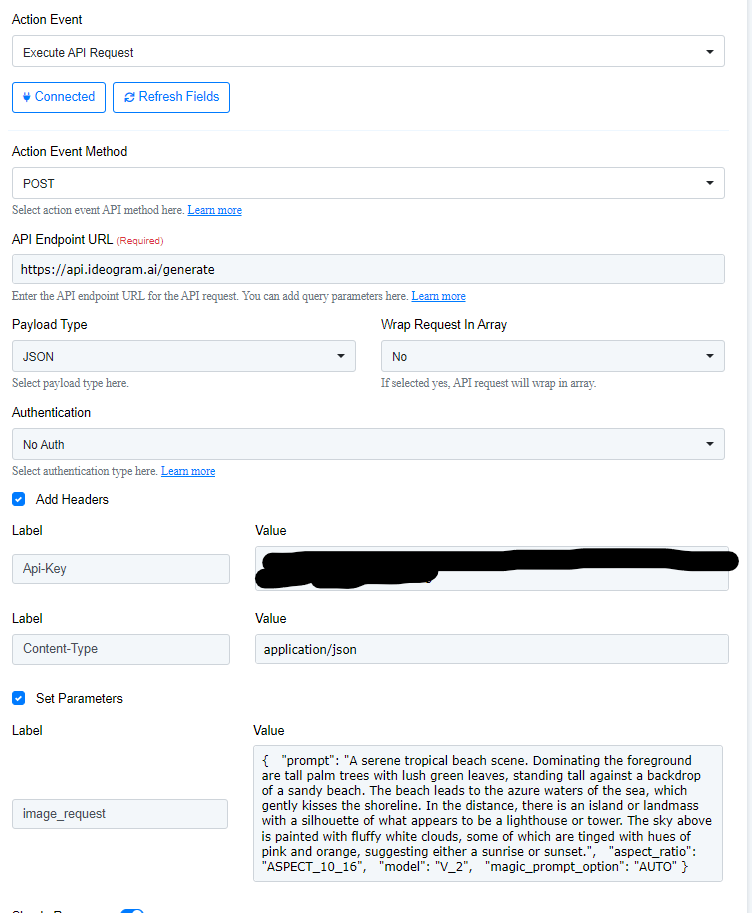
Hello @Pabblynaut
Great! we are glad your issue got resolved. If you have any further queries please feel free to contact us.
I am new to messing with the API module, so sorry for stupid questions.I want to use Pabbly to generate images with Ideogram API reference
I can not figure out where to put API key, and what should be in the various fields below. Any help is appreciated!
Incase if you're looking for easier way, then check this -