How to get message reponse from openai into iterator from pabbly and issue with Simple Response
Status: Open · Asked by Rene Nunez on · 0 views
I am using openai to create social media content that will then be used in a visual template to create the final social media posts. Is there a way to get the message from openai directly into pabbly's iterator, so it can process each post content created by my openai assistant?
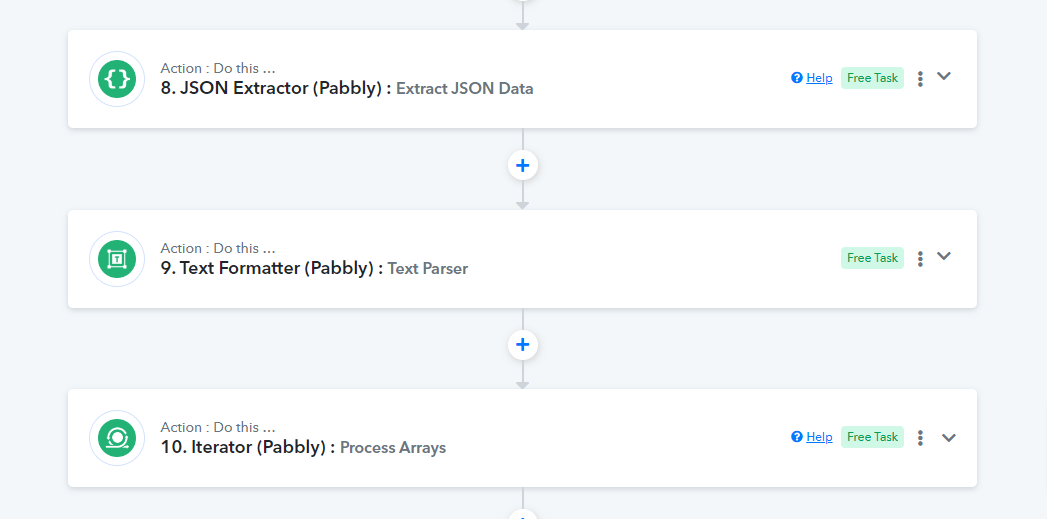
I am using list message with Text formatter, json extractor, and then iterator, because iterator doesn't see anything directly from list message from openai. The issue I have with that is that in testing I have step 7 Text Formatter set to Simple Response Off and step 8 JSON Extractor Simple Response Off, but when it executes, the simple response shows On.
By the way, the instructions inside my openai assistant are to return the message in json format; also to make this whole setup work.
Instructions to my openai assistant inside openai:
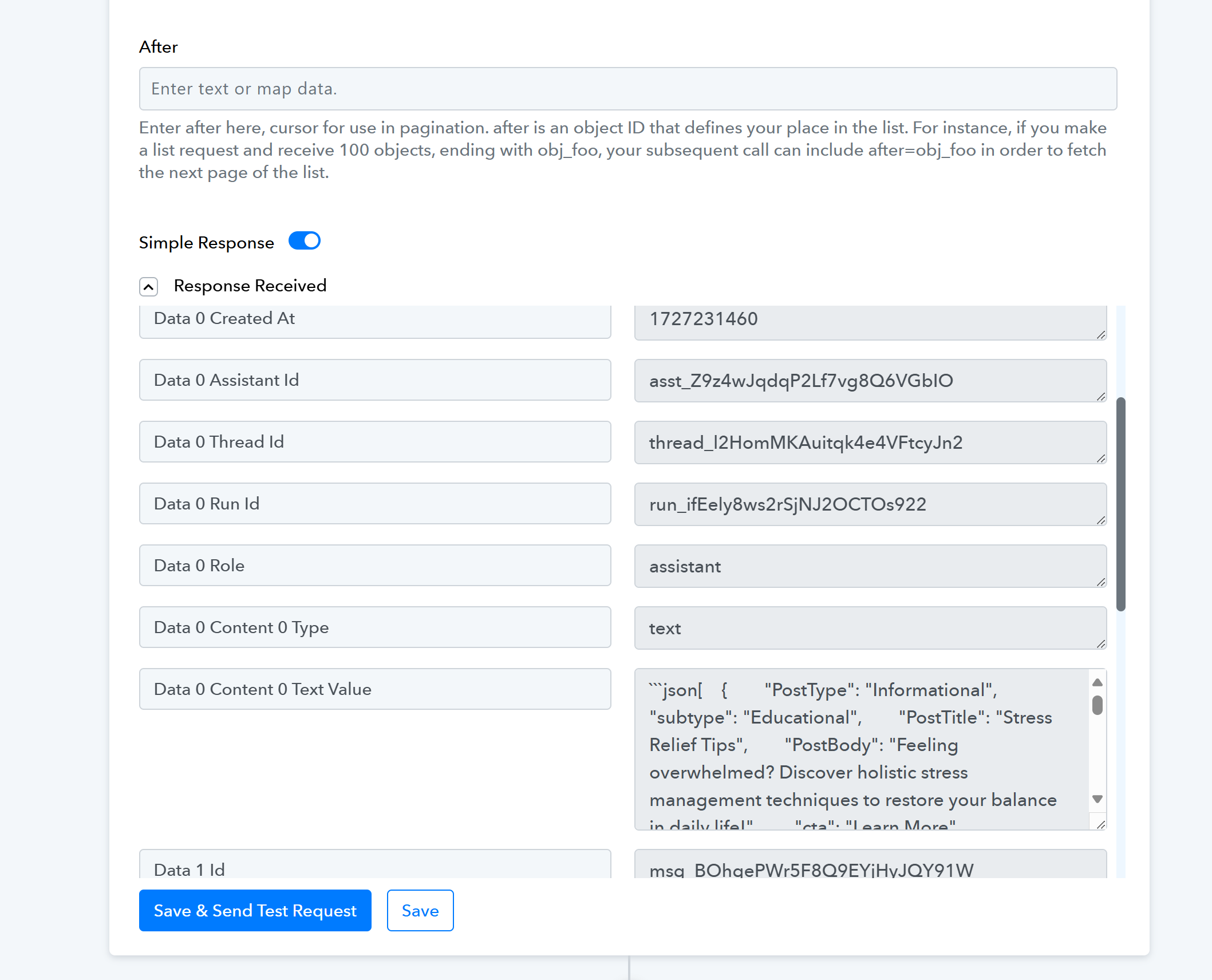
This is step 6 list message: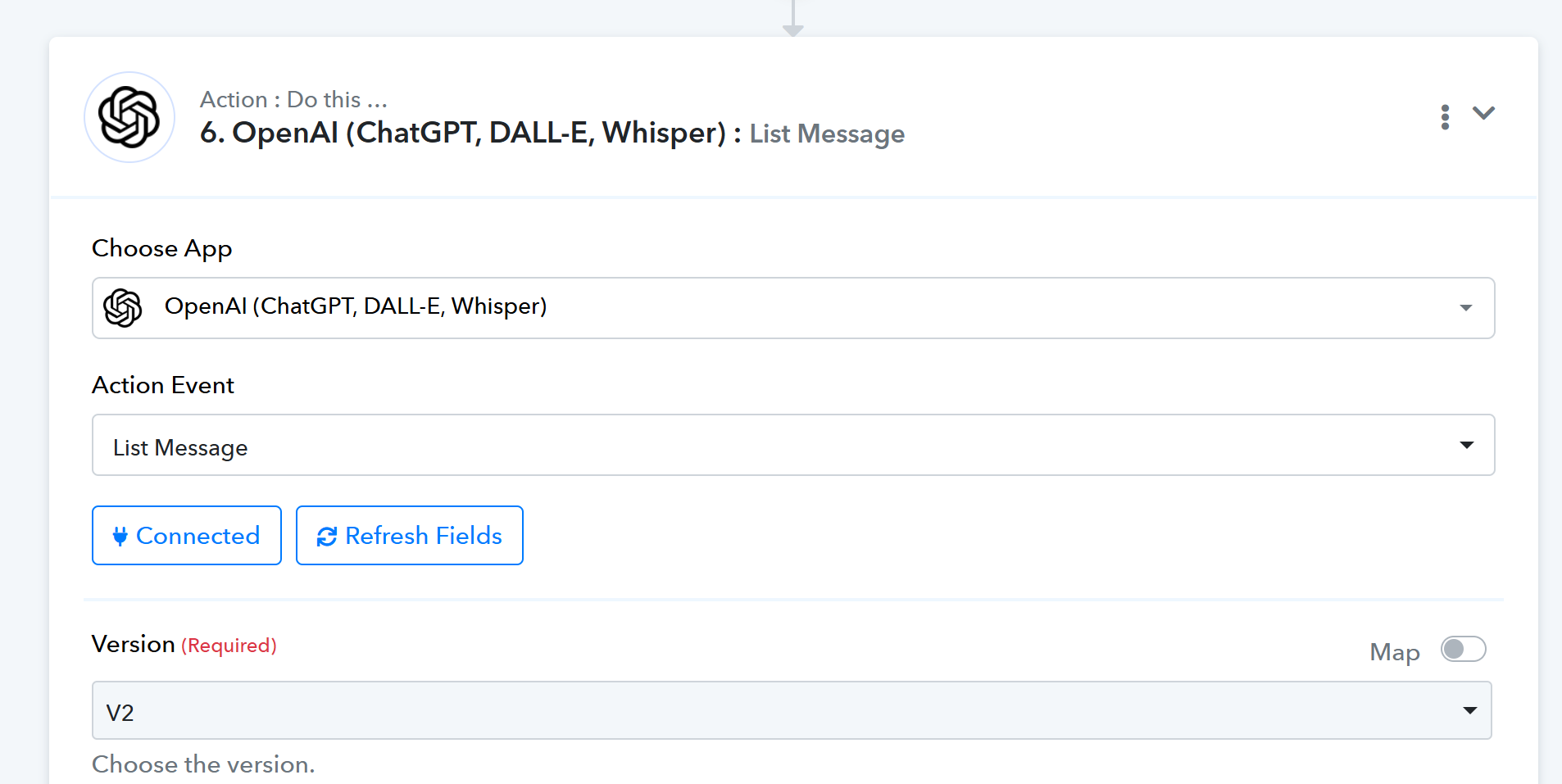
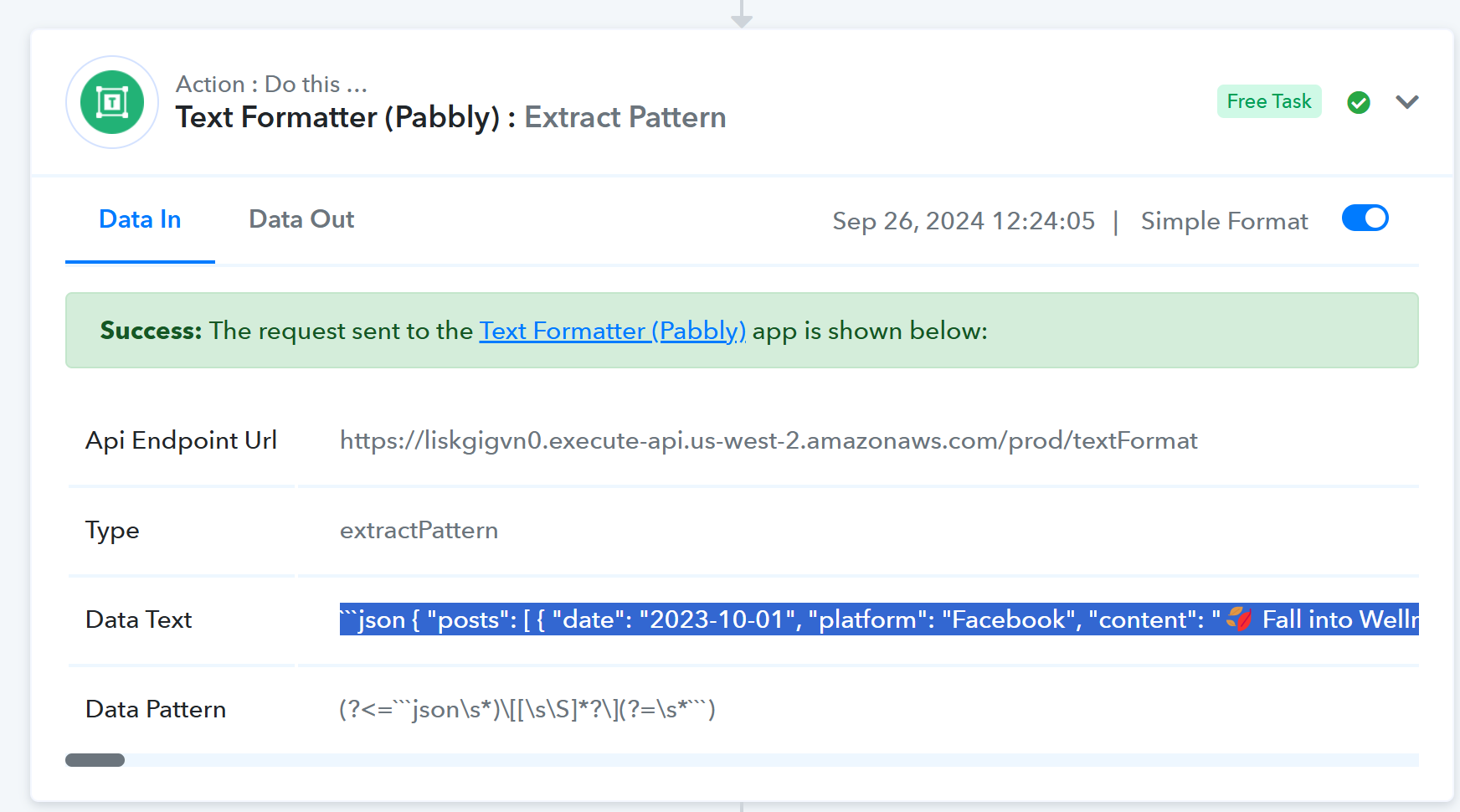
This is step 7 which extracts the response with Simple Response Off: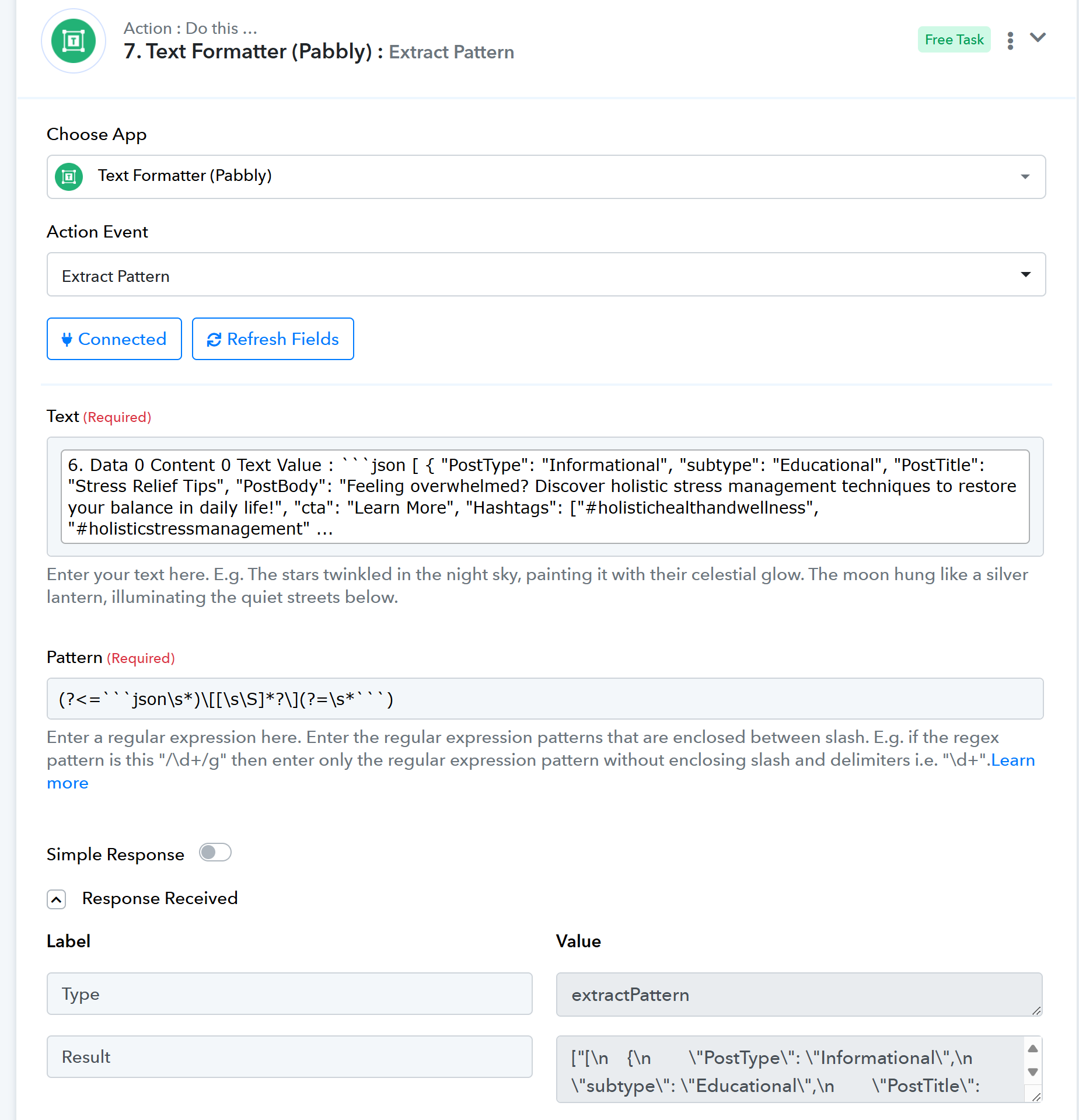
This is step 8 where the json is extracted from step 7 so it can be used in the next step, Iterator. I use the Data All because it contains all posts created: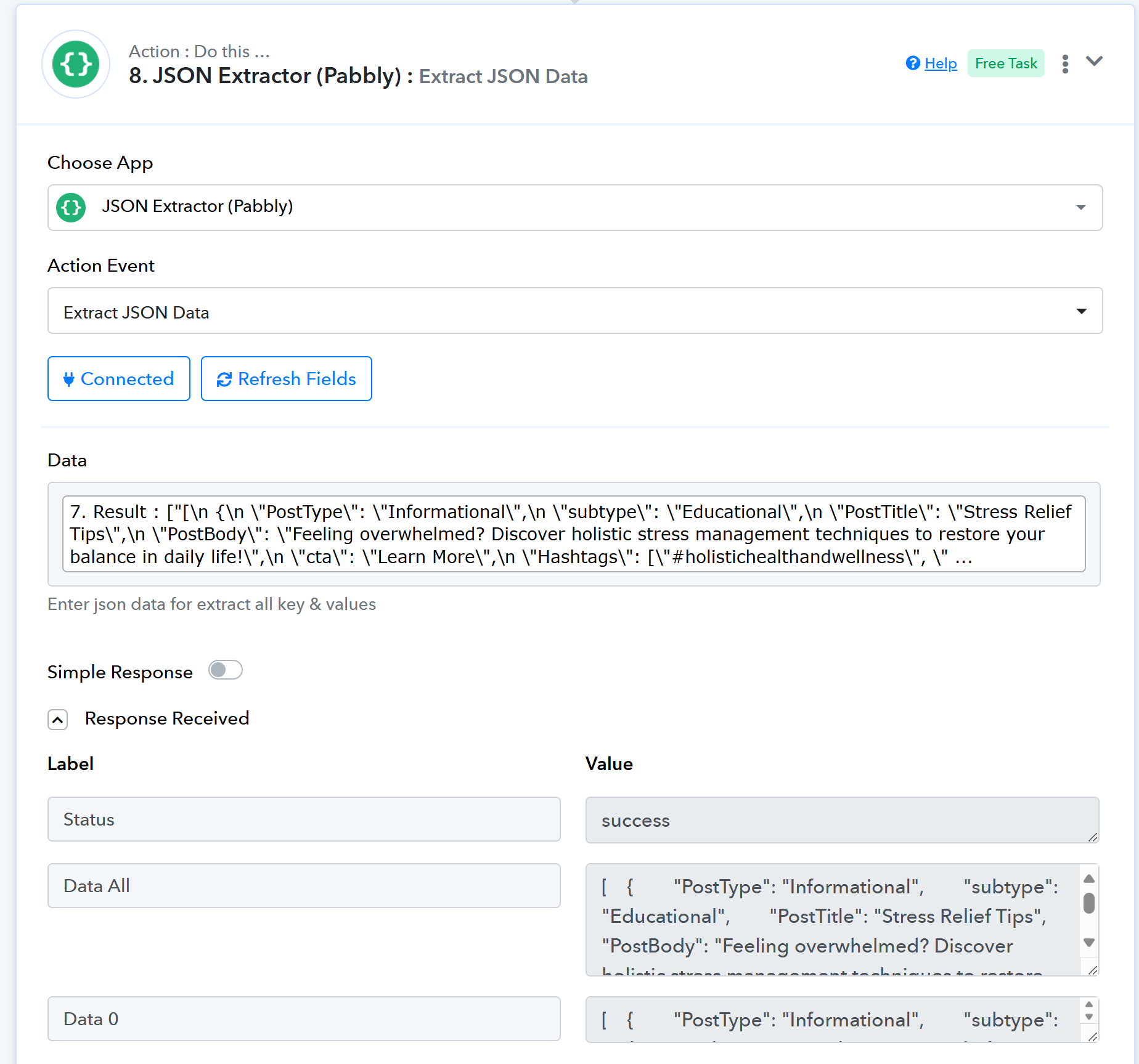
And this is Step 9, where Iterator cannot see step 6, only steps 7 and 8. 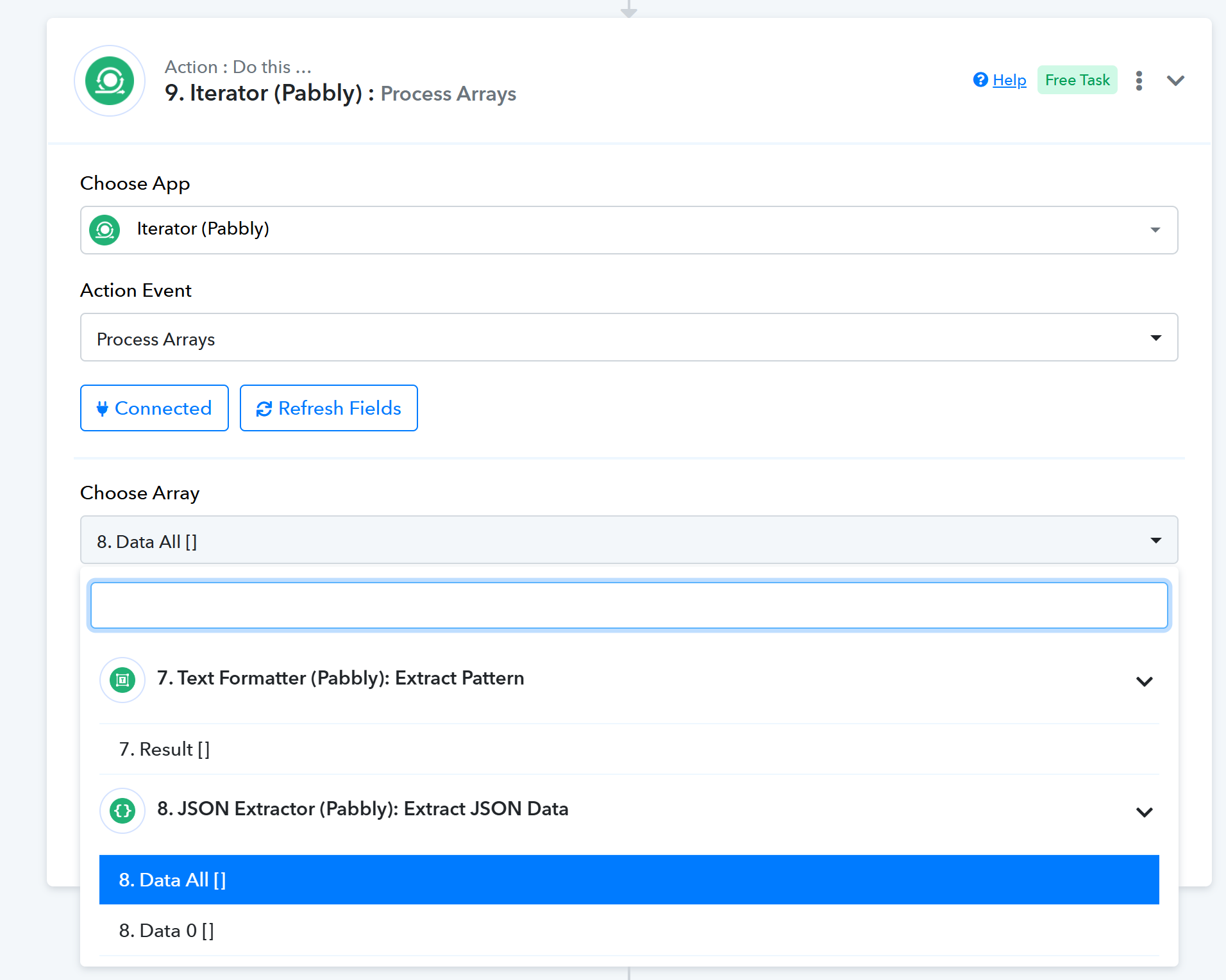
I use step 8 in iterator because I can then use the mapped variables in my template in Canva.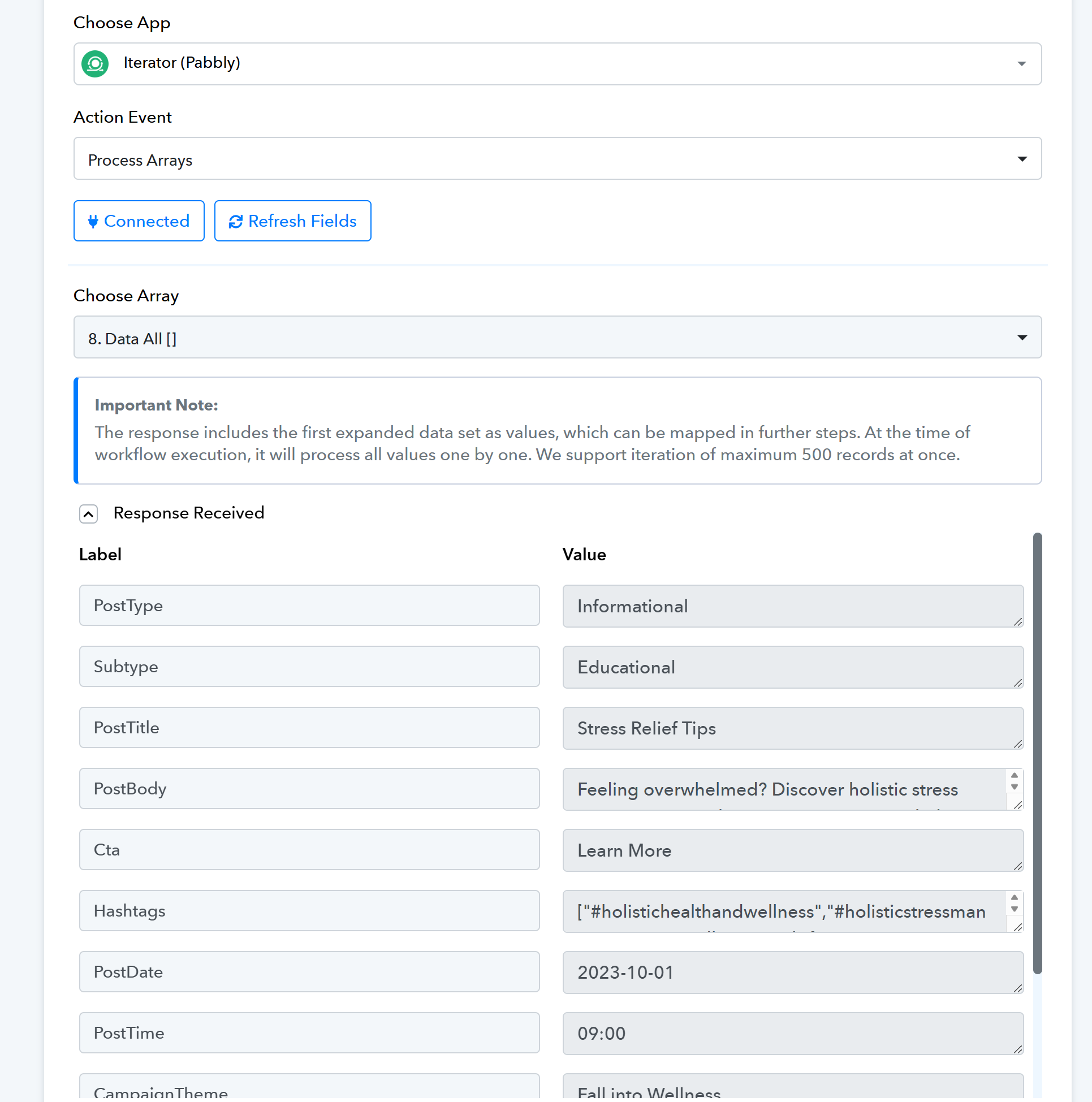
Of course this is all theory, because so far I've only been able to get it to work on its own up to step 8 when I actually submit the form to get the flow going. One of the issues is that steps 7 and 8 show as Simple Response On in the history, when they should be Off. That is why I'm asking if there is a simpler way to connect openai list message directly with the iterator from Pabbly.
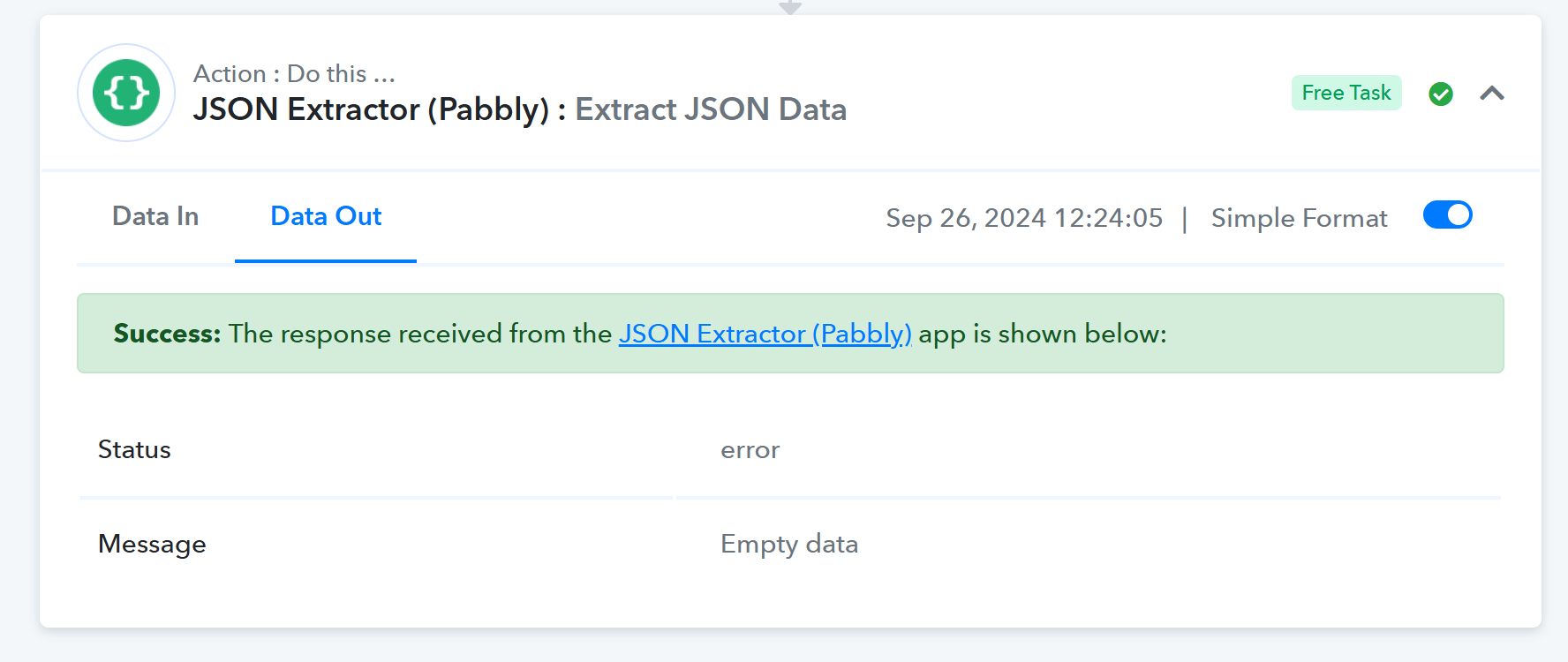
All help is greatly appreciated.
Hi @Sensum,
Please disable 'Simple Response' in the 'List Message' action step and check if it appears in the Iterator.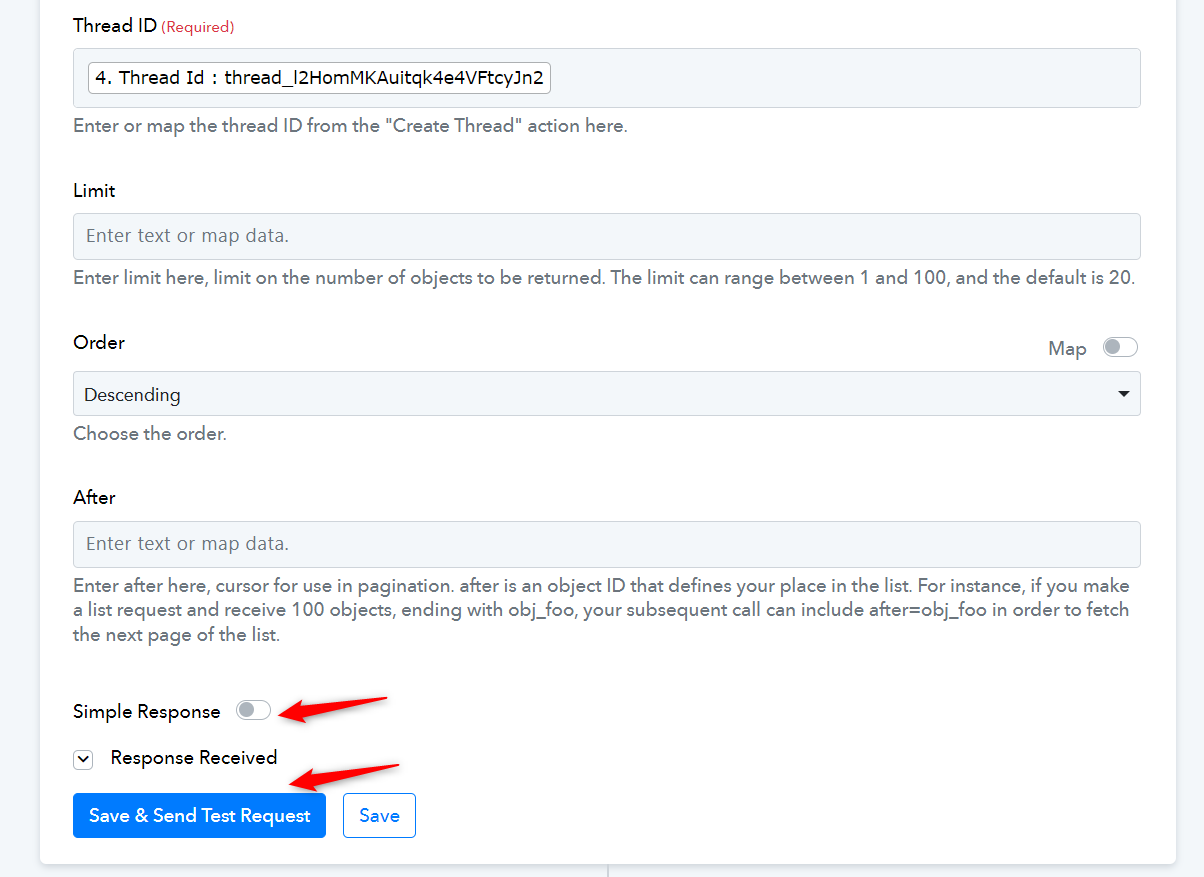
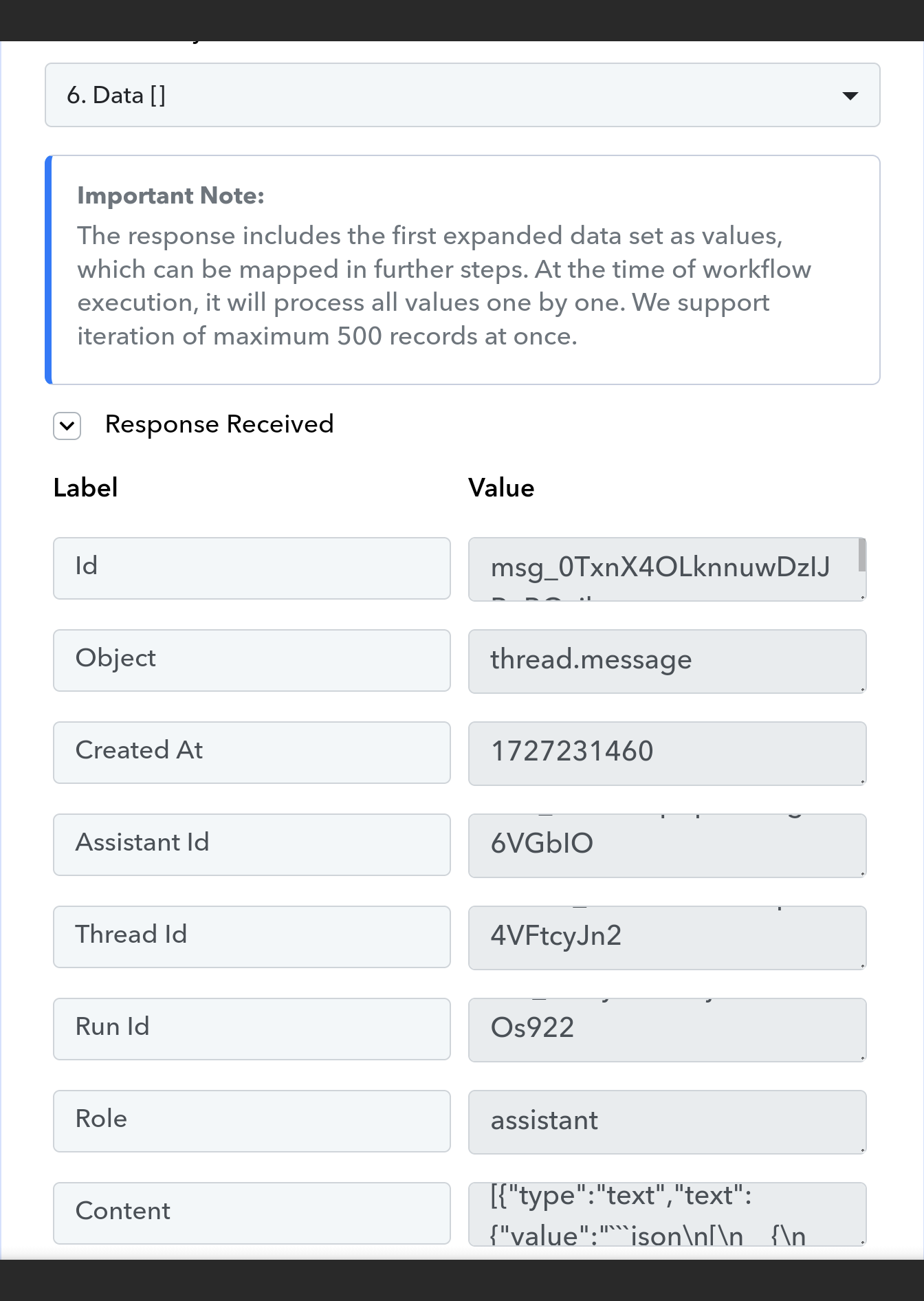
I did and it shows up, but not in a way that I can select each variable. Look at the bottom of my screenshot, and you'll see the raw json under Content.
Attachments
Hello @Sensum
We have added two action steps in your workflow after the iterator action step and the data is been received in the key: value pairs, please refer to the attached screenshot to learn more about the steps added and the response received.
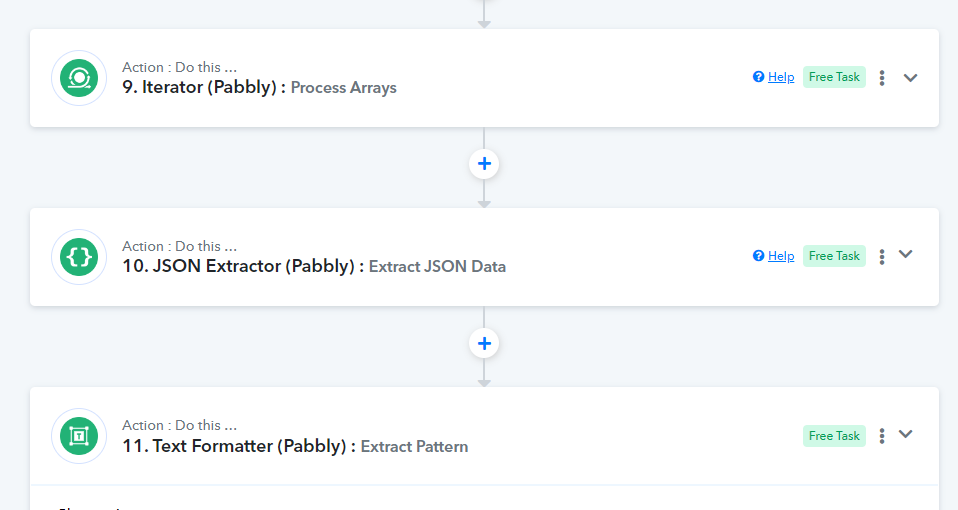
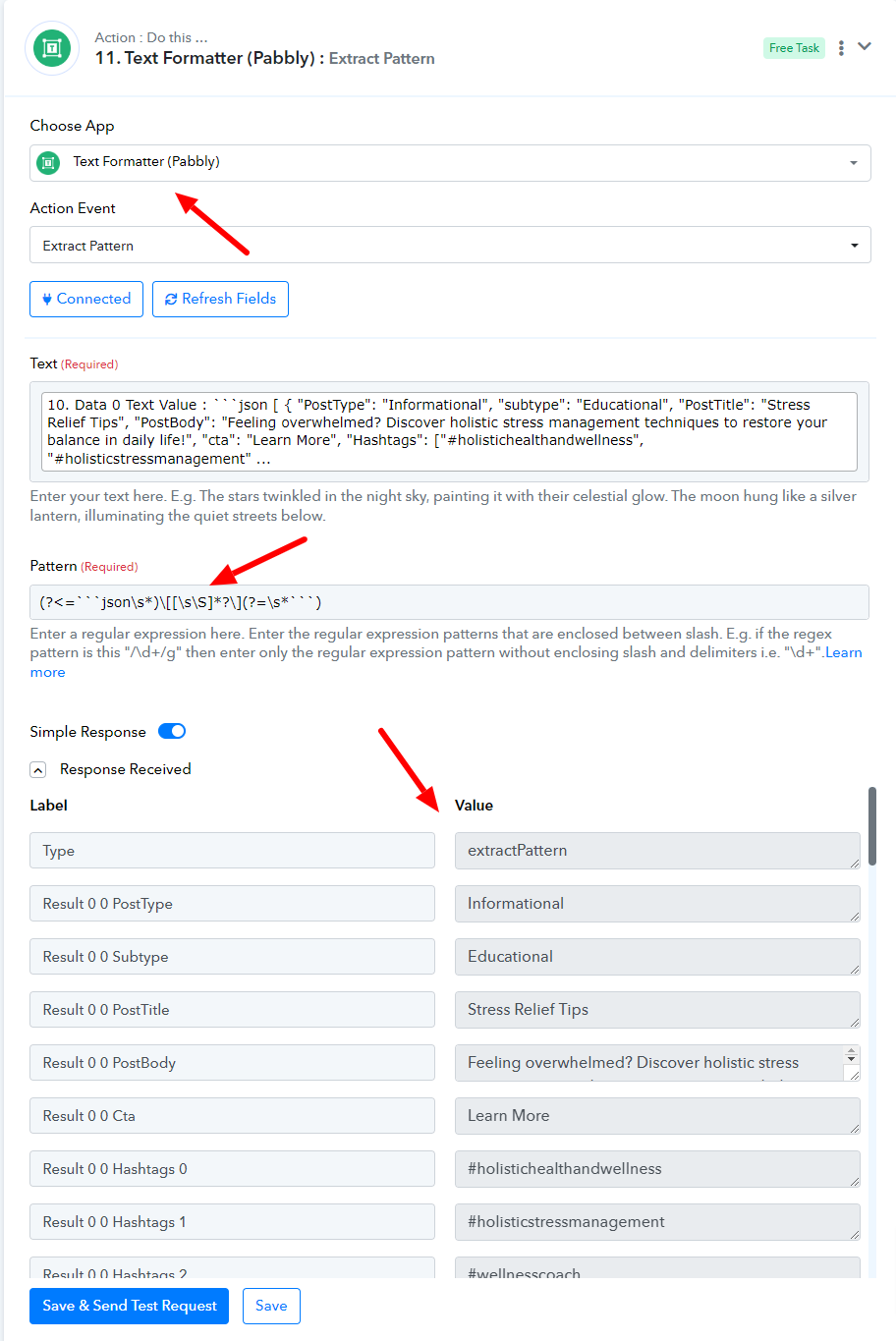
Please let us know if it works for you.
I see what you did there. That would work if openai's assistant was sending only one answer with only one social media post at a time, but it's sending one answer with all the prompts for social media at once.
The idea is that one submission triggers the webhook, then it goes to openai's assistant which is trained on social media creation, and the ai assistant creates several posts which it returns back to pabbly for processing, then using Pabbly's list message it shows the full message which contains several posts, and the iterator goes through each post and submits it to the router to be used in the design templates.
Imagine it's like the order example using woocommerce from your youtube video, with multiple products inside, and you want to process each coming from the data that is sent to the iterator, but with openai's response containing all the data that iterator is going to have to process one by one. Here is the video I'm talking about:
youtube.com/watch?v=zJaGQ-SIB0I
Hope this makes sense.
Hello @Sensum
We have made a few more changes to your workflow, Can you please map the response received from step:10 named "Iterator (Pabbly): Process Arrays" to the subsequent routers and further steps and let us know if this resolves your issue
Please avoid making any changes to the other steps of the workflow.
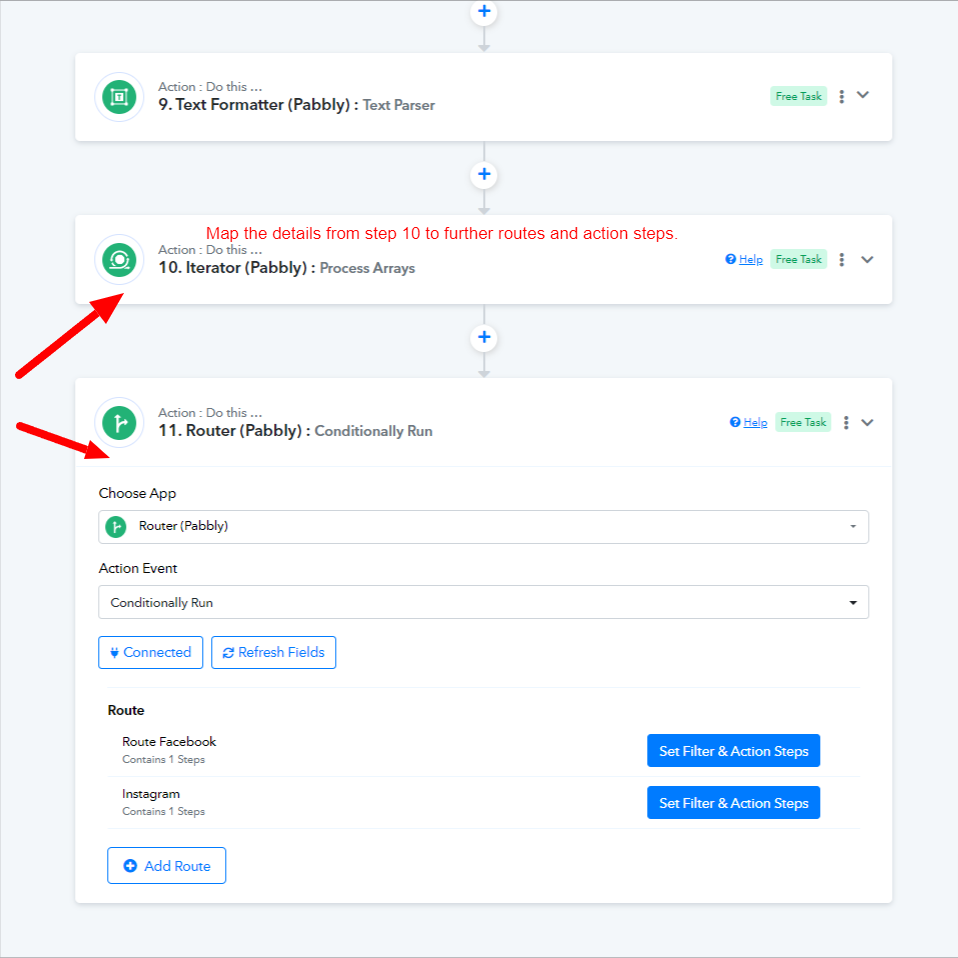
Hi Preeti, the changes you made worked, except at the end when the second iterator gives the output and it doesn't seem to be giving it the same way that it does in the testing of the workflow. I see the output but it seems raw, whereas in the testing it looks different. Let me know if that makes sense. I am including a picture of the workflow result (live testing) and the test within the workflow.
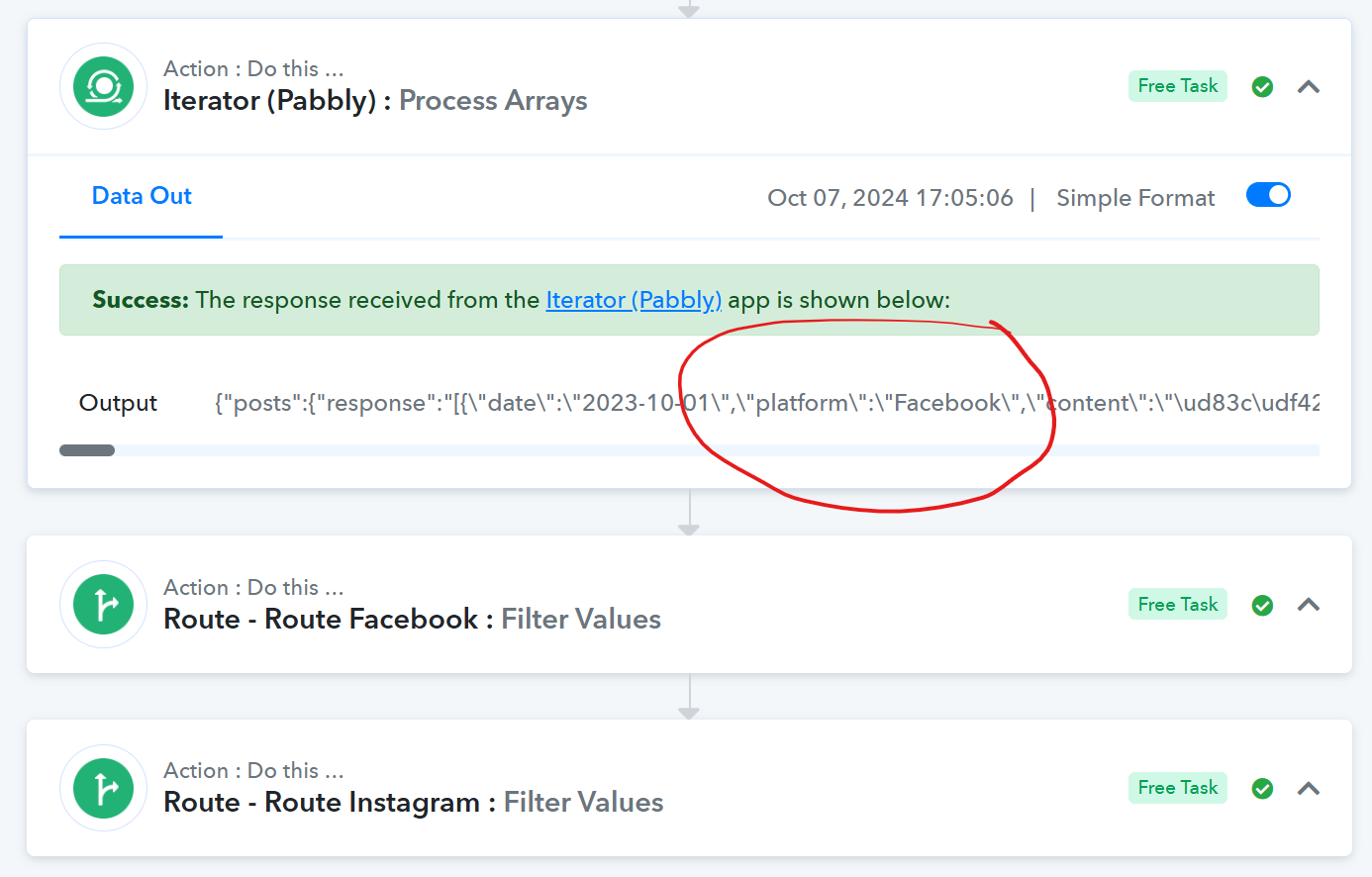
In live testing (meaning a submit a form that triggers workflow) the Second iterator passes the output but it shows raw data in the output. Not sure if that's how it's supposed to show it in the history.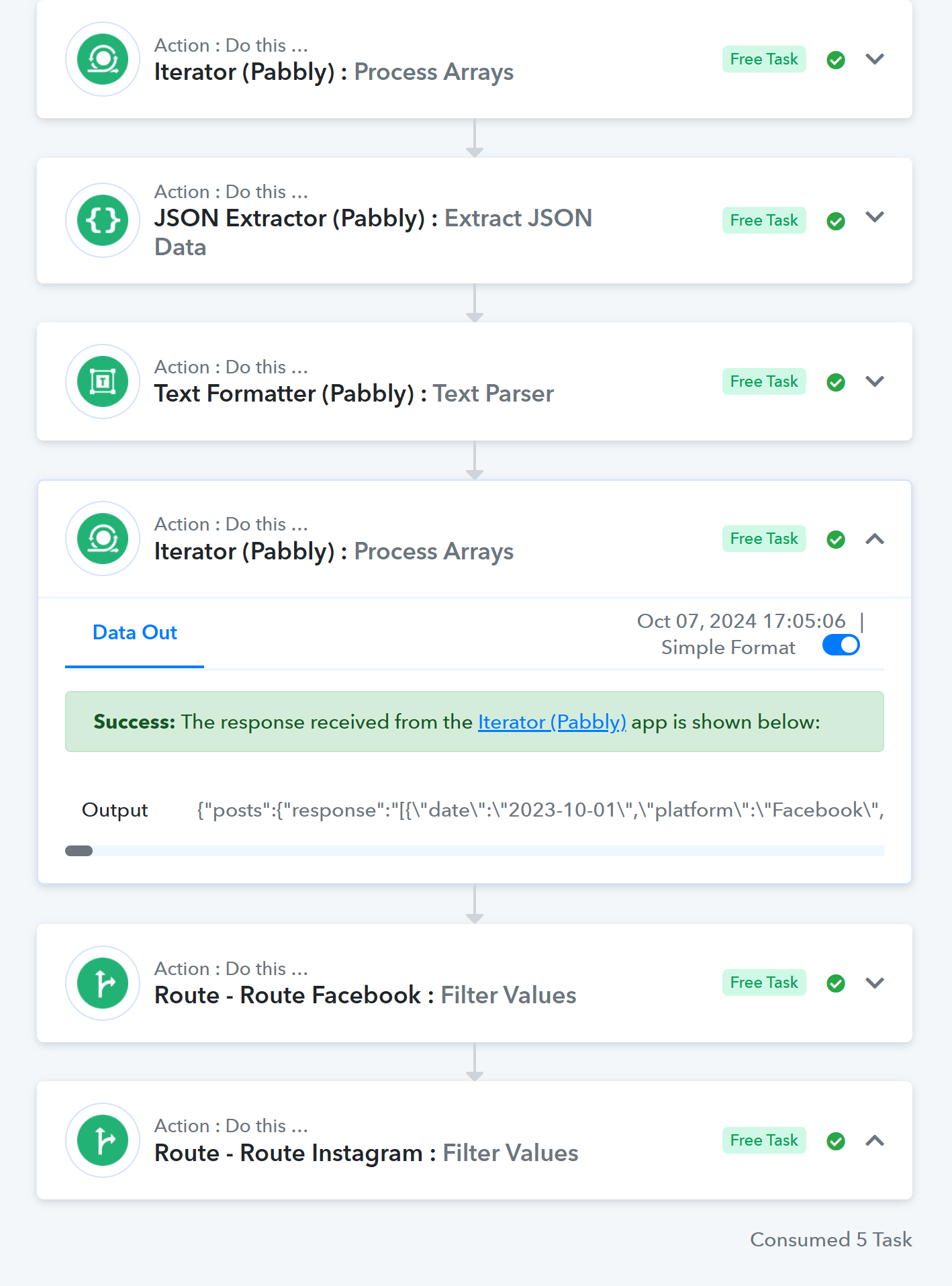
This is the screenshot of the second iterator, but in the builder and testing mode. You can see the output looks very different than in the previous image. 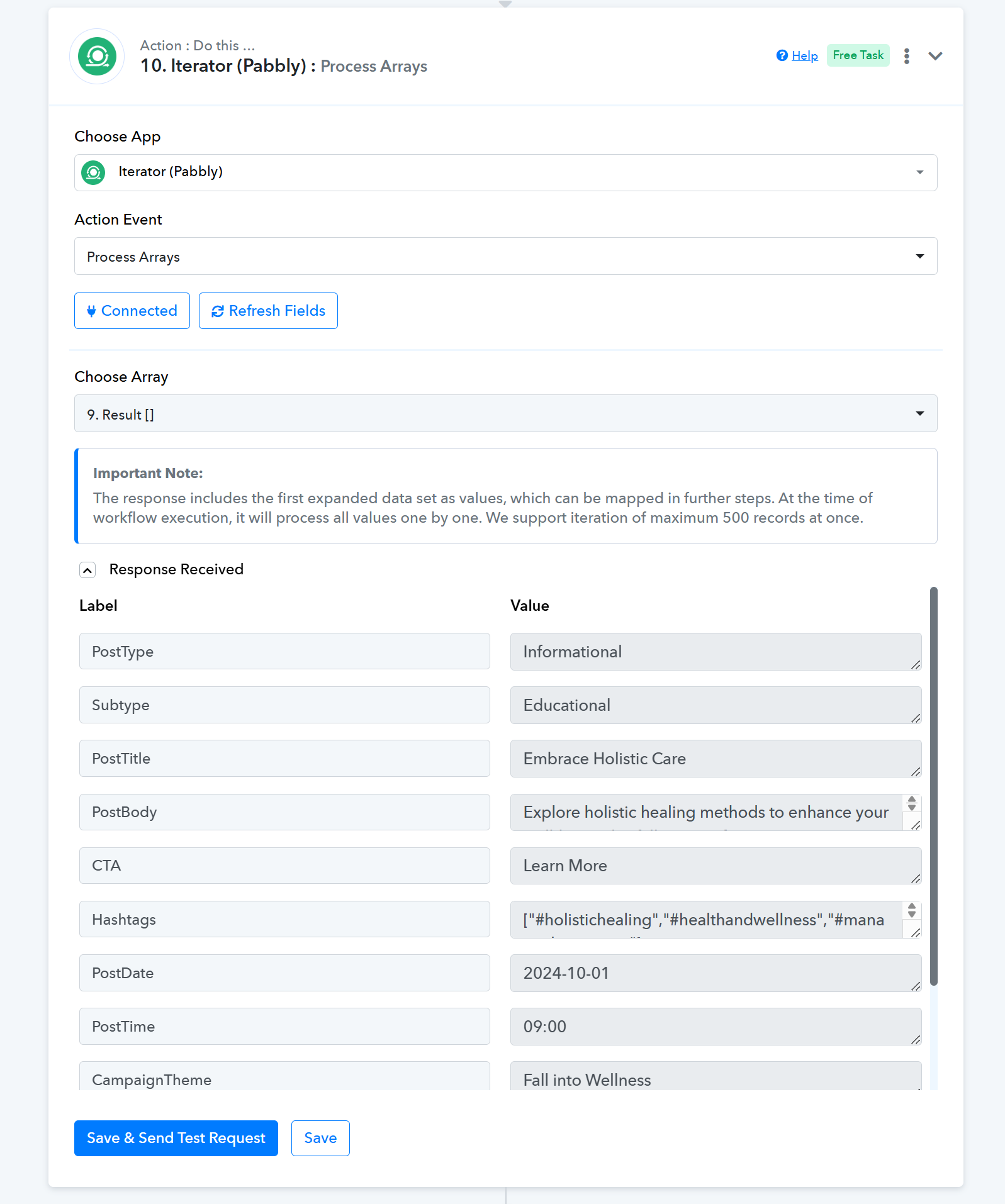
You can see that in both the facebook and instagram routes, it gives a false response even though the output shows Facebook for platform, when seeing the history submission results. But in testing it doesn't do that. It actually works fine.
Facebook Route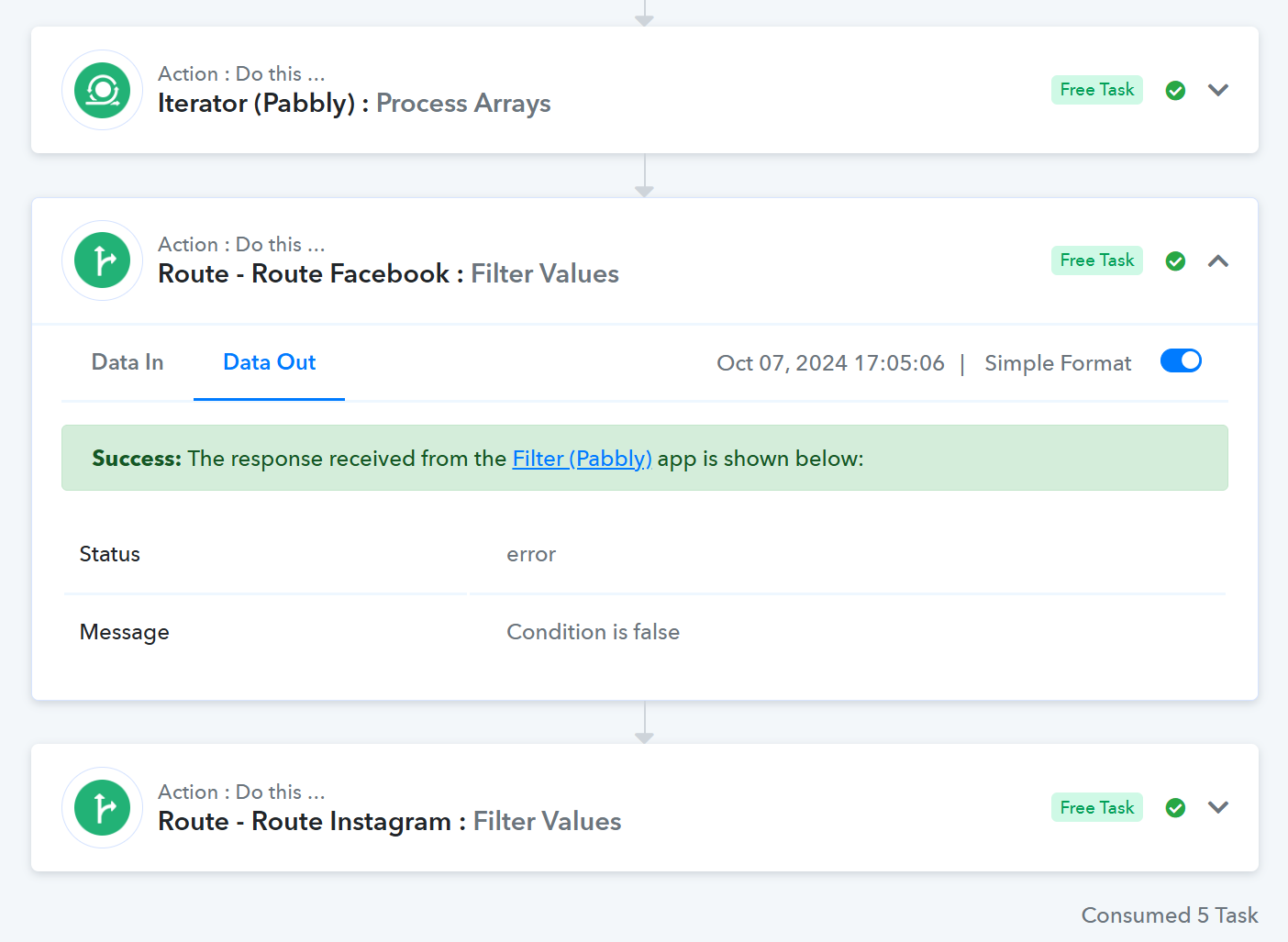
Instagram Route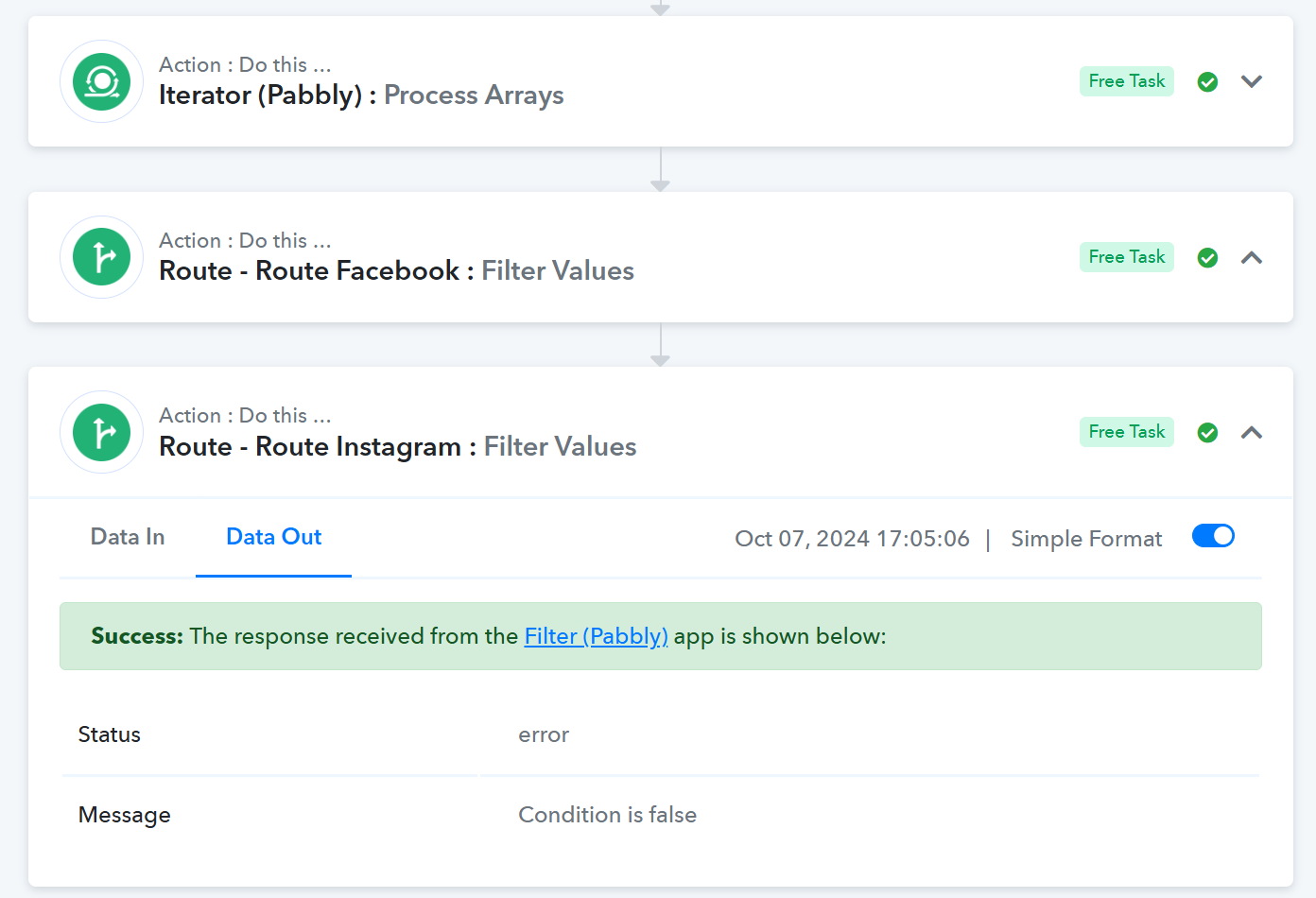
Testing route results for Facebook: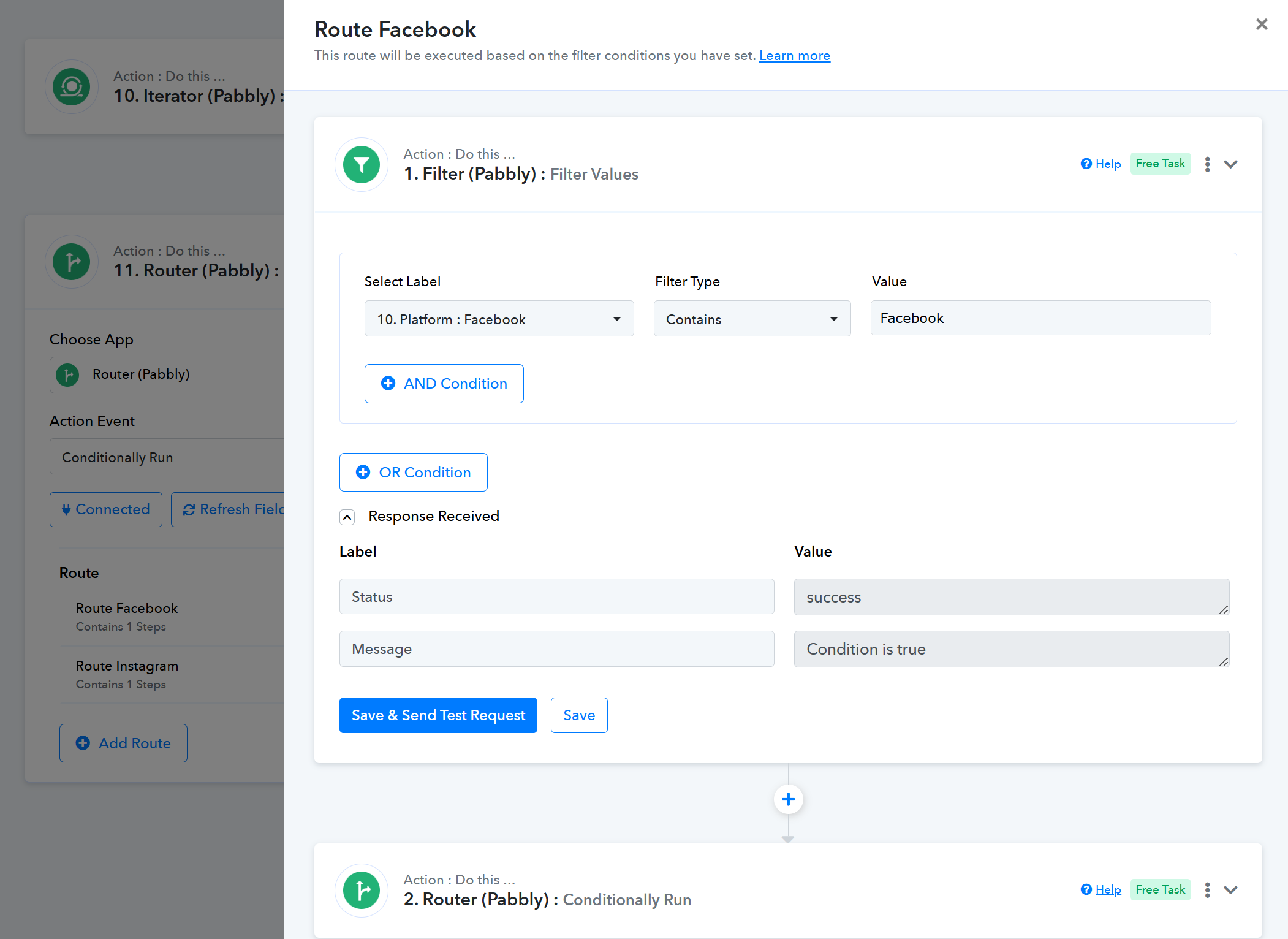
I appreciate all your help so far.
Hello @Sensum
As I have checked the response sent by the "OpenAI (ChatGPT, DALL-E, Whisper): List Message" isn't received in the format asit was getting received previously(seems some changes are made at their end). Please refer to the images attached for more info.
Previous response format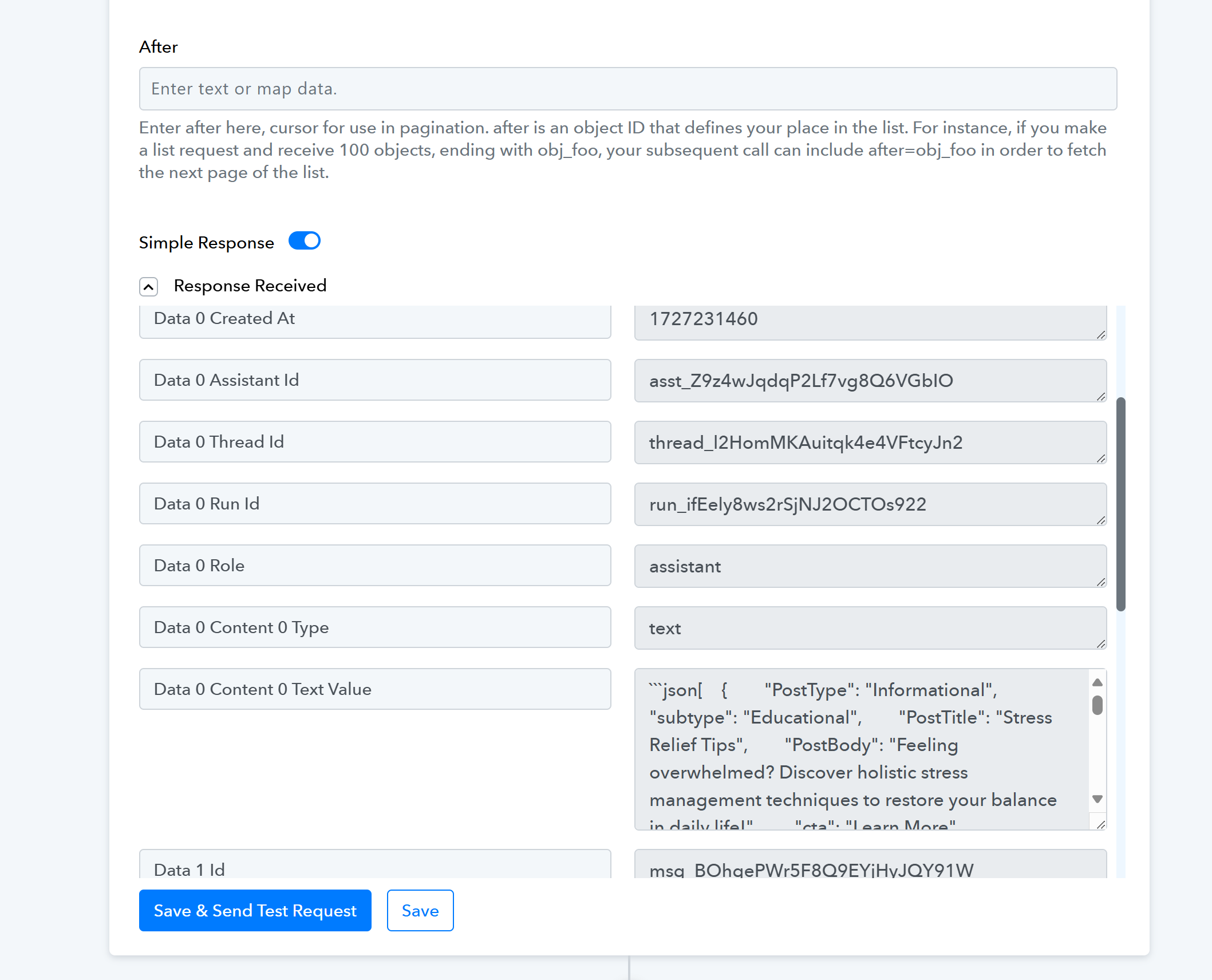
Response format as of now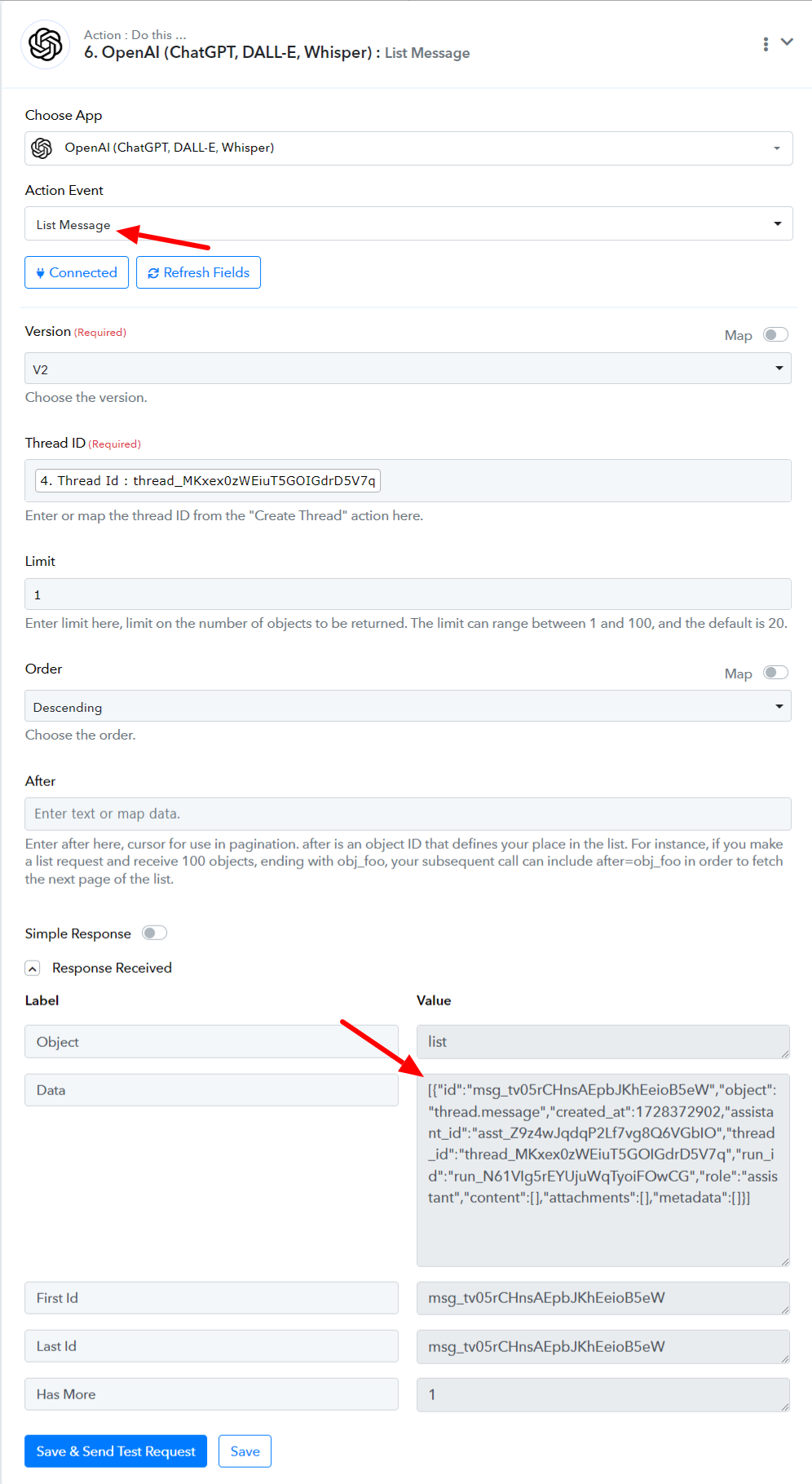
The issue you have faced might have caused because of this. I would recommend you clone this workflow and delete the 8,9, and 10 steps map the details from step 7 further, and let us know if you still face the same issue.