How to Get Pabbly to download the Facebook lead form fields
Status: Closed · Asked by Greg Milner on · 0 views
Pabbly is not downloading the fields in my Facebook lead form and send them as the email body.
Instead of this (from my Zapier zap):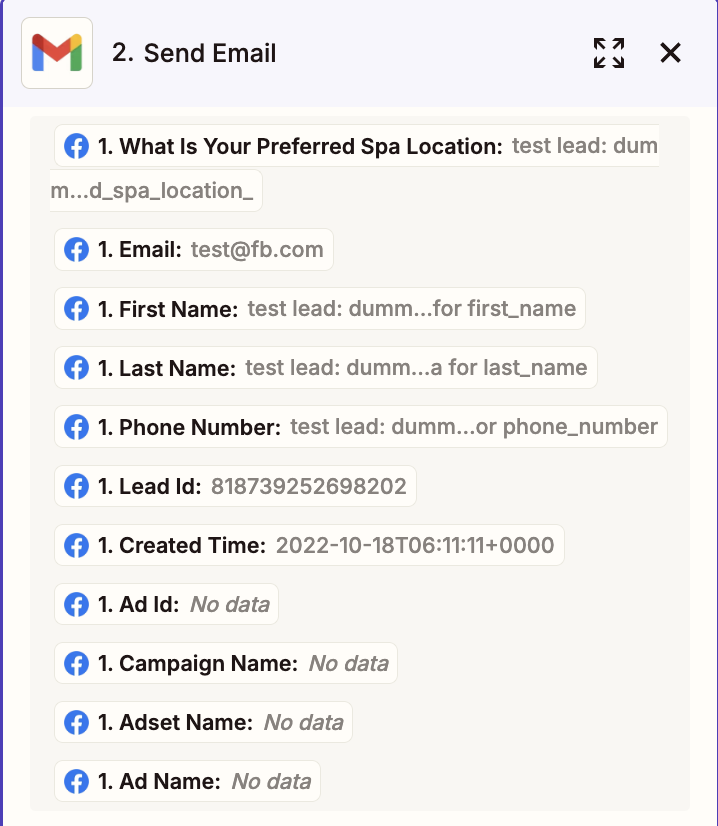
It has this:
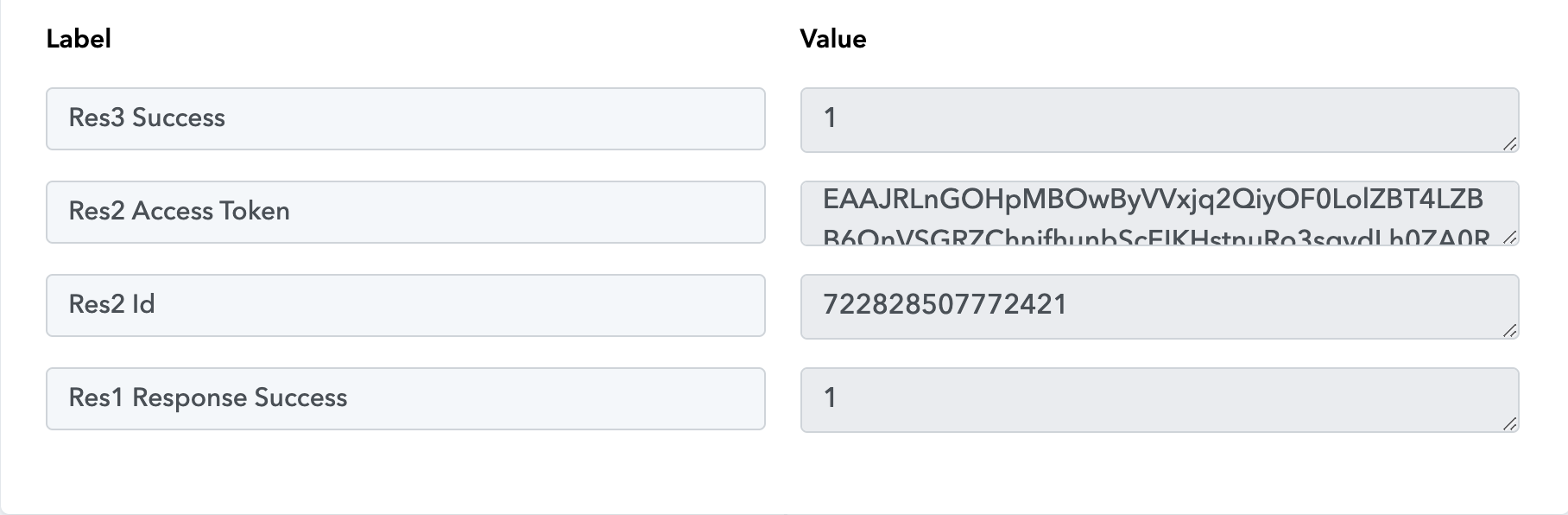
Please let me know how to fix this. I wanted to remove the Facebook connection and reconnect again but could not do so as it is "used in a workflow" even if I already deleted the workflow.
Thank you!
Hey @Greg M
We already have a video tutorial related to this on our YouTube Channel.
youtube.com/watch?v=aF0QxllqRNU
Kindly try it out and let us know if it works for you.
Hey @Greg MWe already have a video tutorial related to this on our YouTube Channel.
youtube.com/watch?v=aF0QxllqRNU
Kindly try it out and let us know if it works for you.
Hi!
Thank you so much for your response. I tried to do a preview form test submission but it failed maybe because our form was already active and has had several leads (we are using Zapier but want to move to Pabbly Connect). 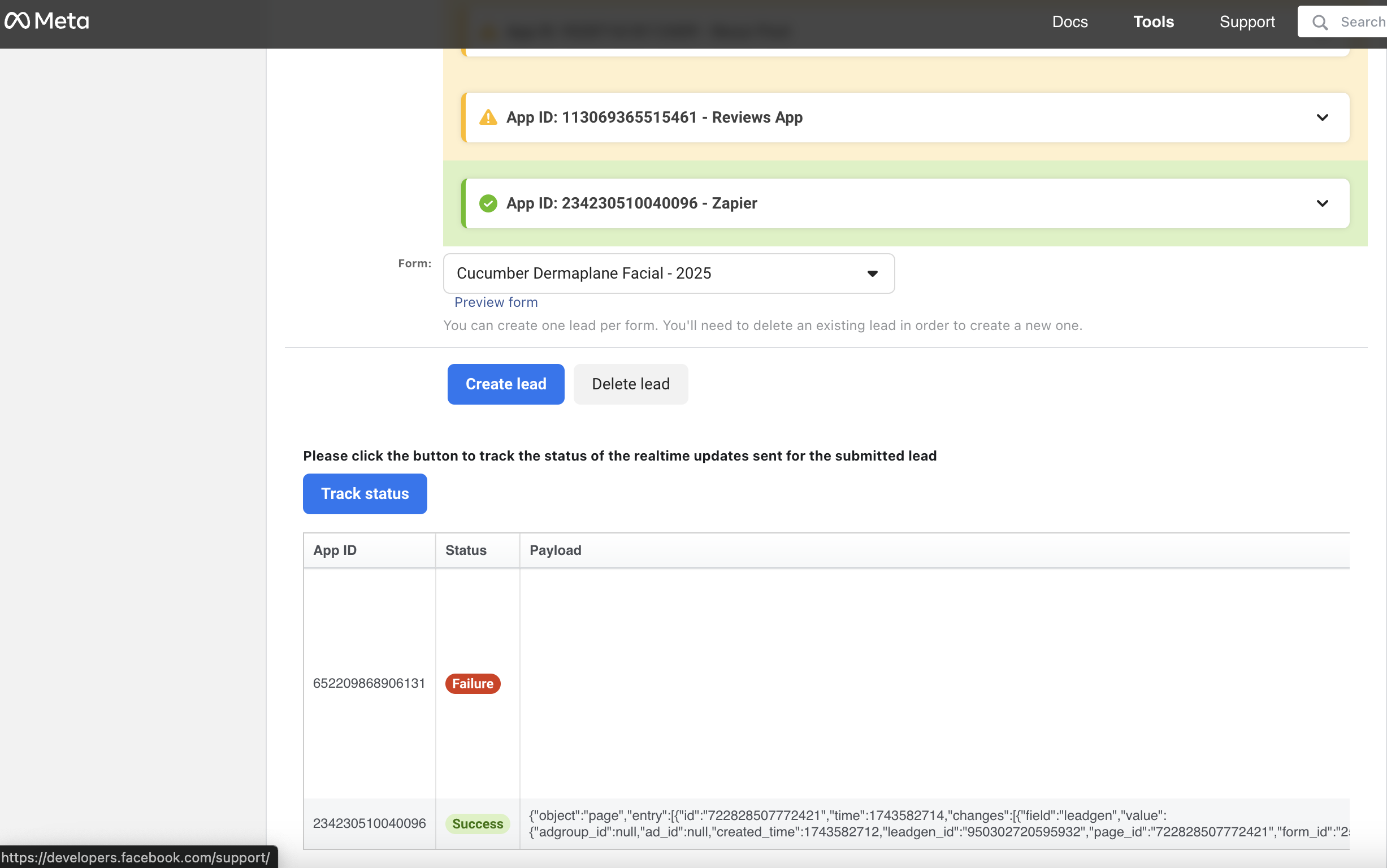
Can you advise on how to fix this? Thank you.
Hey @Greg M
Please delete the existing lead before sending a test lead. Additionally, record your screen while performing the process so we can review and identify any potential errors.