How to Integrate Delay and Iterator with Google Sheets, to send contacts eg interval 1 minute apart?
Status: Open · Asked by Office on · 0 views
Hi All,
How to integrate Delay and Iterator with Google Sheets, to send contacts eg interval 1 or 2 minute apart?
So if a Google Sheet has 30 contacts, each contact would be sent in turn, taking 30 mins or 1 hour to send all the contacts
Trigger can be either manual, or automatic when Google Sheet receives contacts,
I am concerned mainly with making this a slow, repetitive task, not fast.
Kindly advise
Thank you for your kind assistance, much appreciate
Hey @Office
As of now, Iterator and Delay action step is not preferable to use together, so you need to pass the data from your Google Sheets in a less frequent manner.
Hey @OfficeAs of now, Iterator and Delay action step is not preferable to use together, so you need to pass the data from your Google Sheets in a less frequent manner.
Hi, how would I do that? Is there way to say for example "send a row only every 30 seconds"?
Hey @smugo
Unfortunately,
You can have a minimum of 1 min as the delay. We don't support setting up delays in seconds.
Hey @smugoUnfortunately,
You can have a minimum of 1 min as the delay. We don't support setting up delays in seconds.
Ok then how do I set it to 1 min? I'm not talking about the delay feature, I'm talking about your own suggestion: "so you need to pass the data from your Google Sheets in a less frequent manner" ?
Hey @smugo
If you are trying to use the delay action step with the iterator action step then we would recommend you control the data flow from your Google Sheets itself less frequent manner.
Hey @smugoIf you are trying to use the delay action step with the iterator action step then we would recommend you control the data flow from your Google Sheets itself less frequent manner.
I'm not trying to do this. I'm asking for a way to send the data from GoogleSheets to Pabbly slower.
I'm not trying to do this. I'm asking for a way to send the data from GoogleSheets to Pabbly slower.
There is no other workaround available to pass the data from your Google Sheets to your desired workflow.
Hi,
I am also trying to do same think
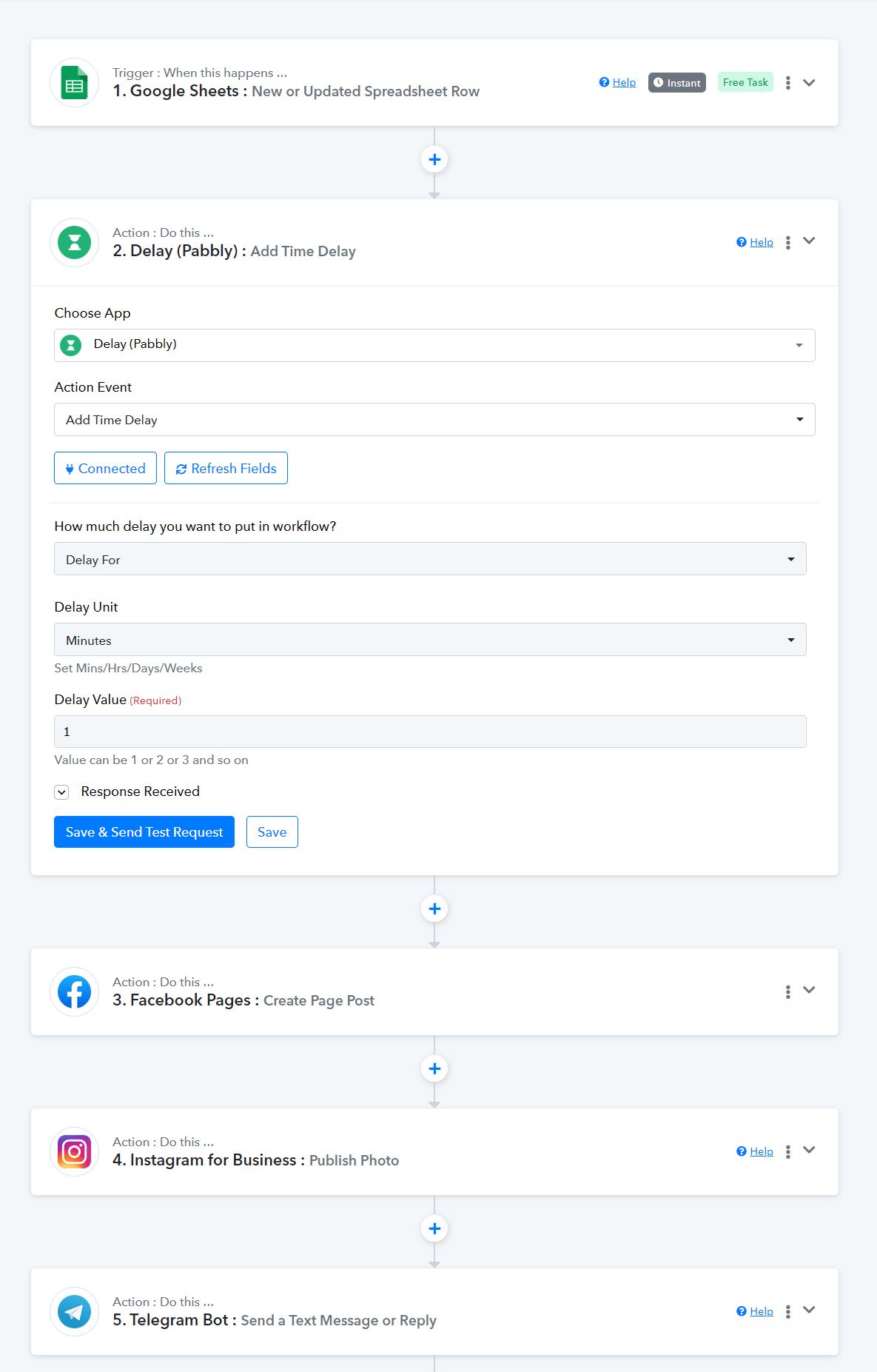
I have multiple columns in google sheet to do post on FB/IG/TG but I want to add delay between each post (5-10 min)
also when I am adding new data in google sheet, its not trigerring it .
If I am clicking Save & Send Test Request its only posting 1st lind in data
Attachments
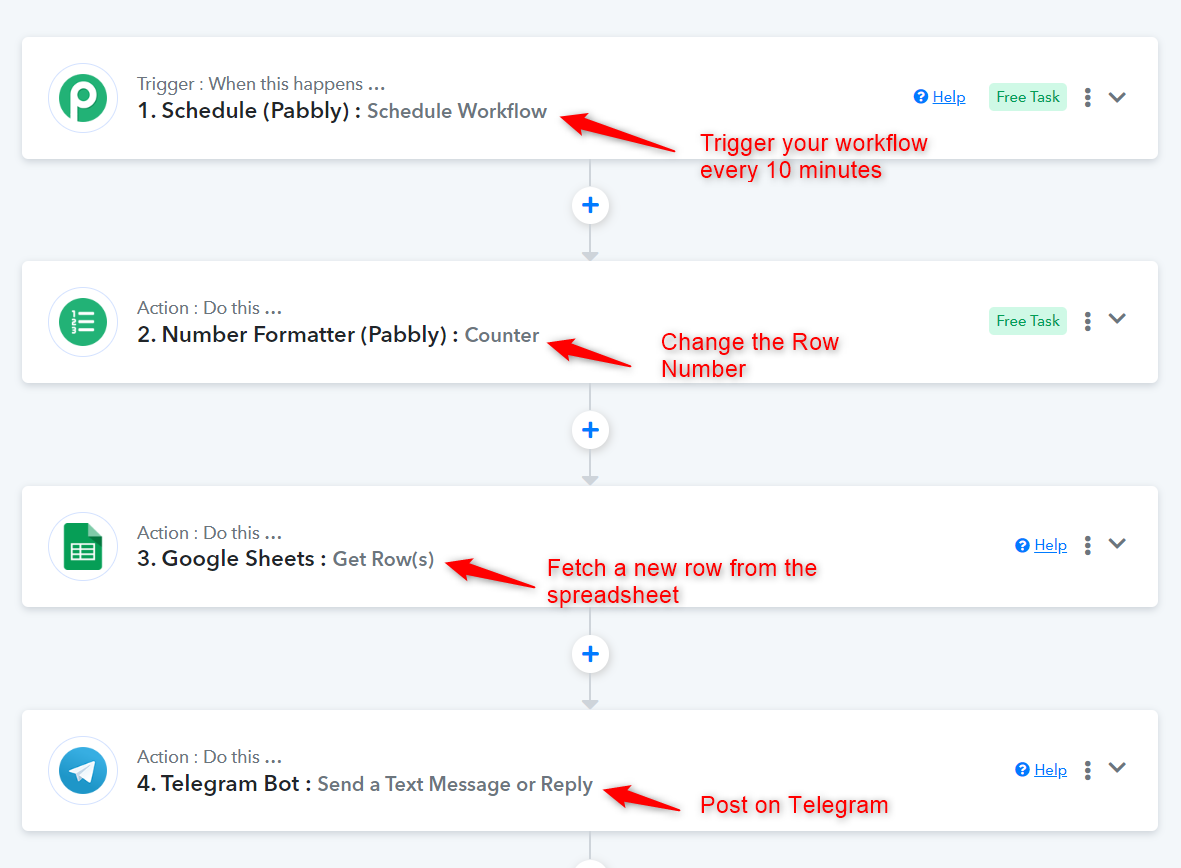
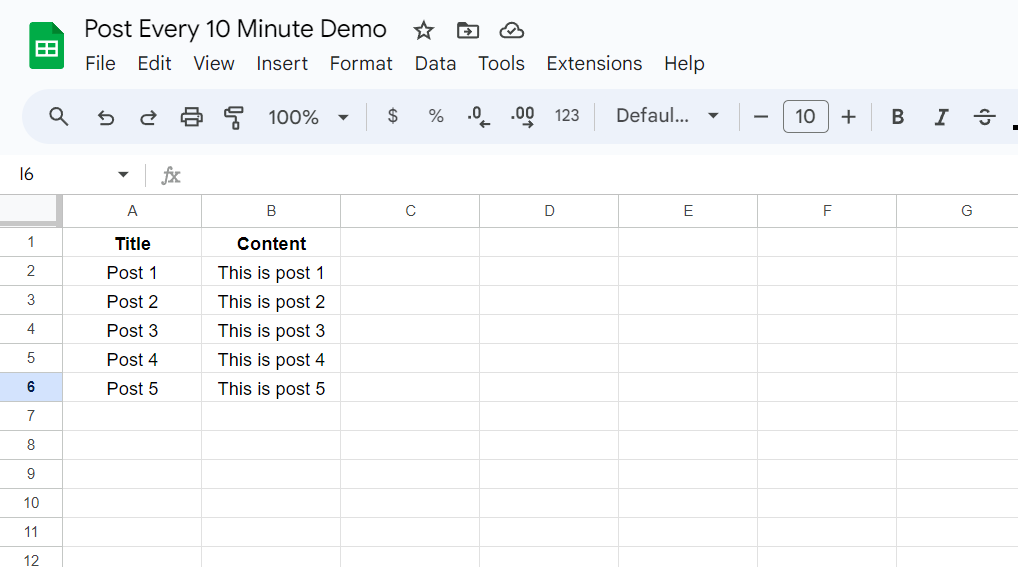
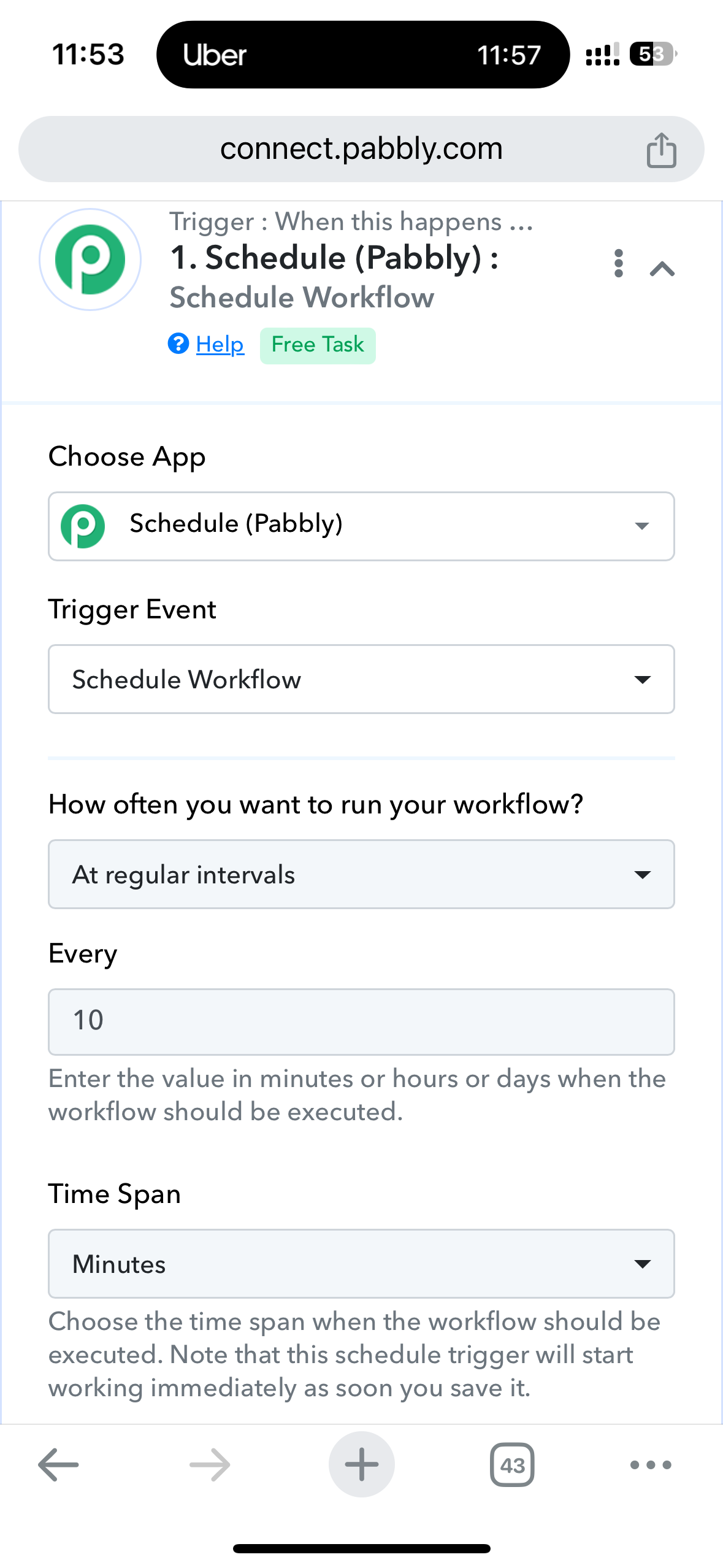
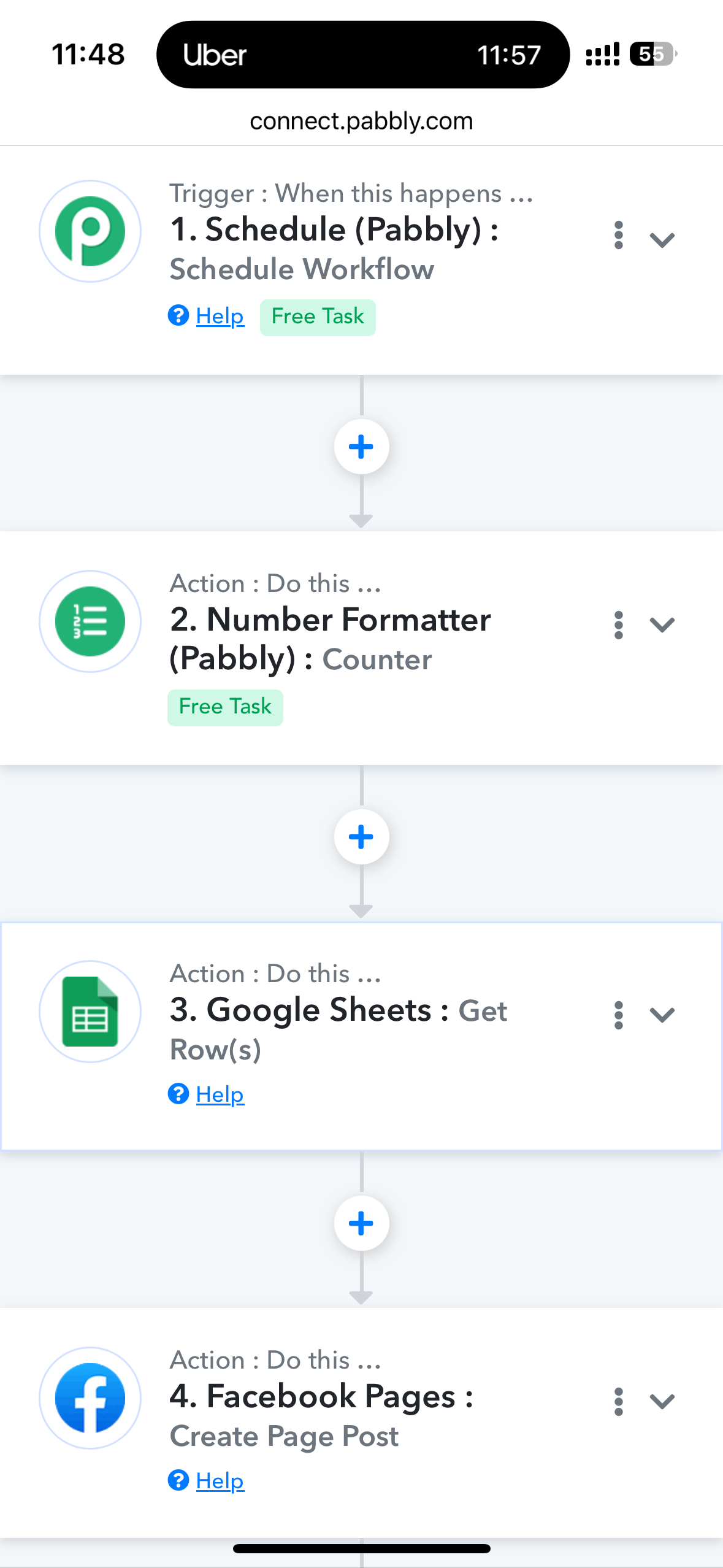
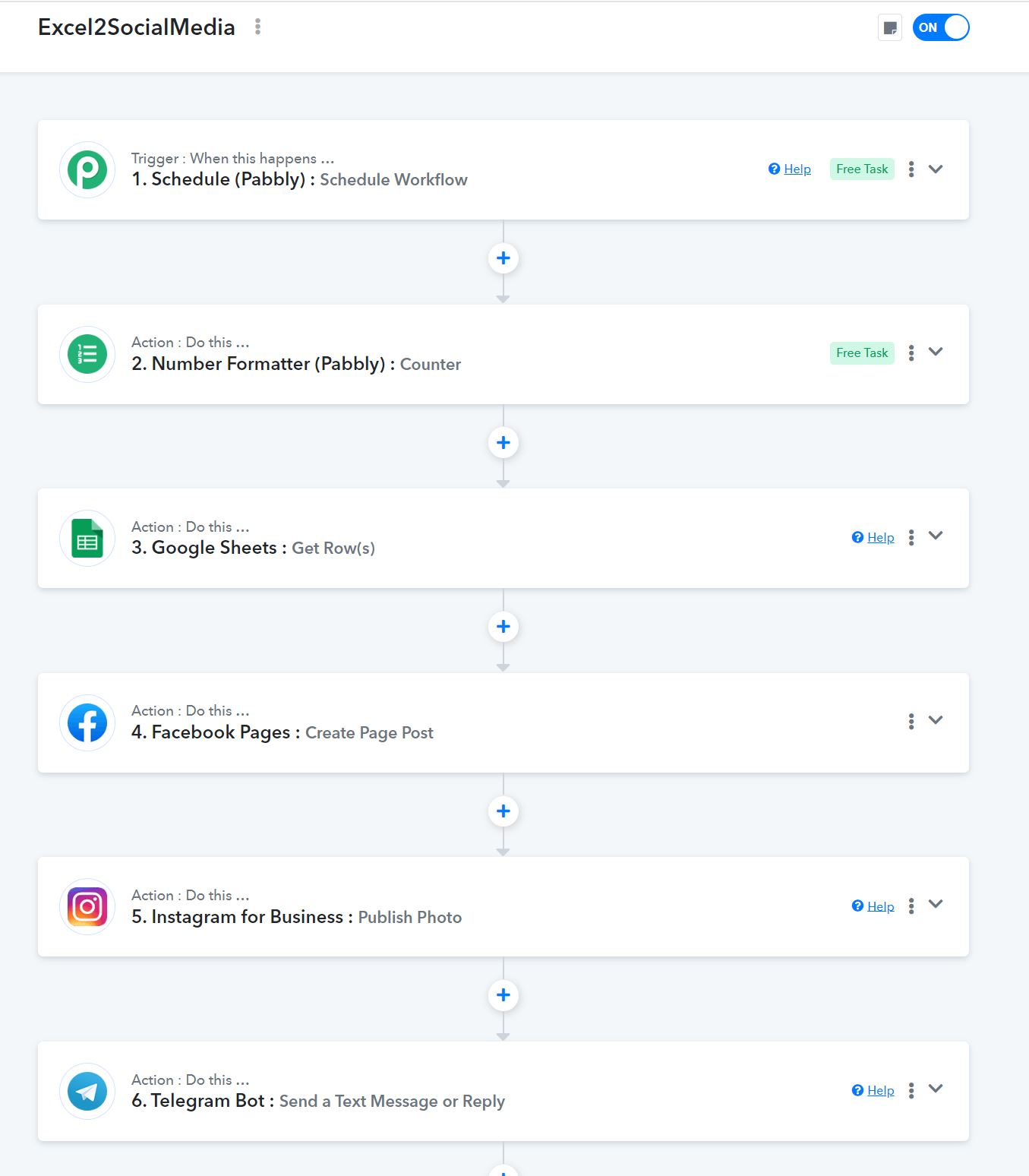
You can set up your workflow in this manner to make a post on Facebook, Instagram, and Telegram every 10 minutes. We have used Telegram as an example, but you need to add the other two applications as well.
You can control the webhook triggering speed by using something like Hookdeck in between as well -
You can set up your workflow in this manner to make a post on Facebook, Instagram, and Telegram every 10 minutes. We have used Telegram as an example, but you need to add the other two applications as well.
Hi
Thanks for reply
I tried it, but every time its posting only 1st line of google sheet after 10 min
I want it post next line in 10 min and so on
Attachments
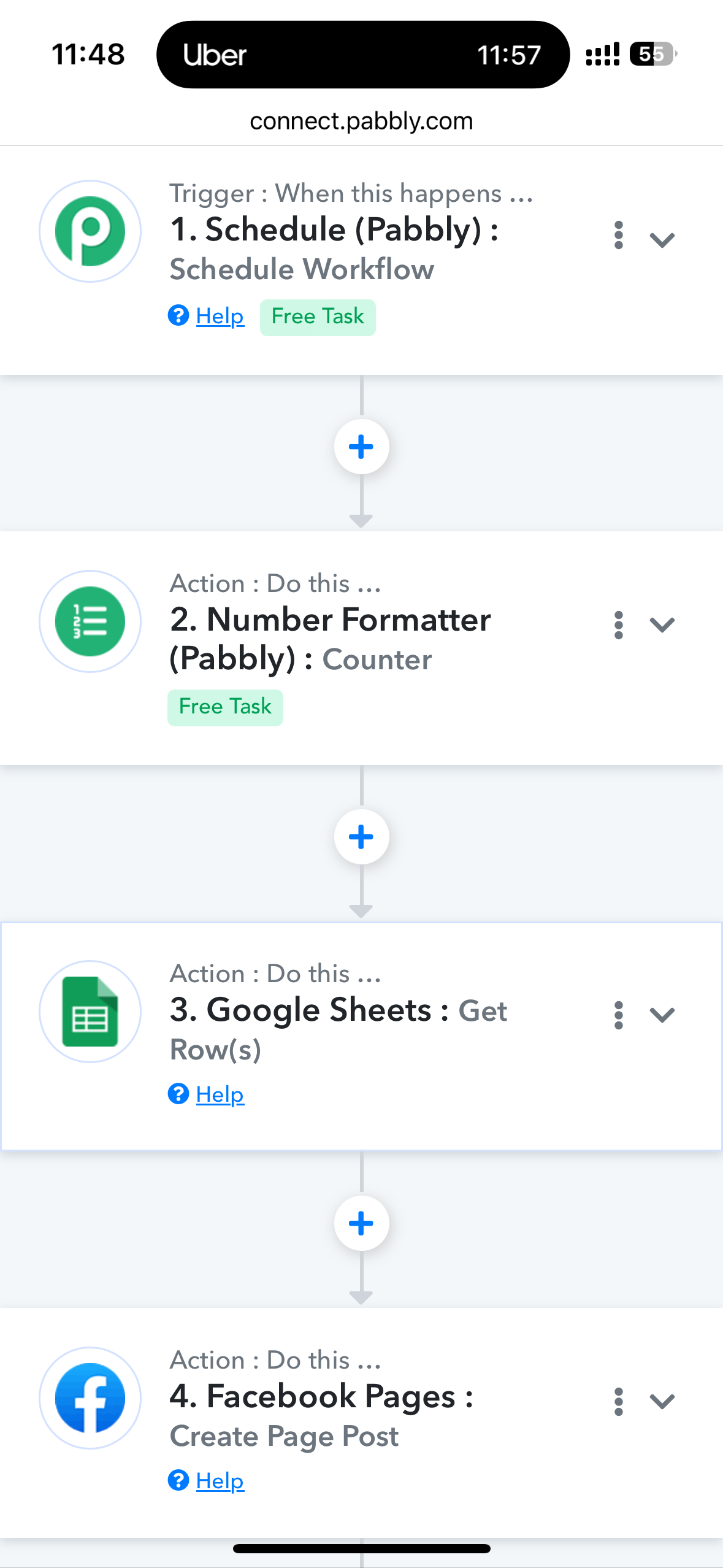
Here are more screenshots of flow
Attachments
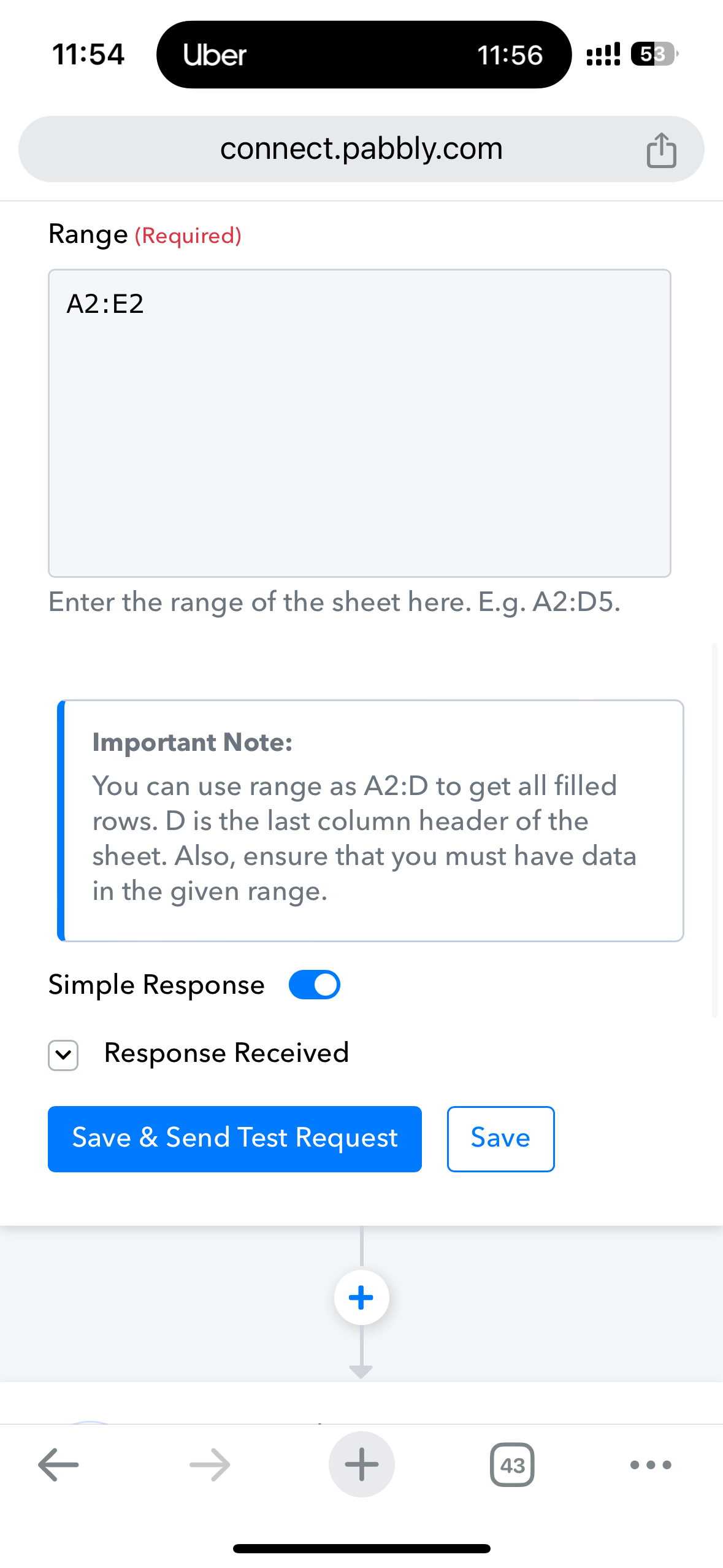
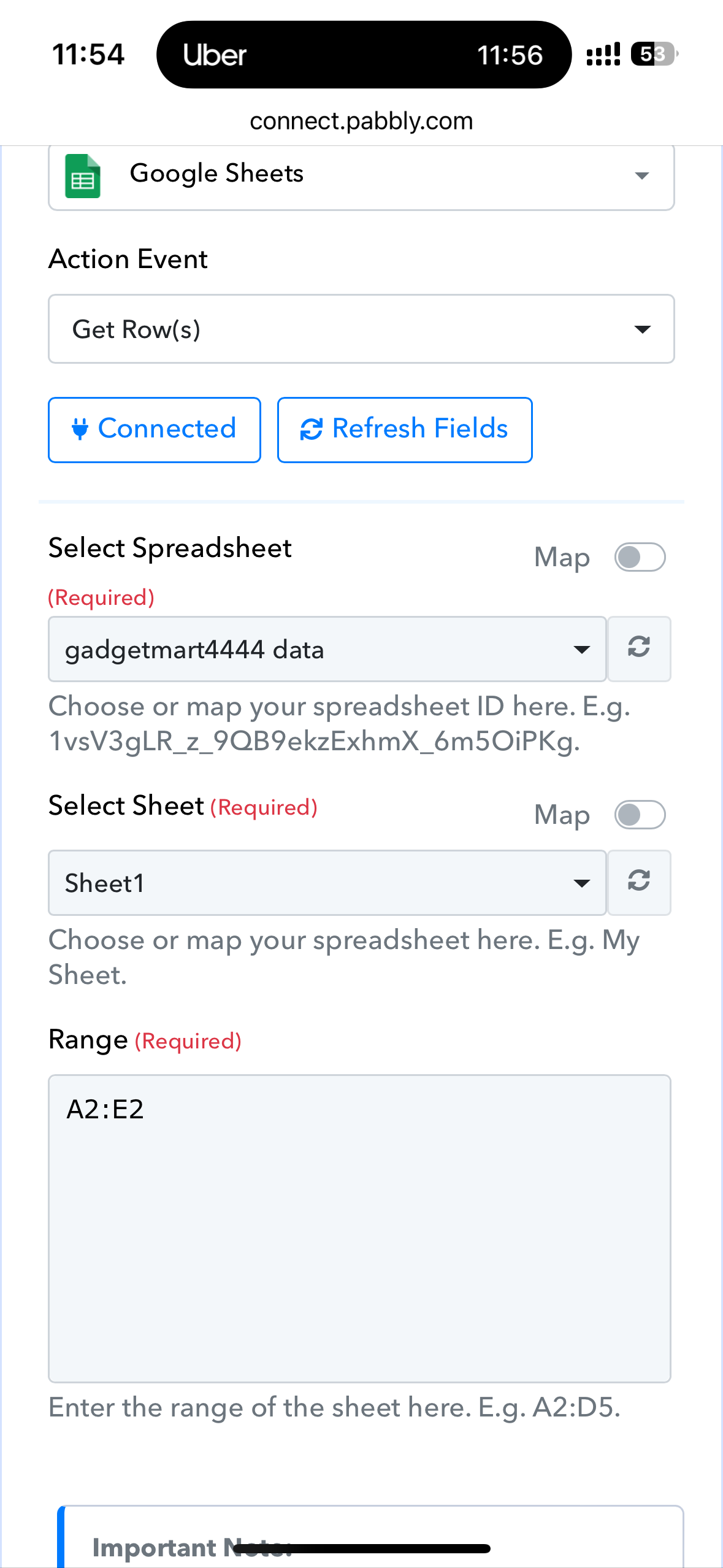
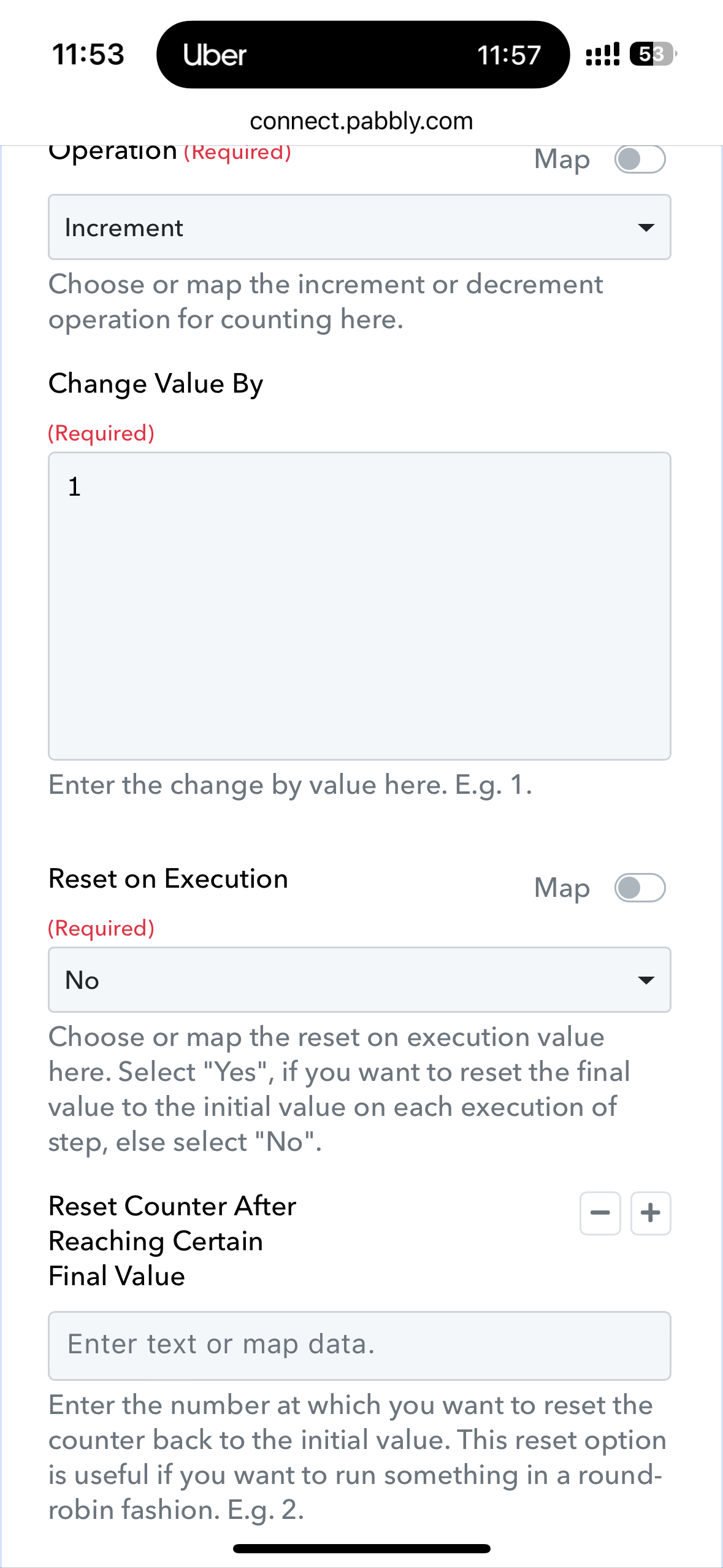
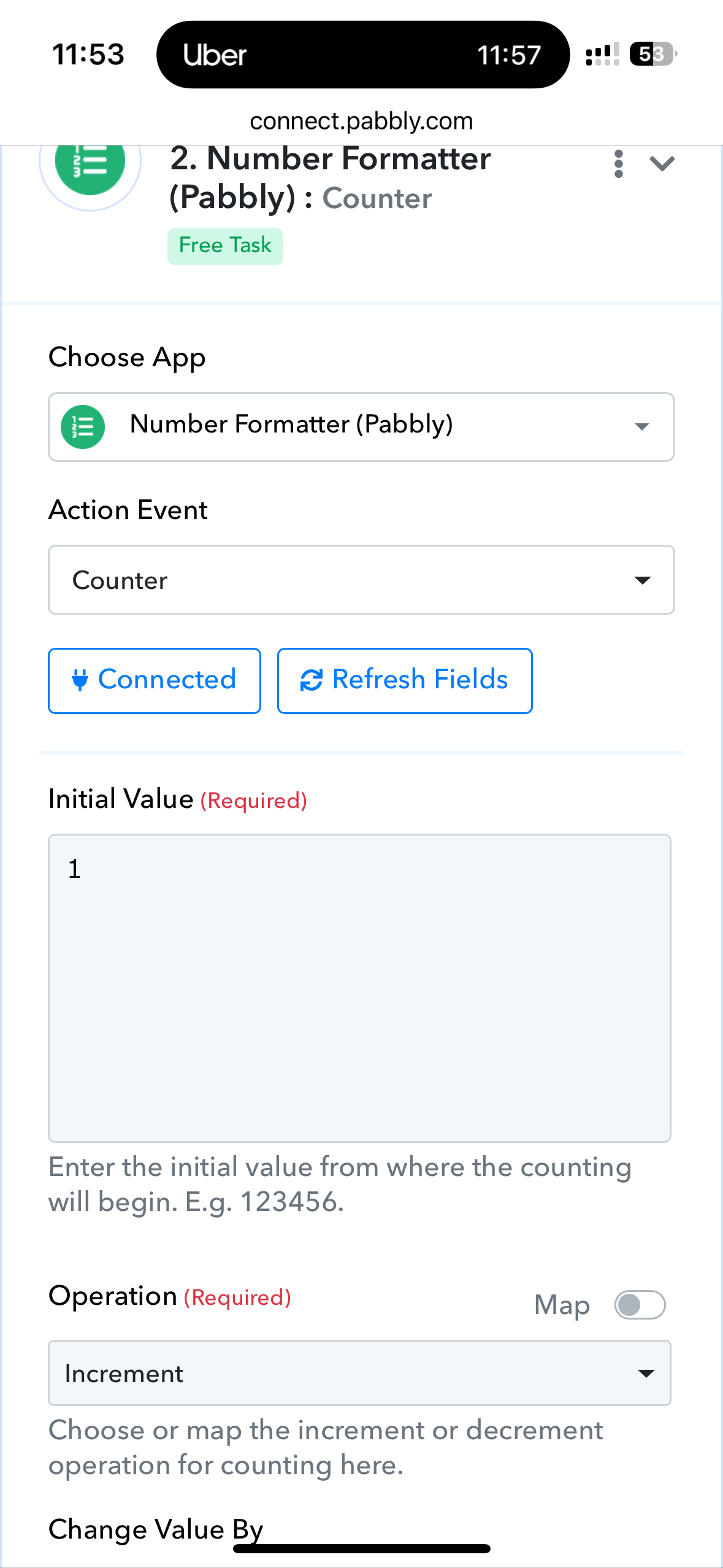
You can control the webhook triggering speed by using something like Hookdeck in between as well -
Hi
Thanks for sharing video, but guess my requiremnt is not covered in video
I dont have data more then 426 etc,
suppose I have 40 items from amazon (link, MRP, PRice etc)
and I want to post those 40 row to my social media account (TG, FB. IG)
but I dont want to push all of them in single shot
I want to push one by one and time difference between 2 post is 10 min, so it will not look like spam to user
I hope pabbly team or other can provde me solution, I m very new in this automation thing
Thanks
Hi
Thanks for sharing video, but guess my requiremnt is not covered in video
I dont have data more then 426 etc,
suppose I have 40 items from amazon (link, MRP, PRice etc)
and I want to post those 40 row to my social media account (TG, FB. IG)
but I dont want to push all of them in single shot
I want to push one by one and time difference between 2 post is 10 min, so it will not look like spam to userI hope pabbly team or other can provde me solution, I m very new in this automation thing
Thanks
If you don't get an answer from pabbly connect team and looking to hire somebody to solve this for you then feel free to send a DM on fb. Link is below.
Hi
Thanks for replyI tried it, but every time its posting only 1st line of google sheet after 10 min
I want it post next line in 10 min and so on
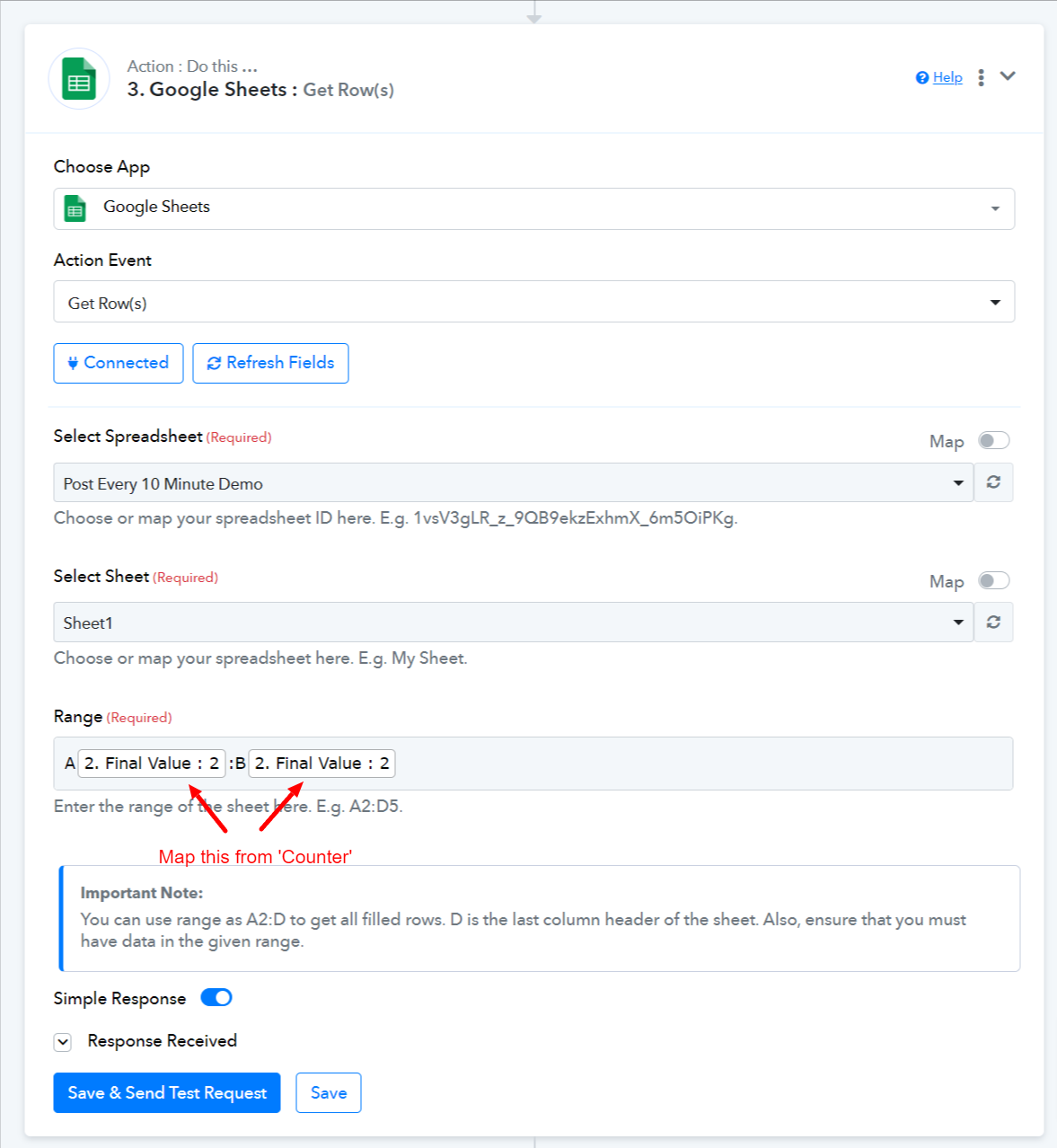
Based on your screenshots, we can see that you haven't mapped the Final Value from the 'Counter' to the 'Get Row(s)' action step. Because of this, the row in the 'Get Row(s)' action step doesn't change, and only the first line is being posted repeatedly. You need to map it in this manner.
Please check the workflow we have shared again..
https://connect.pabbly.com/workflow/share/DEQENgNUBWZQGlc9Al1XcAAUBwNUDQJgABlWRAQLBn4DTQN4VBUIYloWUjhUBwBhXxYDaVMPAzsNGQAEBlADcFFLUm4EBwV_VBkIc1QdATIMUgQsA2I#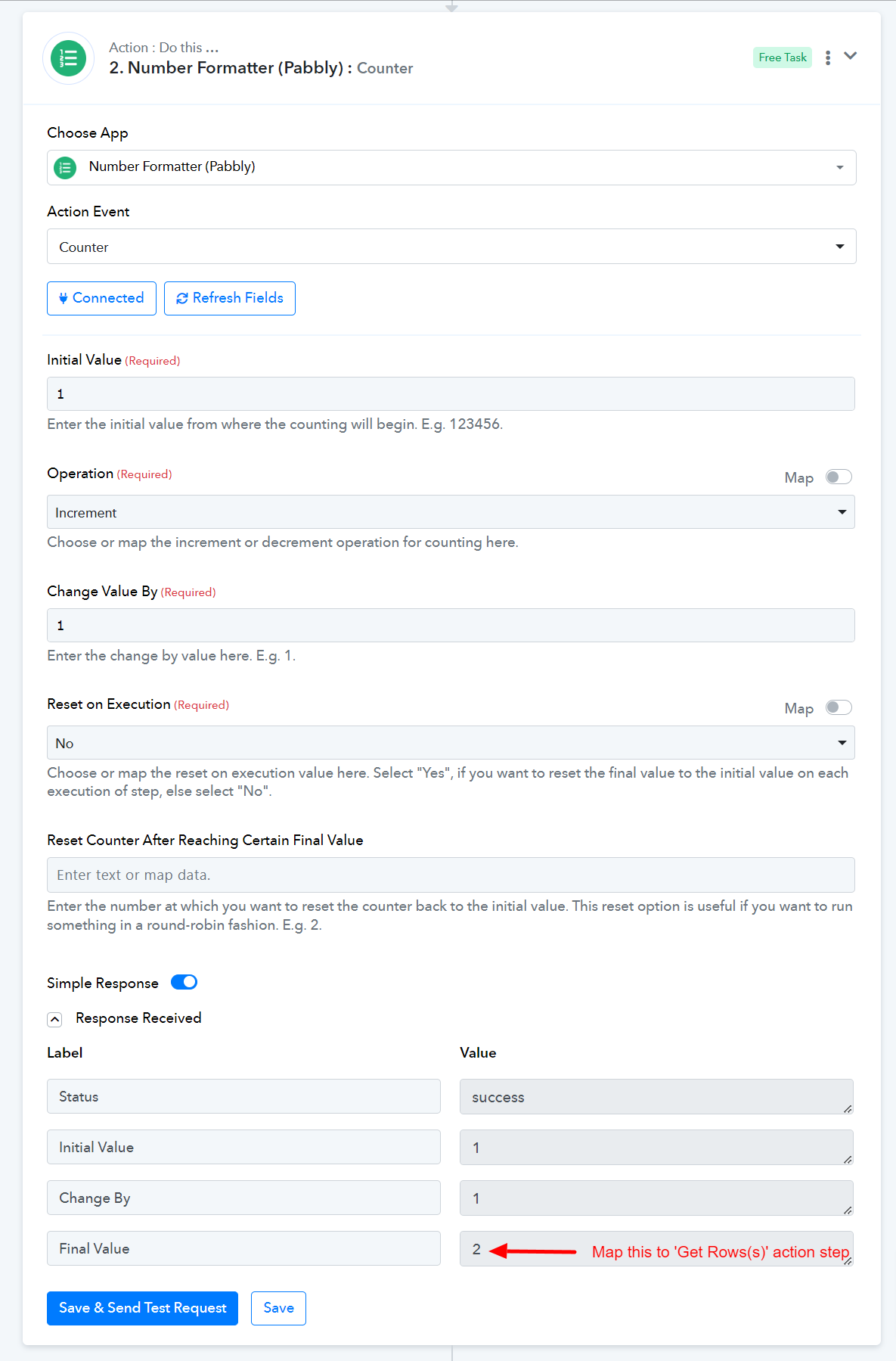
Thanks Arsil,
Its working now and sending next line in given time inverval
but have another problem now,
I had 10 row data in google sheet, it processed all 10 row but after that
in every min it started consuming 5 tasks, even its not posting any thing
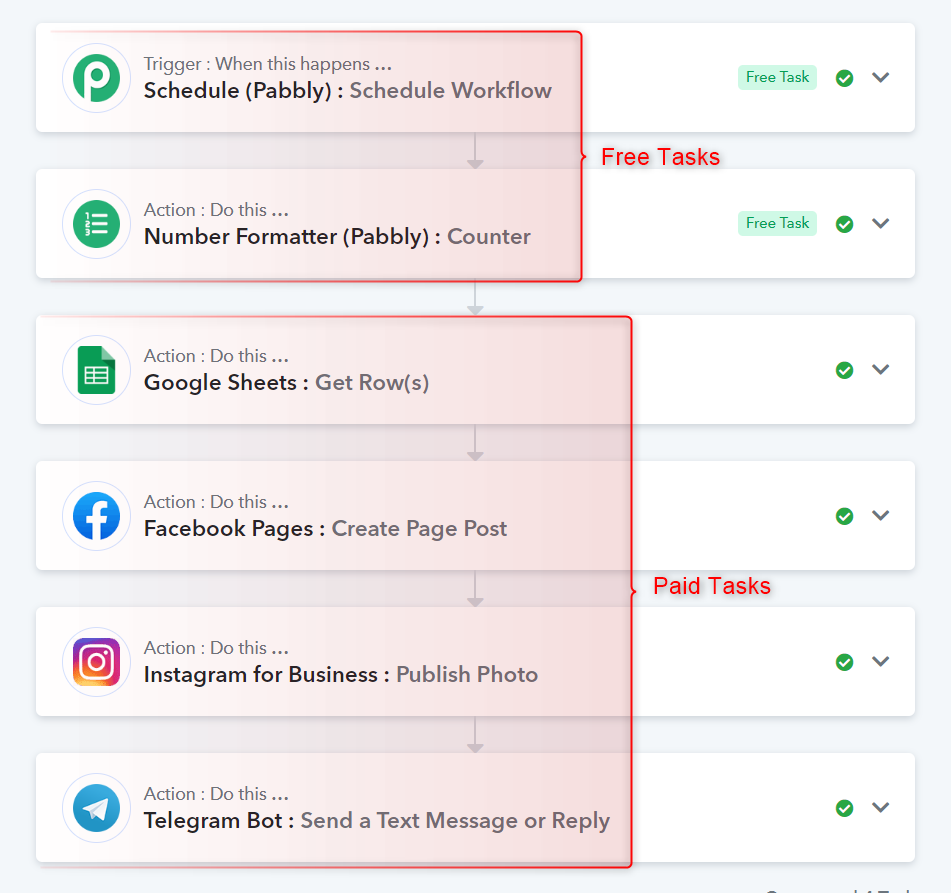
also why its taking 5 tasks ?? I should be 4 ( 1-excel 3-social media) ?
Attachments
This workflow will consume a total of 6 tasks: 2 free tasks and 4 paid tasks.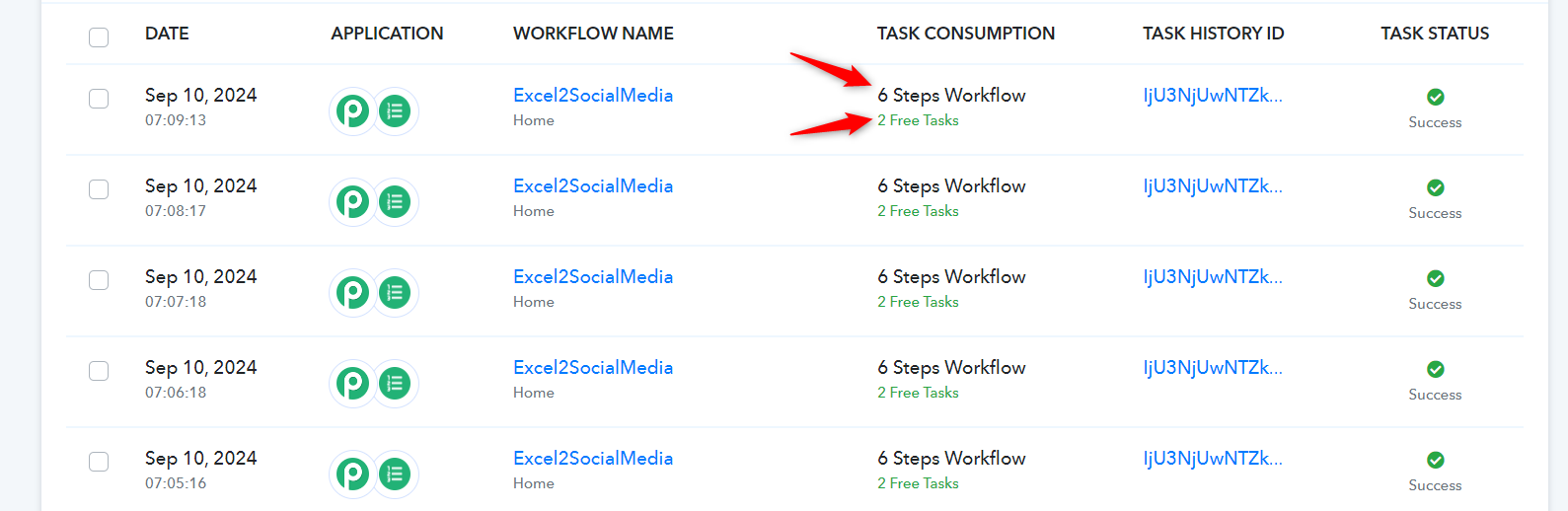
Thanks Arsil,
Its working now and sending next line in given time invervalbut have another problem now,
I had 10 row data in google sheet, it processed all 10 row but after that
in every min it started consuming 5 tasks, even its not posting any thing
Yes, you need to make sure that you disable your workflow once all the rows have been posted.
This workflow will consume a total of 6 tasks: 2 free tasks and 4 paid tasks.
Yes, you need to make sure that you disable your workflow once all the rows have been posted.
Hi Arshil,
Do you think it is a fesiable solution ??
In this solution I have two things
1. Keep wasting my tasks if I forget to disable
2. keep tracking of task execution and if it stop at midnight then wake up and check and disable
can we really consider it a solution ??
Hi Arshil,Do you think it is a fesiable solution
In this solution I have two things
1. Keep wasting my tasks if I forget to disable
2. keep tracking of task execution and if it stop at midnight then wake up and check and disablecan we really consider it a solution
Hello @gadgetmart4444 ,
after 3 step use router in first condition put if data exists then go through with workflow and in second condition put if data doesn't exists disable your workflow from pabbly connect manager. Use below screenshot for reference
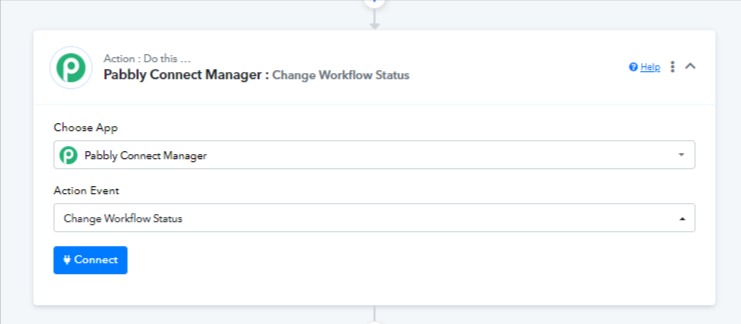
If you are still not able to solve this on your own feel free to DM me and we can do a free zoom call. FYI I'm not from Pabbly Connect team, just a freelancer who helps other Pabbly users.
Contact me - https://www.facebook.com/himeshsoni07
Email - [EMAIL][email hidden][/EMAIL]
Hi Himesh,
Thanks for your kind support and Help
I am unable to add router after 3rd step (Google Sheet) and getting below error
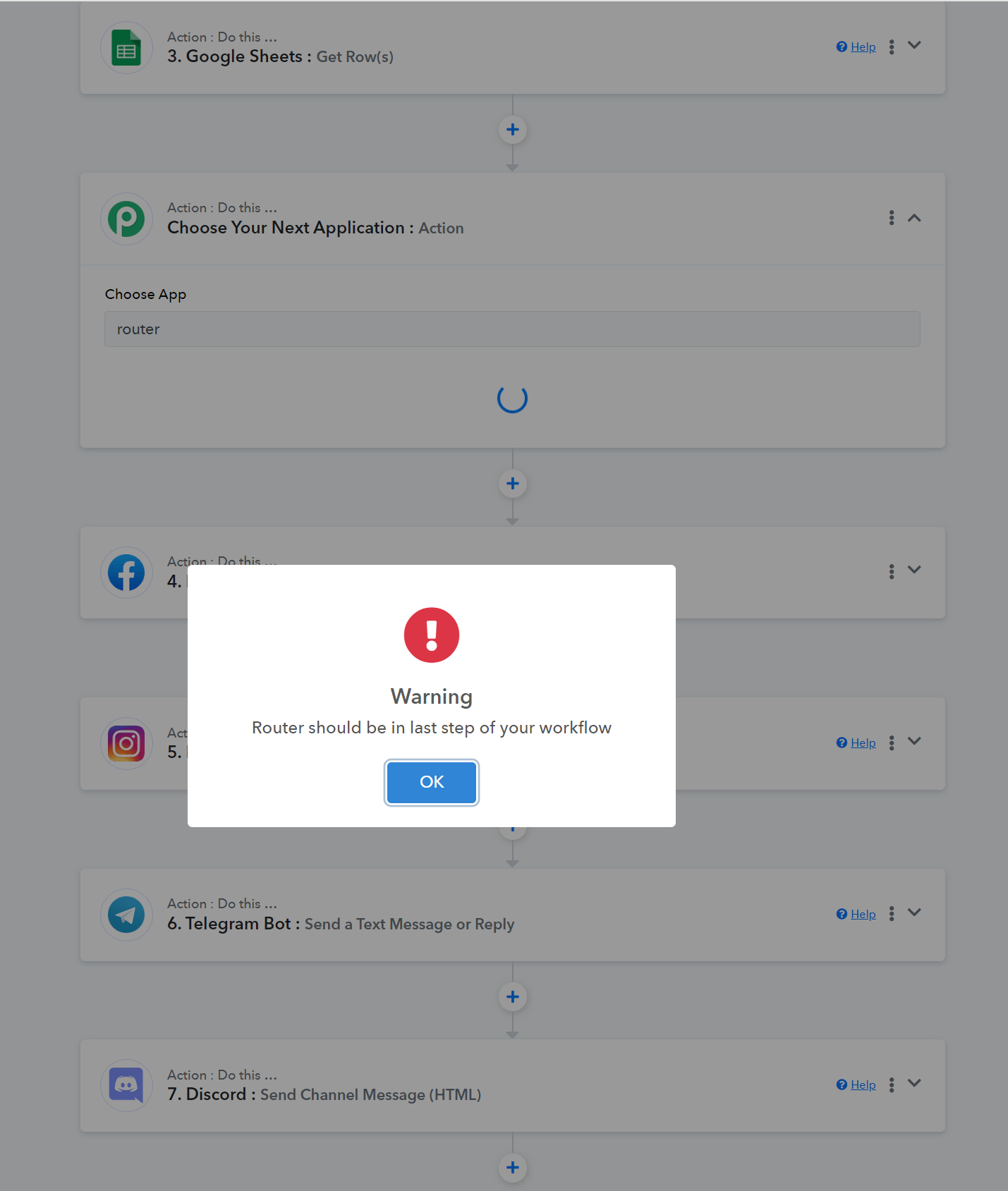
Hi Himesh,
Thanks for your kind support and HelpI am unable to add router after 3rd step (Google Sheet) and getting below error
You should add router in the last step and copy from step 4-7 in existing condition and after copy remove it from 4-7 step. And in not exist condition turn off the workflow.
Contact me - https://www.facebook.com/himeshsoni07
Email - [EMAIL][email hidden][/EMAIL]
Hi Himesh,
It seems when we add router at last, it will not allow to add any further task after that, so no + sysbol as well as no paste option available
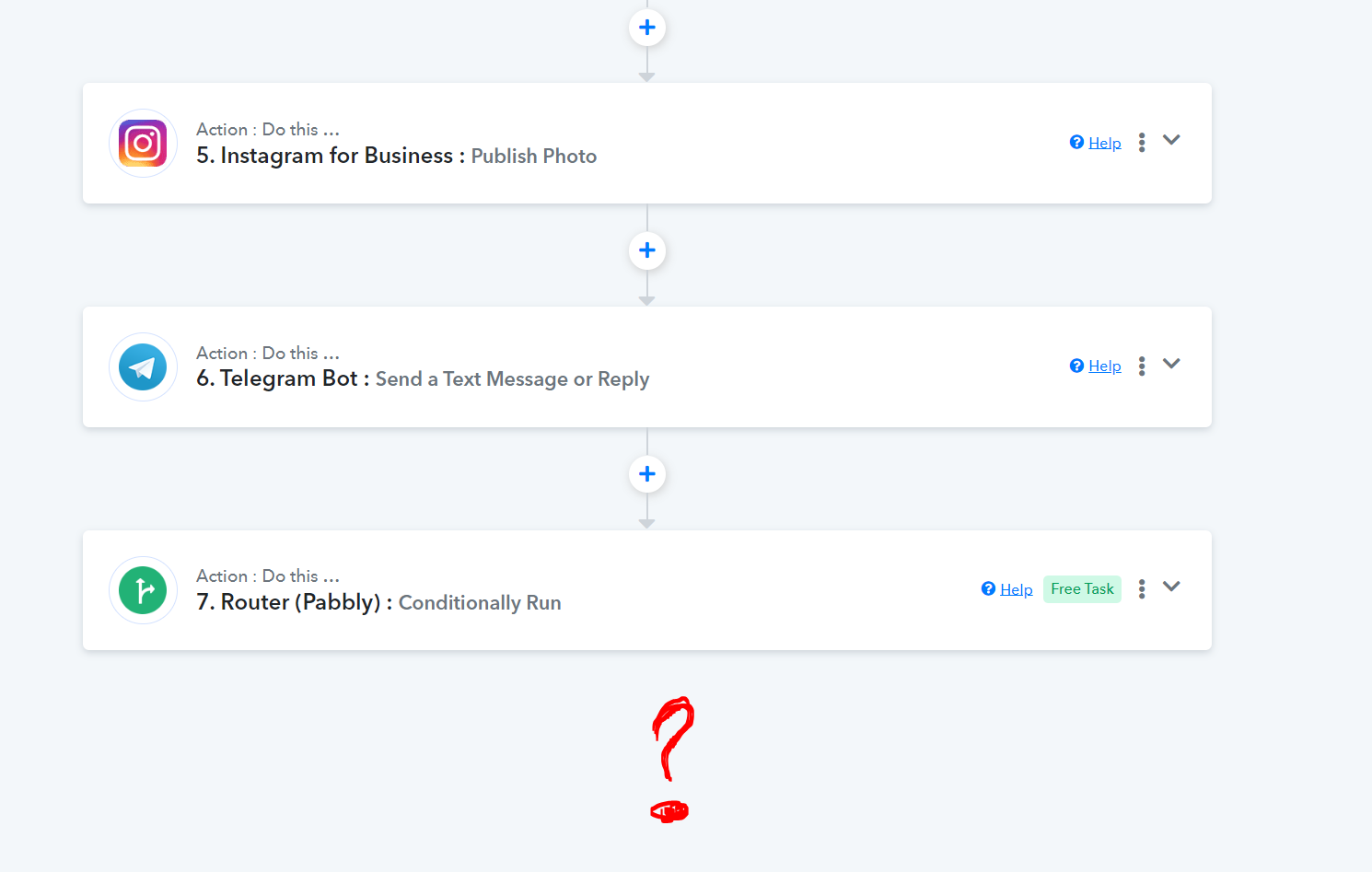
Open the router step. And you'll find there you'll find how to add the condition.. Refer below video for How to Use router
youtube.com/watch v=6XDASZVv3tw
Contact me - https://www.facebook.com/himeshsoni07
Email - [EMAIL][email hidden][/EMAIL]
Hi Himesh,
Thansk for helping me to understand router, I have done setup accordingly and here is conclusion
Time Inverval set in Schedule = 1
Google sheet data rows = 10
1. It run perfectly in first glance till 10th Row
2. Then it stops and not send any post and executing router which is NO_DAT
3. but will eat 1 Task after every time interval I have set in schedule ( in my case it set to 1)
4. after 10 min it will eat 10 tasks
5. But problem is, Number formatter is still running and increasing counter by 1 in every min
6. after 10 min counter is = 20
7. but user will past date manually or script will insert data on row 11 not on 21
8. So if data appended data have only 5-6 rows, they are still not going to execute
your help is appriciated
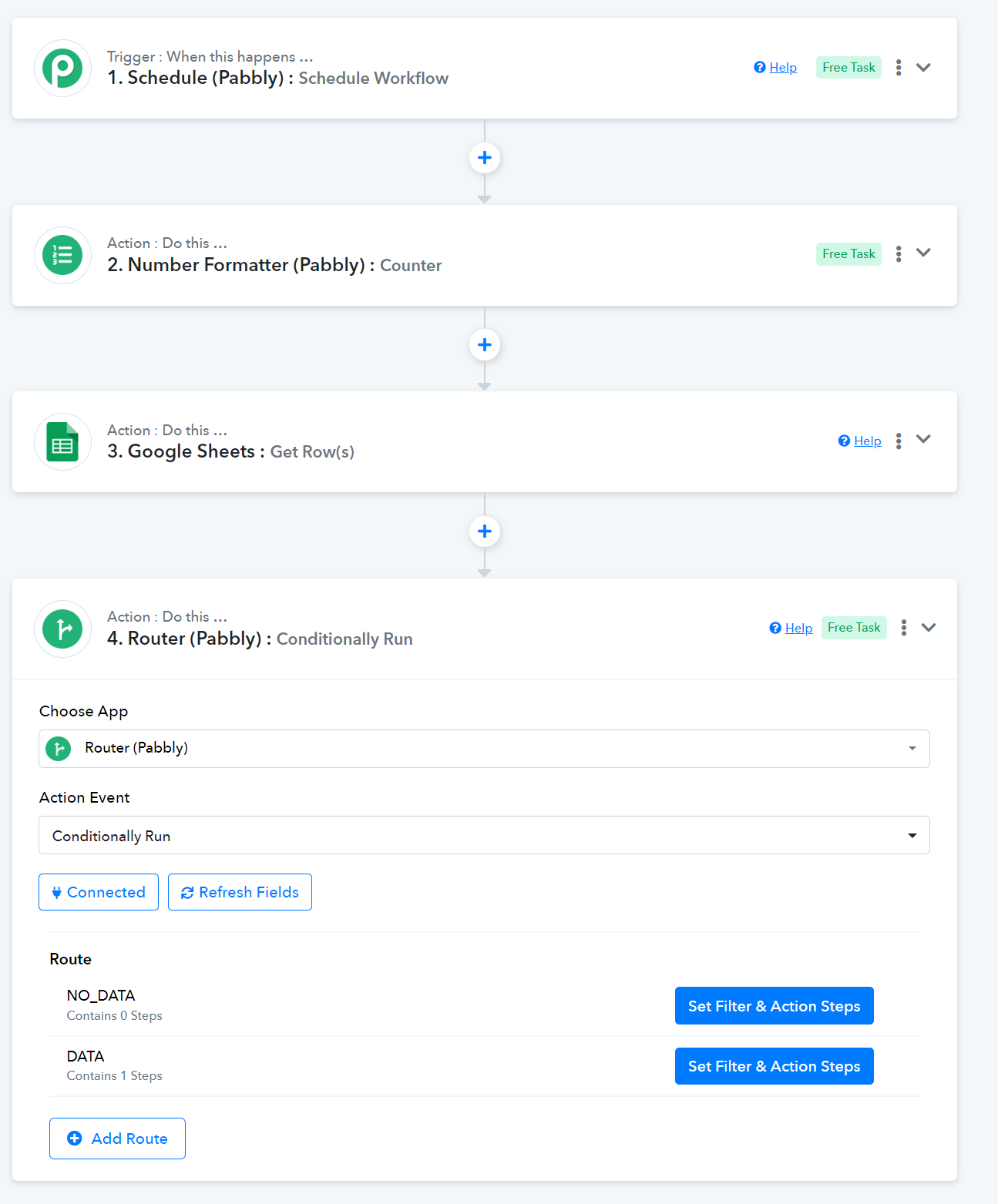
Hi Himesh,
Thansk for helping me to understand router, I have done setup accordingly and here is conclusionTime Inverval set in Schedule = 1
Google sheet data rows = 101. It run perfectly in first glance till 10th Row
2. Then it stops and not send any post and executing router which is NO_DAT
3. but will eat 1 Task after every time interval I have set in schedule ( in my case it set to 1)
4. after 10 min it will eat 10 tasks
5. But problem is, Number formatter is still running and increasing counter by 1 in every min
6. after 10 min counter is = 20
7. but user will past date manually or script will insert data on row 11 not on 21
8. So if data appended data have only 5-6 rows, they are still not going to executeyour help is appriciated
Can you please dm me as I'm unable to understand why you are using counter and all
Contact me - https://www.facebook.com/himeshsoni07
Email - [EMAIL][email hidden][/EMAIL]