How To Integrate Pabbly Connect with GoHighLevel and ChatGPT
Status: Open · Asked by Scott Lambert on · 0 views
I am currently using a SMS chat setup that involves GoHighLevel, Zapier, and ChatGPT. I am in the process of replacing Zapier with Pabbly Connect and have encountered an issue.
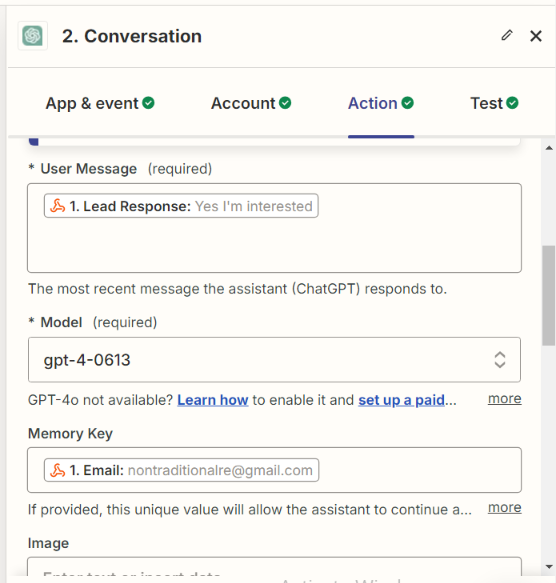
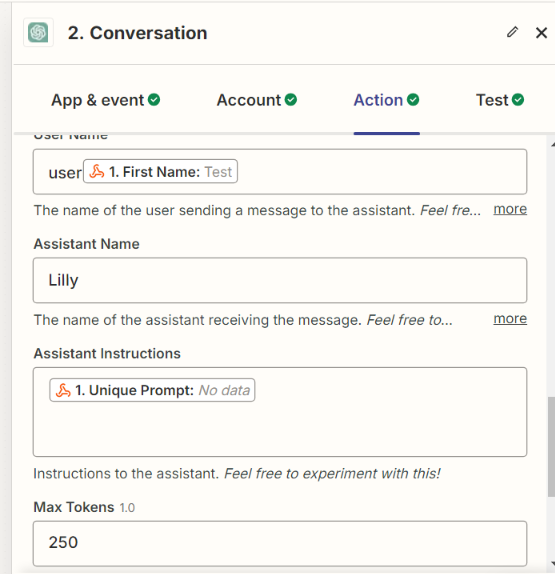
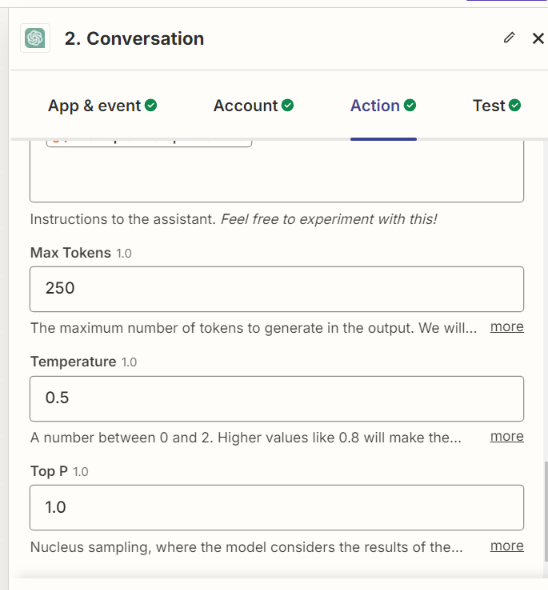
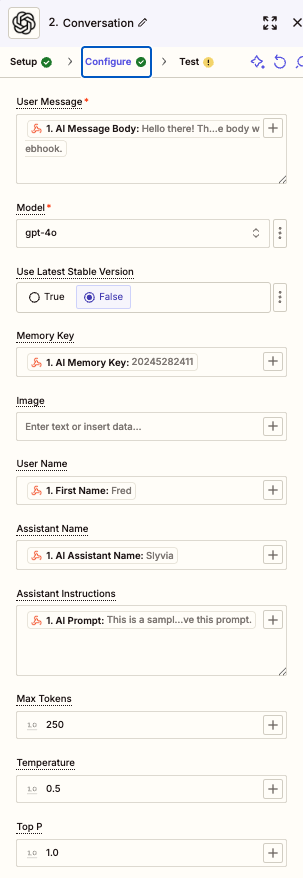
Specifically, I am using the Webhook by Pabbly app to connect to GoHighLevel. Following that, I need to set up either the ChatGPT app or the OpenAI app. However, I am unable to find the necessary fields in Pabbly Connect that I used in Zapier, which are critical for my bot's functionality:
- User Message
- Memory Key
- Assistant Name
- Assistant Instructions
I have attached images of the fields as they appear in my Zapier workflow for reference. Can you please provide guidance on how to locate or set up these fields in Pabbly Connect, or suggest an alternative solution?
If the fields are named differently please provide the correct naming convention.
Thank you for your assistance.
Hi @Trebmals,
Please allow me some time to discuss this with my team. We will get back to you with an update soon.
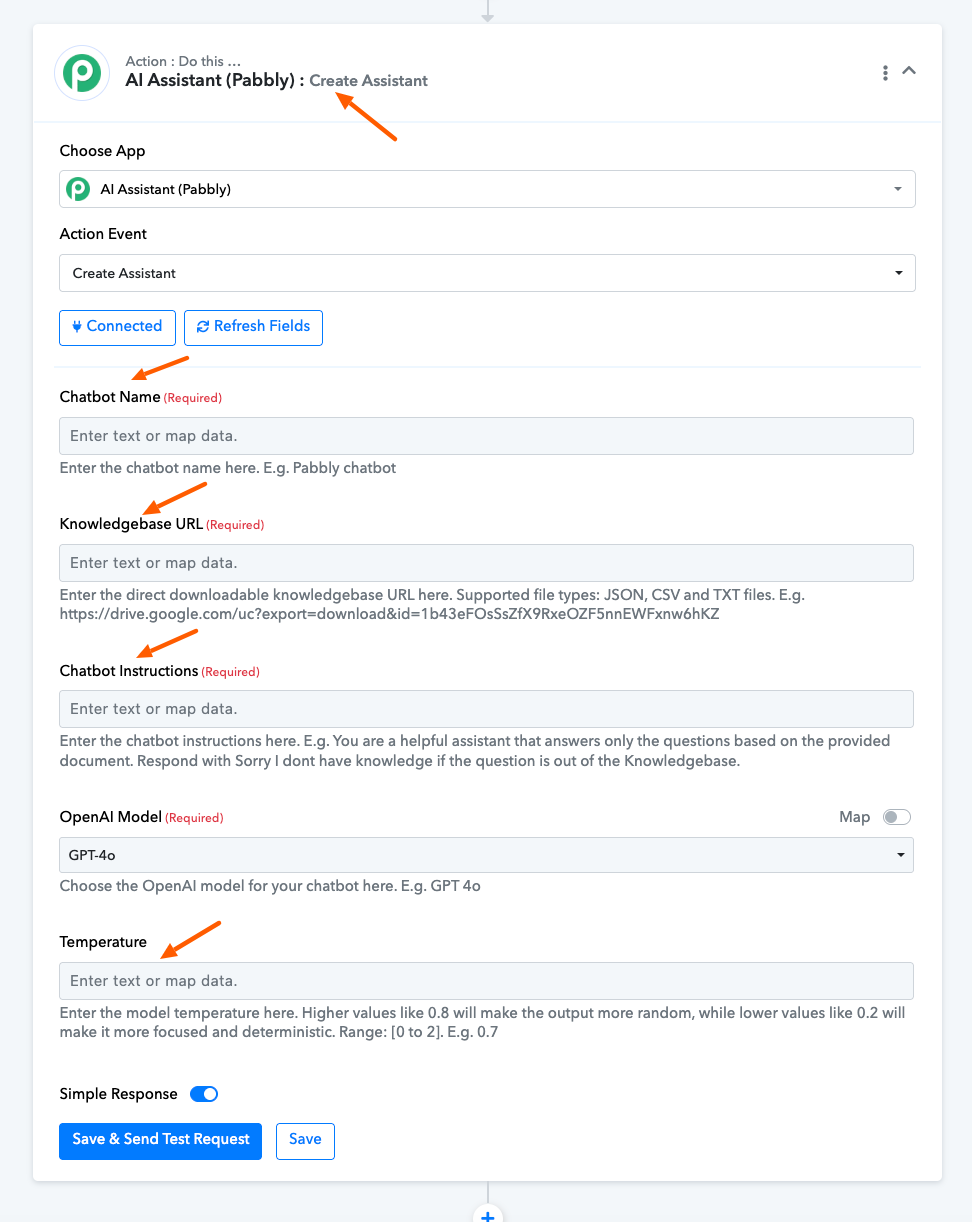
Our technical team suggests that to utilize the assistant feature, you can use 'OpenAI: Create Assistant' action event.
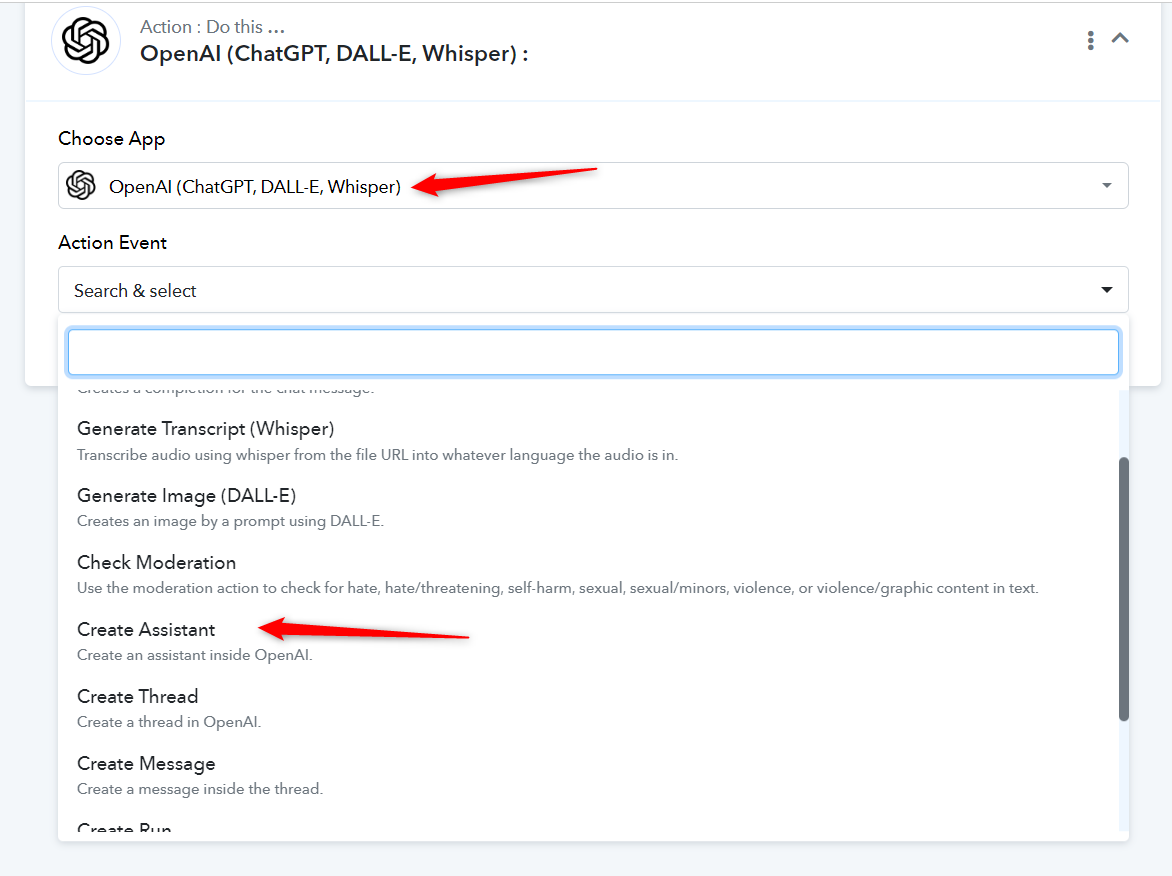
Also, could you please specify which action event you are looking for the Memory Key in?
The event for the memory key is to retain a history of the conversation for each contact in GoHighLevel (GHL). I am using the email field as the differentiator. However, I've seen people create a custom field with a randomly generated memory key to refer to past conversations if a contact is involved in two or more workflows.
I know OpenAI just released a memory function. Do you recommend using a custom field as shown in the images, or the OpenAI chat memory? If using the OpenAI memory key is the recommendation, will it appear in the assistant configuration and correctly associate with each individual contact?
Please allow me some time to look into your concern. We will get back to you with an update soon.
Any updates on this? This is exactly what I'm trying to do...replace Zapier with Pabbly.
Any updates on this? This is exactly what I'm trying to do...replace Zapier with Pabbly.
Please check the video shared below and see if it meets your use case.
Do you have something easier like what Zapier has here? Especially the use of Memory key.
The video you posted requires a lot of back-end knowledge that I don't have.
Hello @RV Shepherd,
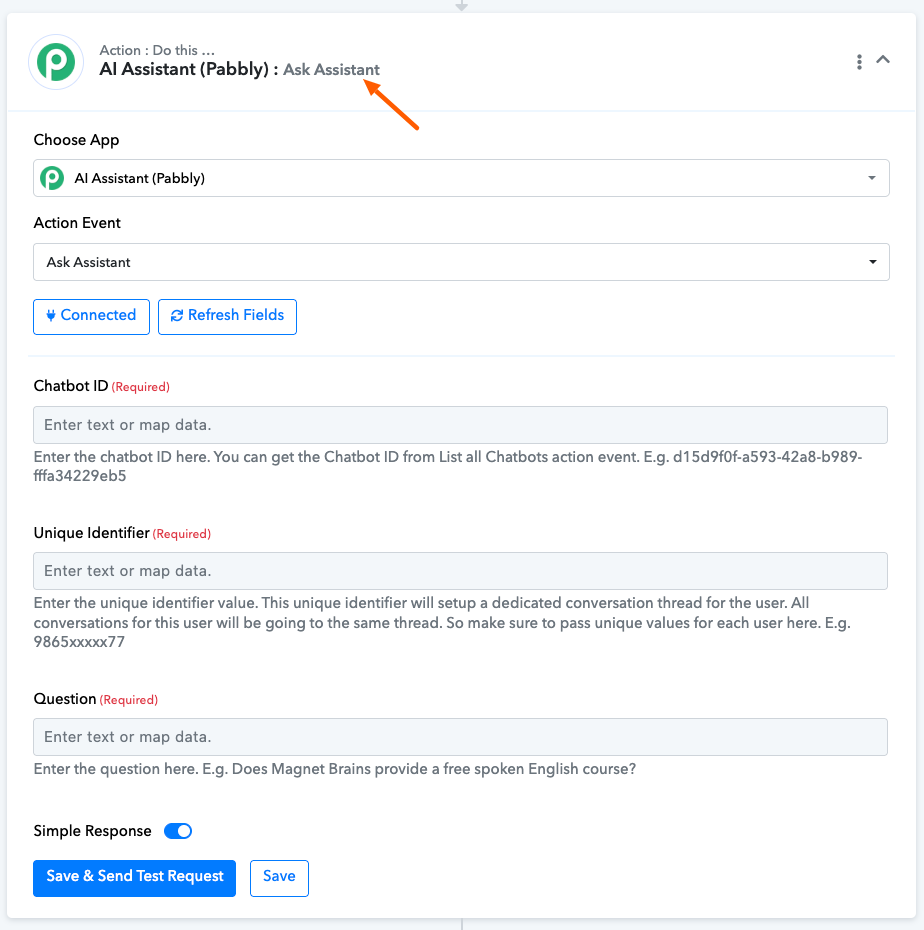
You might find it easier and more efficient to use AI Assistant (Pabbly) for a simpler, more streamlined process.