How to make connections Active in Pabbly Connect?
Status: Closed · Asked by Vijay Singh Rathore on · 0 views
Hello Vijay,
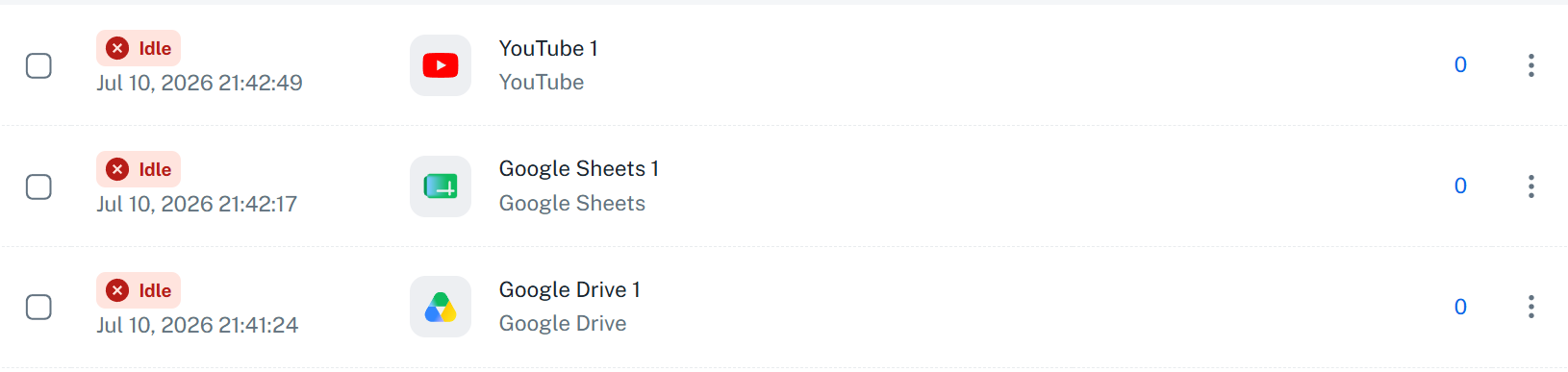
These are not applications but rather connections. Since they are not being used in any of your workflows, they appear as Idle.
You need to create a new workflow, then add a YouTube, Google Sheets, or Google Drive step to the workflow. After that, click the Connect button.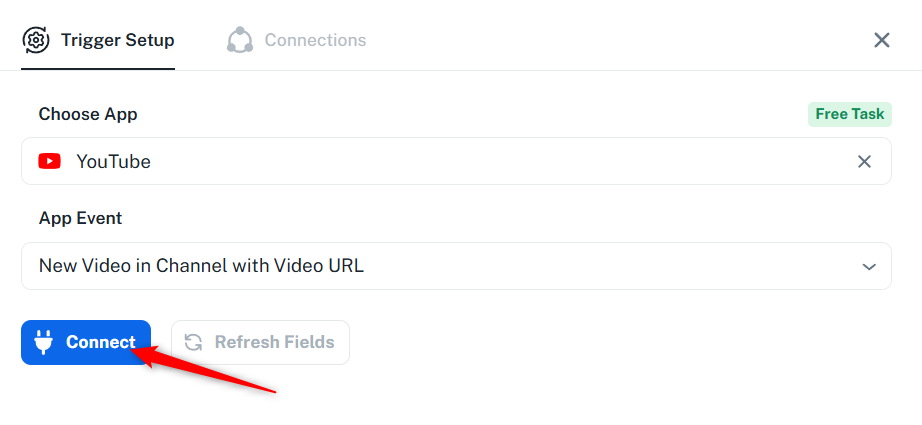
After that, you will be asked to select a connection. Choose the connection you want to make active, click Save, and configure the step. The connection will become active automatically.
Thanks & Regards,
Arshil Ahmad
🌐 Pabbly.com
Just following up to check if you had a chance to try the steps we shared to activate your connections. Please let us know if you're still facing any issues.
Thanks & Regards,
Arshil Ahmad
🌐 Pabbly.com
Just following up to check if you had a chance to try the steps we shared to activate your connections. Please let us know if you're still facing any issues.
Thanks & Regards,
Arshil Ahmad
🌐 Pabbly.com
Just following up on our previous message.
Since we haven't heard back from you, we're closing this support ticket for now.
If you're still facing any issues activating your connections, please feel free to send us an email at [email protected], and we'll be happy to assist you.
Thanks & Regards,Arshil Ahmad
🌐 Pabbly.com